
Monica
A self-hosted personal CRM for remembering friends and family.
No server needed to start: Cloudgate can provide one. What happens when you click Deploy
What is Monica?
Monica is a self-hosted personal CRM that remembers birthdays, family details, calls and gifts for the friends and relatives you care about.
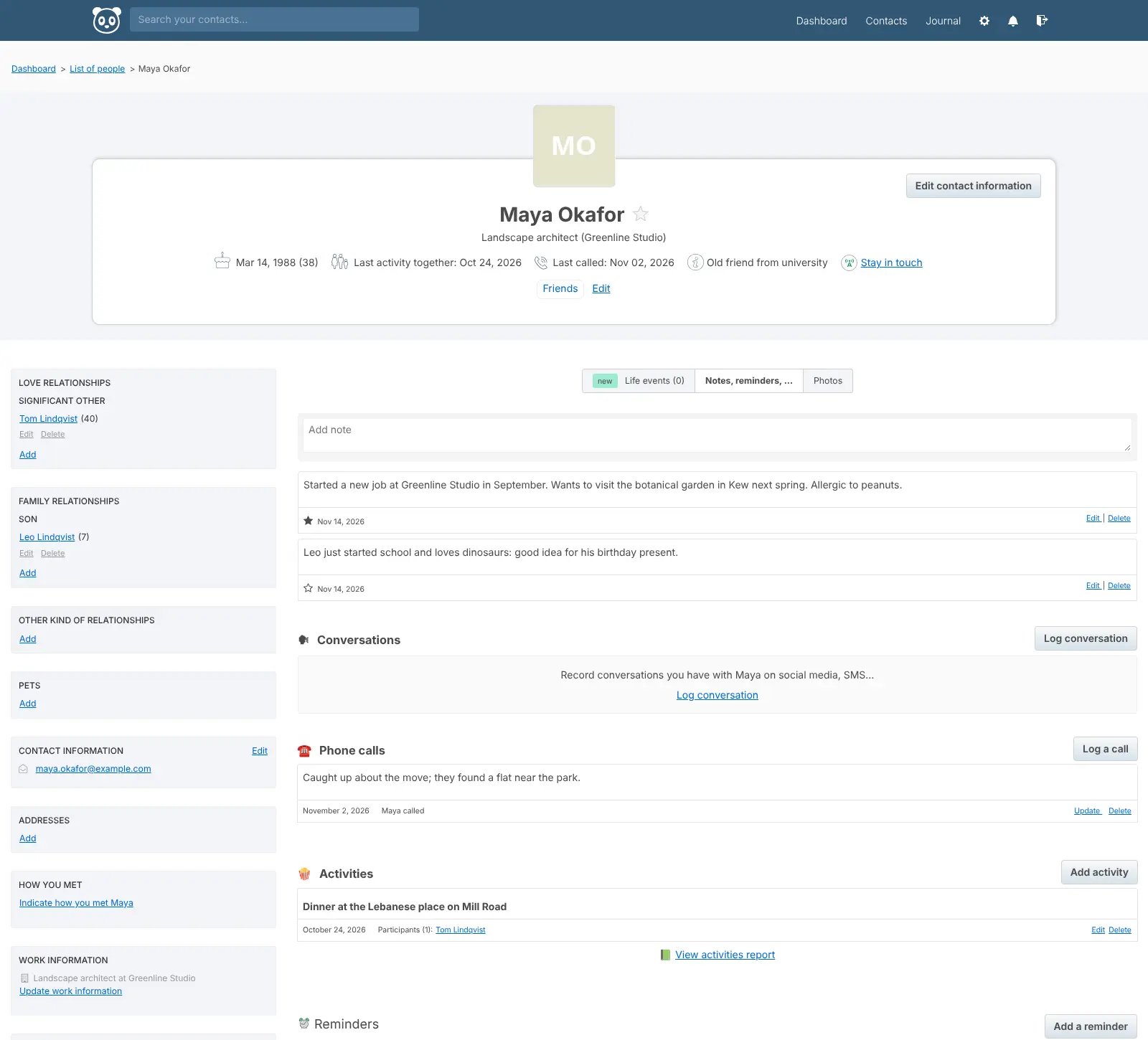
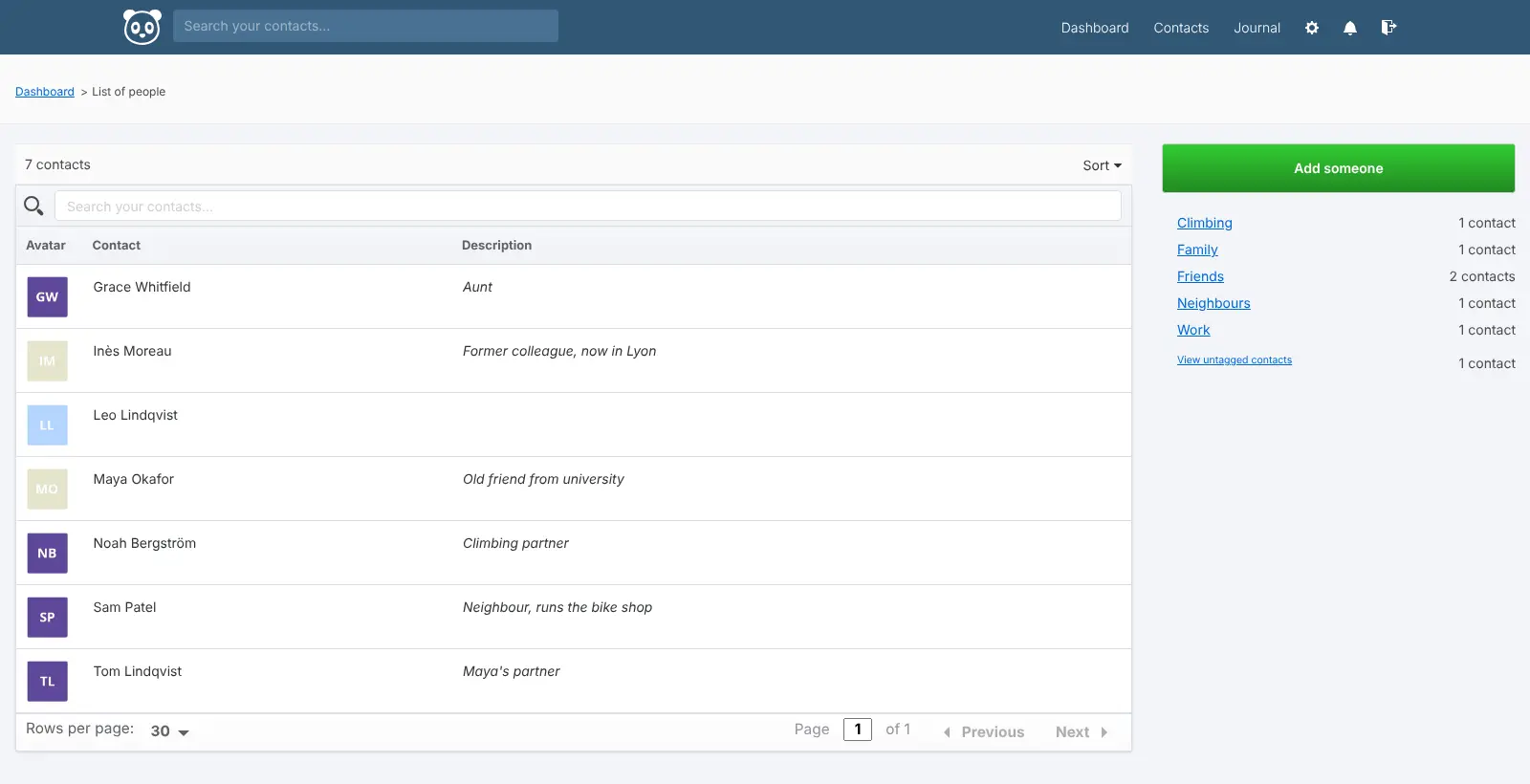
Monica is a free, open-source personal CRM: a self-hosted address book with a memory, for the friends and family in your life rather than for sales. You keep a page for each person with how you met, their partner and children, your calls and notes, and the things you did together, and Monica reminds you of birthdays and when it is time to get in touch.
It suits anyone who finds it hard to keep track of details about other people's lives. Someone who moved abroad for work, for example, could note each cousin's new job and children's names, set a stay-in-touch reminder for old friends back home, and check a person's page before a video call.
Monica works in any web browser, and your contacts, birthdays and tasks can sync with your phone's address book and calendar. There is no phone app and no automatic import from email or social networks. Its makers have announced a rebuilt version; this template runs Monica 4.1.2, the current stable release.
Cloudgate installs Monica on a server Cloudgate provides or one you connect, together with its database, and gives it a secure web address. Open that address and register your account first; to get reminders by email, add your email server's details.
What you can do with Monica
- Keep a page for each person Note how you met, their partner and children, where they work, what they like to eat and anything else worth remembering.
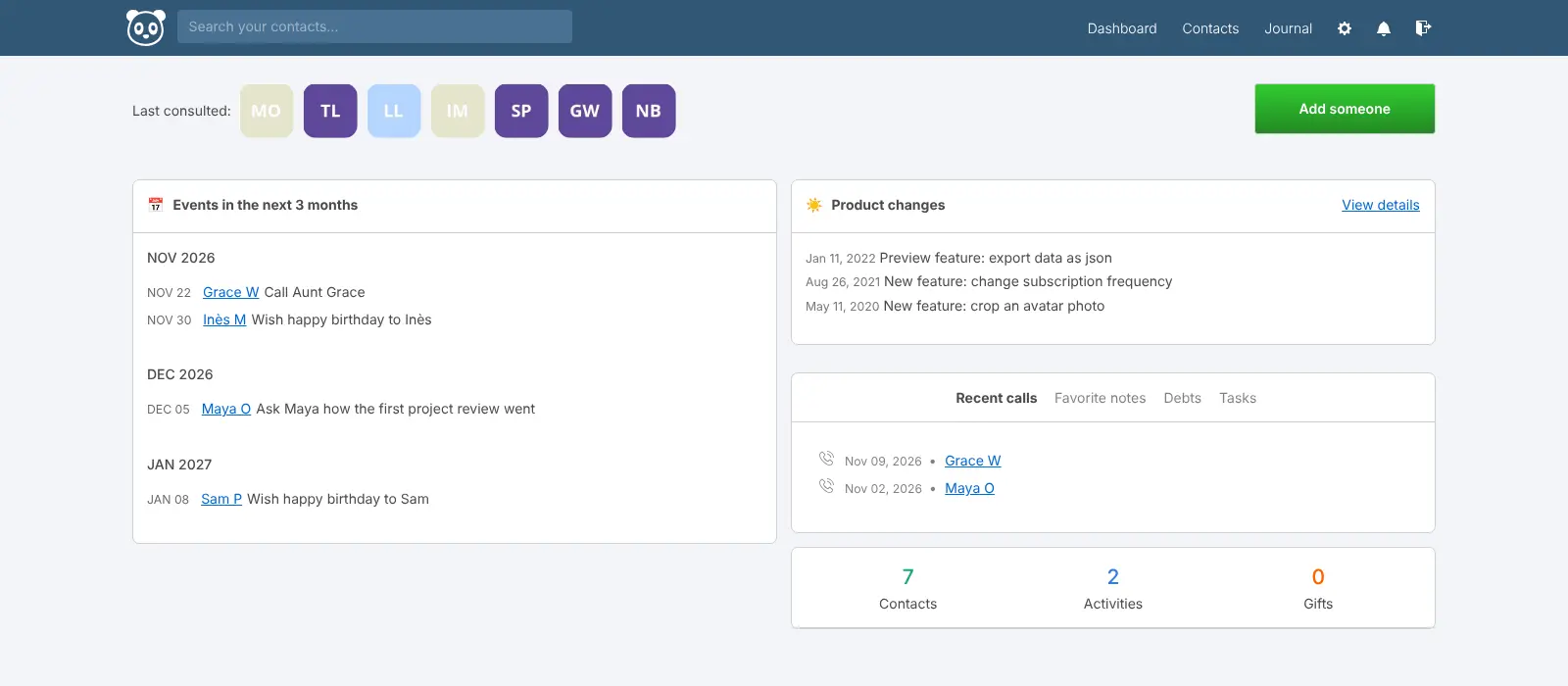
- Never miss a birthday Birthdays become yearly reminders on their own, and you can add your own reminders for anything else.
- Stay in touch Choose how often you want to hear from someone, and Monica reminds you when it has been too long.
- Log calls, notes and time together Write down what you talked about on a call, the dinner you shared or the news someone told you.
- Track gifts, loans and tasks Keep gift ideas, what you gave and received, money lent or owed, and things you promised to do.
- Sync with your phone Your contacts, birthdays and tasks sync with phone and computer address books and calendars that support CardDAV and CalDAV.
- Keep a simple journal Write a few lines about your day and look back at what happened when.
Replaces Dex
Monica does the same job as Dex. Here is what changes when you switch.
- Free, with no paid plan; every feature is in the version you run yourself
- Notes about the people close to you stay on your own server
- Works in any browser and syncs contacts to your phone's address book
- You type everything in yourself; there is no email, calendar or LinkedIn sync
- No phone app, only the web app and contact and calendar sync
- Reminder emails go out only after you add your email server's details
- The current stable version dates from May 2024, and its makers have announced a rebuilt Monica
What happens when you click Deploy?
You do not need a server or any technical knowledge. Four steps, and Monica is running at its own web address.
- Step 1 Click Deploy and create your account
Deploy takes you to Cloudgate. Create an account, or log in if you have one. Monica itself is free.
- Step 2 Choose a server
No server? Get one from Cloudgate: pick a size and a country, and Cloudgate gets it ready. Already have one? Connect it instead.
- Step 3 Cloudgate sets up Monica
It prepares the server, makes the passwords the app needs and starts it. There is nothing to install and nothing to write down.
- Step 4 Open your app and sign in
Your app gets a free web address to start, without https. Add your own domain, like app.yourshop.com, and Cloudgate secures it with https for you.
New to Cloudgate? See what Cloudgate is
Run Cloudgate yourself? Deploy from your own console
In your Cloudgate console, open Templates and choose Monica.
Questions
Is Monica free?
Yes, Monica is free and open source under the AGPL-3.0 licence, and its makers say the self-hosted version will always be completely free. You pay only for your server, and no feature is held back for a paid plan.
What is a personal CRM?
A personal CRM is an address book with a memory for the people in your private life. In Monica you note how you met someone, their family, your calls and the things you did together, and it reminds you of birthdays and when to get back in touch. It is not a sales tool.
Is Monica a good alternative to Dex?
Yes, if you want a private, free personal CRM and do not mind typing things in yourself. Dex fills in contacts automatically from your email, calendar and social accounts; Monica has no such sync, but your notes stay on your server.
Is Monica still maintained?
Monica 4.1.2, released in May 2024, is the latest stable version and the one this template installs. Its makers have announced a rebuilt version of Monica, but they have not yet said how self-hosted installations will move to it.
How do I sign in to Monica the first time?
Open your Monica address straight after setup, click Register and create your account. Sign-ups are turned off by default, so once you have registered nobody else can; you can turn sign-ups on during setup if others should get their own accounts.
Why does Monica not send me reminder emails?
Monica sends reminders by email, so it needs your email server's details before any reminder goes out. Add your email provider's SMTP settings to the app; until then, reminders show on the dashboard only.
Is there a Monica app for iPhone or Android?
No, Monica has no phone app, but the web app works in a phone's browser. Your contacts and birthdays can also sync to your phone's own address book and calendar over CardDAV and CalDAV.
Do I need technical skills to run Monica?
No. Click Deploy, create your Cloudgate account and choose a server, and Cloudgate sets up Monica and gives it a web address. You use it in your browser like any other online tool.
Do I need my own server for Monica?
No. When you deploy Monica, hosted Cloudgate can provide a server. If you already rent one, you can connect it instead.
Can I move my data from Dex to Monica?
Most people export from Dex and import into Monica. The official guides at github.com walk through it.
Related apps

A self-hosted travel tracker, trip planner and world map in one.

A self-hosted flight tracker for every flight you take, on one map.

A self-hosted baby tracker the whole family can share.

A self-hosted habit tracker with daily ticks and streaks, no goals.