MeshCentral
Remote desktop and support for your team's computers.
No server needed to start: Cloudgate can provide one. What happens when you click Deploy
What is MeshCentral?
Self-hosted MeshCentral gives you remote desktop, terminal and file access to your team's Windows, macOS and Linux computers from a web browser.
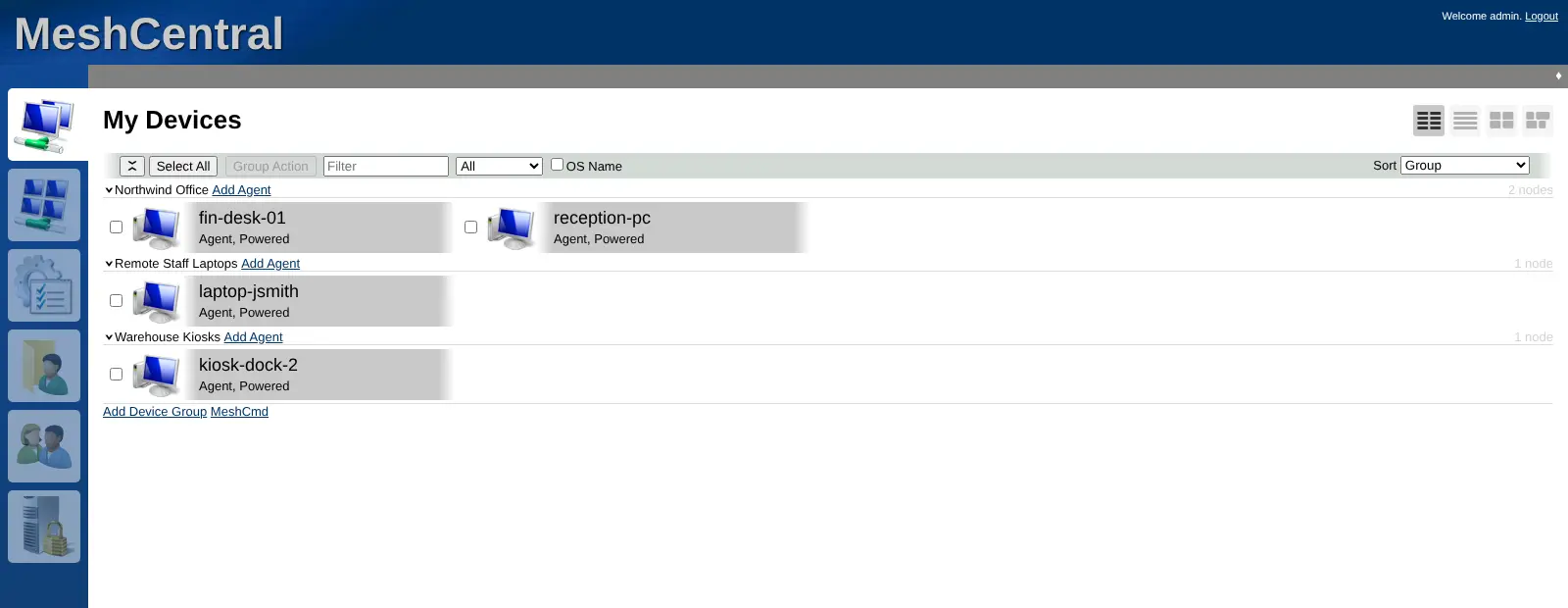
MeshCentral is a free, open-source, self-hosted remote desktop and remote support tool that lets you control your team's Windows, macOS and Linux computers from a web browser, in place of TeamViewer, AnyDesk or ScreenConnect. You install its small agent on each machine, and the machine appears in your MeshCentral console, where you can take over its screen, open a terminal, move files and check its details.
It suits IT staff and small service providers who look after office PCs, laptops, servers or kiosks and don't want to pay per device or per technician. An accounting firm's IT person, for example, could fix a printer driver on a laptop at home, copy a missing report to the front desk PC and check which computers are switched off, all from one browser tab. For a one-off session, MeshCentral Assistant lets you help someone from an invite link. Accounts can use two-step sign-in, and each computer can ask its user for consent before you connect.
Cloudgate installs MeshCentral on a server Cloudgate provides or one you connect, and gives it a secure web address that both you and the agents use. There is no default password: open the address straight away and create your account, which becomes the administrator.
What you can do with MeshCentral
- Take over a computer's screen Open a Windows, macOS or Linux computer's desktop in your web browser and work on it as if you were sitting in front of it.
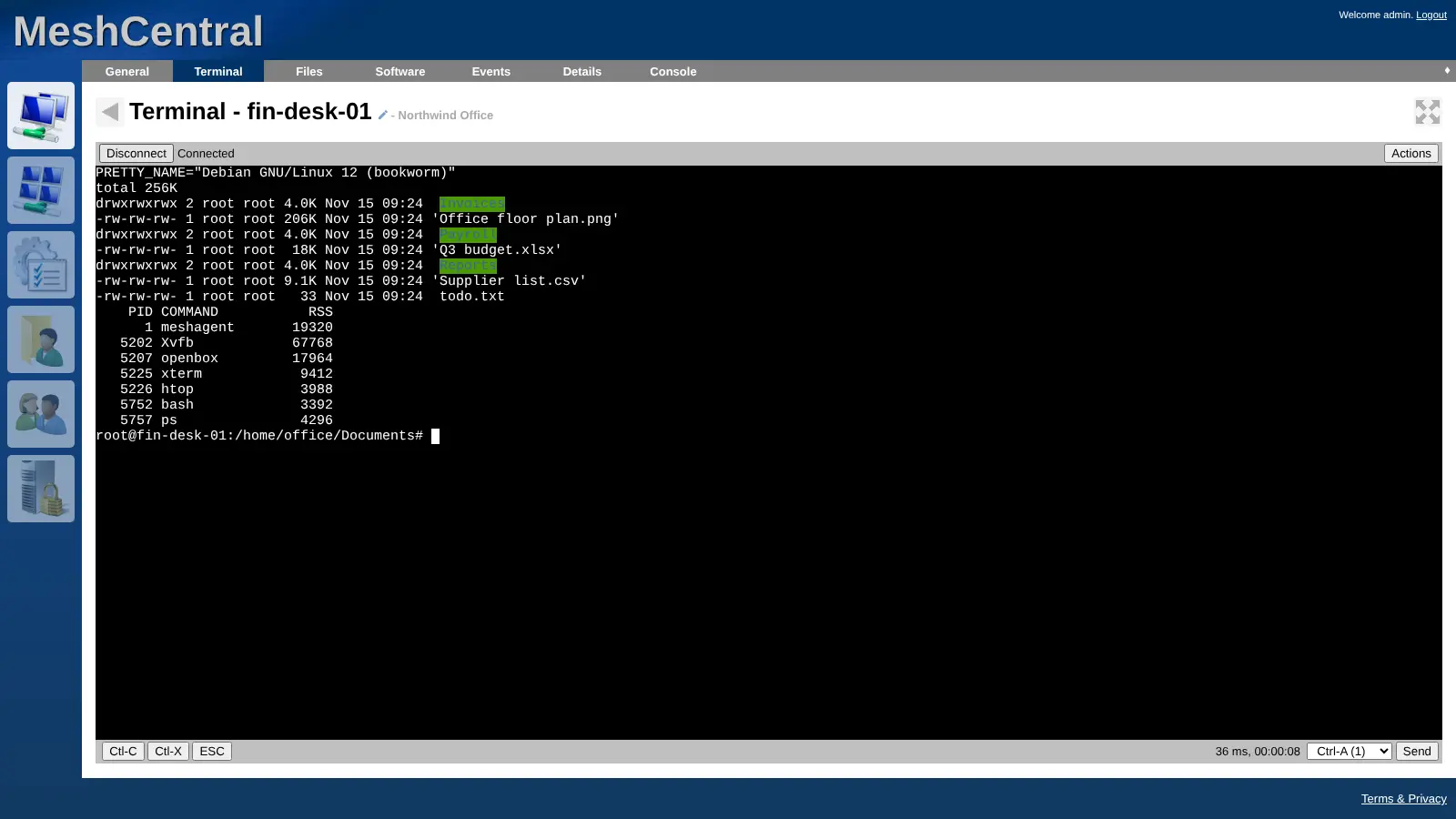
- Open a terminal Run commands on a remote machine from a terminal in the browser, without a separate remote login tool.
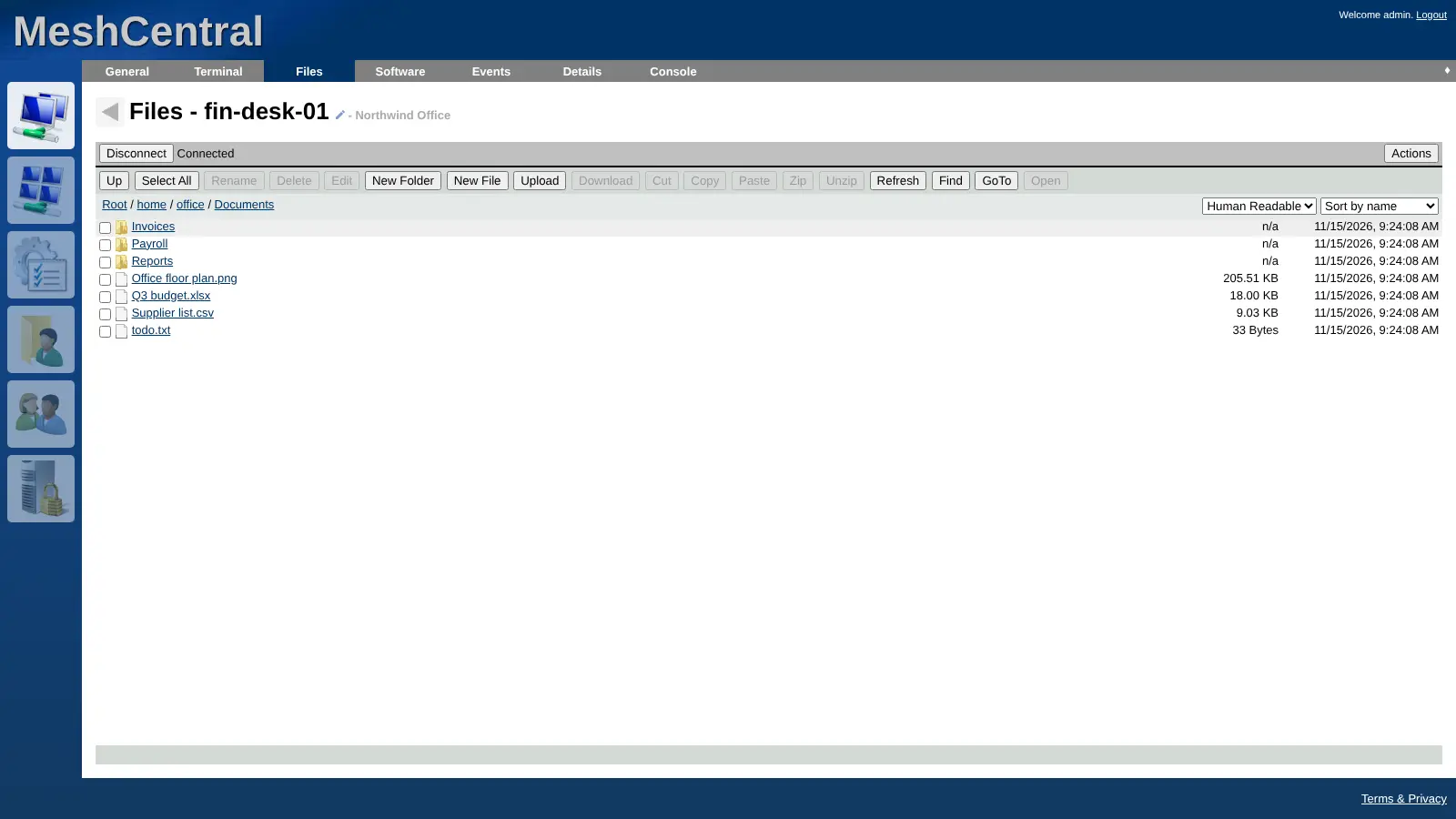
- Move files both ways Browse a computer's folders, upload, download, rename and zip files from the Files tab.
- Keep computers in groups Sort machines into device groups, such as office, laptops and kiosks, and see at a glance which are online.
- Help someone once Send a person an invite link to MeshCentral Assistant for a one-off support session, without a permanent install.
- Ask before you connect Turn on consent and notification prompts per device, so the person at the computer knows when someone connects.
- Sign in safely Protect accounts with two-step sign-in, and give each technician access only to the devices they need.
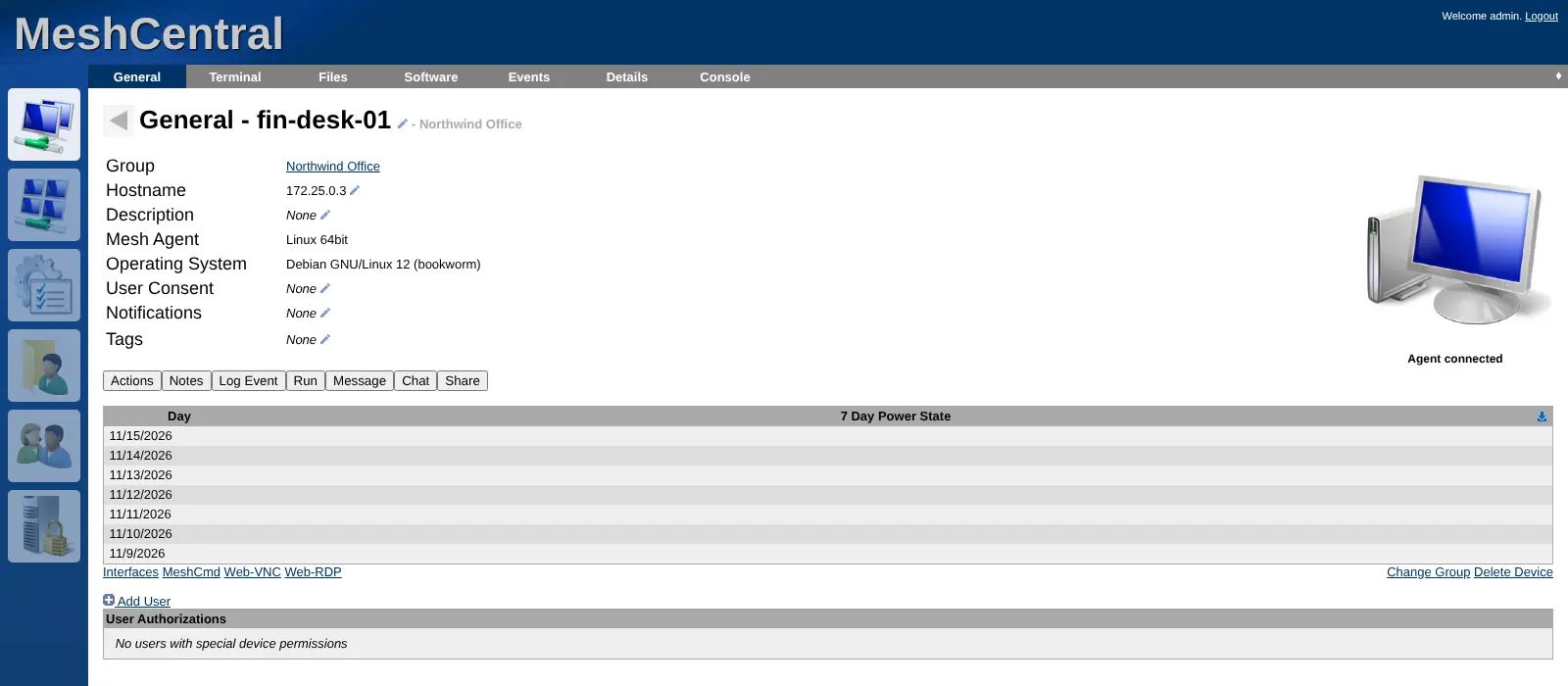
- Check details and history See each computer's operating system, installed software, power history and an events log, and chat with its user.
Replaces TeamViewer, AnyDesk, ScreenConnect and Splashtop
MeshCentral does the same job as TeamViewer, AnyDesk, ScreenConnect and Splashtop. Here is what changes when you switch.
- No fee per device, per technician or per session
- Remote access to your computers runs through your own server
- A terminal and file manager for every machine, next to the remote desktop
- Open source under the Apache 2.0 licence, with every feature included
- The web console looks plainer than TeamViewer or AnyDesk
- Remote desktop runs in the browser, which can feel slower than a native app
- Nothing to import; you install MeshCentral's agent on each computer instead
- Help comes from the community, not a vendor support contract
What happens when you click Deploy?
You do not need a server or any technical knowledge. Four steps, and MeshCentral is running at its own web address.
- Step 1 Click Deploy and create your account
Deploy takes you to Cloudgate. Create an account, or log in if you have one. MeshCentral itself is free.
- Step 2 Choose a server
No server? Get one from Cloudgate: pick a size and a country, and Cloudgate gets it ready. Already have one? Connect it instead.
- Step 3 Cloudgate sets up MeshCentral
It prepares the server, makes the passwords the app needs and starts it. There is nothing to install and nothing to write down.
- Step 4 Open your app and sign in
Your app gets a free web address to start, without https. Add your own domain, like app.yourshop.com, and Cloudgate secures it with https for you.
New to Cloudgate? See what Cloudgate is
Run Cloudgate yourself? Deploy from your own console
In your Cloudgate console, open Templates and choose MeshCentral.
Questions
Is MeshCentral free?
Yes, MeshCentral is free and open source under the Apache 2.0 licence, with no paid edition and no limit on devices or technicians. You pay only for the server it runs on.
Is MeshCentral a good alternative to TeamViewer?
Yes, for teams that look after their own computers and want remote desktop, terminal and file access with no per-device fee. TeamViewer has more polished native apps and needs no server; MeshCentral runs in the browser on a server you control.
How do I sign in to MeshCentral the first time?
There is no default password; the first account created on your MeshCentral becomes the site administrator. Open its web address right after setup and choose Create Account, because new sign-ups close after that and the admin adds other users.
How do I add computers to MeshCentral?
You install MeshCentral's small agent on each computer. Create a device group, choose Add Agent, and download the installer for Windows, macOS or Linux; the computer then shows up in your device list.
Can I import my computers from TeamViewer or AnyDesk?
No, MeshCentral cannot import devices or settings from TeamViewer, AnyDesk or other remote tools. You install its agent on each computer you want to manage.
Can I help someone without a permanent install?
Yes, MeshCentral Assistant gives a person a one-off support session from an invite link, email or invite code, without installing the full agent.
What server size do I need for MeshCentral?
A small server is enough for most teams; MeshCentral's documentation says it runs with about 1 GB of memory. Use grows with the number of connected computers and live sessions.
Do I need technical skills to run MeshCentral?
No. Click Deploy, create your Cloudgate account and choose a server, and Cloudgate sets up MeshCentral and gives it a web address. You use it in your browser like any other online tool.
Do I need my own server for MeshCentral?
No. When you deploy MeshCentral, hosted Cloudgate can provide a server. If you already rent one, you can connect it instead.
Related apps

Self-hosted help desk for email tickets, SLAs and a customer portal.

A self-hosted shared inbox for customer email, like Help Scout.

A self-hosted IT service desk with an inventory of every device.

A self-hosted IT help desk linked to a CMDB of everything you run.