
Open-source alternative to AnyDesk

MeshCentral is a free, open-source AnyDesk alternative for unattended access and support sessions, run from your own server instead of a vendor’s relay network. AnyDesk is a paid subscription for business use; MeshCentral has no licence fee, though its remote desktop runs in the browser rather than a native app.

Free app Code: Open source Import from AnyDesk: No Some setup

Why look for an alternative to AnyDesk?

AnyDesk is remote desktop software known for its fast native client, used for IT support and remote access, with connections routed through AnyDesk's own network.

Businesses look for an alternative because commercial use needs a paid subscription, priced by plan and number of users and devices, and every session goes through the vendor's servers. A self-hosted MeshCentral runs the whole service on your own server with no licence fee.

How MeshCentral compares

Remote desktop and support for your team's computers.

Gives you unattended access to Windows, Linux, macOS and FreeBSD machines with remote desktop, terminal and file transfer, on-demand support sessions and session recording, all through your own server instead of AnyDesk's relay network. AnyDesk's native client feels faster and has phone apps; MeshCentral runs its desktop view in the browser, its interface is plainer, and you look after the server.
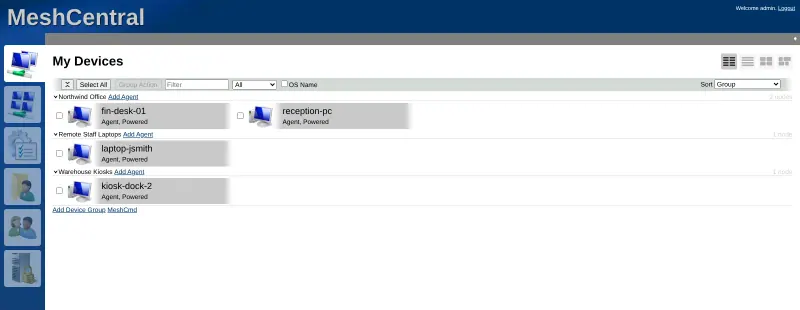
Some setup Open source

Moving from AnyDesk

There is no import from AnyDesk: you enrol each machine again by installing MeshCentral's agent. Create the first account on MeshCentral's web address, which becomes the administrator, then make a device group and download its agent installer for Windows, Linux or macOS. Install it on each computer you look after, by hand or with your usual software deployment tool, and the machines appear in the console. For people you help only now and then, send a MeshCentral Assistant invite link instead of a permanent install. Turn on two-factor sign-in for every technician and set whether users must agree before a session starts. Keep AnyDesk until every machine shows up in MeshCentral.

Questions

What is the best open-source alternative to AnyDesk?

MeshCentral is the free, open-source alternative to AnyDesk for remote access and support in the catalogue today. Gives you unattended access to Windows, Linux, macOS and FreeBSD machines with remote desktop, terminal and file transfer, on-demand support sessions and session recording, all through your own server instead of AnyDesk's relay network. AnyDesk's native client feels faster and has phone apps; MeshCentral runs its desktop view in the browser, its interface is plainer, and you look after the server.

Can I give quick support to someone without installing anything permanent, as with AnyDesk?

Yes. Instead of an AnyDesk session, send them a MeshCentral Assistant invite by link, email or code. They run the small Assistant app for that one session, and nothing stays installed.

Is MeshCentral as fast as AnyDesk?

Usually not. MeshCentral shows the remote desktop in your browser, and comparisons find native clients such as AnyDesk feel quicker. It is fine for support and admin work.

Can I move my AnyDesk computers into MeshCentral?

Not automatically. MeshCentral has no AnyDesk importer, so you enrol each computer again by installing MeshCentral's agent from a device group, by hand or with your usual software deployment tool. Keep AnyDesk running until every machine shows up in the MeshCentral console.

Is MeshCentral really free compared with AnyDesk?

MeshCentral is free and open source under the Apache-2.0 licence, with no paid edition, per-device fee or per-technician fee. To run it you need Cloudgate and a server: use hosted Cloudgate, which can also provide the server, or install Cloudgate on a server of your own for free. Cloudgate's plans and prices are at cloudgate.octabyte.io/pricing.

Do I need a developer to replace AnyDesk?

No. Cloudgate installs MeshCentral on your server and gives it a secure web address, and you use it in your browser instead of AnyDesk.