
phpList
Newsletters and mailing lists with no fee per subscriber.
No server needed to start: Cloudgate can provide one. What happens when you click Deploy
What is phpList?
Self-hosted phpList, the open-source newsletter and mailing list manager: personalised campaigns, sign-up pages and click statistics, no fee per subscriber.
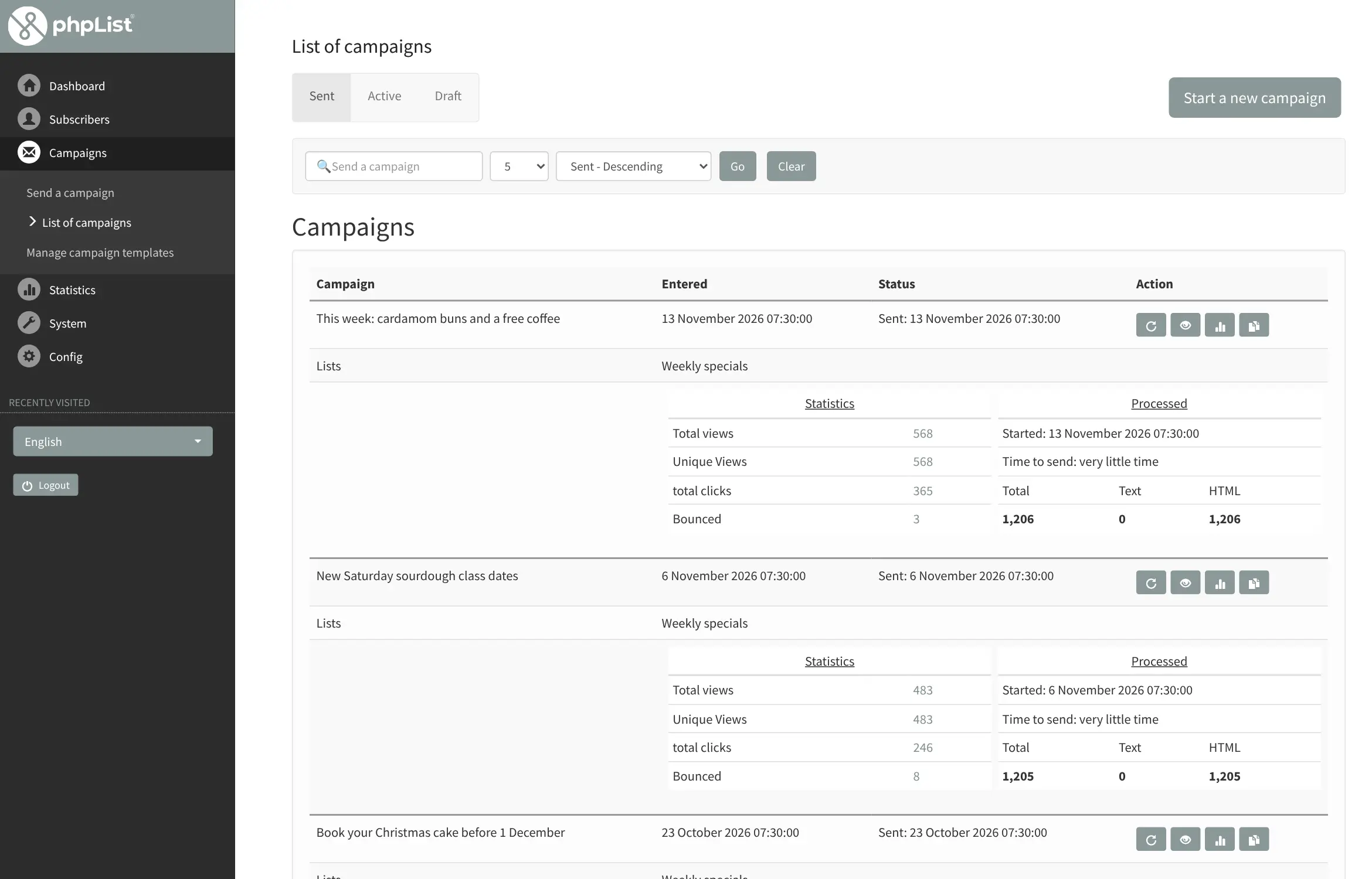
phpList is open-source newsletter and mailing list software you can self-host as a free alternative to Mailchimp, Brevo or MailerLite, with no price per subscriber. You keep your subscribers in as many lists as you need, write personalised campaigns, send them now or on a schedule, and see who opened them and which links they clicked. It has been developed since 2000.
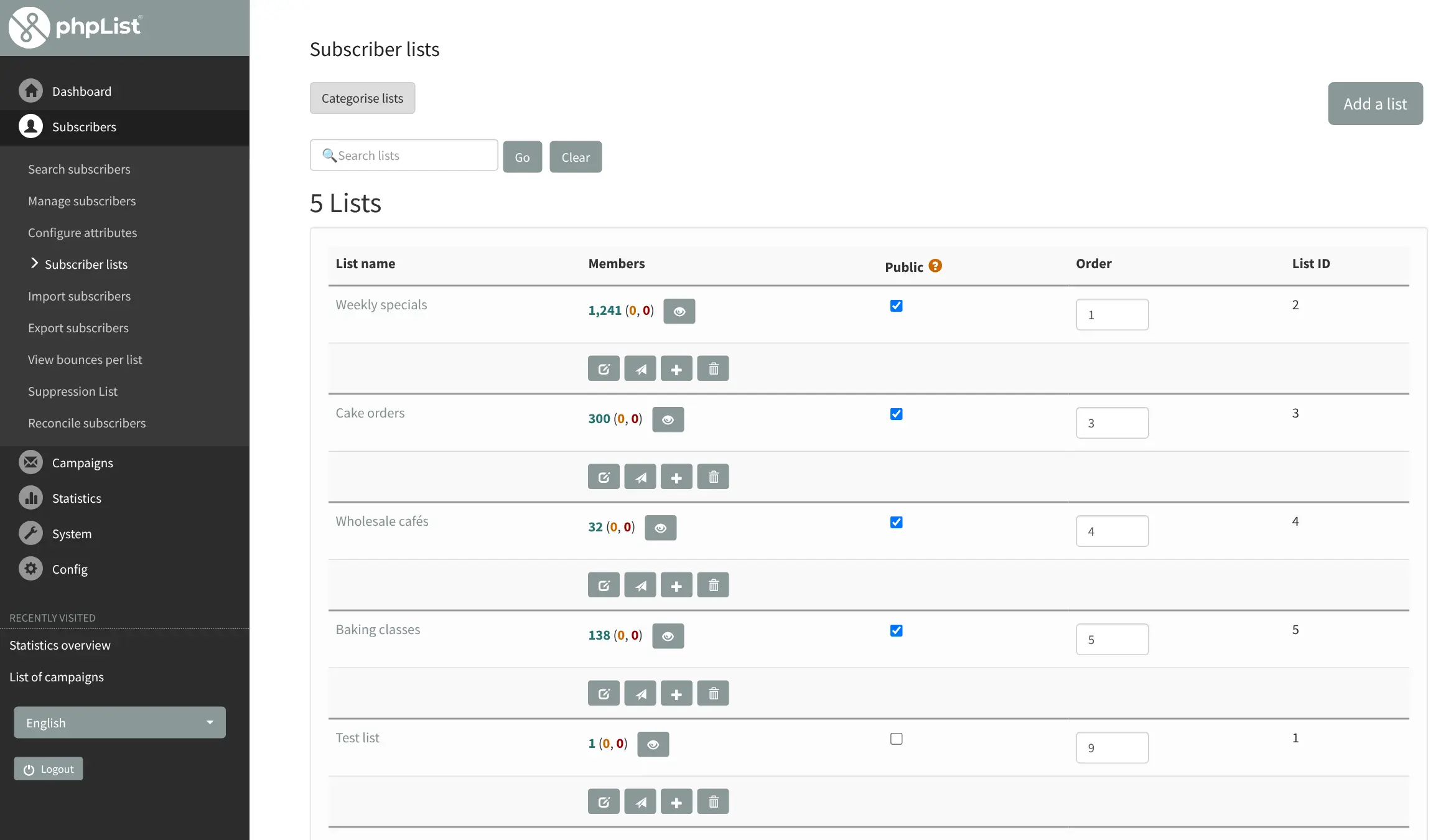
It suits charities, clubs, publishers and small businesses that send regular news to several groups of people. A community theatre, for example, could keep separate lists for members, volunteers and season-ticket holders, give each its own sign-up page on the theatre's website, and send one season announcement that reaches everyone once, even people on two lists.
phpList sends mail through an email sending service you choose, such as Amazon SES, Mailgun, Brevo or your own mail server, so getting into inboxes depends on that service and your domain's sender records. You can bring subscribers over from a spreadsheet or another newsletter tool with a CSV import. It runs in your web browser; there are no phone apps.
Cloudgate installs phpList and its database on a server Cloudgate provides or one you connect, creates your admin account and gives it a secure web address. You then sign in, check your email sending details and import your subscribers.
What you can do with phpList
- Keep as many lists as you need Sort subscribers into unlimited lists and store extra details about each one, such as name, country or membership type.
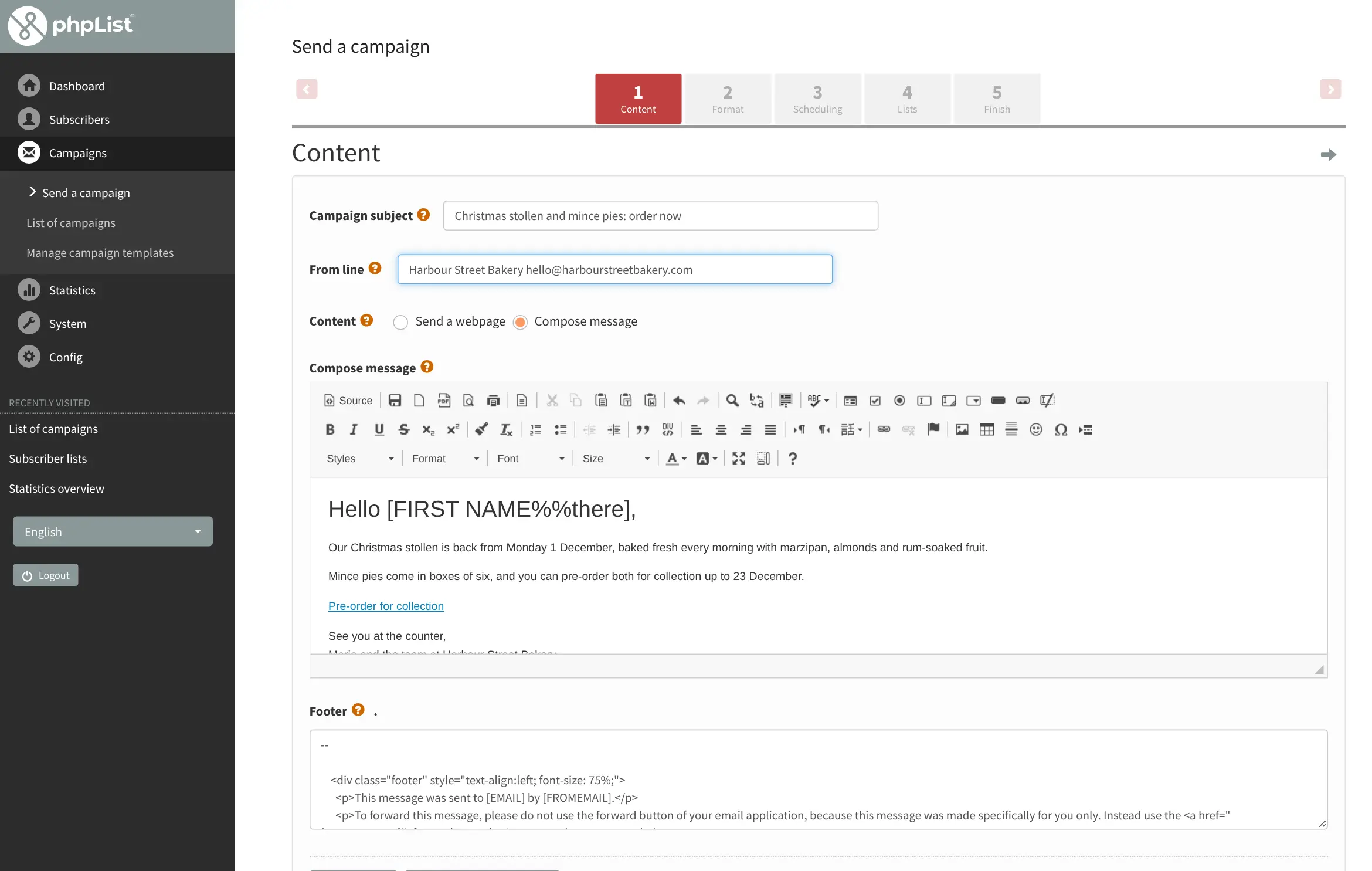
- Personalise every email Greet each reader by name and fill in other details you keep about them, in HTML and plain-text versions of the same email.
- Send a web page as a newsletter Write the campaign in the editor, or point phpList at a page on your website and it sends that page.
- Schedule and control sending Pick when a campaign goes out, pause or resume it, and repeat it; someone on two lists still gets it only once.
- Sign-up pages and unsubscribes Make sign-up pages with the lists and fields you choose, confirm new subscribers by email, and let anyone unsubscribe in one click.
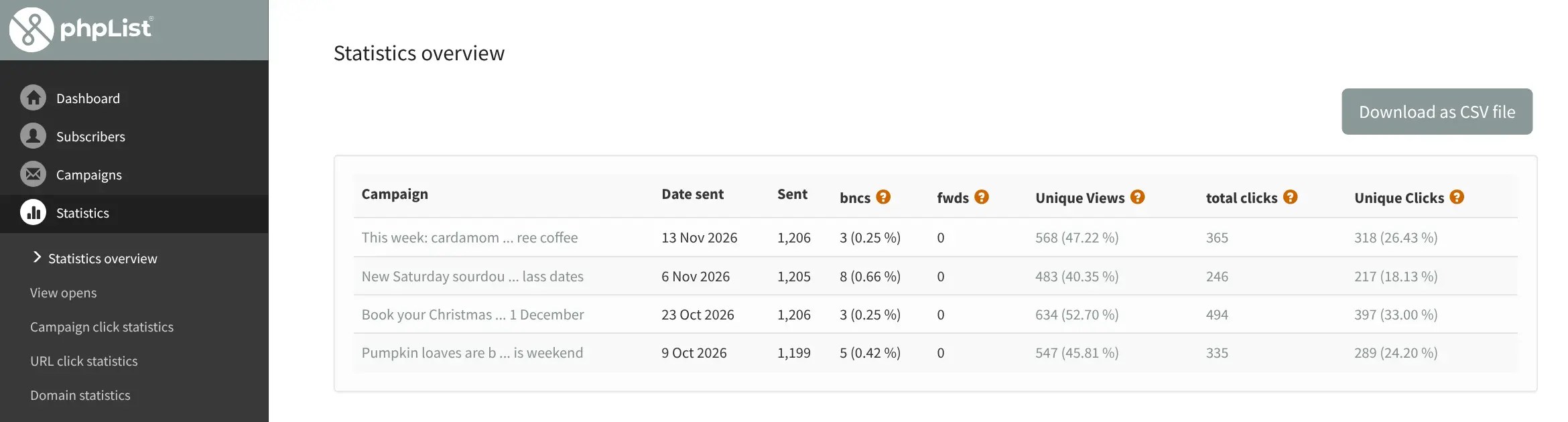
- See what people open and click Each campaign shows views, clicks per link and per subscriber, forwards and bounces, and you can download the figures as a CSV file.
- Work as a team Add several administrators and choose what each of them can see and do.
Replaces Mailchimp, Brevo and MailerLite
phpList does the same job as Mailchimp, Brevo and MailerLite. Here is what changes when you switch.
- No price per subscriber or per email sent, however big your lists grow
- Your subscriber lists stay on your own server
- You choose the email sending service and its price
- Unlimited lists, campaigns and administrators
- You set up an email sending service and your domain's sender records yourself
- The admin screens look older and take longer to learn than Mailchimp's
- No drag-and-drop email builder, landing pages or automated email journeys
- Mailchimp checks deliverability for you; with phpList you watch it yourself
What happens when you click Deploy?
You do not need a server or any technical knowledge. Four steps, and phpList is running at its own web address.
- Step 1 Click Deploy and create your account
Deploy takes you to Cloudgate. Create an account, or log in if you have one. phpList itself is free.
- Step 2 Choose a server
No server? Get one from Cloudgate: pick a size and a country, and Cloudgate gets it ready. Already have one? Connect it instead.
- Step 3 Cloudgate sets up phpList
It prepares the server, makes the passwords the app needs and starts it. There is nothing to install and nothing to write down.
- Step 4 Open your app and sign in
Your app gets a free web address to start, without https. Add your own domain, like app.yourshop.com, and Cloudgate secures it with https for you.
New to Cloudgate? See what Cloudgate is
Run Cloudgate yourself? Deploy from your own console
In your Cloudgate console, open Templates and choose phpList.
Questions
Is phpList free?
Yes. phpList is free, open-source software under the AGPL licence, with no limit on subscribers, lists or emails in the self-hosted version. You pay only for your server and your email sending service. phpList.com is the maker's separate paid hosted service.
Is phpList a good alternative to Mailchimp?
Yes, for sending regular newsletters to your own lists without a price per contact. phpList covers lists, personalised campaigns, sign-up pages, scheduling and open and click statistics. Mailchimp is easier to learn and adds a drag-and-drop builder, landing pages and automations that phpList doesn't have.
Do I need an email sending service for phpList?
Yes. phpList prepares and queues your campaigns, but an email sending service delivers them, such as Amazon SES, Mailgun, Brevo or your own mail server. Cloudgate asks for its SMTP details during setup; until you add them, phpList runs but cannot send. Set up SPF and DKIM records for your domain with that service so your emails don't land in spam.
Can I import my subscribers from Mailchimp into phpList?
Yes. Export your Mailchimp audience as a CSV file and import it under Subscribers, Import subscribers, where you match each column to a phpList field and choose the lists to add people to. Campaigns and email designs don't move over.
Should I choose phpList or listmonk?
Choose phpList if you want ready-made sign-up pages, several administrators with their own permissions and detailed statistics per link and subscriber. Choose listmonk if you prefer a more modern interface and the lightest app to run.
How do I sign in to phpList the first time?
Open your phpList address and sign in with the name admin and the password Cloudgate created, shown on the app's variables page. Your public sign-up pages are at the same address under /lists/.
Is my data private with phpList?
Yes. phpList stores your subscriber lists, campaigns and statistics in a database on your own server. The email sending service you choose sees only the emails it delivers.
Do I need technical skills to run phpList?
No. Click Deploy, create your Cloudgate account and choose a server, and Cloudgate sets up phpList and gives it a web address. You use it in your browser like any other online tool.
Do I need my own server for phpList?
No. When you deploy phpList, hosted Cloudgate can provide a server. If you already rent one, you can connect it instead.
Related apps

Newsletters with a friendly editor and sign-up forms.

Newsletters, email automations and app emails together.

Send newsletters to any size of list, without paying per subscriber.

Email campaigns, lead scoring and automation, no per-contact fee.