
LubeLogger
Keep every vehicle's service, fuel and repair history in one place.
No server needed to start: Cloudgate can provide one. What happens when you click Deploy




What is LubeLogger?
LubeLogger is a self-hosted vehicle maintenance tracker: log services, repairs and fuel for every car, see running costs, and get reminders when work is due.
LubeLogger is a free, open-source, self-hosted vehicle maintenance tracker that keeps the service, repair and fuel records for all your vehicles in one place, instead of a spreadsheet, a box of receipts or an app such as Fuelly or Drivvo. You add each vehicle to a garage, log oil changes, repairs and fill-ups with the receipts attached, and set reminders by date or mileage.
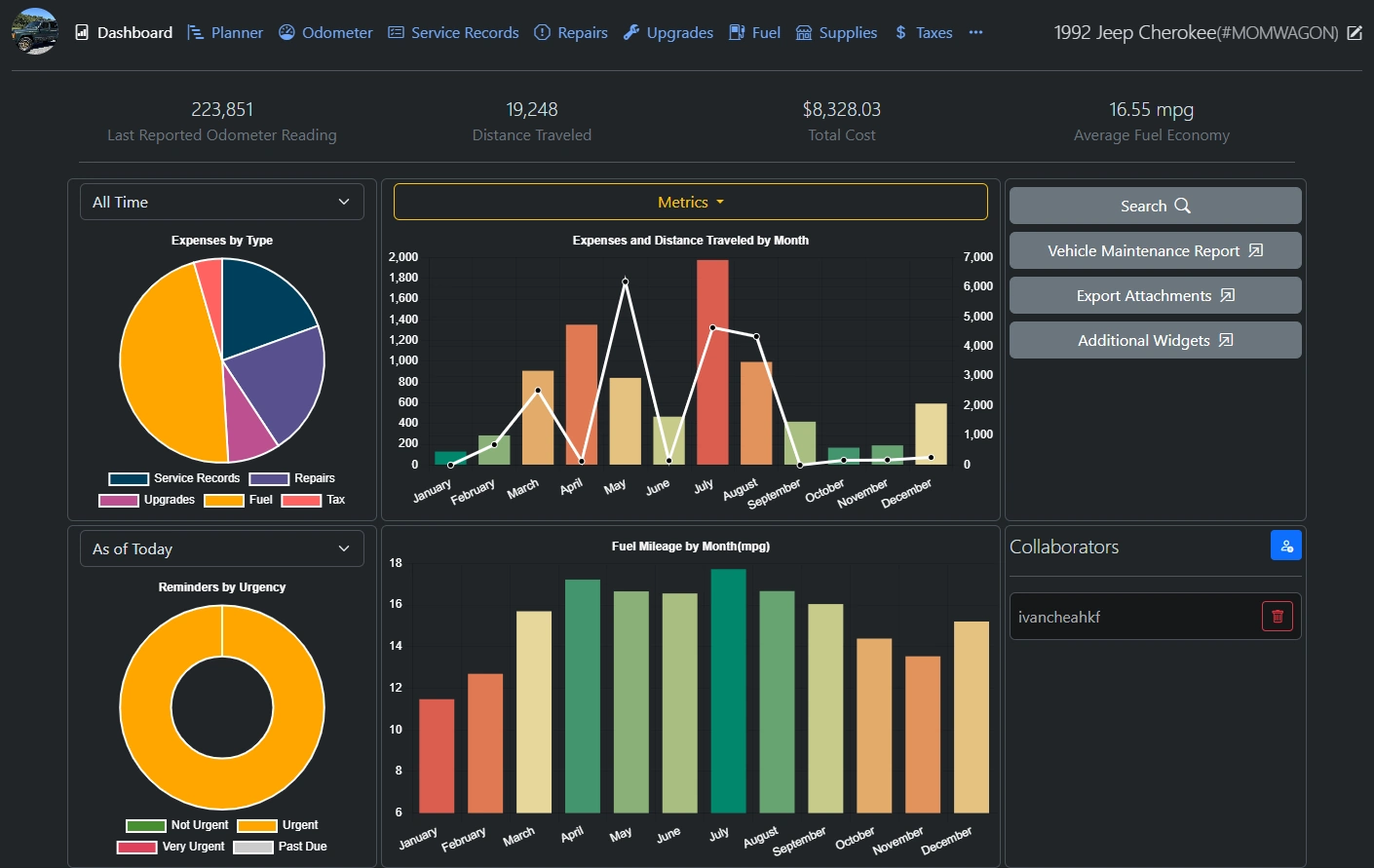
The dashboard shows what each vehicle costs to run, its fuel economy, and which jobs are due soon, and it prints a maintenance report you can hand to a buyer or a mechanic. A plumber with three vans, for example, could log every service and fill-up, get a reminder when each van's next oil change is due, and see which van costs the most per mile.
LubeLogger works in any web browser, including on a phone, though there is no app to install. It imports fuel logs from Fuelly as CSV files, can send reminder emails, and lets you invite family or staff with their own logins.
Cloudgate installs LubeLogger on a server Cloudgate provides or one you connect and gives it a secure web address. It starts with no login, so open Settings straight away and turn on authentication before you share the address.
What you can do with LubeLogger
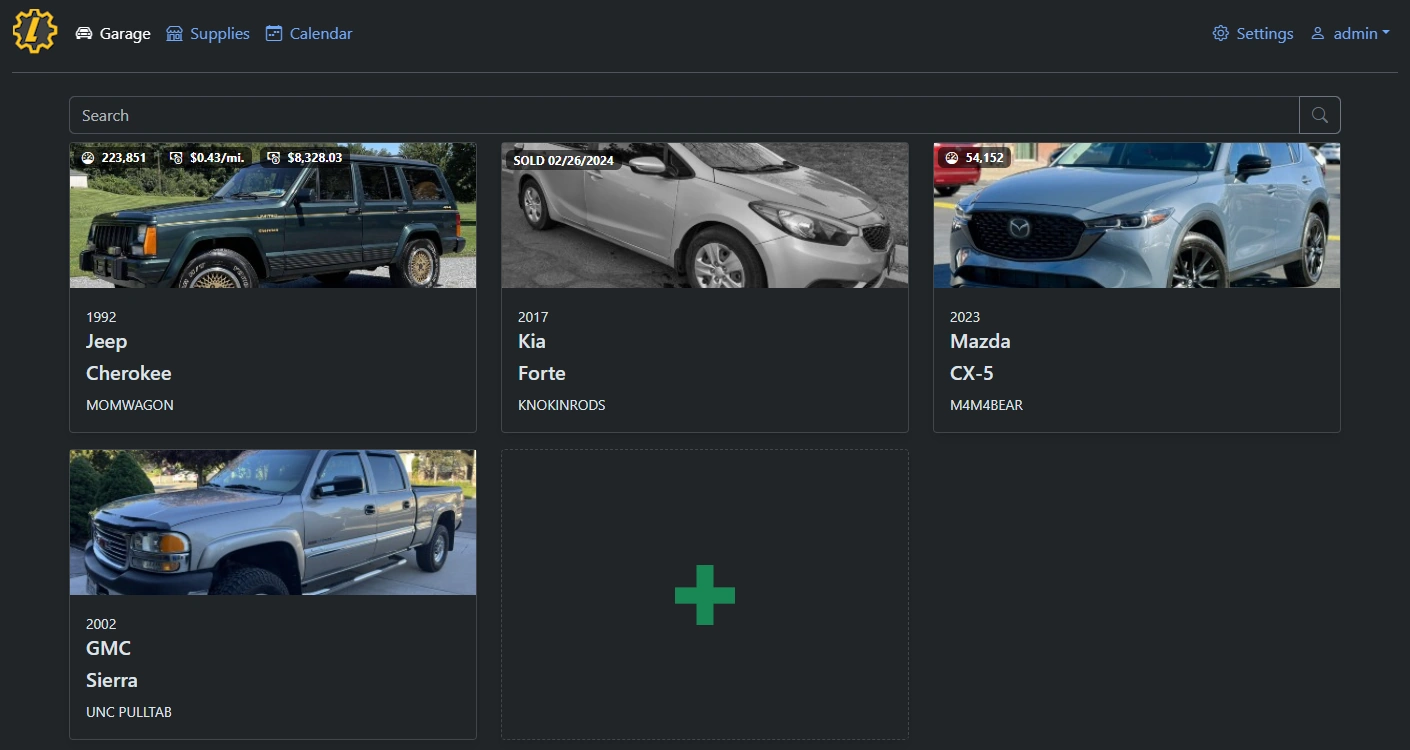
- Keep a garage of vehicles Each car, van or truck gets a card with its photo, plate, odometer, cost per mile and total cost.
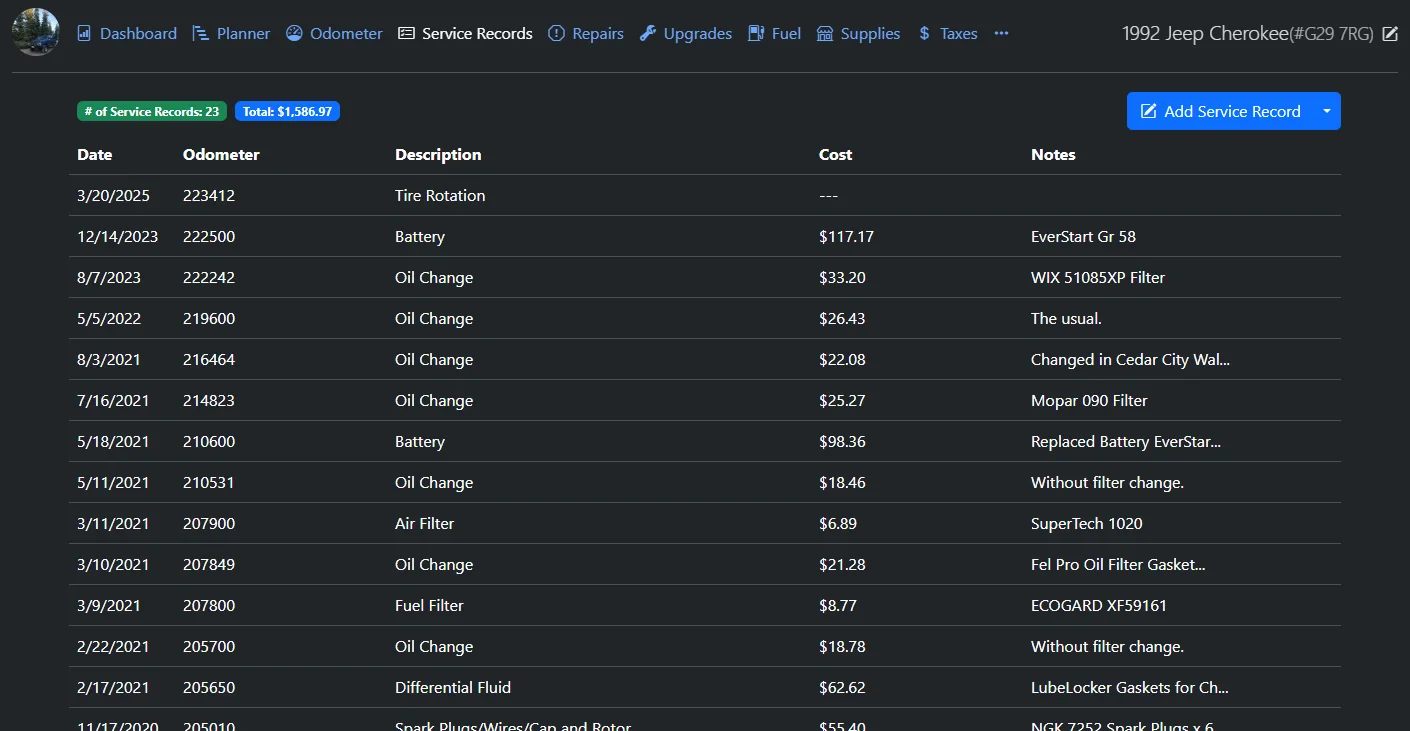
- Log services and repairs Record oil changes, repairs and upgrades with the date, odometer, cost and notes, and attach the receipt.
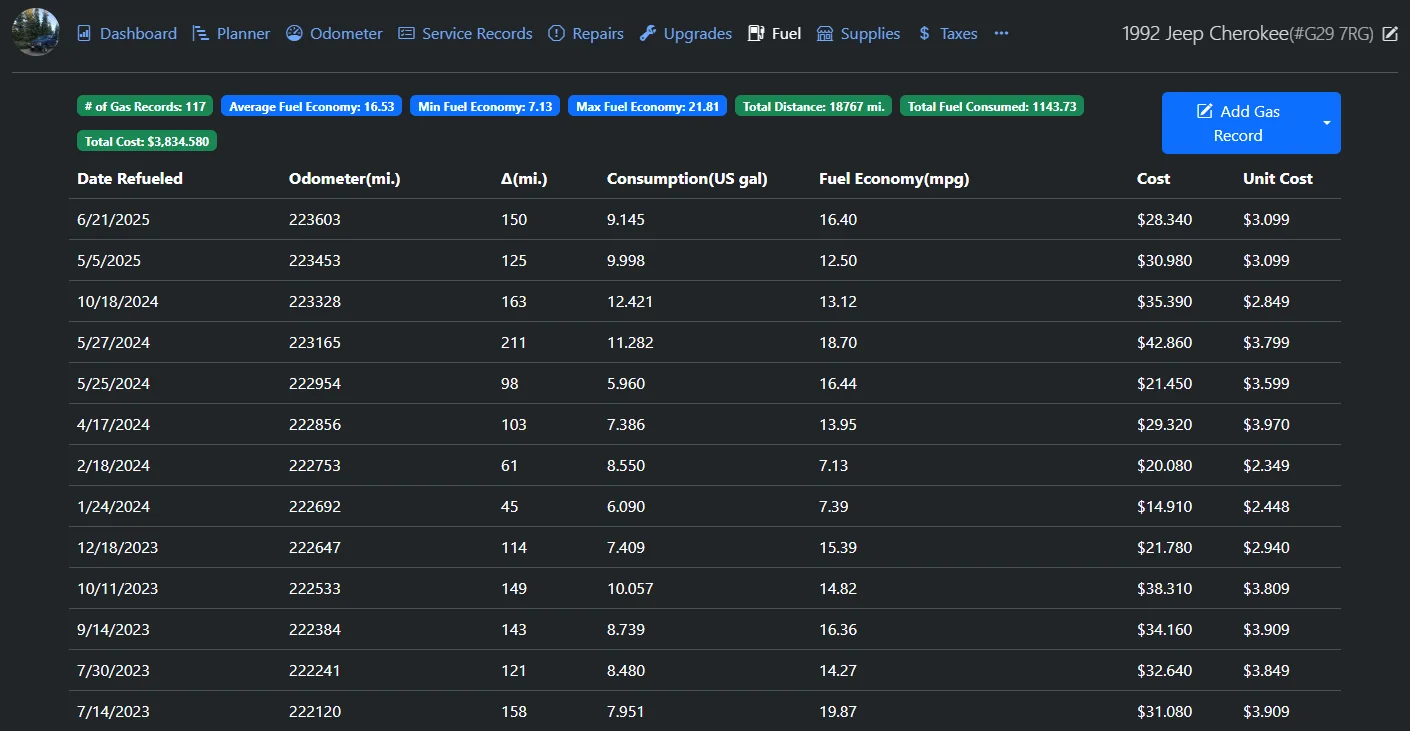
- Track fuel economy Log fill-ups and see MPG or L/100 km, or kWh for an electric car, even when you miss a fill-up.
- Get reminders before work is due Set repeating reminders by date, by odometer, or by whichever comes first.
- See what each vehicle costs The dashboard charts spending by type and by month, and prints a maintenance report for each vehicle.
- Plan upcoming jobs A simple board moves to-dos from planned to done, with a priority and an expected cost.
- Track the paperwork too Keep taxes and registration, inspections, spare parts and notes next to each vehicle.
- Share with family or staff Invite other people and choose who can see each vehicle, or let them sign in with your company login.
Replaces Fuelly, Drivvo and Fleetio
LubeLogger does the same job as Fuelly, Drivvo and Fleetio. Here is what changes when you switch.
- Your vehicle records stay on your own server, with no account at another company
- No subscription or fee per vehicle, however many you add
- Fuelly logs come across through LubeLogger's CSV import
- Receipts, reminders and running costs sit next to each vehicle's history
- There is no phone app; you use the web page in your phone's browser
- Every record is typed in or imported from a CSV file; there are no telematics or fuel-card feeds
- It has no work orders, vendor management or driver apps, so it suits a few vehicles rather than a large fleet
- Reminder emails need an email account set up and a scheduled check, and you look after the server yourself
What happens when you click Deploy?
You do not need a server or any technical knowledge. Four steps, and LubeLogger is running at its own web address.
- Step 1 Click Deploy and create your account
Deploy takes you to Cloudgate. Create an account, or log in if you have one. LubeLogger itself is free.
- Step 2 Choose a server
No server? Get one from Cloudgate: pick a size and a country, and Cloudgate gets it ready. Already have one? Connect it instead.
- Step 3 Cloudgate sets up LubeLogger
It prepares the server, makes the passwords the app needs and starts it. There is nothing to install and nothing to write down.
- Step 4 Open your app and sign in
Your app gets a free web address to start, without https. Add your own domain, like app.yourshop.com, and Cloudgate secures it with https for you.
New to Cloudgate? See what Cloudgate is
Run Cloudgate yourself? Deploy from your own console
In your Cloudgate console, open Templates and choose LubeLogger.
Questions
Is LubeLogger free?
Yes, LubeLogger is free and open source under the MIT licence, with no paid edition and no fee per vehicle. You pay only for your server.
How do I sign in to LubeLogger the first time?
LubeLogger starts with no login, so anyone who has the address can use it. Before you add any records, open Settings, tick Enable Authentication and set the main username and password; after that, everyone has to sign in.
Is LubeLogger a good alternative to Fuelly?
Yes, if you want your fuel and service log on your own server. LubeLogger tracks fuel economy and service history like Fuelly does, and its CSV import reads Fuelly exports, but it has no native phone app.
Can LubeLogger replace Fleetio for a small business?
Yes, LubeLogger can replace Fleetio for a small fleet that only needs service records, fuel logs, costs and reminders. It is not a full fleet platform, so it has no driver apps, telematics, fuel cards, work orders or vendor management.
Is there a LubeLogger phone app?
No, there is no iPhone or Android app. LubeLogger is a web app with a mobile layout, so you log a fill-up from your phone's browser.
Can more than one person use LubeLogger?
Yes. Once authentication is on, the main user invites others from the Admin Panel and chooses who works on each vehicle, and LubeLogger can also use single sign-on through OpenID Connect.
What server size do I need for LubeLogger?
The smallest server is enough, because LubeLogger is one light app with its own built-in database. Its public demo runs with a 150 MB memory limit.
Do I need technical skills to run LubeLogger?
No. Click Deploy, create your Cloudgate account and choose a server, and Cloudgate sets up LubeLogger and gives it a web address. You use it in your browser like any other online tool.
Do I need my own server for LubeLogger?
No. When you deploy LubeLogger, hosted Cloudgate can provide a server. If you already rent one, you can connect it instead.
Can I move my data from Fuelly to LubeLogger?
Most people export from Fuelly and import into LubeLogger. The official guides at docs.lubelogger.com walk through it.
Related apps

A self-hosted travel tracker, trip planner and world map in one.

A self-hosted flight tracker for every flight you take, on one map.

A self-hosted baby tracker the whole family can share.

A self-hosted habit tracker with daily ticks and streaks, no goals.