
Logto
Sign-in, single sign-on and user roles for your own apps.
No server needed to start: Cloudgate can provide one. What happens when you click Deploy

What is Logto?
Self-hosted Logto: add sign-in, social logins, two-step sign-in, single sign-on and user roles to your own apps, with no per-user fees.
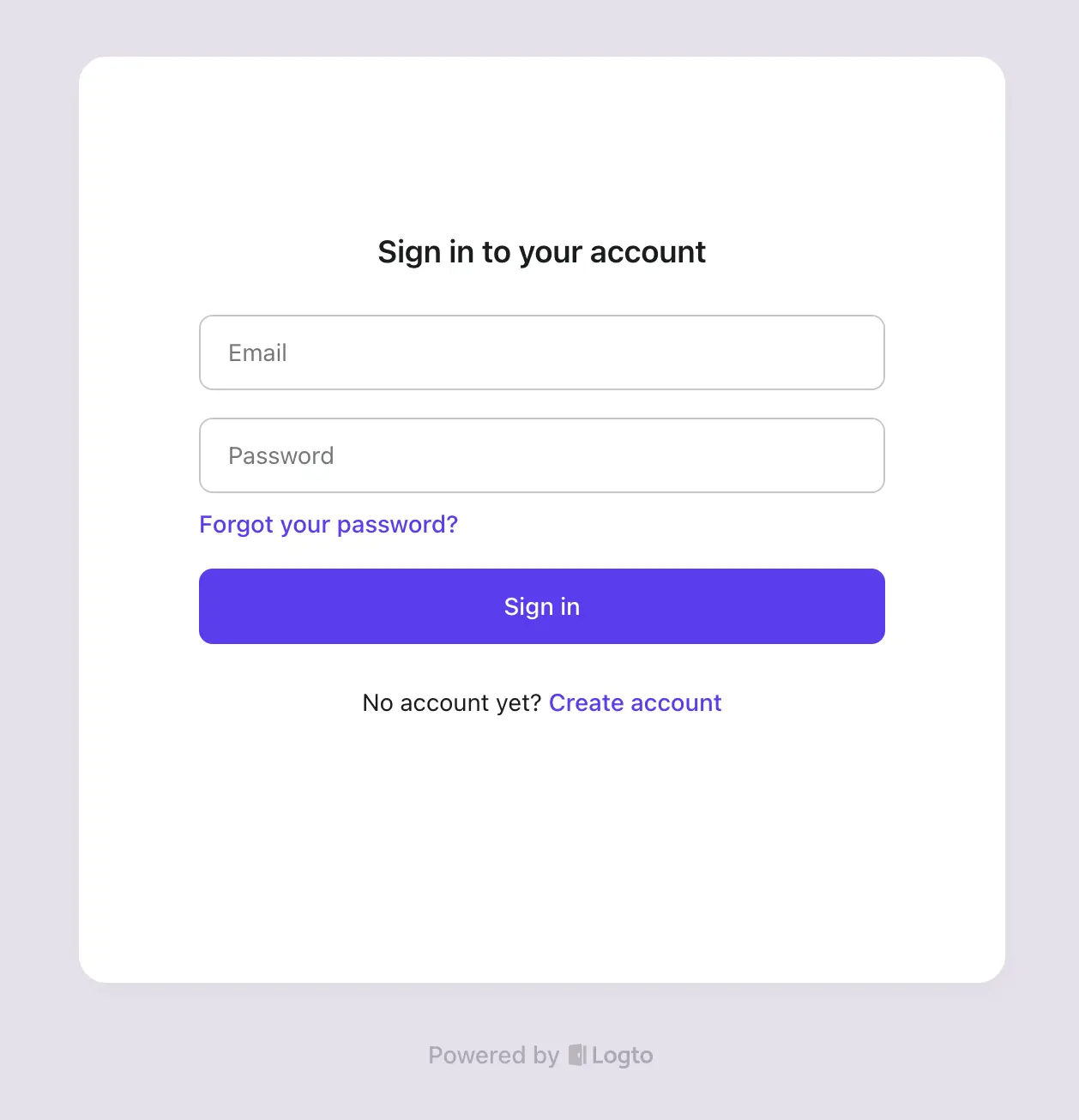
Logto is a free, self-hosted sign-in and user management service that adds login, single sign-on and user roles to your own website or app, as an open-source alternative to Auth0 and Okta Customer Identity. It gives you ready-made sign-in pages, social logins, two-step sign-in and an admin console for every user account.
It suits a business that has built its own product and needs accounts for its customers. A small software company with a customer portal, for example, can let clients sign in with Google or with their company's Microsoft account, group each client's staff into an organisation and decide who may see invoices, without paying per active user.
Logto follows the standards most apps already understand, OpenID Connect, OAuth and SAML, and has guides for more than 30 frameworks, so a developer can connect a website, phone app or API to it. You add your own email provider for sign-in codes. A few extras, such as removing the "Powered by Logto" line, need Logto's paid licence.
Cloudgate installs Logto with its PostgreSQL database and gives it two secure web addresses: one for your users' sign-in pages and one for the admin console. Open the console first to create your admin account.
What you can do with Logto
- Ready-made sign-in pages Sign-in, sign-up and password reset pages with your logo and colours, so you don't build them yourself.
- Sign in with Google, Apple and more Let customers use Google, Apple, Microsoft, GitHub, Facebook and other accounts, or a code sent by email or text message.
- Two-step sign-in Add a second step with an authenticator app, a passkey or backup codes.
- Single sign-on for business customers Let a customer's staff sign in with their company's Microsoft Entra ID, Google Workspace or Okta account, over SAML or OpenID Connect.
- Organisations and roles Group users into organisations, invite members and give each person roles and permissions.
- Manage every user in one place Search, edit, suspend and reset the password of any user from the admin console, and see their activity log.
- Works with your code Guides and libraries for more than 30 frameworks, including React, Next.js, Vue, Flutter, Go and Python, plus webhooks and an API.
Replaces Auth0 and Okta
Logto does the same job as Auth0 and Okta. Here is what changes when you switch.
- No bill per active user, and your customers' accounts stay on your own server
- The same standards as Auth0 and Okta (OpenID Connect, OAuth and SAML), so apps connect in a familiar way
- Organisations, roles, two-step sign-in and single sign-on included in the free version
- You run, back up and update it yourself, where Auth0 does that for you
- You add your own email provider for sign-in codes and password reset emails
- The free version has one admin account, one environment and up to three SAML apps
- Sign-in pages show a small "Powered by Logto" line, which only a paid licence removes
What happens when you click Deploy?
You do not need a server or any technical knowledge. Four steps, and Logto is running at its own web address.
- Step 1 Click Deploy and create your account
Deploy takes you to Cloudgate. Create an account, or log in if you have one. Logto itself is free.
- Step 2 Choose a server
No server? Get one from Cloudgate: pick a size and a country, and Cloudgate gets it ready. Already have one? Connect it instead.
- Step 3 Cloudgate sets up Logto
It prepares the server, makes the passwords the app needs and starts it. There is nothing to install and nothing to write down.
- Step 4 Open your app and sign in
Your app gets a free web address to start, without https. Add your own domain, like app.yourshop.com, and Cloudgate secures it with https for you.
New to Cloudgate? See what Cloudgate is
Run Cloudgate yourself? Deploy from your own console
In your Cloudgate console, open Templates and choose Logto.
Questions
Is Logto free?
Yes, the self-hosted Logto is free and open source under the MPL-2.0 licence. Logto also sells a hosted cloud and a paid self-hosted licence for extras such as removing Logto's branding, team access to the console and unlimited SAML apps.
Is Logto a good alternative to Auth0?
Yes, for adding customer sign-in to your own apps. Logto covers the same ground as Auth0, with sign-in pages, social logins, two-step sign-in, single sign-on, organisations and roles, without a per-user price, but you host and maintain it yourself.
How do I sign in to Logto the first time?
Logto has two web addresses, one for your users' sign-in pages and one for the admin console. The first person to open the admin console creates the admin account with a username and password; there is no default login.
Can I move my users from Auth0 to Logto?
Yes, with some work. Logto's migration guide imports users through its API, including password hashes in bcrypt and other common formats, so people keep their passwords; it is a script a developer runs, not a one-click import.
Does Logto send sign-in emails itself?
No, the self-hosted Logto has no built-in email service. You connect your own provider, such as an SMTP mailbox or SendGrid, for sign-in codes and password reset emails.
Do I need a developer to use Logto?
Yes, for connecting your app. Setting up sign-in methods, branding and users happens in the admin console, but adding Logto to your website or app means a few lines of code using one of its guides.
What server size do I need for Logto?
A small server is enough to try Logto or run a small app, since it is one service plus a PostgreSQL database. Logto's own docs recommend 2 CPUs and 8 GB of memory for production use.
Do I need my own server for Logto?
No. When you deploy Logto, hosted Cloudgate can provide a server. If you already rent one, you can connect it instead.
Related apps

Single sign-on and one user list for all your apps, on your server.

Single sign-on for all your apps, with realms for staff and customers.

Sign-in, passkeys and single sign-on for your apps and customers.
One sign-in with two-step login for the apps you host yourself.