LinkStack
Your own link-in-bio page, with every link in one place.
No server needed to start: Cloudgate can provide one. What happens when you click Deploy
What is LinkStack?
LinkStack is a self-hosted link-in-bio page: put your shop, menu, bookings and social profiles on one page you own, instead of Linktree.
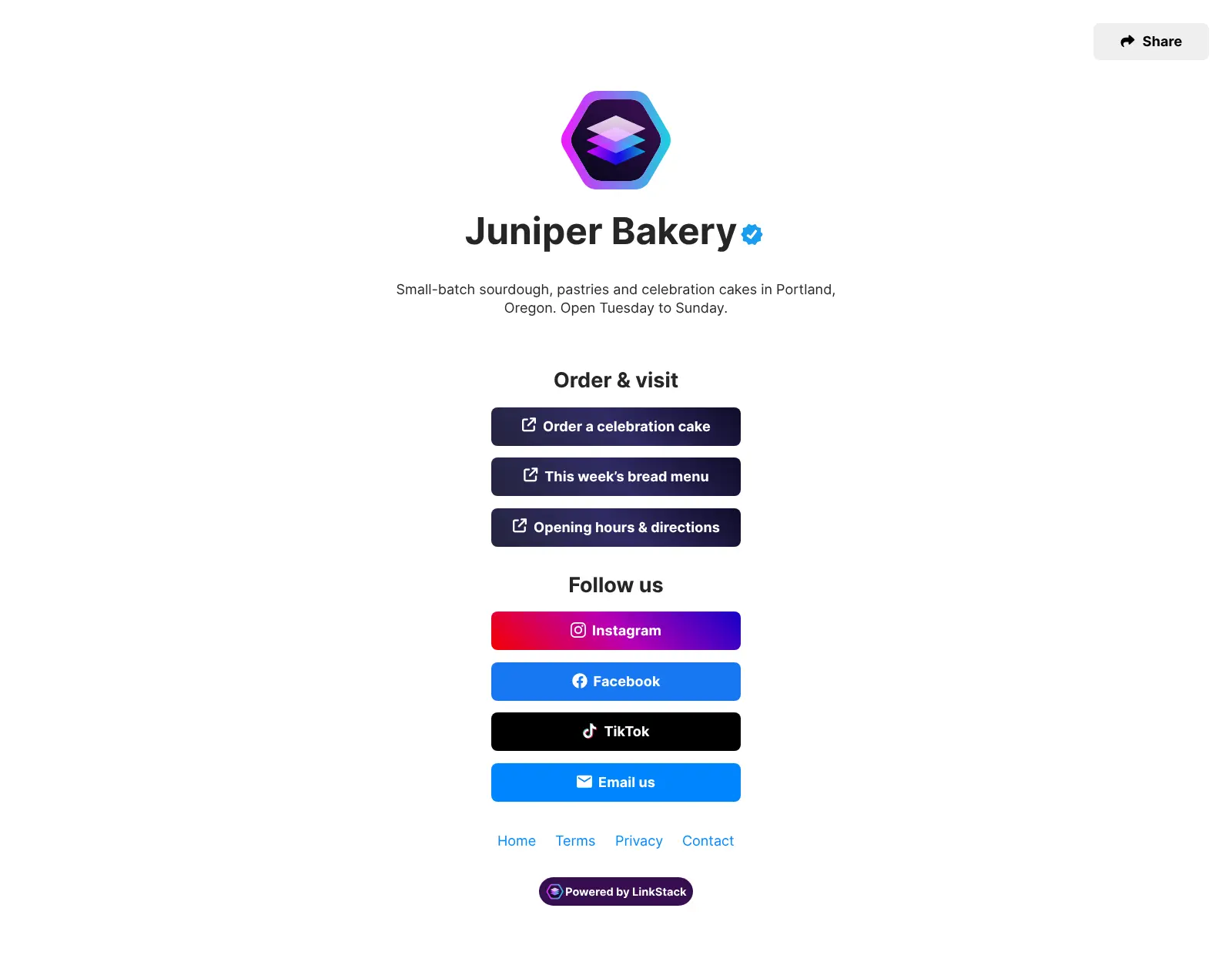
LinkStack is a free, open-source, self-hosted link-in-bio page, an alternative to Linktree: one web page with your photo, name, a short bio and buttons to everything you want people to find. It is the page you put in the single link Instagram, TikTok and other profiles allow.
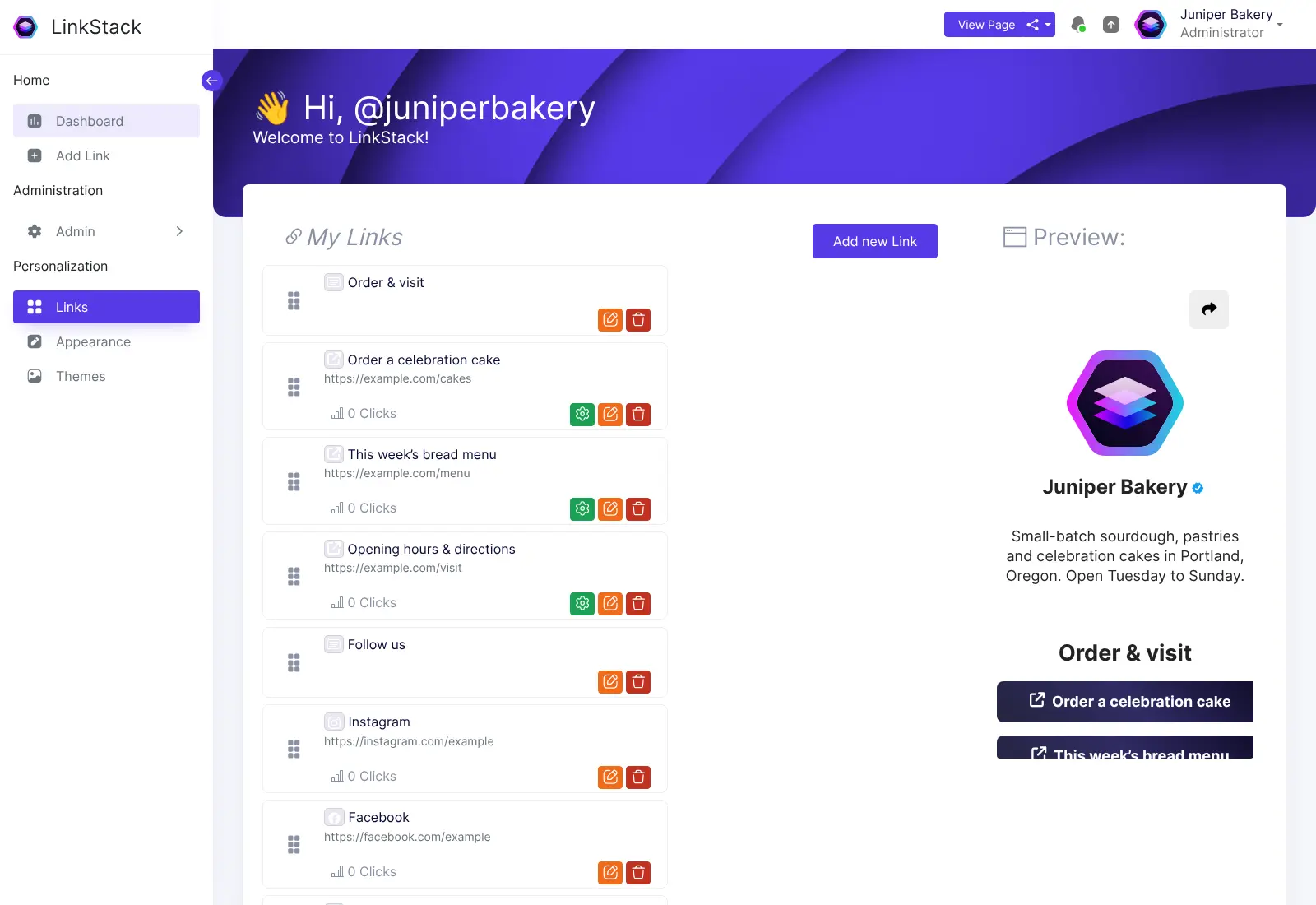
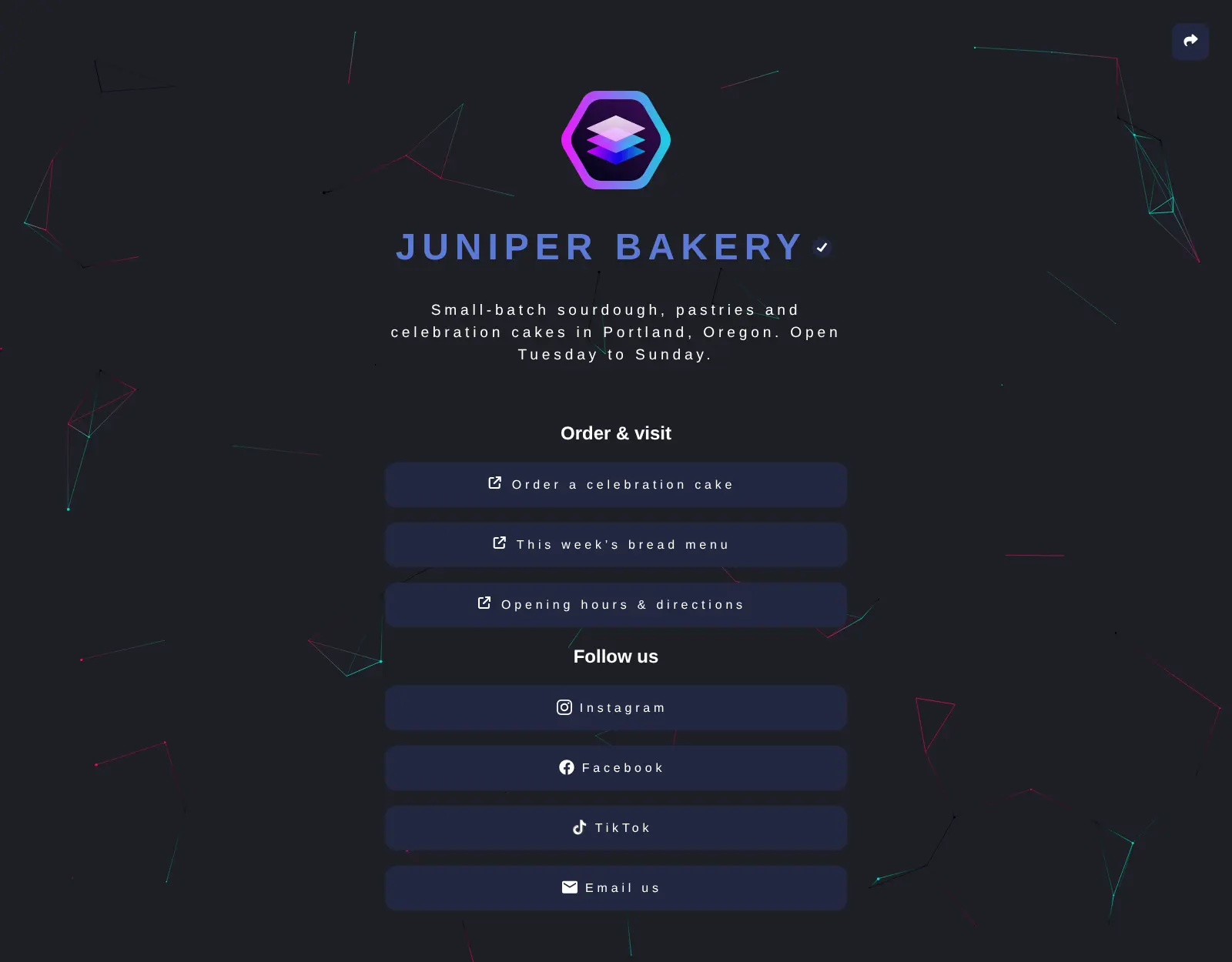
You add links from an editor that shows a live preview, with ready-made buttons for dozens of sites, plus headings, text, an email address, a phone number or a contact card. Themes change the look in a few clicks, and each link shows how many times it has been clicked. A bakery, for example, could link its cake orders, this week's bread menu, opening hours and social profiles from one page in its Instagram bio, and see which link people open most.
One LinkStack can also host pages for other people: turn on sign-ups and each person gets their own page, managed from an admin panel. It works in any browser on a phone or computer, and there is no app to install.
Cloudgate installs LinkStack on a server Cloudgate provides or one you connect, and gives it a secure web address. Open that address right after setup to run the short setup wizard and create your admin account.
What you can do with LinkStack
- One page for all your links Your photo, name, a short bio and a stack of buttons to your shop, menu, bookings and social profiles.
- Ready-made buttons Add buttons for Instagram, TikTok, Facebook, YouTube, Etsy, PayPal and dozens more, or any link of your own.
- More than links Add headings, text, an email address, a phone number or a contact card people can save to their phone.
- Change the look Switch themes in a few clicks, upload more from the community, or set your own background.
- See what gets clicked Each link shows how many times it has been clicked, so you know what your followers open.
- Pages for others too Turn on sign-ups and other people can create their own page, managed from one admin panel.
- In your language The interface comes in more than a dozen languages, including Spanish, French, German and Chinese.
Replaces Linktree
LinkStack does the same job as Linktree. Here is what changes when you switch.
- No monthly plan, and every feature is included
- Your page lives on your own web address
- Your links and click counts stay on your server
- Analytics are simple click counts, with no detailed reports
- No built-in selling, scheduling or app integrations
- Pages show a small "Powered by LinkStack" badge
- There is no importer from Linktree, so you add your links again
What happens when you click Deploy?
You do not need a server or any technical knowledge. Four steps, and LinkStack is running at its own web address.
- Step 1 Click Deploy and create your account
Deploy takes you to Cloudgate. Create an account, or log in if you have one. LinkStack itself is free.
- Step 2 Choose a server
No server? Get one from Cloudgate: pick a size and a country, and Cloudgate gets it ready. Already have one? Connect it instead.
- Step 3 Cloudgate sets up LinkStack
It prepares the server, makes the passwords the app needs and starts it. There is nothing to install and nothing to write down.
- Step 4 Open your app and sign in
Your app gets a free web address to start, without https. Add your own domain, like app.yourshop.com, and Cloudgate secures it with https for you.
New to Cloudgate? See what Cloudgate is
Run Cloudgate yourself? Deploy from your own console
In your Cloudgate console, open Templates and choose LinkStack.
Questions
Is LinkStack free?
Yes, LinkStack is free and open source under the AGPL-3.0 licence, with no paid edition. You pay only for your server.
Is LinkStack a good alternative to Linktree?
Yes, LinkStack is an alternative to Linktree if you want a link-in-bio page you own without a monthly plan. LinkStack does the same main job, one page of buttons to everything, but its analytics are simple click counts and it has no built-in selling, scheduling or app integrations.
How do I set up LinkStack the first time?
The first visit to your LinkStack address opens a setup wizard, so do it right after setup. Choose SQLite as the database, create your admin account, and switch registration off in the wizard unless you want other people to sign up.
Can LinkStack import my links from Linktree?
No, LinkStack has no Linktree importer, so you add your links again by hand. It can export and import data between LinkStack installs.
Can other people have their own page on my LinkStack?
Yes, if you turn on LinkStack registration, each person gets their own page at an address like /@theirname. The admin manages users and site settings from the admin panel.
How do I update LinkStack?
LinkStack's admin panel tells you when a new version is out. On Cloudgate, take a backup, then change the app's version and deploy again, rather than using the panel's one-click updater, which changes files inside the app's storage instead of the version Cloudgate set up.
Do I need technical skills to run LinkStack?
No. Click Deploy, create your Cloudgate account and choose a server, and Cloudgate sets up LinkStack and gives it a web address. You use it in your browser like any other online tool.
Do I need my own server for LinkStack?
No. When you deploy LinkStack, hosted Cloudgate can provide a server. If you already rent one, you can connect it instead.
Related apps

A self-hosted comment system for blogs, with a moderation dashboard.

A simple CMS for small organisations and former Drupal 7 sites.

A simple self-hosted website and blog, with no database to run.

The familiar WordPress admin with the classic editor, no blocks.