
Backdrop CMS
A simple CMS for small organisations and former Drupal 7 sites.
No server needed to start: Cloudgate can provide one. What happens when you click Deploy
What is Backdrop CMS?
Self-hosted Backdrop CMS, a free and maintained fork of Drupal 7 for small organisations' websites. Replaces Squarespace or Wix, and upgrades Drupal 7 sites.
Self-hosted Backdrop CMS is a free, open-source content management system (CMS) for building a website your whole team can edit, with no monthly plan like Squarespace or Wix. It is a fork of Drupal 7 maintained by its own community, which makes it a ready-made home for Drupal 7 sites now that Drupal 7 has reached end of life. It suits non-profits, schools, clubs and small organisations.
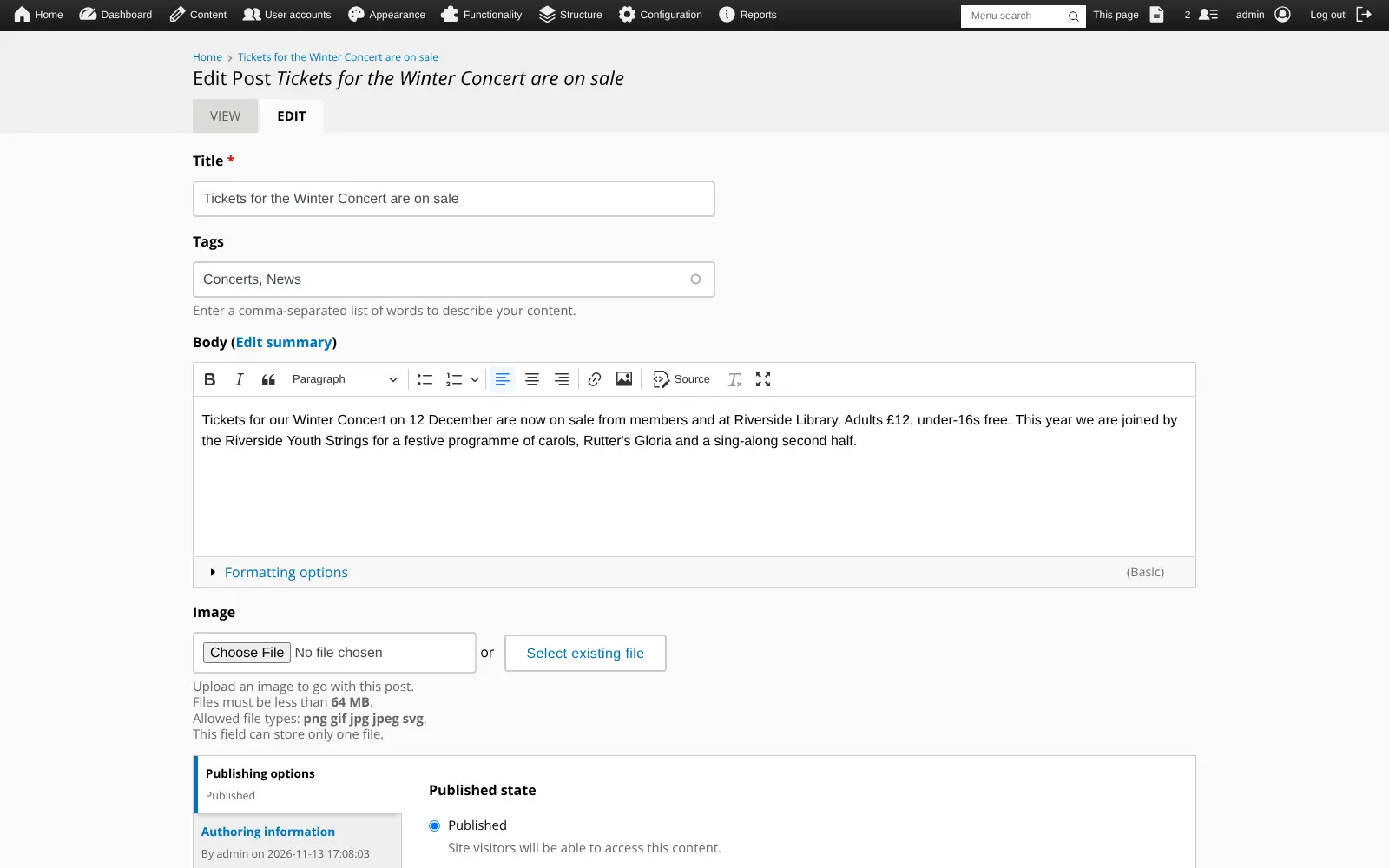
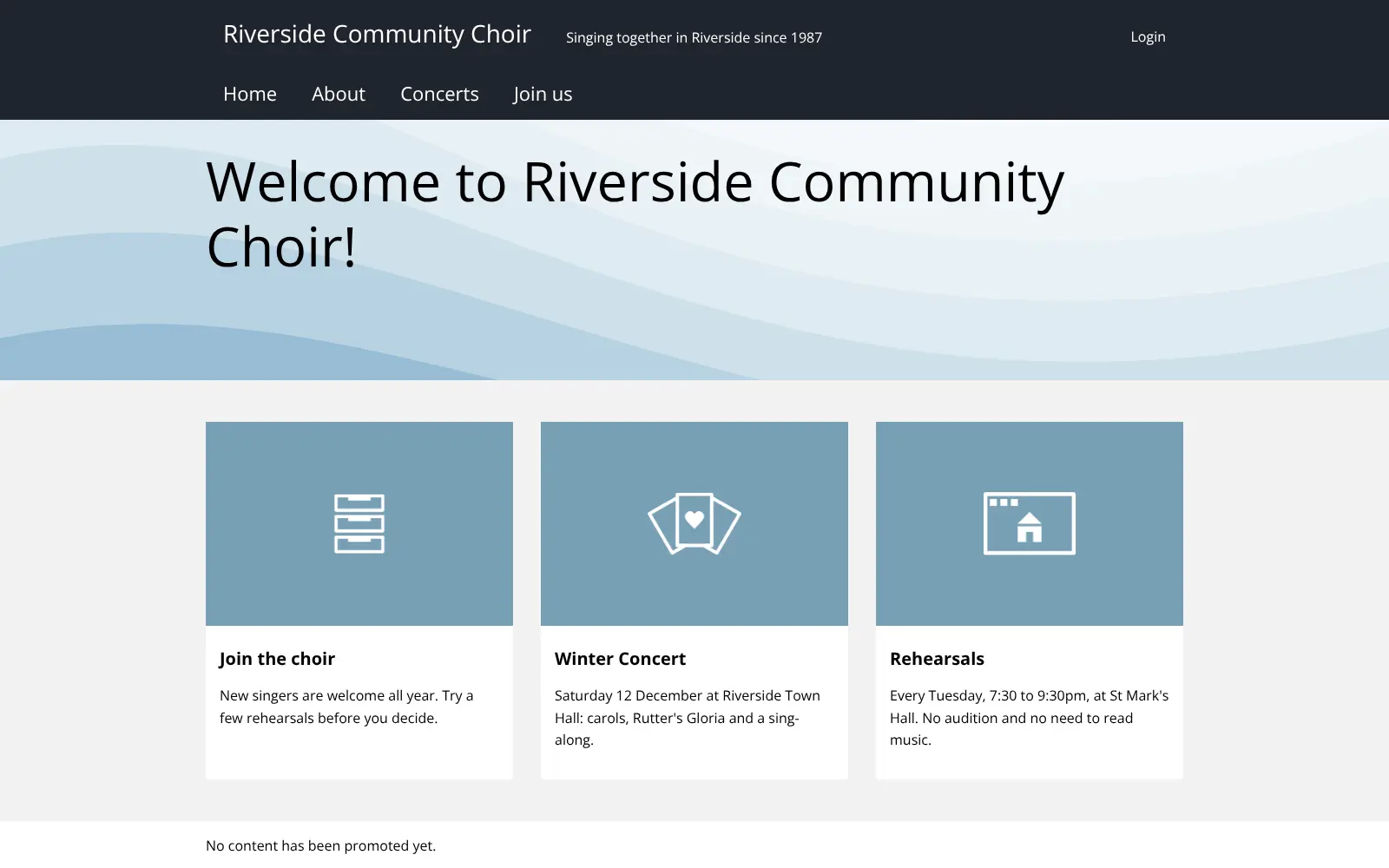
You write pages and news posts in a visual editor, arrange them with layouts and blocks, and build lists of content with Views. A community choir could publish its concert dates and ticket news, list upcoming rehearsals on the home page, and give section leaders an editor role that can post news but not change the menus.
Backdrop is lighter and easier to learn than modern Drupal, but it has fewer themes and add-ons than WordPress, and it has no drag-and-drop page builder.
Cloudgate installs Backdrop and its database on a server Cloudgate provides or one you connect, and gives it a secure web address. It asks for your site name and admin email, then Backdrop sets itself up: sign in at /user/login as admin with the password shown in Cloudgate. You can later point your own domain name at it.
What you can do with Backdrop CMS
- Write pages and news posts Write in a visual editor with headings, lists, links and images, add tags, and publish now or keep a draft.
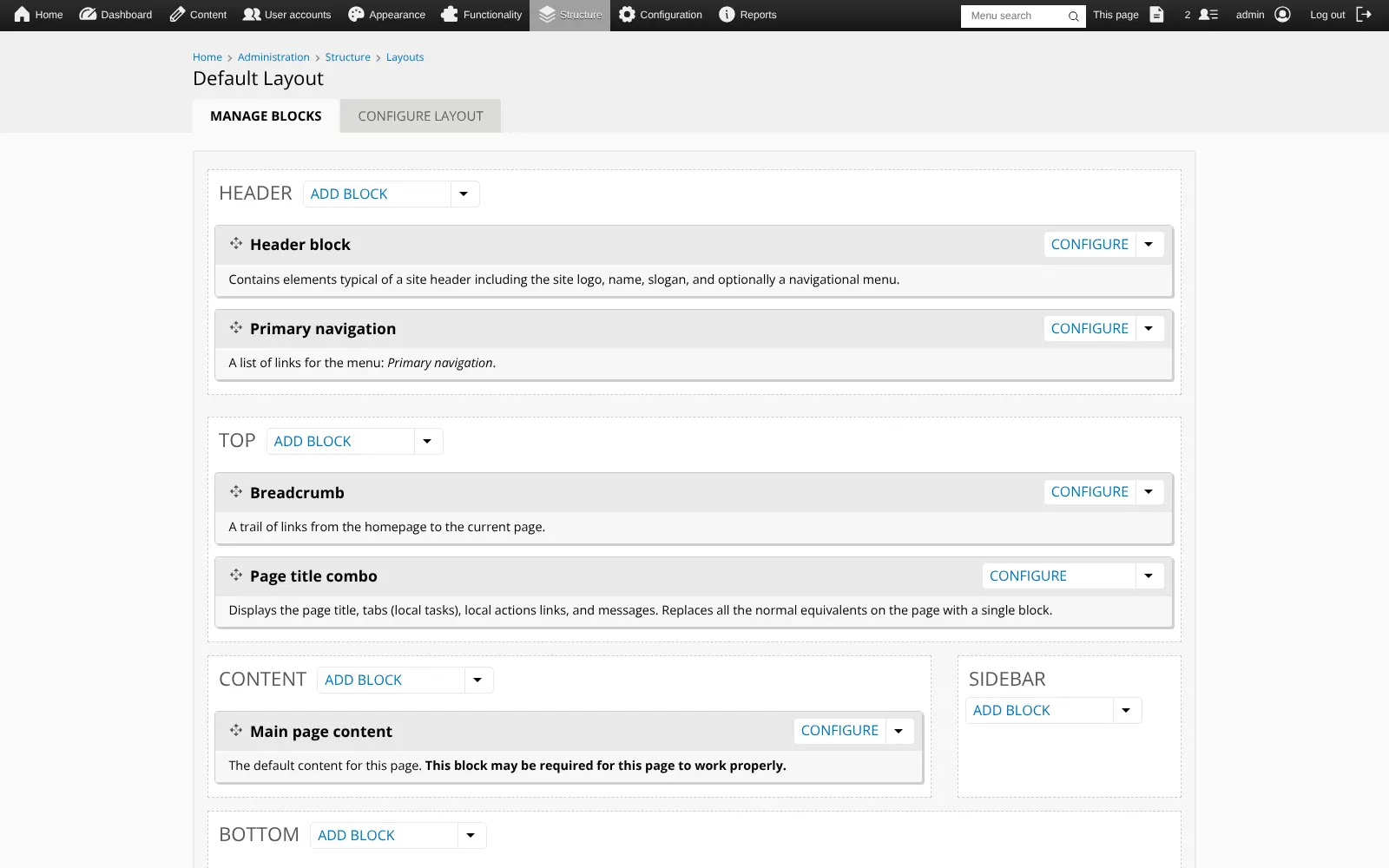
- Arrange pages with layouts Choose a layout and place blocks such as menus, recent posts or a sidebar in its regions, with no code.
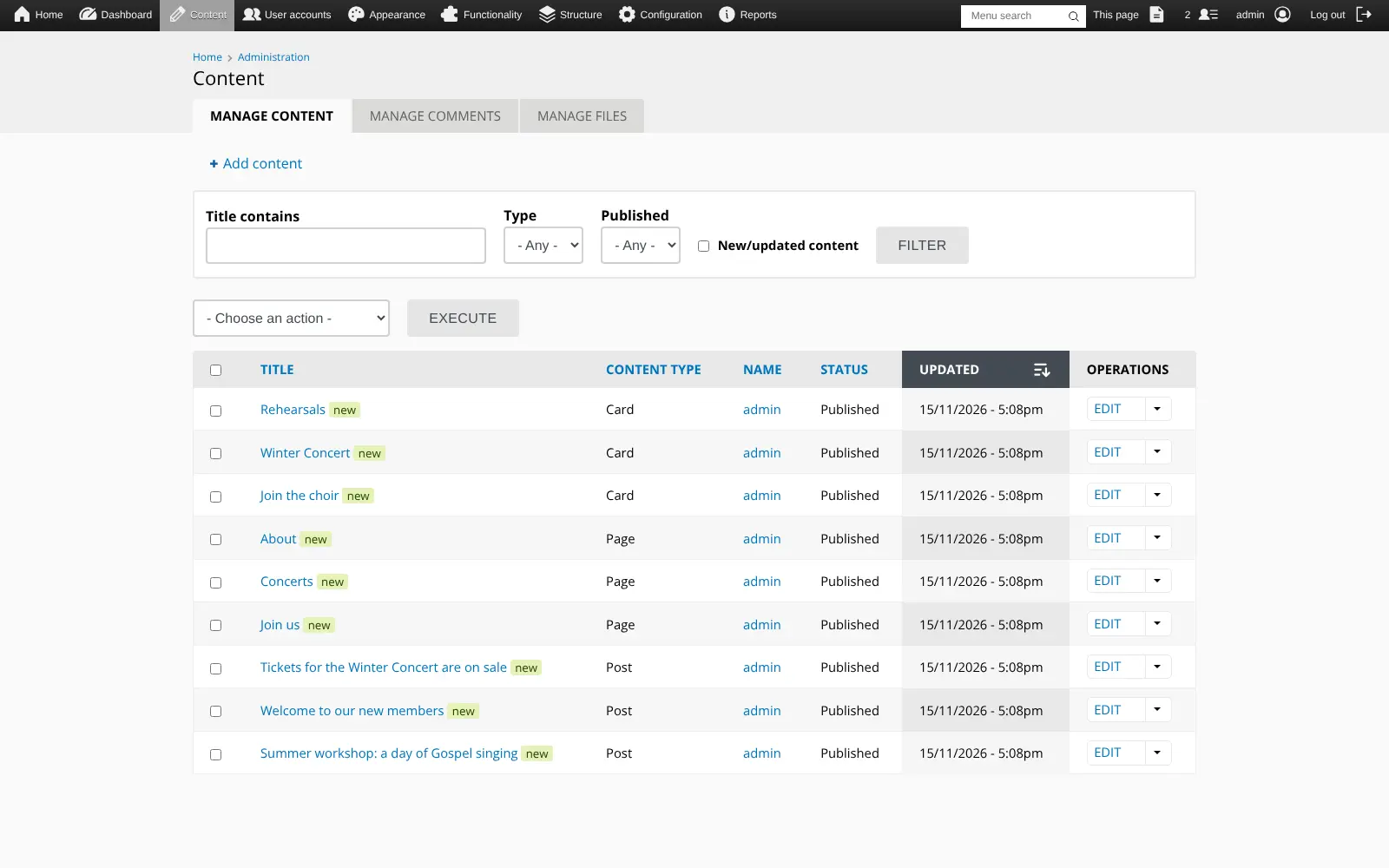
- Make your own content types Add kinds of content such as events, staff profiles or projects, each with its own fields.
- List content with Views Build lists, tables and blocks from your content, such as upcoming events or the latest news, built into Backdrop.
- Decide who can do what Create roles such as editor or volunteer and choose what each one may create, edit or publish.
- Get clean web addresses Pages get readable addresses from their titles automatically, and you can redirect old addresses to new ones.
- Add free add-ons from the admin screens Search and install more than 1,300 free modules, themes and layouts without leaving your site.
Replaces Squarespace and Wix
Backdrop CMS does the same job as Squarespace and Wix. Here is what changes when you switch.
- No monthly plan; Backdrop and all its add-ons are free and open source
- Your pages, members' accounts and files stay on your own server
- Content types, Views, roles and layouts are built in, with no plan to upgrade
- A Drupal 7 site can be upgraded to Backdrop instead of rebuilt from scratch
- There is no drag-and-drop builder; pages follow your theme and layouts, so there is more to learn than in Squarespace or Wix
- Fewer themes and add-ons than WordPress or Drupal, and a smaller community to ask for help
- Squarespace and Wix designs do not come across, so you choose a theme and rebuild pages
- You look after add-on updates and backups yourself
What happens when you click Deploy?
You do not need a server or any technical knowledge. Four steps, and Backdrop CMS is running at its own web address.
- Step 1 Click Deploy and create your account
Deploy takes you to Cloudgate. Create an account, or log in if you have one. Backdrop CMS itself is free.
- Step 2 Choose a server
No server? Get one from Cloudgate: pick a size and a country, and Cloudgate gets it ready. Already have one? Connect it instead.
- Step 3 Cloudgate sets up Backdrop CMS
It prepares the server, makes the passwords the app needs and starts it. There is nothing to install and nothing to write down.
- Step 4 Open your app and sign in
Your app gets a free web address to start, without https. Add your own domain, like app.yourshop.com, and Cloudgate secures it with https for you.
New to Cloudgate? See what Cloudgate is
Run Cloudgate yourself? Deploy from your own console
In your Cloudgate console, open Templates and choose Backdrop CMS.
Questions
Is Backdrop CMS free?
Yes, Backdrop CMS is free and open source under the GNU GPL (version 2 or later), with no paid edition or licence fee. Its add-on modules, themes and layouts are free too, so self-hosting Backdrop costs only your server.
How is Backdrop CMS related to Drupal?
Backdrop CMS is a fork of Drupal 7, kept up to date by its own community after Drupal 8 took a different direction. It feels familiar to anyone who used Drupal 7 and builds in many popular Drupal 7 add-ons such as Views. It is not modern Drupal (10 or 11), and modules made for modern Drupal do not run on it.
Can I upgrade my Drupal 7 site to Backdrop CMS?
Yes, Backdrop CMS has a built-in upgrade path from Drupal 7, which reached end of life in January 2025. Your Drupal 7 database and files are copied into Backdrop and its update script converts them, keeping your content and user accounts. Add-on modules need Backdrop versions and layouts need checking, so it is usually a job for a developer, but far smaller than a rebuild.
Should I choose Backdrop CMS or WordPress?
Choose Backdrop CMS if you are coming from Drupal 7 or want structured content, Views and detailed roles built in. Choose WordPress if you want the widest choice of themes and plugins and the most people who can help.
Can I move my Squarespace or Wix site to Backdrop CMS?
Partly. Squarespace can export blog posts as a WordPress-format file, which the free WordPress Import add-on for Backdrop CMS can read, though images and categories may need fixing by hand. Wix sites cannot be exported, so their pages are rebuilt in Backdrop.
How do I sign in to Backdrop CMS the first time?
Go to your Backdrop CMS site's address followed by /user/login and sign in with the username admin and the password Cloudgate created, which is shown in Cloudgate. Password reset emails go to the admin email you entered during setup.
What server size do I need for Backdrop CMS?
A small server with 1 GB of memory runs Backdrop CMS and its database. Backdrop is designed to run on low-cost hosting; choose a larger server for a busy site.
Do I need technical skills to run Backdrop CMS?
No. Click Deploy, create your Cloudgate account and choose a server, and Cloudgate sets up Backdrop CMS and gives it a web address. You use it in your browser like any other online tool.
Do I need my own server for Backdrop CMS?
No. When you deploy Backdrop CMS, hosted Cloudgate can provide a server. If you already rent one, you can connect it instead.
Related apps

A self-hosted flat-file CMS for fast websites and blogs.

A simple self-hosted website and blog, with no database to run.

A CMS for large, structured and multilingual websites.

A self-hosted website and blog builder with themes and plugins.