
LibreTranslate
A self-hosted translation API and web page that keeps text private.
No server needed to start: Cloudgate can provide one. What happens when you click Deploy
What is LibreTranslate?
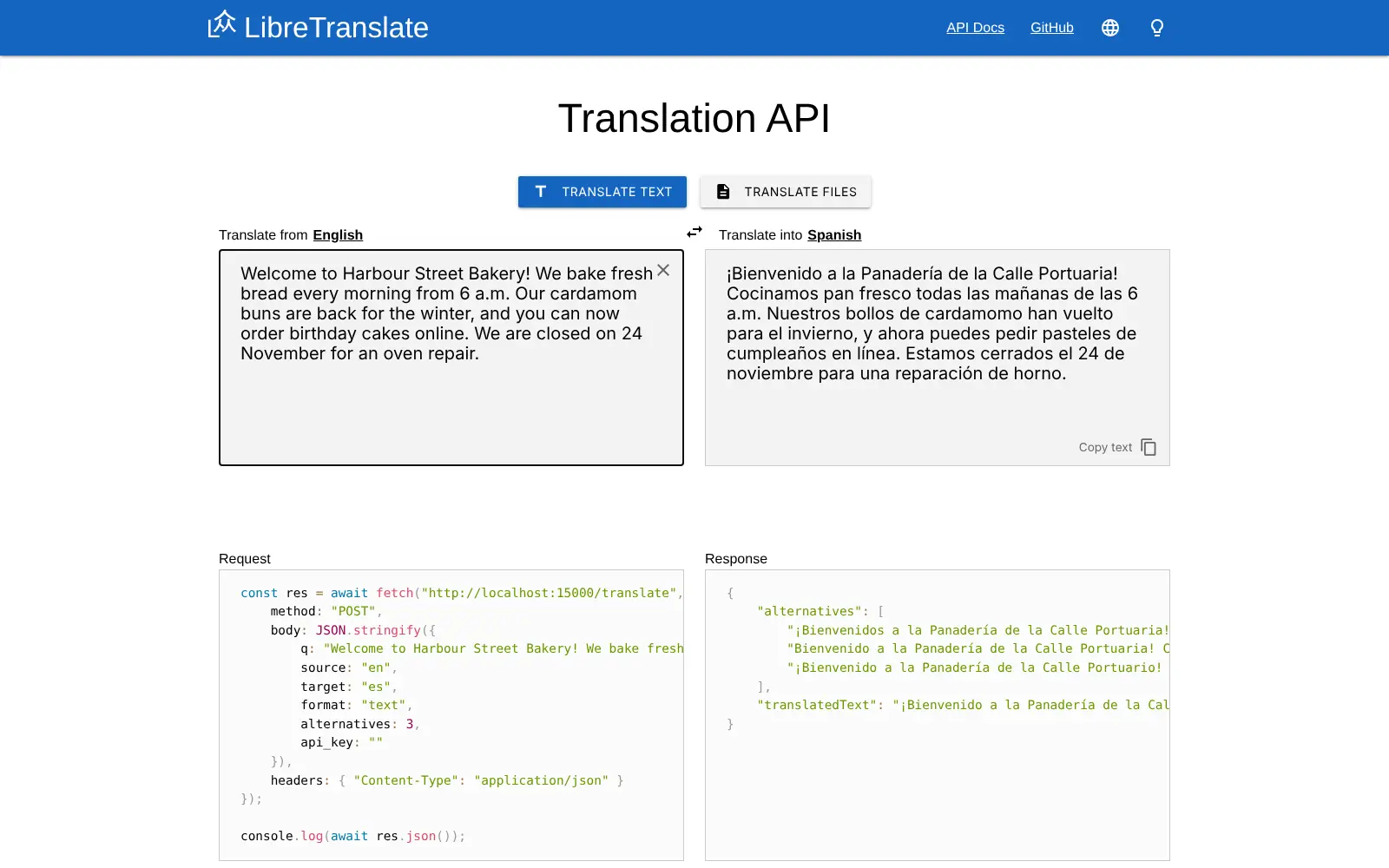
Self-hosted LibreTranslate translates text and documents on your own server, with a web page and an API your apps can call, and keeps your text private.
LibreTranslate is free, open-source machine translation software that you host yourself, and a private alternative to Google Translate and DeepL. It gives you a simple web page for translating text and documents, and a translation API that your website, chat bot or other tools can call, all running on your own server.
Translation happens on the server with language models it downloads once, so your text is never sent to an outside company and there are no per-character fees. A holiday cottage letting agency, for example, could translate guest messages and house guides into German, French and Italian, and let its booking website translate enquiries automatically, without paying for every word. The quality is below DeepL and Google, so a person should check anything that matters.
Many apps that offer a LibreTranslate option can use your server instead of the public one. Files in Word, PowerPoint, OpenDocument, PDF, EPUB, HTML and subtitle formats can be translated whole.
Cloudgate installs the LibreTranslate translation software on a server Cloudgate provides or one you connect, gives it a secure web address and creates an API key so only you and your apps can use it. The first start takes several minutes while the languages download. Cloudgate is not affiliated with the LibreTranslate project.
What you can do with LibreTranslate
- Translate text in the browser Paste text, pick the two languages or let it detect the source, and copy the translation.
- Translate whole documents Upload Word, PowerPoint, OpenDocument, PDF, EPUB, HTML, subtitle or plain text files and download them translated.
- Connect your own apps Websites, chat bots and other tools send text to its API with your key and get the translation back.
- Detect the language Find out which language a message is written in before you translate or route it.
- Choose your languages Load only the languages you need from about 48, so it starts faster and uses less memory.
- See other wordings Ask for alternative translations of a sentence and pick the one that reads best.
Replaces Google Translate and DeepL
LibreTranslate does the same job as Google Translate and DeepL. Here is what changes when you switch.
- No per-character fees, however much you translate
- Your text is translated on your own server and never sent to Google or DeepL
- One key protects it, so only you and your apps can use it
- Many tools that support LibreTranslate let you point them at your own server
- Translations are usually less fluent than DeepL or Google, especially between less common languages
- About 48 languages, against more than 100 at Google
- Long documents translate more slowly on an ordinary server than in the cloud
- Each language must be downloaded first, so adding many takes time and disk space
What happens when you click Deploy?
You do not need a server or any technical knowledge. Four steps, and LibreTranslate is running at its own web address.
- Step 1 Click Deploy and create your account
Deploy takes you to Cloudgate. Create an account, or log in if you have one. LibreTranslate itself is free.
- Step 2 Choose a server
No server? Get one from Cloudgate: pick a size and a country, and Cloudgate gets it ready. Already have one? Connect it instead.
- Step 3 Cloudgate sets up LibreTranslate
It prepares the server, makes the passwords the app needs and starts it. There is nothing to install and nothing to write down.
- Step 4 Open your app and sign in
Your app gets a free web address to start, without https. Add your own domain, like app.yourshop.com, and Cloudgate secures it with https for you.
New to Cloudgate? See what Cloudgate is
Run Cloudgate yourself? Deploy from your own console
In your Cloudgate console, open Templates and choose LibreTranslate.
Questions
Is LibreTranslate free?
Yes, LibreTranslate is free and open source under the AGPL-3.0 licence, with no paid features in the software you host yourself. You pay only for your server. The project also sells access to its own hosted translation service at libretranslate.com, which you don't need here.
Is LibreTranslate as good as Google Translate or DeepL?
No, LibreTranslate's translations are generally less fluent than DeepL's or Google's, especially for language pairs that go through English. It is good enough to understand a message, draft a reply or translate short interface text, but have a person check anything important before you publish or send it.
How do I use LibreTranslate the first time?
Open LibreTranslate's web address, click the key button in the top bar and paste the API key Cloudgate shows on the app's variables page; the browser remembers it. Every translation needs that key, so strangers who find the address can't use your server.
How do I connect another app to LibreTranslate?
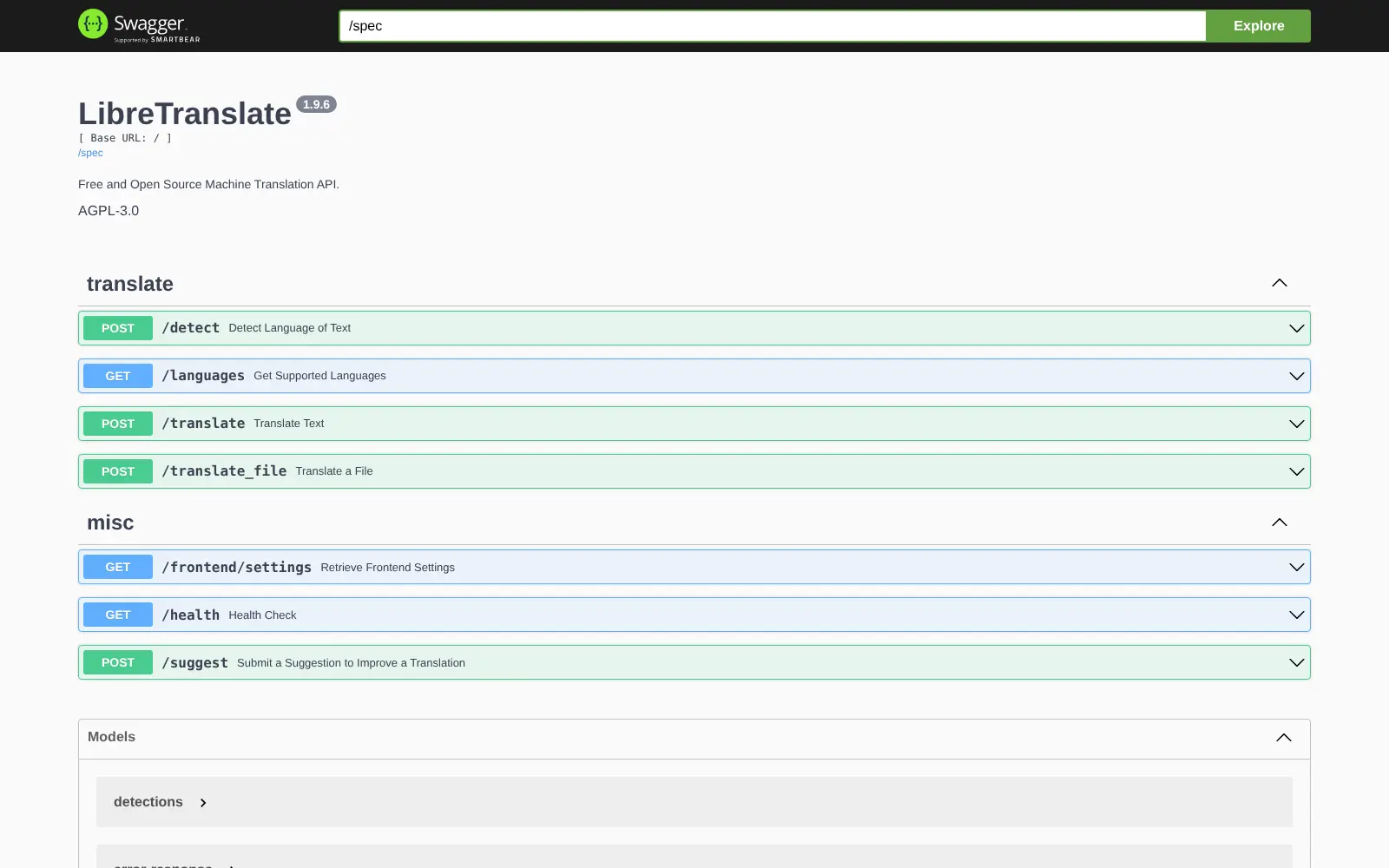
Give the app your LibreTranslate web address and the API key from Cloudgate. The app sends the key as api_key with each request, and the built-in API documentation lists everything it can ask for.
Which languages does LibreTranslate support?
LibreTranslate covers about 48 languages, including Arabic, Chinese, Hindi, Japanese, Korean, Russian and Ukrainian. Cloudgate installs English, German, Spanish, French, Italian and Portuguese by default; choose others when you install, or change the list later and restart the app.
Does my text leave my server with LibreTranslate?
No, LibreTranslate translates on your own server with language models it downloads once, so the text you translate is not sent to Google, DeepL or any other service.
Is Cloudgate part of the LibreTranslate project?
No, Cloudgate is not affiliated with or endorsed by the LibreTranslate project. The template installs the LibreTranslate translation software from the project's official image and adds an API key so your server isn't open to everyone.
Do I need technical skills to run LibreTranslate?
No. Click Deploy, create your Cloudgate account and choose a server, and Cloudgate sets up LibreTranslate and gives it a web address. You use it in your browser like any other online tool.
Do I need my own server for LibreTranslate?
No. When you deploy LibreTranslate, hosted Cloudgate can provide a server. If you already rent one, you can connect it instead.
Can I move my data from Google Translate to LibreTranslate?
Most people export from Google Translate and import into LibreTranslate. The official guides at docs.libretranslate.com walk through it.
Related apps

Translate scientific PDFs and keep every formula and chart in place.

A self-hosted AI agent with its own computer that does tasks for you.

Private AI chat over your own documents, for staff and your website.

One private AI chat for many models, using your own API keys.