
LastSignal
A self-hosted dead man's switch for your last messages.
No server needed to start: Cloudgate can provide one. What happens when you click Deploy
What is LastSignal?
LastSignal is a self-hosted dead man's switch that emails you check-ins and, if you stop answering, sends your encrypted messages to the people you chose.
LastSignal is a free, open-source, self-hosted dead man's switch: it emails you a check-in at a regular interval, and if you stop answering, it sends the messages you wrote to the people you chose. It does the same job as hosted services such as Dead Man's Switch, but your messages are encrypted in your browser and stay on your own server, and only each recipient can open theirs, with a passphrase only they know.
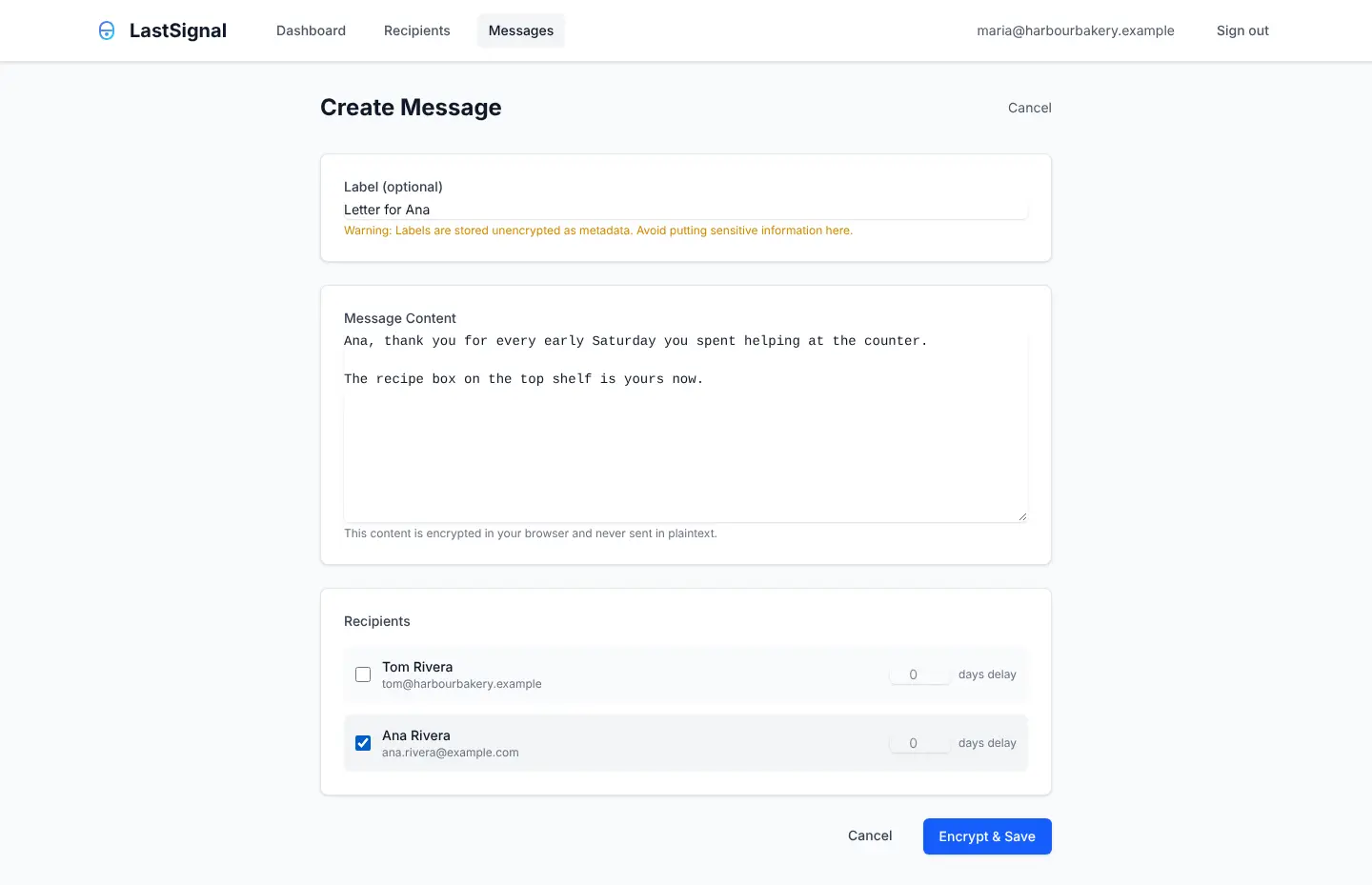
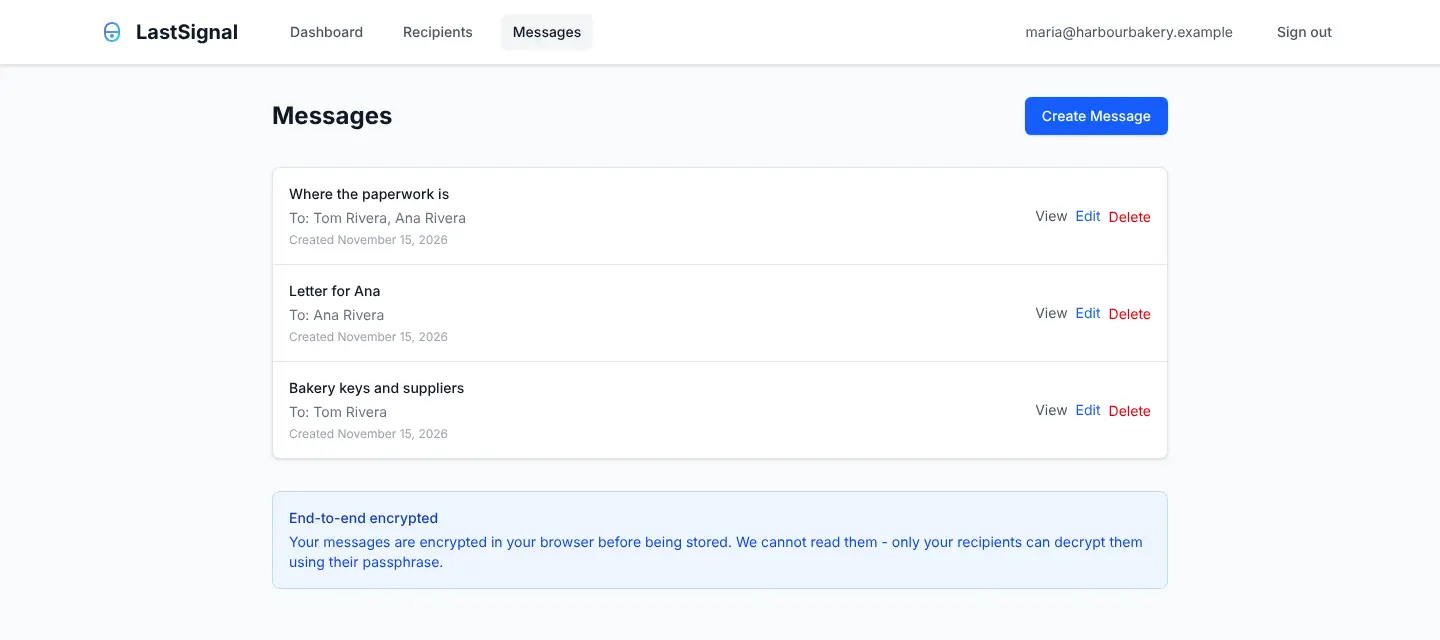
It is for the things people need to know if something happens to you. The owner of a small bakery, for example, could leave her partner a note on where the spare keys, supplier numbers and lease papers are, and a personal letter for her daughter, and set the letter to open a few weeks later. Before anything is sent you get several reminders, and a trusted contact can hold delivery back if you are only out of reach.
Be clear about one thing: LastSignal works only while its server keeps running and its email service keeps sending, so pay for both well ahead. It is not a will or a legal document, and there is no phone app; everything happens by email and in the browser.
Cloudgate installs LastSignal on a server Cloudgate provides or one you connect, gives it a secure web address, and connects it to the email service you choose.
What you can do with LastSignal
- Check in by email LastSignal emails you a check-in link every 30 days, or as often as you choose, and one click tells it you are fine.
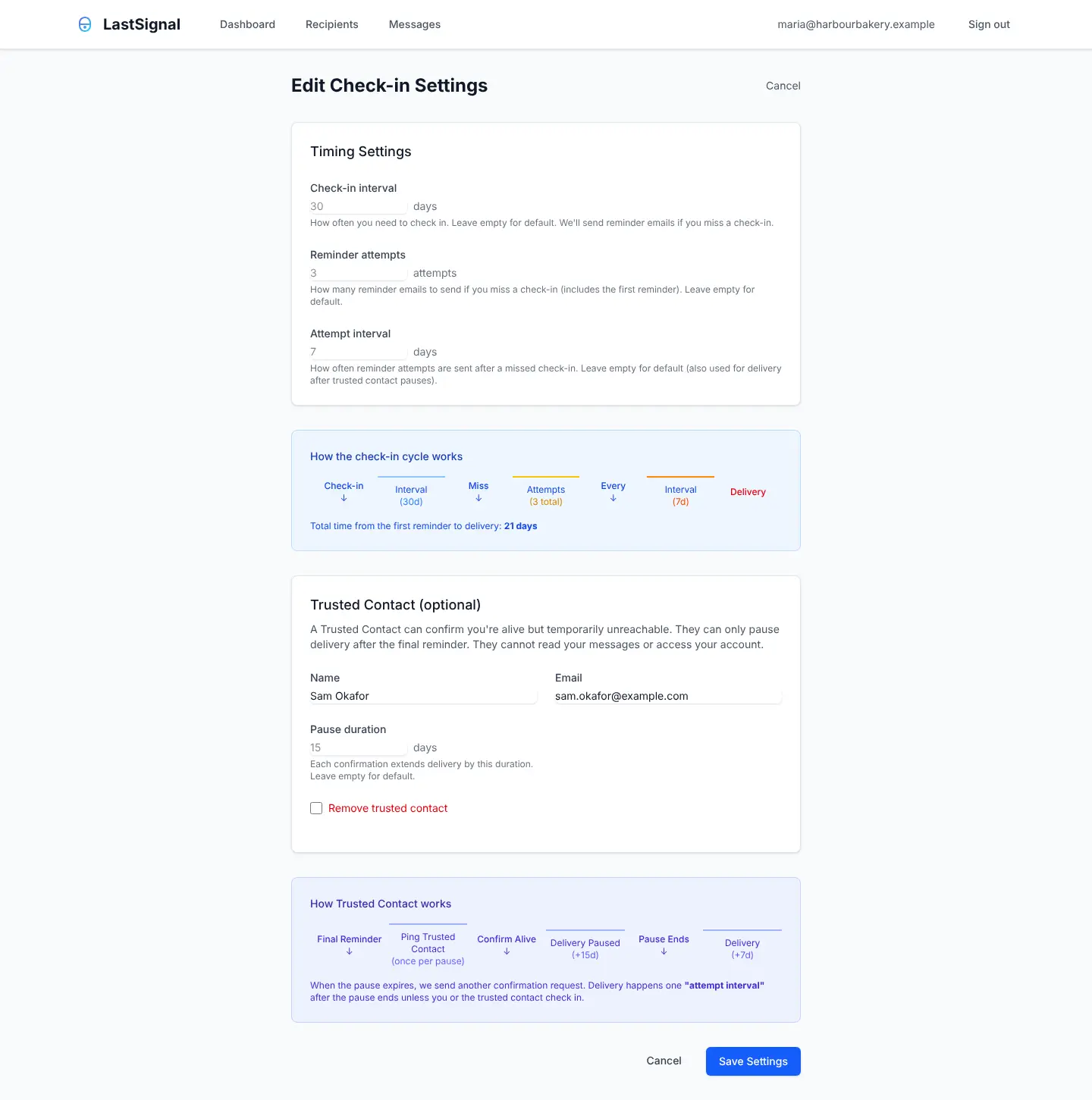
- Reminders before anything is sent Miss a check-in and you get several reminders, 7 days apart by default, before any message goes out.
- Messages only your recipients can read Each message is encrypted in your browser, and each recipient opens it with a passphrase only they know, so nobody running the server can read it.
- Choose who gets what Write as many messages as you like and pick the recipients for each one, with an optional wait of up to a year before a recipient can open theirs.
- Name a trusted contact After your final reminder, a person you trust can confirm you are alive but out of reach, which holds delivery back; they never see your messages.
- Stop it in an emergency A recovery code you get on your first sign-in stops delivery even if you have lost access to your email, and a Pause button holds everything while you are away.
- Keep it to yourself Allow only the email addresses you list to sign in, and see every important action in the account's history.
Replaces Dead Man’s Switch
LastSignal does the same job as Dead Man’s Switch. Here is what changes when you switch.
- Sending to your recipients is free, with no premium plan
- Messages are encrypted in your browser, so the server stores only scrambled text
- A trusted contact and a delay per recipient give you more control over when messages arrive
- Your messages stay on your own server
- It works only while your server keeps running and your email service keeps sending; a hosted service doesn't depend on you for that
- Check-ins come by email only, with no phone app, Telegram or push notifications
- Messages are text only, with no file attachments
- Each recipient has to accept an invite and keep a passphrase, which can't be recovered if they forget it
What happens when you click Deploy?
You do not need a server or any technical knowledge. Four steps, and LastSignal is running at its own web address.
- Step 1 Click Deploy and create your account
Deploy takes you to Cloudgate. Create an account, or log in if you have one. LastSignal itself is free.
- Step 2 Choose a server
No server? Get one from Cloudgate: pick a size and a country, and Cloudgate gets it ready. Already have one? Connect it instead.
- Step 3 Cloudgate sets up LastSignal
It prepares the server, makes the passwords the app needs and starts it. There is nothing to install and nothing to write down.
- Step 4 Open your app and sign in
Your app gets a free web address to start, without https. Add your own domain, like app.yourshop.com, and Cloudgate secures it with https for you.
New to Cloudgate? See what Cloudgate is
Run Cloudgate yourself? Deploy from your own console
In your Cloudgate console, open Templates and choose LastSignal.
Questions
Is LastSignal free?
Yes, LastSignal is free and open source under the MIT licence. There is no paid plan or hosted version; you pay only for your server and the email service it sends through.
Is LastSignal a good alternative to Dead Man's Switch (deadmansswitch.net)?
Yes, if you are happy to keep your own server running. Both email you check-ins and send your messages when you stop answering, but Dead Man's Switch sends to other people only on its paid plan, while LastSignal sends to your recipients free and encrypts every message so the server can't read it. Dead Man's Switch is run for you, offers more ways to check in and adds file attachments on yearly plans.
What happens if my LastSignal server or email stops working?
Nothing is sent, and nothing warns you. LastSignal can only send check-ins and deliver messages while its server is running and its email service is working, so keep your server and email account paid up well ahead, and use an email service with your sending domain set up so its emails don't land in spam.
How do I sign in to LastSignal the first time?
Open your LastSignal address, type your email and click the sign-in link it emails you; there are no passwords. On your first sign-in it shows a recovery code once, so save it somewhere safe. Then invite your recipients and write your messages.
Can anyone read my LastSignal messages, including whoever runs the server?
No, LastSignal encrypts your messages in your browser before they are saved, and only your chosen recipients can open them, with their own passphrase. The short label you give each message is not encrypted, so keep private details out of it.
What if I'm on holiday and miss a LastSignal check-in?
Nothing goes out straight away. With LastSignal's default settings you get three reminders, and delivery comes 21 days after the first missed check-in; you can also press Pause before you leave, or name a trusted contact who can hold delivery back.
What if a LastSignal recipient forgets their passphrase?
The recipient can't open the message, because LastSignal can't recover or reset a recipient's passphrase. A recipient can add a hint when they set it up, but the hint is stored unencrypted.
Do I need technical skills to run LastSignal?
No. Click Deploy, create your Cloudgate account and choose a server, and Cloudgate sets up LastSignal and gives it a web address. You use it in your browser like any other online tool.
Do I need my own server for LastSignal?
No. When you deploy LastSignal, hosted Cloudgate can provide a server. If you already rent one, you can connect it instead.
Related apps

A self-hosted travel tracker, trip planner and world map in one.

A self-hosted flight tracker for every flight you take, on one map.

A self-hosted baby tracker the whole family can share.

A self-hosted habit tracker with daily ticks and streaks, no goals.