
ClassroomIO
LMS for staff training, compliance and customer courses.
No server needed to start: Cloudgate can provide one. What happens when you click Deploy
What is ClassroomIO?
Self-hosted ClassroomIO is an open-source LMS for staff onboarding, compliance and customer courses, with quizzes, certificates and no fee per learner.
Self-hosted ClassroomIO is an open-source learning management system (LMS) for companies, and a free alternative to TalentLMS and Skilljar for staff and customer training. You build courses from lessons and quizzes, enrol your staff or customers, follow their progress, track compliance deadlines and issue certificates, all on your own server with no fee per learner.
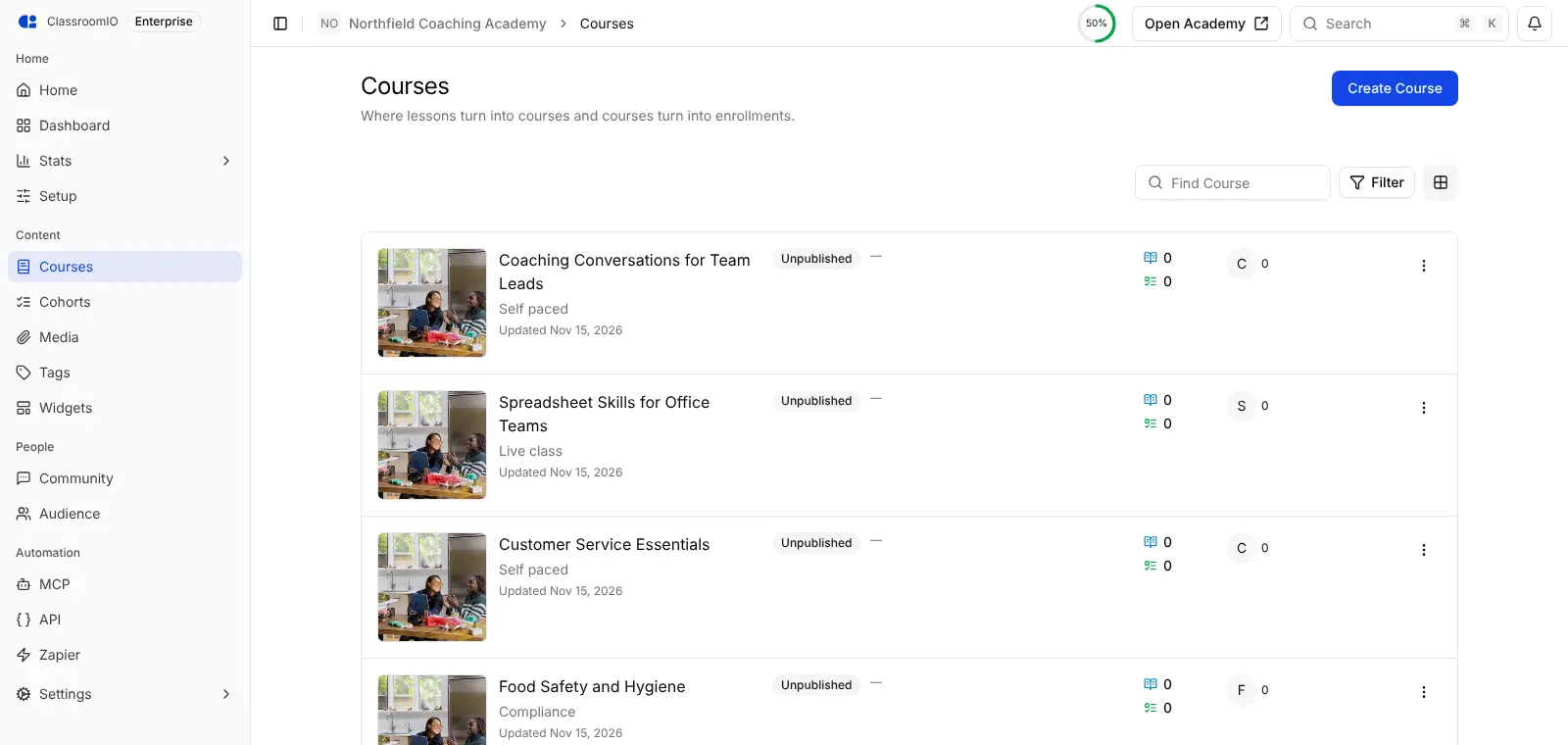
It suits small companies that train people regularly: onboarding new hires, yearly refreshers such as food safety, or an academy that teaches customers how to use your product. A café group, for example, could run a New Staff Onboarding course for every new barista, a Food Safety course that every kitchen worker must renew each year, and see on one screen who is overdue, with a certificate issued automatically when each person passes.
Learners and teachers use ClassroomIO in any web browser, including on a phone; there is no phone app. Videos can come from YouTube or Google Drive, and your course list can be embedded on your own website. AI course drafting and an AI tutor work once you add your own AI provider key.
Cloudgate installs ClassroomIO on a server Cloudgate provides or one you connect, with everything it needs and a secure web address. Sign up first to become the admin, then add your email settings so invitations reach your learners.
What you can do with ClassroomIO
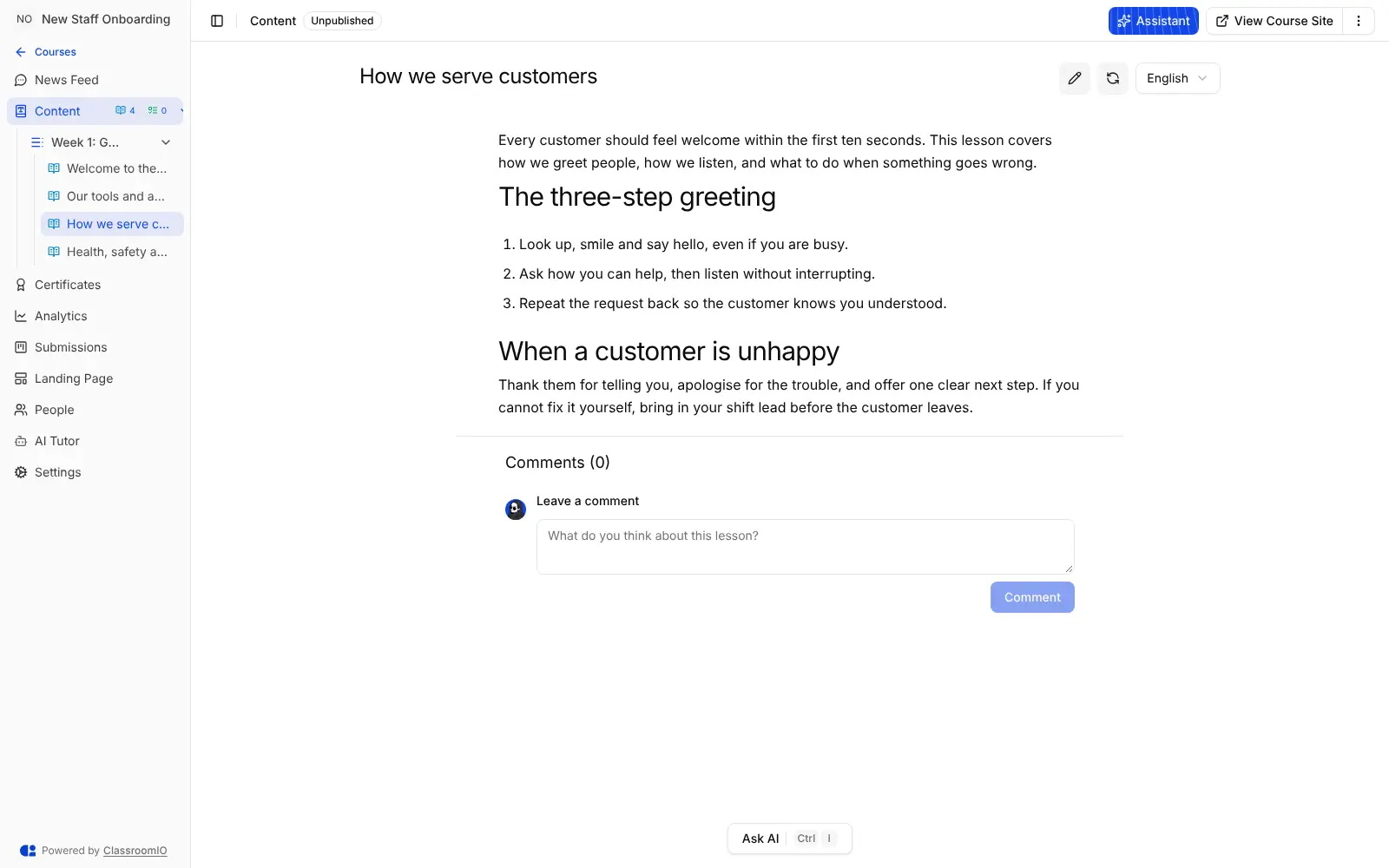
- Courses from lessons and quizzes Build each course from sections of lessons with notes, videos, slides and documents, plus quizzes and graded exercises.
- Self-paced, live or compliance Choose a self-paced course, a live class with scheduled sessions, a recurring compliance course or a public course page.
- Compliance deadlines and renewals Set deadlines, grace periods and renewals, then see at a glance who is compliant, overdue or due to expire.
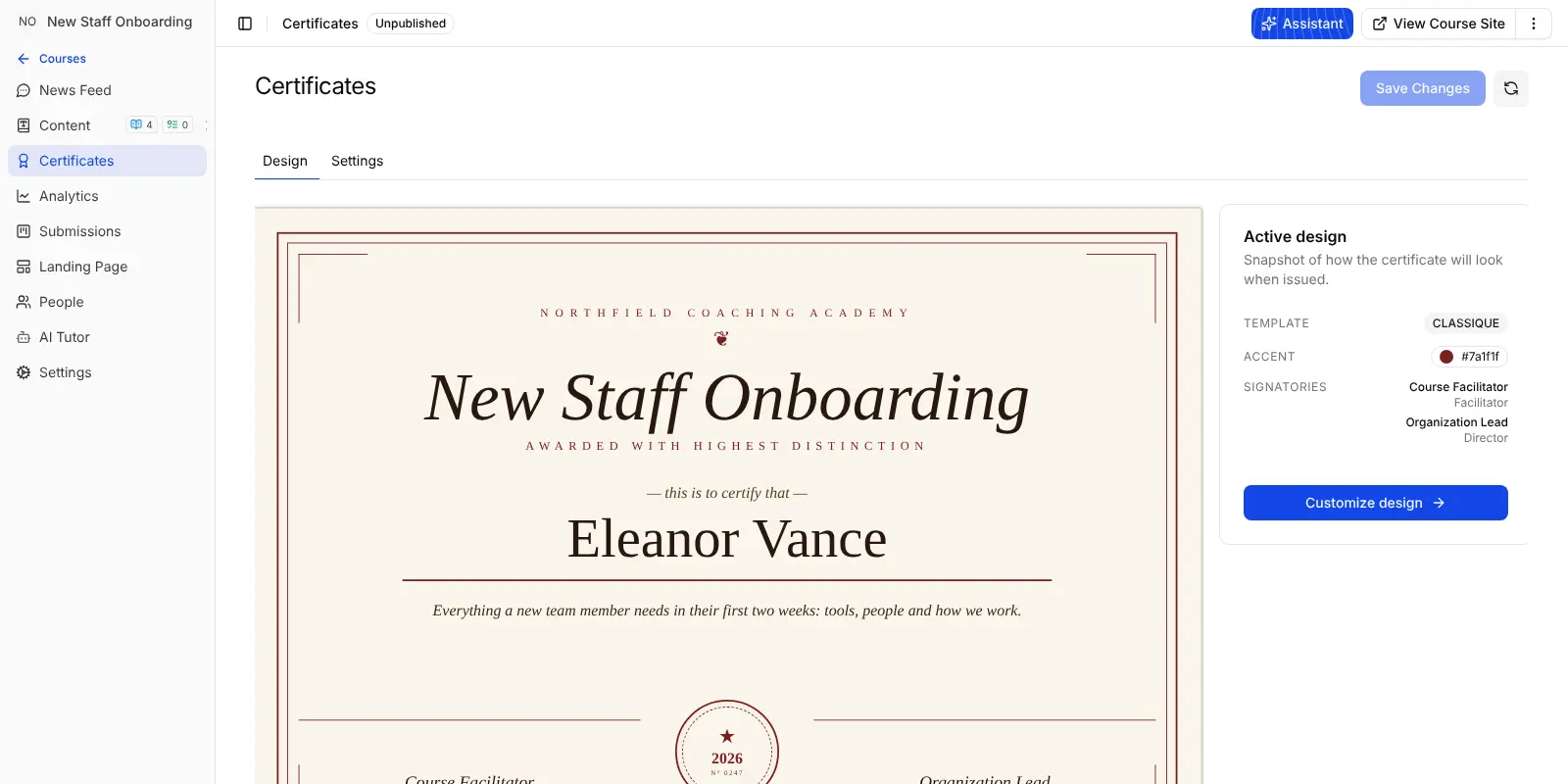
- Certificates learners can download Design a branded certificate with your signatories and issue it when a learner reaches the completion score you set.
- Cohorts and discussion Group learners into cohorts with goals, and keep each course busy with a news feed, questions and comments.
- Your own academy site Publish a landing page for your academy and for each course, and embed your course list on your website.
- Lessons in several languages Write a lesson in more than one language, and let learners use the app in ten interface languages.
- AI help if you want it Add your own OpenAI or Google Gemini key to draft courses with AI and give learners an AI tutor inside each lesson.
Replaces TalentLMS and Skilljar
ClassroomIO does the same job as TalentLMS and Skilljar. Here is what changes when you switch.
- No fee per learner, so adding the whole team costs nothing extra
- Learner records, progress and certificates stay on your own server
- Compliance deadlines, renewals and certificates are included
- Open-source code you can change under the AGPL licence
- Courses can show a price, but payment happens through your own payment link; there is no built-in checkout
- No SCORM, so ready-made SCORM course packages cannot be uploaded
- Single sign-on needs a paid ClassroomIO licence key
- One ClassroomIO runs one academy, and your courses from another platform do not move across automatically
What happens when you click Deploy?
You do not need a server or any technical knowledge. Four steps, and ClassroomIO is running at its own web address.
- Step 1 Click Deploy and create your account
Deploy takes you to Cloudgate. Create an account, or log in if you have one. ClassroomIO itself is free.
- Step 2 Choose a server
No server? Get one from Cloudgate: pick a size and a country, and Cloudgate gets it ready. Already have one? Connect it instead.
- Step 3 Cloudgate sets up ClassroomIO
It prepares the server, makes the passwords the app needs and starts it. There is nothing to install and nothing to write down.
- Step 4 Open your app and sign in
Your app gets a free web address to start, without https. Add your own domain, like app.yourshop.com, and Cloudgate secures it with https for you.
New to Cloudgate? See what Cloudgate is
Run Cloudgate yourself? Deploy from your own console
In your Cloudgate console, open Templates and choose ClassroomIO.
Questions
Is ClassroomIO free?
Yes, self-hosted ClassroomIO is free and open source under the AGPL-3.0 licence, with no limit on courses or learners. You pay only for your server. Single sign-on and a few other extras need a paid licence key from ClassroomIO.
Is ClassroomIO a good alternative to TalentLMS?
Yes, for staff onboarding and compliance training ClassroomIO covers the essentials TalentLMS is used for, including courses, quizzes, compliance deadlines and certificates, with no fee per learner. It has no library of ready-made courses and does not play SCORM packages, so you write your own material.
Can I sell courses with ClassroomIO like on Thinkific or Teachable?
Partly. Each ClassroomIO course can have a public landing page with a price and a link to your own payment page, such as Stripe or Lemon Squeezy. There is no built-in checkout, coupons or automatic enrolment after payment.
How do I sign in to ClassroomIO the first time?
The first person to sign up to ClassroomIO with an email and password names the academy and becomes its admin. Do this straight after setup. After that, only people invited to your academy can sign up, so invite teachers and learners from the app.
Can I import my courses from another LMS into ClassroomIO?
No, ClassroomIO has no importer for TalentLMS, Thinkific, Teachable or other platforms, and it does not read SCORM files. You rebuild courses in its editor, or, with your own AI key, let it draft a course from a PDF; learners can be added by pasting a list of email addresses.
Does ClassroomIO send emails to learners?
Yes, ClassroomIO sends emails once you add your email account's sending details. Invitations, password resets and course notifications need them; without them those emails are not sent.
Do I need technical skills to run ClassroomIO?
No. Click Deploy, create your Cloudgate account and choose a server, and Cloudgate sets up ClassroomIO and gives it a web address. You use it in your browser like any other online tool.
Do I need my own server for ClassroomIO?
No. When you deploy ClassroomIO, hosted Cloudgate can provide a server. If you already rent one, you can connect it instead.
Related apps

An LMS for courses, online exams and staff training.

Online courses with assignments and certificates.

Live polls, Q&A and quizzes on your own slides, self-hosted.

Sell online courses and downloads from your own website.