HomeBox
Know what you own, where it is, and when its warranty ends.
No server needed to start: Cloudgate can provide one. What happens when you click Deploy



What is HomeBox?
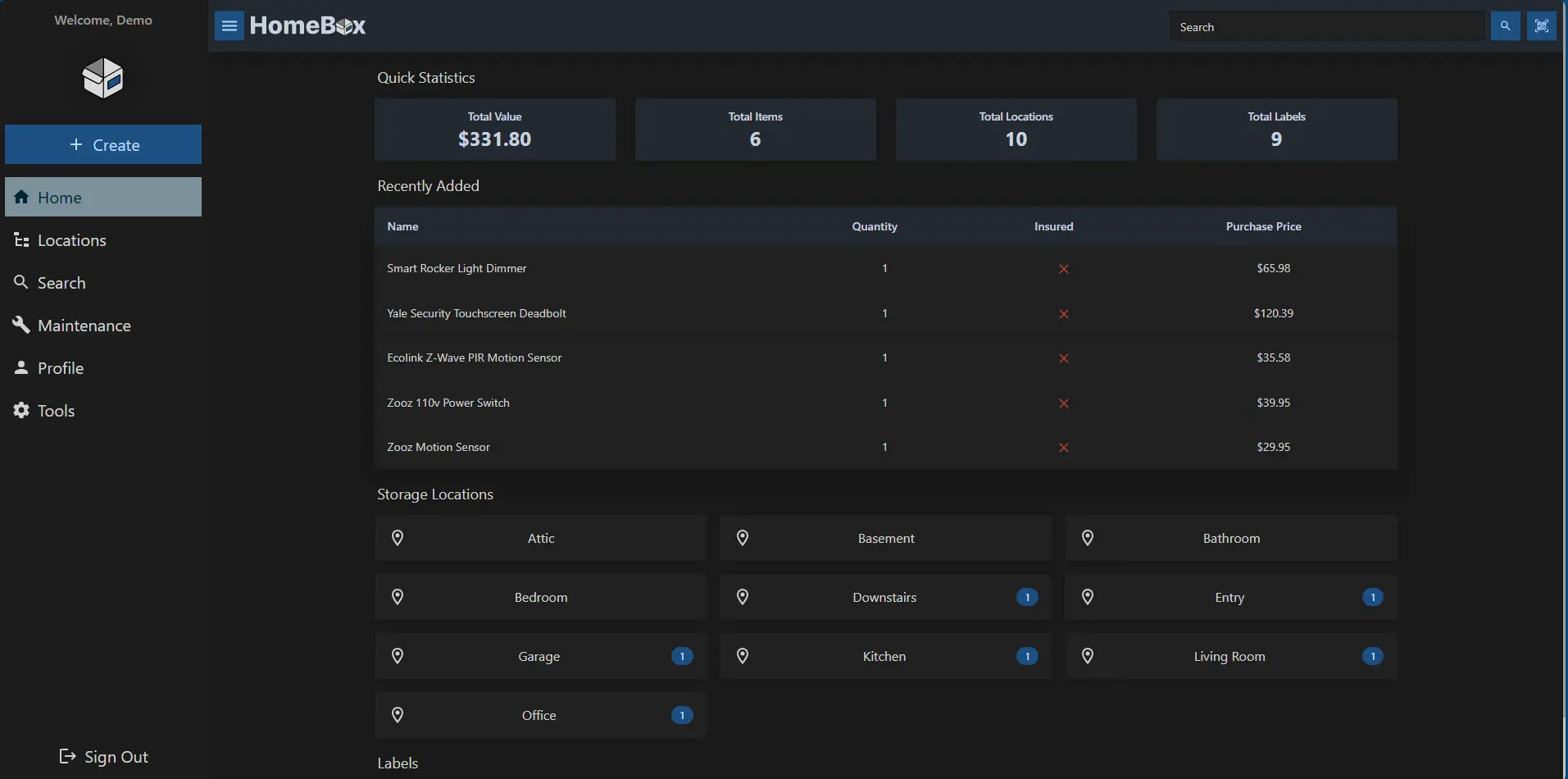
HomeBox is a self-hosted home inventory app: record what you own and where it is, with photos, receipts, warranties and QR code labels.
HomeBox is a self-hosted home inventory app: a free, open-source alternative to Sortly and to Encircle's discontinued home inventory app for recording what you own, where it is kept, and the receipts and warranties that go with it. You add each item with photos and details, place it in a room, shelf or box, and find it again with a quick search.
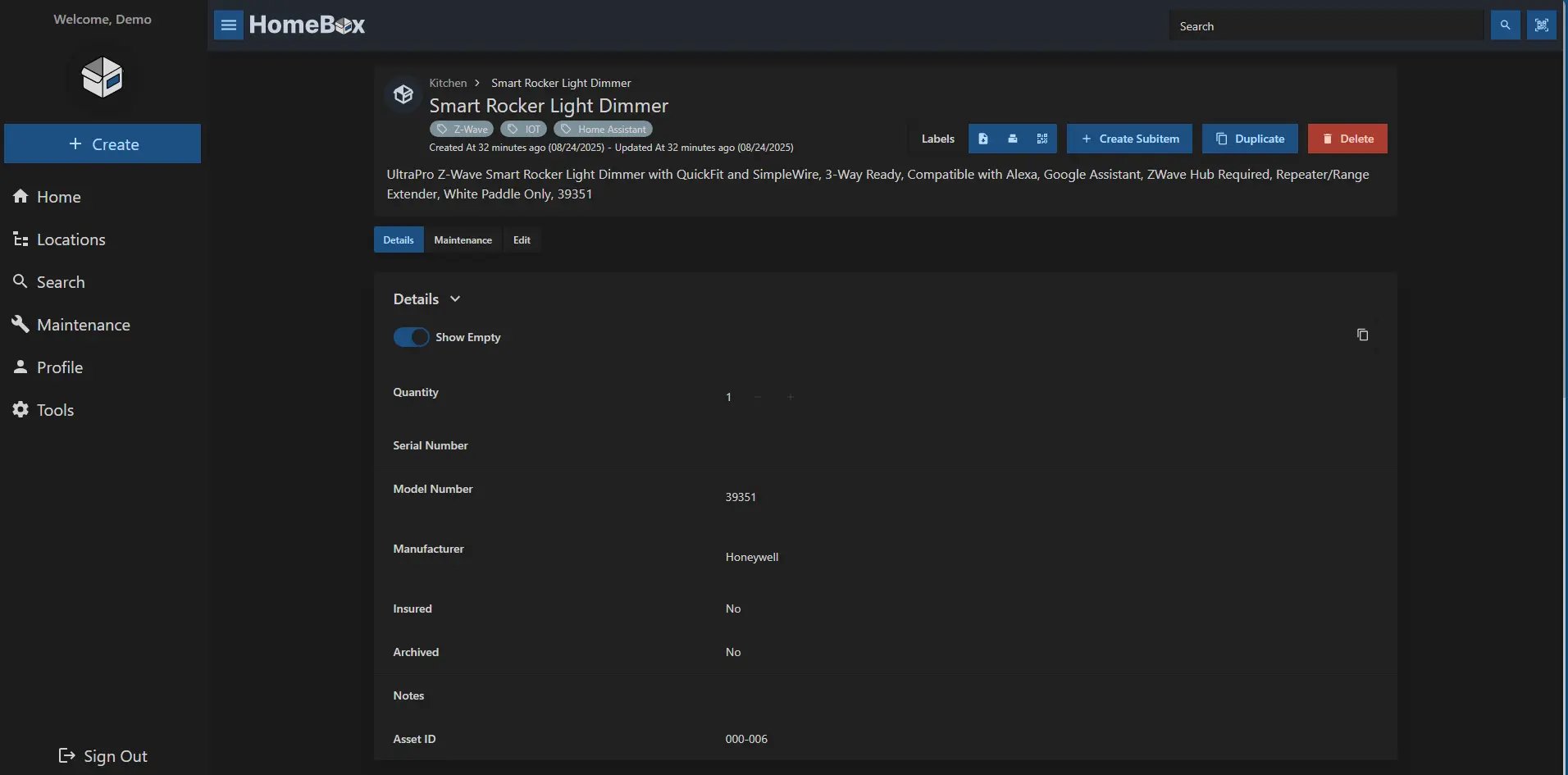
Each item can hold its purchase price and date, serial number, warranty, manuals and receipts, so the record is ready when something breaks or you need to make an insurance claim. A small office, for example, could log every laptop, printer and chair with its receipt, print QR labels for the storage boxes, and see in seconds which warranty is about to end.
HomeBox works in any browser, on a computer or a phone, and can share one inventory with your family or team through an invite link. It imports and exports spreadsheets, and can remind you of maintenance by email or chat. It uses very little memory, so the smallest server is enough.
Cloudgate installs HomeBox on a server Cloudgate provides or one you connect, and gives it a secure web address. Register your account first, then invite the people who should share it.
What you can do with HomeBox
- Record everything you own Add items with photos, serial and model numbers, a description and your own custom fields.
- Know where things are Put items in rooms, shelves and boxes, nested as deep as you need, and see what each place holds.
- Keep receipts and warranties together Store the purchase date and price, warranty details, receipts and manuals with each item.
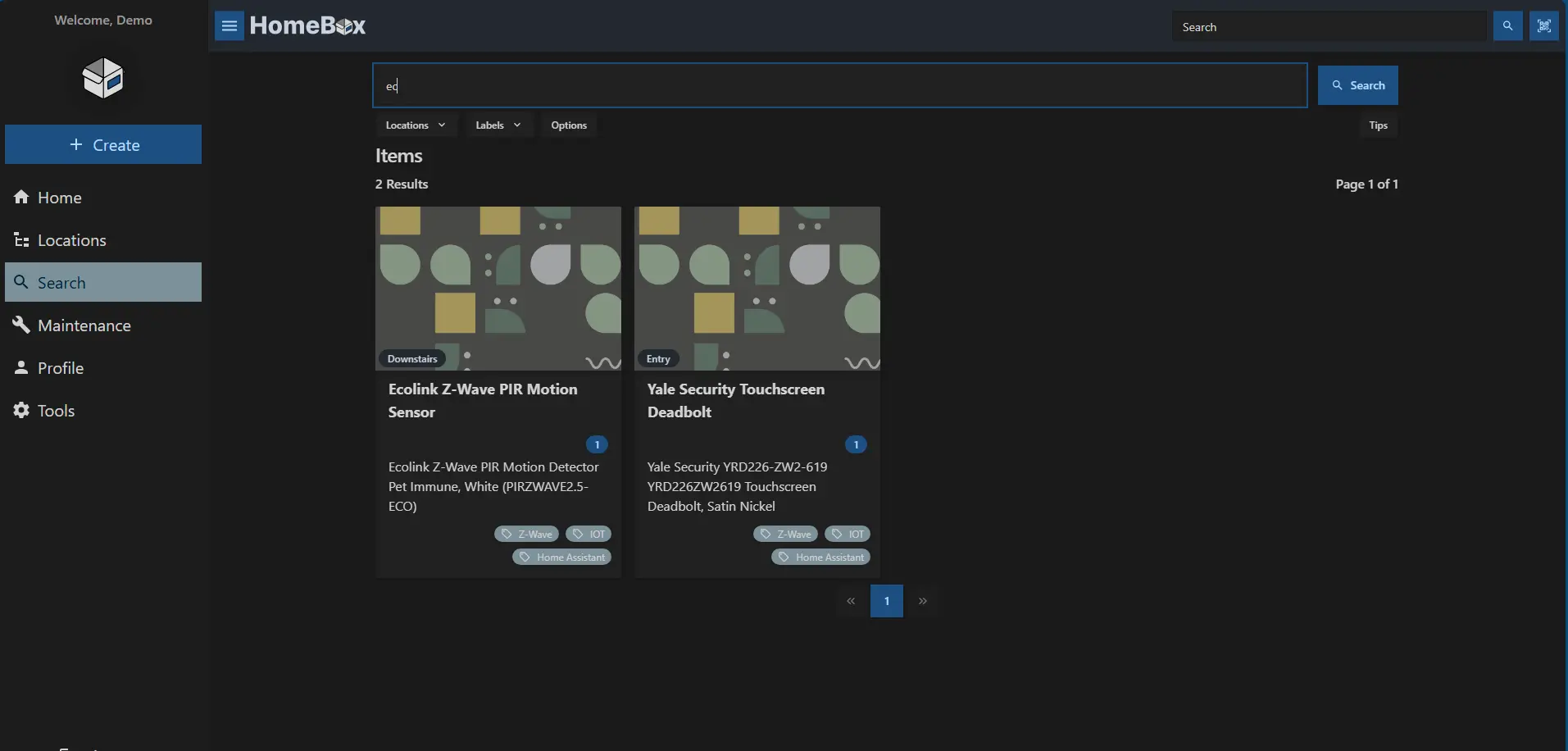
- Find anything fast Search your whole inventory and filter by location or label.
- Print QR code labels Print labels for boxes and items, then scan one with your phone to open its record.
- Plan maintenance Log maintenance and get reminders by email, Slack, Discord, Telegram or other services.
- Share with your household or team Invite people with a link so everyone sees and updates the same inventory.
Replaces Sortly
HomeBox does the same job as Sortly. Here is what changes when you switch.
- No limit on items or users, and no subscription
- Your photos, receipts and values stay on your own server
- No app or company that can close your inventory, as Encircle closed its free home inventory app
- Import and export your items as a spreadsheet
- No phone app; you use it in your phone's browser
- Photos and documents are not part of the spreadsheet export
- Built for belongings, not for business stock with suppliers and reorder levels
What happens when you click Deploy?
You do not need a server or any technical knowledge. Four steps, and HomeBox is running at its own web address.
- Step 1 Click Deploy and create your account
Deploy takes you to Cloudgate. Create an account, or log in if you have one. HomeBox itself is free.
- Step 2 Choose a server
No server? Get one from Cloudgate: pick a size and a country, and Cloudgate gets it ready. Already have one? Connect it instead.
- Step 3 Cloudgate sets up HomeBox
It prepares the server, makes the passwords the app needs and starts it. There is nothing to install and nothing to write down.
- Step 4 Open your app and sign in
Your app gets a free web address to start, without https. Add your own domain, like app.yourshop.com, and Cloudgate secures it with https for you.
New to Cloudgate? See what Cloudgate is
Run Cloudgate yourself? Deploy from your own console
In your Cloudgate console, open Templates and choose HomeBox.
Questions
Is HomeBox free?
Yes, HomeBox is free and open source under the AGPL-3.0 licence. There is no paid edition and no limit on items or users; you pay only for your server.
Is HomeBox a good alternative to Sortly?
Yes, for a home or small-office inventory. HomeBox records items with photos, locations, labels, receipts and warranties, and prints QR code labels, with no item or user limit. Sortly has phone apps and more stock-control features, so a shop managing stock may prefer InvenTree or Sortly.
Can HomeBox help with a home insurance claim?
Yes. HomeBox keeps a photo, the purchase price and date, the serial number and the receipt for each item, and the home screen shows the total value of what you own, so you have the record an insurer asks for ready. Keep a backup of it somewhere other than your home.
Can I import my items from a spreadsheet?
Yes, HomeBox imports items, locations and labels from a CSV file, including nested locations such as "Home / Office / Desk". You name the columns the way HomeBox expects, and add photos after the import.
How do I sign in to HomeBox the first time?
Open your HomeBox address, click Register and create your account; there is no default password. Registration stays open, so anyone who can reach the address can create their own separate inventory. To share your inventory, go to Profile, generate an invite link and send it to the people who should join.
Is there a HomeBox phone app?
No, HomeBox has no app store app, but it works in your phone's browser, and its built-in QR scanner opens an item when you scan its label.
Should I use HomeBox or InvenTree?
Use HomeBox for belongings, such as furniture, tools, electronics and their warranties. Use InvenTree for parts and stock that you buy, build with or sell, with suppliers and bills of materials.
Do I need technical skills to run HomeBox?
No. Click Deploy, create your Cloudgate account and choose a server, and Cloudgate sets up HomeBox and gives it a web address. You use it in your browser like any other online tool.
Do I need my own server for HomeBox?
No. When you deploy HomeBox, hosted Cloudgate can provide a server. If you already rent one, you can connect it instead.
Related apps

Inventory of what you own, where it is and who has it.

Track parts, stock, suppliers and builds for your workshop.

Manage and secure every Mac, PC and Linux computer you own.

Dispatch deliveries, track drivers live and run your own fleet.