frePPLe
Production planning and demand forecasts for factories.
No server needed to start: Cloudgate can provide one. What happens when you click Deploy




What is frePPLe?
frePPLe is self-hosted, open-source production planning for manufacturers: capacity-aware plans and sales forecasts from your Excel or ERP data.
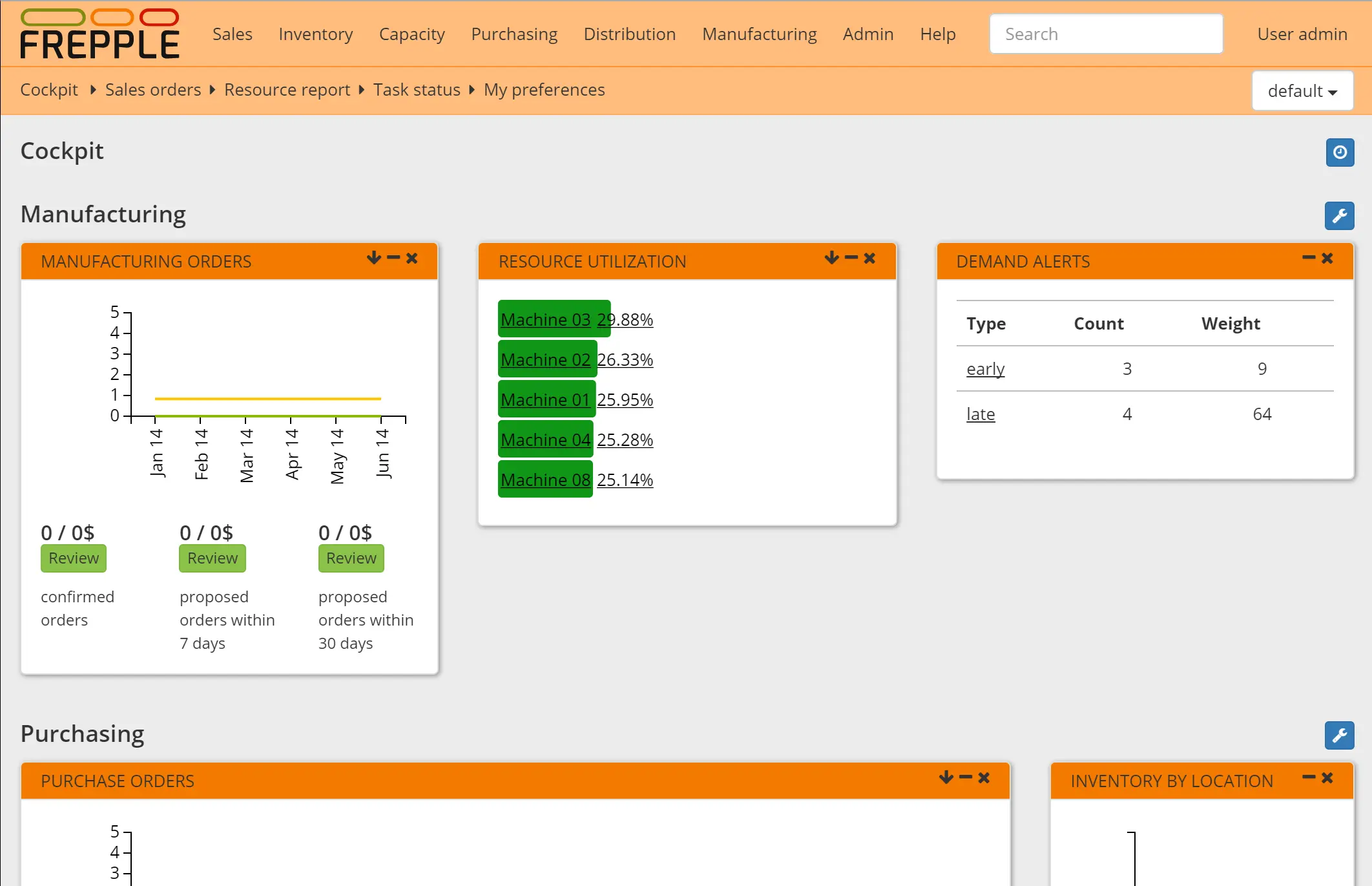
frePPLe is open-source production planning and demand forecasting software for manufacturers, and a self-hosted alternative to the planning side of Katana. It takes your sales orders, stock, bills of material, suppliers and machine capacity and works out what to make, what to buy and when, planning around the machines that are the real bottleneck.
It is built for the moment a planning spreadsheet stops coping. A furniture workshop, for example, can load its orders and its two CNC machines, see that the cutting machine is booked solid in March, move a rush order in a what-if copy to check the knock-on effect, and see that timber and fittings must be ordered a week earlier than usual. A statistical forecast from past sales fills in the demand that has not been ordered yet.
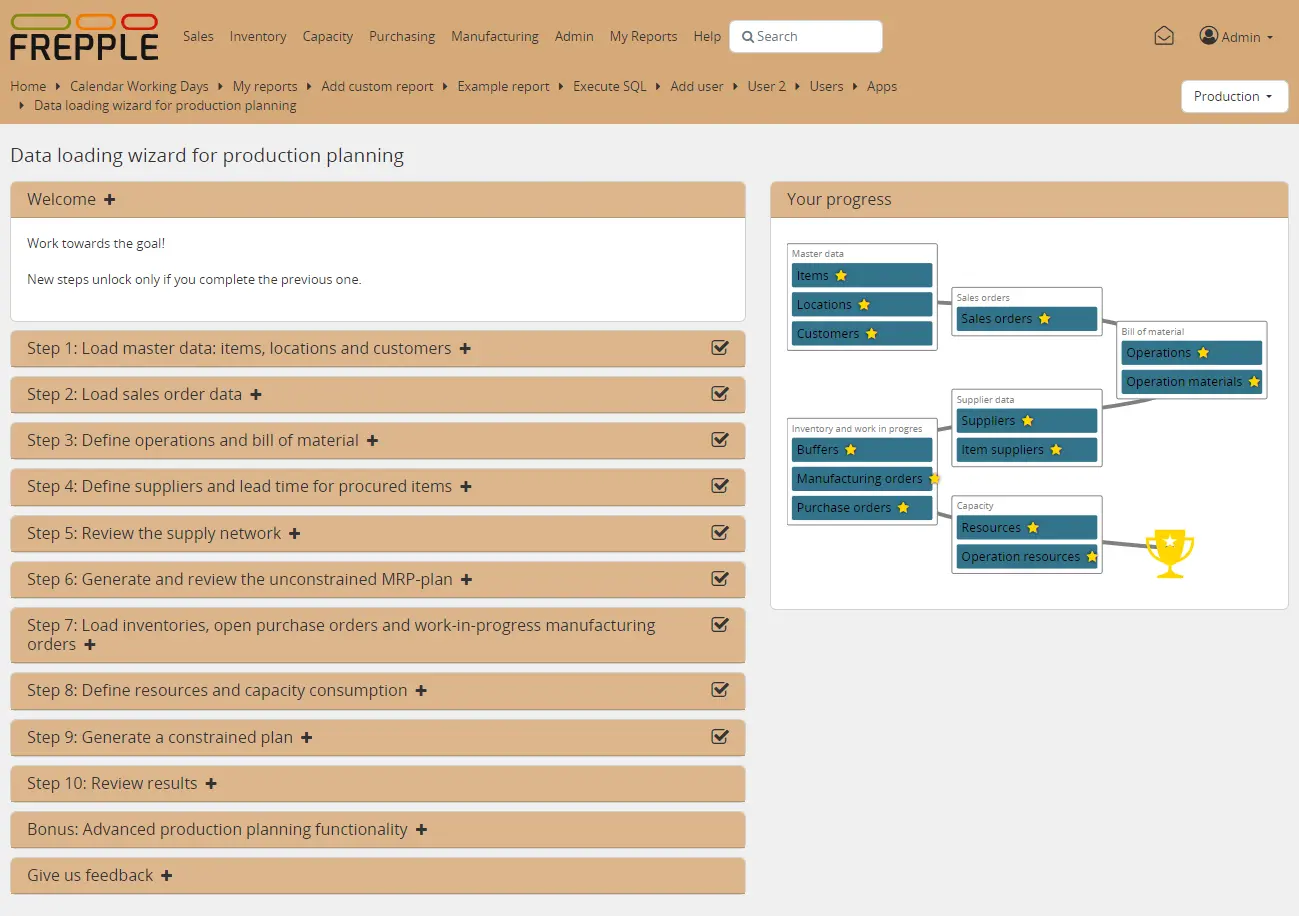
frePPLe is a planner, not an ERP: it does not book stock, send invoices or run the shop floor. You load your data from Excel or CSV files, through a step-by-step wizard, or straight from Odoo, and it runs in any web browser for as many users as you like.
Cloudgate installs the free Community Edition on your server with its database and gives it a secure web address.
What you can do with frePPLe
- Plan production around your bottlenecks frePPLe works out what to make and when, so orders fit the capacity of your machines and the materials you have.
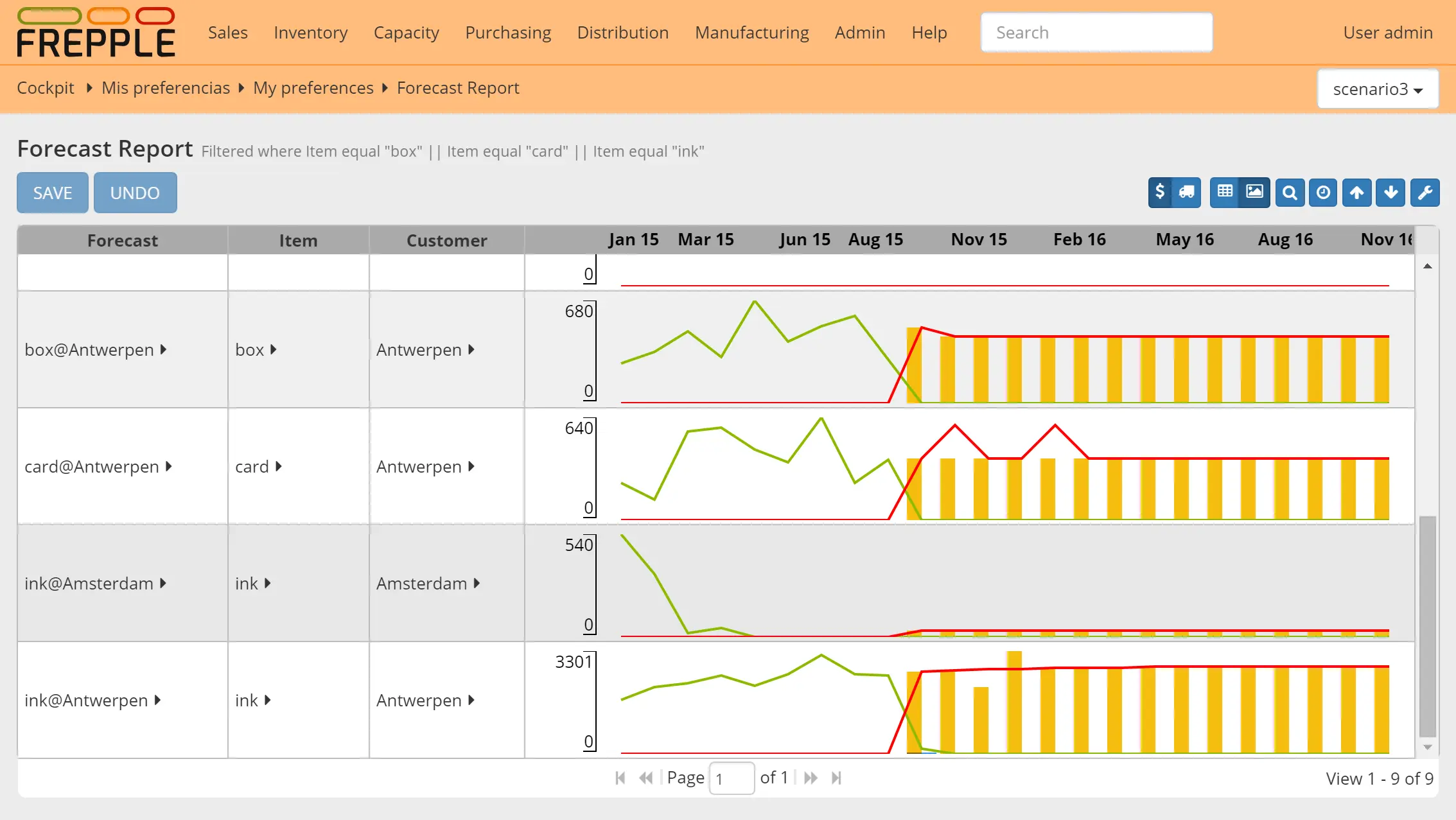
- Forecast your sales A statistical forecast from your sales history, with the method picked for each product and odd spikes cleaned out.
- Know what to buy and move Proposed purchase orders and transfers between your locations, timed to the plan.
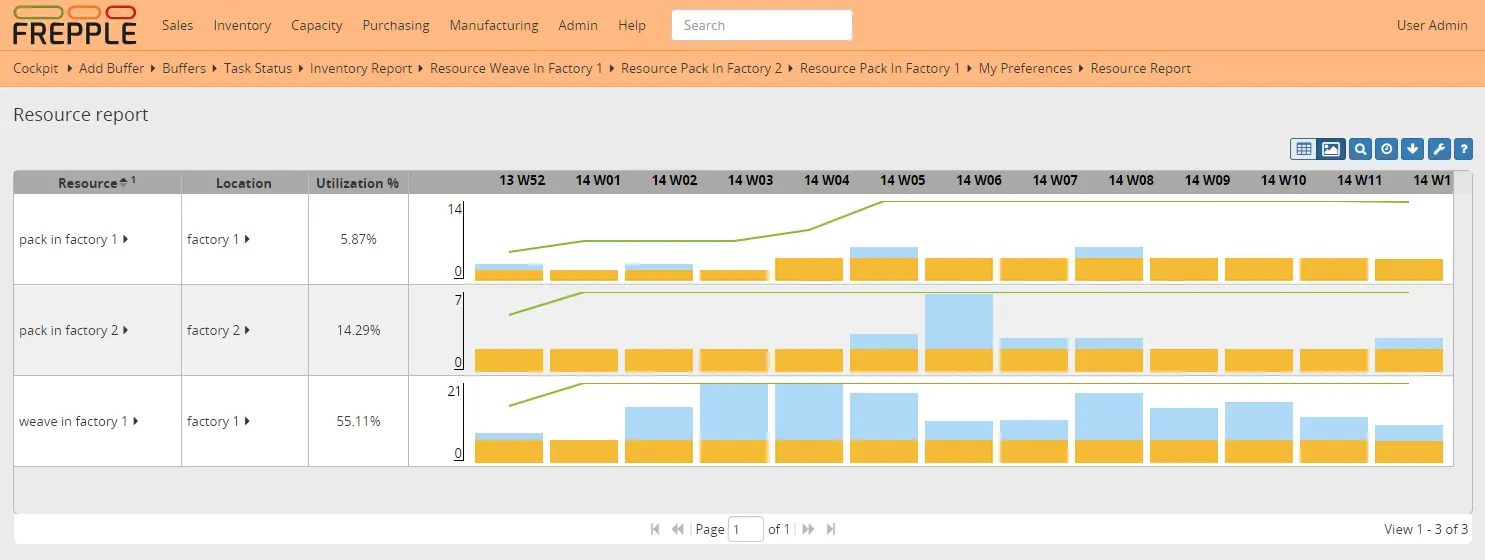
- See why an order will be late Capacity and constraint reports show which machine or material is holding each order up.
- Load data from Excel Upload Excel or CSV files on any screen, or follow the data wizard to build your first plan step by step.
- Try "what if" safely Copy your data into a scenario to test a new machine, a rush order or a longer lead time without touching the live plan.
- Connect to Odoo Read products, orders and stock from Odoo and send approved manufacturing and purchase orders back.
Replaces Katana and MRPeasy
frePPLe does the same job as Katana and MRPeasy. Here is what changes when you switch.
- A capacity-aware plan and a sales forecast, not just a list of orders to make
- No fee per user, and your plans and sales data stay on your server
- What-if scenarios to test changes before you commit to them
- Works on top of the ERP or spreadsheets you already use
- It plans; it does not track stock, take sales orders or connect to Shopify and accounting tools
- Your bills of material, routings and machine capacities must be loaded and kept clean
- The drag-and-drop Gantt chart, inventory planning and due date quoting are paid-only
- There is no direct import from Katana, and the company behind it supports only paid editions
What happens when you click Deploy?
You do not need a server or any technical knowledge. Four steps, and frePPLe is running at its own web address.
- Step 1 Click Deploy and create your account
Deploy takes you to Cloudgate. Create an account, or log in if you have one. frePPLe itself is free.
- Step 2 Choose a server
No server? Get one from Cloudgate: pick a size and a country, and Cloudgate gets it ready. Already have one? Connect it instead.
- Step 3 Cloudgate sets up frePPLe
It prepares the server, makes the passwords the app needs and starts it. There is nothing to install and nothing to write down.
- Step 4 Open your app and sign in
Your app gets a free web address to start, without https. Add your own domain, like app.yourshop.com, and Cloudgate secures it with https for you.
New to Cloudgate? See what Cloudgate is
Run Cloudgate yourself? Deploy from your own console
In your Cloudgate console, open Templates and choose frePPLe.
Questions
Is frePPLe free?
Yes, the frePPLe Community Edition is free and open source under the MIT licence, with no limit on users, and it is what this template installs. frePPLe bv sells paid Cloud and Enterprise editions that add inventory planning, an interactive Gantt chart, due date quoting and support.
Is frePPLe a good alternative to Katana?
Yes, for the planning side. frePPLe makes a production plan that respects machine capacity and forecasts sales, but it is not an all-in-one system like Katana; it has no stock tracking, sales channels, shop floor app or accounting links, so it works alongside an ERP or your spreadsheets.
How do I get my data into frePPLe?
frePPLe imports data from Excel or CSV files, uploaded one table at a time or as a whole workbook, or through the Odoo connector. A built-in wizard walks you through items, locations, sales orders, bills of material, suppliers and machines, and demo data sets let you try it first.
Can I import my data from Katana?
No, frePPLe has no Katana import. You would export your products, bills of material and orders from Katana to spreadsheets and reshape them into frePPLe's tables.
Does frePPLe replace my ERP?
No, frePPLe is a planning tool that sits next to an ERP or spreadsheets. It reads your orders, stock and bills of material and proposes what to make and buy; invoicing, accounting and stock bookings stay in your other system.
How do I sign in to frePPLe the first time?
Sign in to frePPLe with the username admin and the password Cloudgate created for you, which is shown in Cloudgate. You can change it later under your user preferences and add accounts for your planners.
What server size do I need for frePPLe?
A server with 4 processor cores and 16 GB of memory suits a medium-sized frePPLe planning model, according to its makers. That is more than most apps need; a smaller server is enough while you try it with a small model.
Do I need technical skills to run frePPLe?
No. Click Deploy, create your Cloudgate account and choose a server, and Cloudgate sets up frePPLe and gives it a web address. You use it in your browser like any other online tool.
Do I need my own server for frePPLe?
No. When you deploy frePPLe, hosted Cloudgate can provide a server. If you already rent one, you can connect it instead.
Related apps

Recipes, costs, stock, orders and production for small makers.

An open-source CMMS for work orders and preventive maintenance.

Run your fab lab or makerspace, from machine bookings to invoices.

Farm records: map fields, log crops, animals and tasks.