
farmOS
Farm records: map fields, log crops, animals and tasks.
No server needed to start: Cloudgate can provide one. What happens when you click Deploy
What is farmOS?
Self-hosted farmOS: open-source farm management to map your land and keep crop, livestock, harvest and task records on your own server.
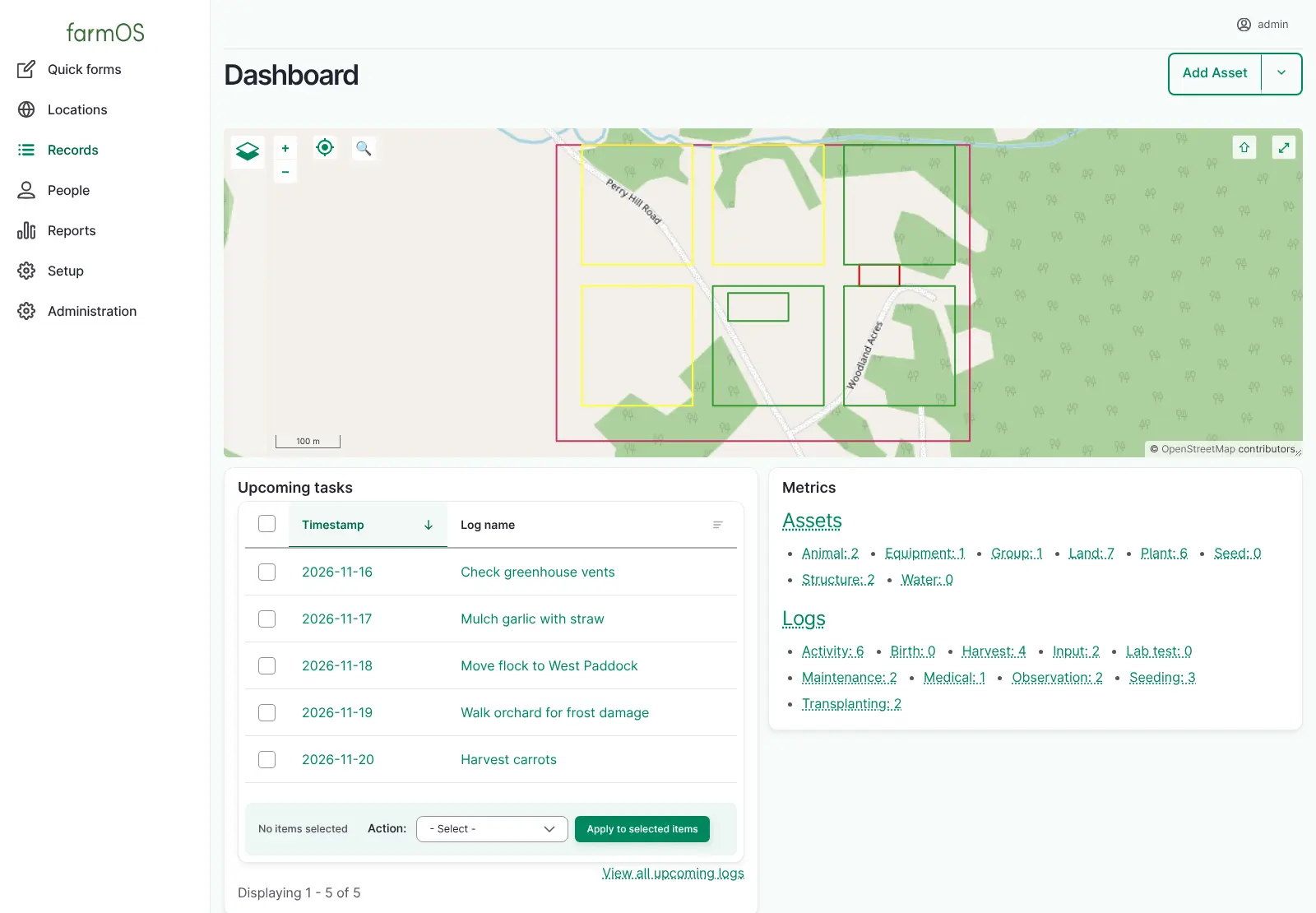
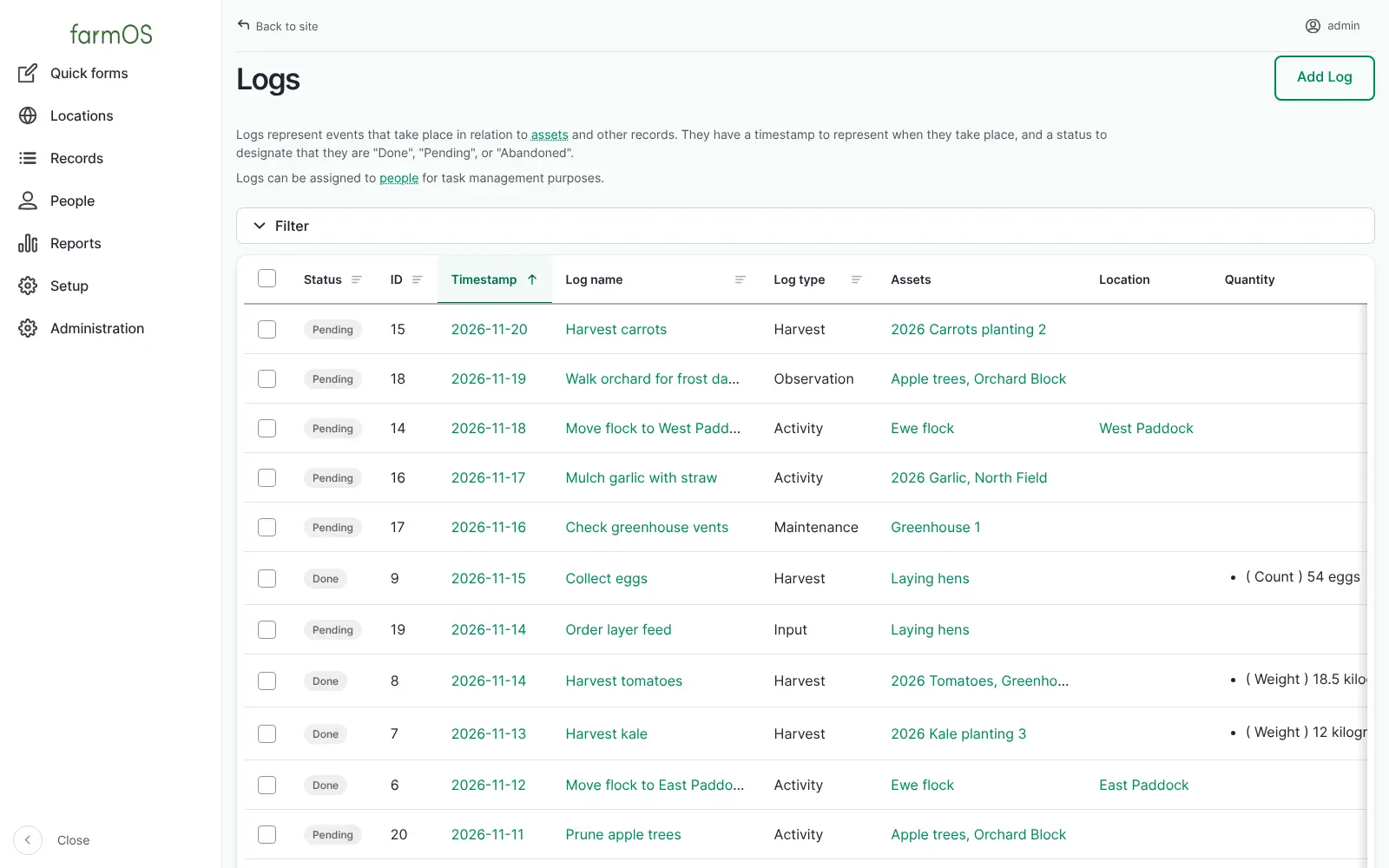
farmOS is free, open-source farm management software that you can self-host to map your land and keep records of your crops, animals, equipment and daily work, instead of paying for Farmbrite or Tend. Every field, planting, animal and machine has its own record, and every event, from seeding to harvest to a vet visit, is logged against it. Give a log a future date and it becomes a task on your dashboard.
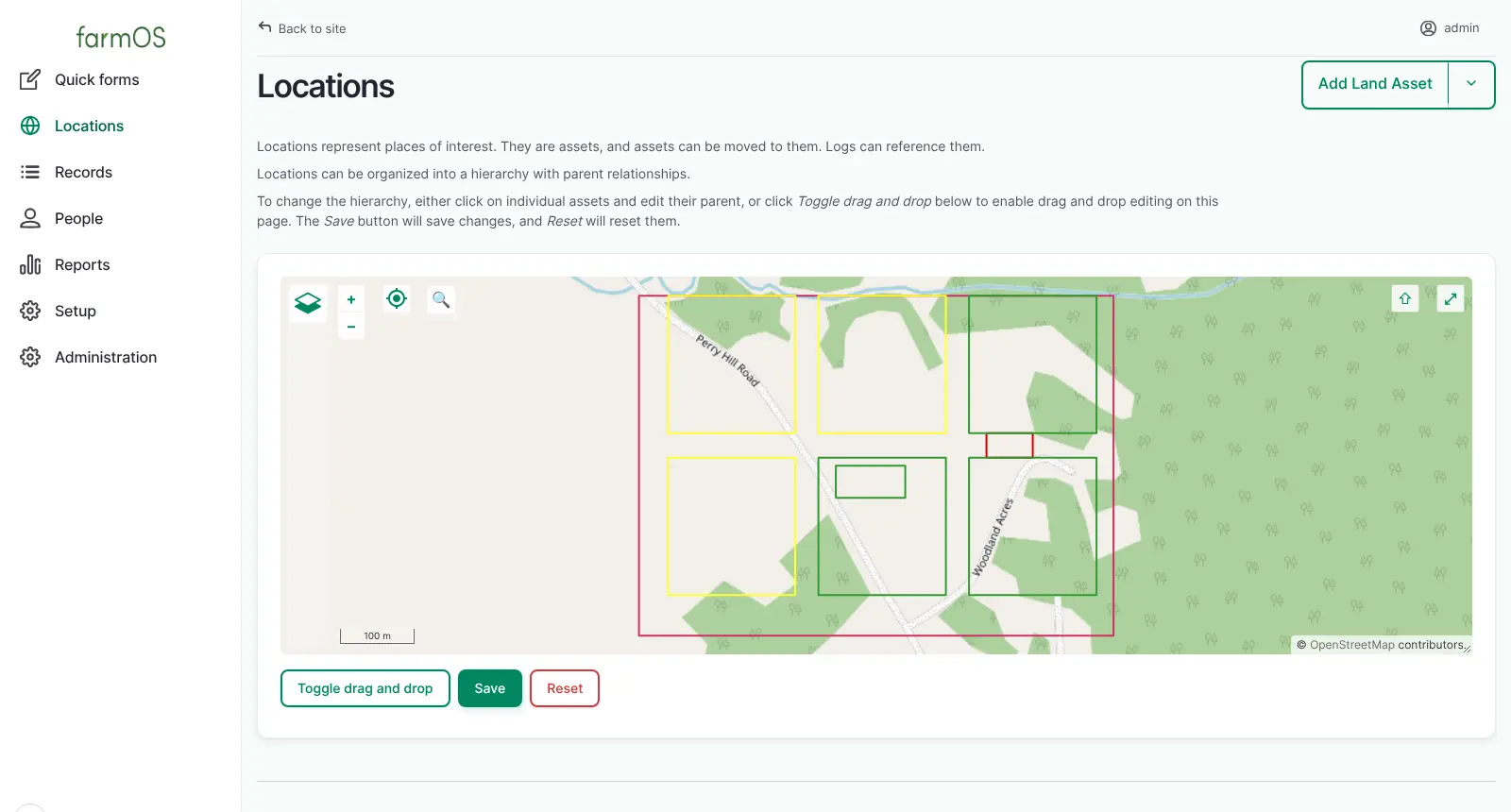
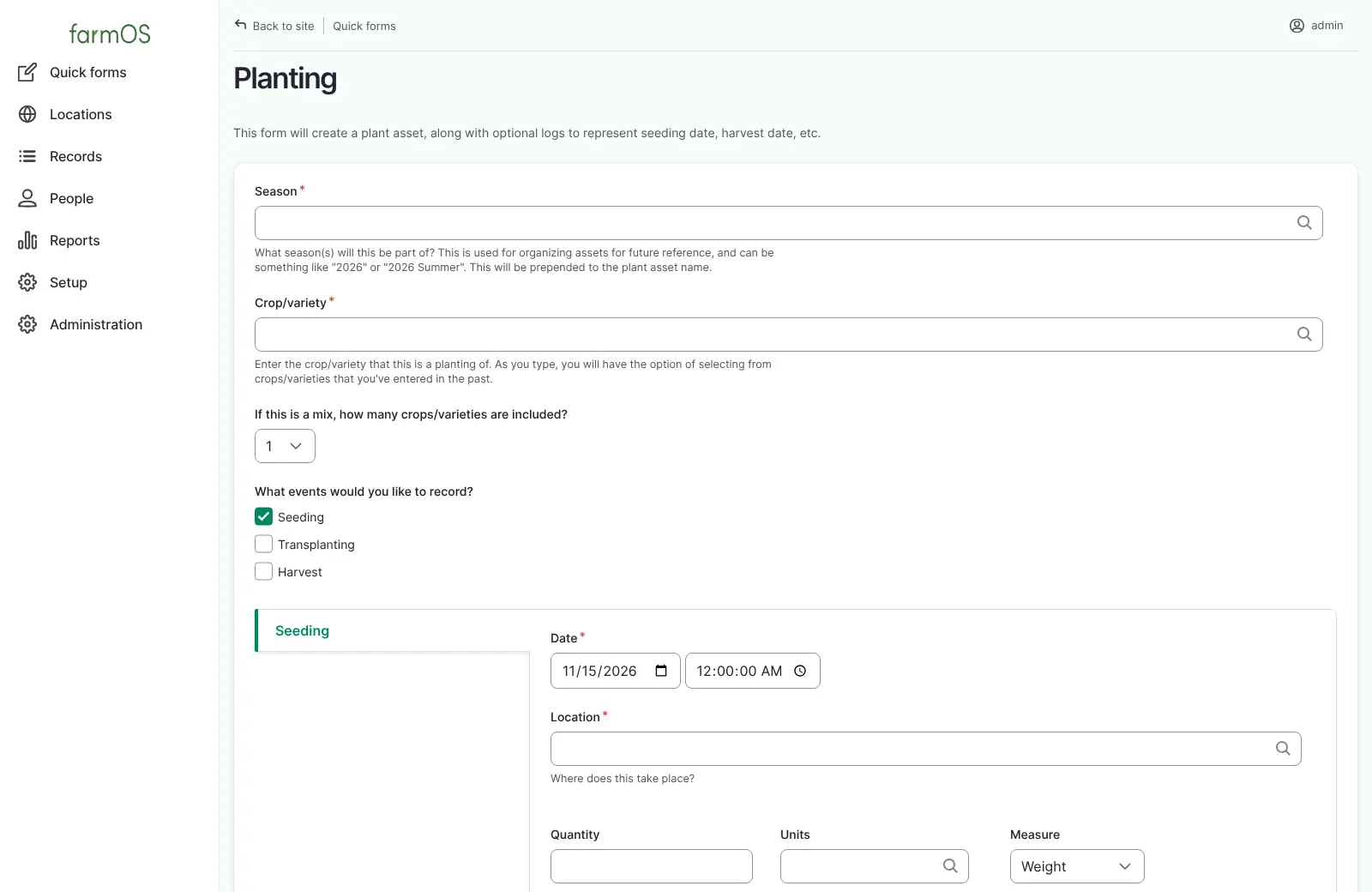
A market garden with a small sheep flock, for example, can draw its beds and paddocks on the map, record each planting from seeding to harvest weight, move the flock between paddocks with one form, and give a seasonal worker a login that can add records but not delete anyone else's. At the end of the season, every harvest and input is there for planning next year or showing an inspector.
farmOS works in any browser, on a computer, phone or tablet. It imports spreadsheets and map files from tools such as Google Earth, exports lists as CSV files, and has an API for other software.
Cloudgate installs farmOS on a server Cloudgate provides or one you connect, with the database it needs and a secure web address. Sign in as admin, tell farmOS what your farm works with, and draw your first field.
What you can do with farmOS
- Map your farm Draw your fields, beds, paddocks, greenhouses and barns on a map and arrange them as a tree of locations.
- Keep a record of everything you manage Plantings, animals, equipment, buildings, seed, materials and compost each get their own record and history.
- Log what happens, as it happens Record seeding, transplanting, harvests, inputs, observations, maintenance, vet visits and births, with weights and counts.
- Plan ahead with tasks Give a log a future date and it becomes a task, with upcoming and late tasks listed on the dashboard.
- Track herds and grazing Keep animals one by one or as a head count, group them into flocks and record each move between paddocks.
- Fill in common records quickly Short forms for a planting, an animal move, a birth, a stock count or a group change.
- Give each person the right access Managers, workers and view-only users, such as an inspector checking your records, each get their own login.
- Bring data in and take it out Import spreadsheets and map shapes from Google Earth, and export any list as a CSV file.
Replaces Farmbrite and Tend
farmOS does the same job as Farmbrite and Tend. Here is what changes when you switch.
- No monthly subscription; you pay only for your server
- Your farm records stay on your own server, under your control
- Every log, plan and map shape for every year in one place
- A record model flexible enough for crops, livestock, orchards and equipment together
- No accounting, invoicing, sales or online store
- No phone app to install; you use it in the phone's browser
- Records are more free-form, so it takes a little time to learn
- Password reset emails need an email sending service set up first
What happens when you click Deploy?
You do not need a server or any technical knowledge. Four steps, and farmOS is running at its own web address.
- Step 1 Click Deploy and create your account
Deploy takes you to Cloudgate. Create an account, or log in if you have one. farmOS itself is free.
- Step 2 Choose a server
No server? Get one from Cloudgate: pick a size and a country, and Cloudgate gets it ready. Already have one? Connect it instead.
- Step 3 Cloudgate sets up farmOS
It prepares the server, makes the passwords the app needs and starts it. There is nothing to install and nothing to write down.
- Step 4 Open your app and sign in
Your app gets a free web address to start, without https. Add your own domain, like app.yourshop.com, and Cloudgate secures it with https for you.
New to Cloudgate? See what Cloudgate is
Run Cloudgate yourself? Deploy from your own console
In your Cloudgate console, open Templates and choose farmOS.
Questions
Is farmOS free?
Yes, farmOS is free and open source under the GNU General Public License, with no paid edition or locked features. You pay only for the server it runs on.
Is farmOS a good alternative to Farmbrite?
Yes, for farm records, maps, tasks and crop and livestock history. farmOS has no accounting, sales or online store like Farmbrite, so it suits farms that want detailed records on their own server and handle money in a separate tool.
How do I sign in to farmOS the first time?
You sign in to farmOS with the username admin and the password Cloudgate created for you. The dashboard then asks whether you work with plants, animals and other things, and turns on the matching features.
Does farmOS have a phone app?
No, farmOS has no app in the phone app stores, but it works in the browser on a phone or tablet, including the map. On a secure web address, the map can show where you are standing.
Can I move my records from Farmbrite or a spreadsheet into farmOS?
Partly. farmOS has a CSV import with a template for each kind of record, so you can paste in lists of animals, plantings or logs exported from another tool. Field shapes can come from KML, GPX or GeoJSON files, such as a Google Earth export.
Can my workers or an organic inspector have their own login?
Yes, farmOS has Manager, Worker and Viewer roles. Workers can add records but only delete their own, and a Viewer can read your records without changing anything, which suits a certification inspector.
Do I need technical skills to run farmOS?
No. Click Deploy, create your Cloudgate account and choose a server, and Cloudgate sets up farmOS and gives it a web address. You use it in your browser like any other online tool.
Do I need my own server for farmOS?
No. When you deploy farmOS, hosted Cloudgate can provide a server. If you already rent one, you can connect it instead.
Related apps

An open-source CMMS for work orders and preventive maintenance.

Recipes, costs, stock, orders and production for small makers.

Run your fab lab or makerspace, from machine bookings to invoices.
Food co-op software for shared orders and accounts.