
Foodsoft
Food co-op software for shared orders and accounts.
No server needed to start: Cloudgate can provide one. What happens when you click Deploy
What is Foodsoft?
Self-hosted Foodsoft runs a food co-op or buying group's shared orders, supplier price lists, stock, member accounts and volunteer tasks in one web app.
Foodsoft is free, open-source food co-op software that runs a buying group's shared orders, supplier price lists, stock, member accounts and volunteer tasks in one web app. A food co-op is a group of households that buys food together from suppliers it chooses, and Foodsoft takes over the spreadsheets and lists that usually hold it together.
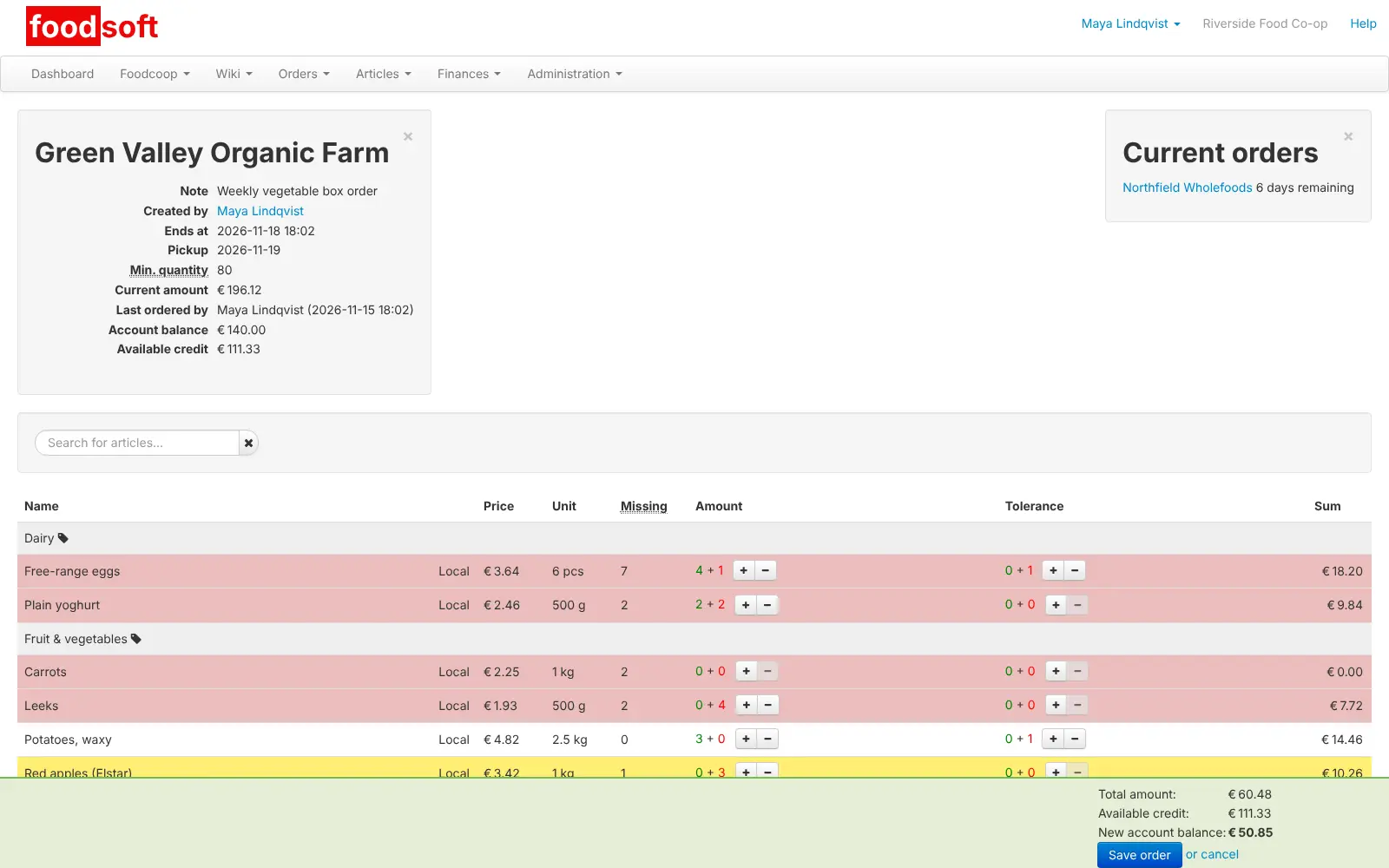
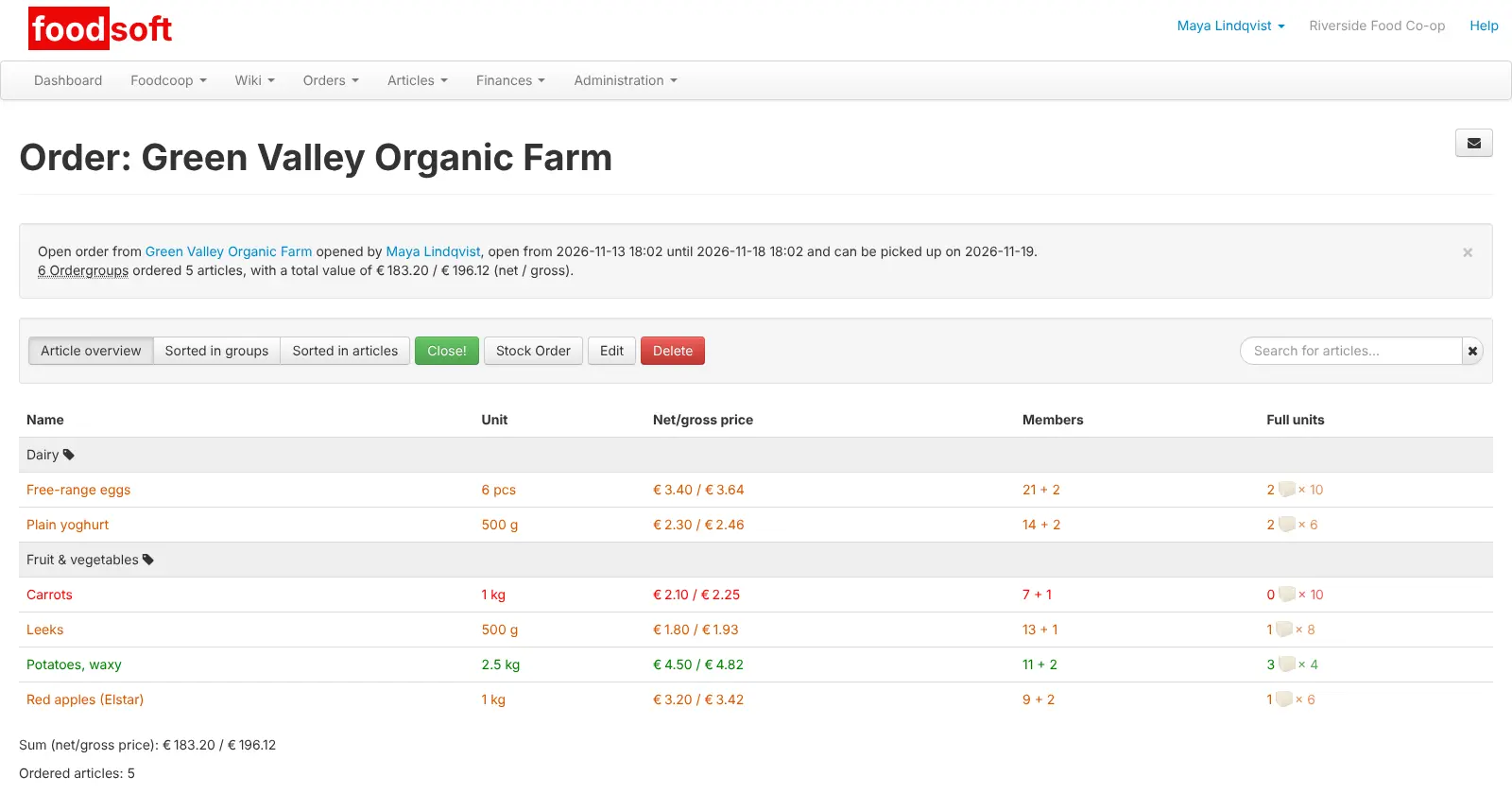
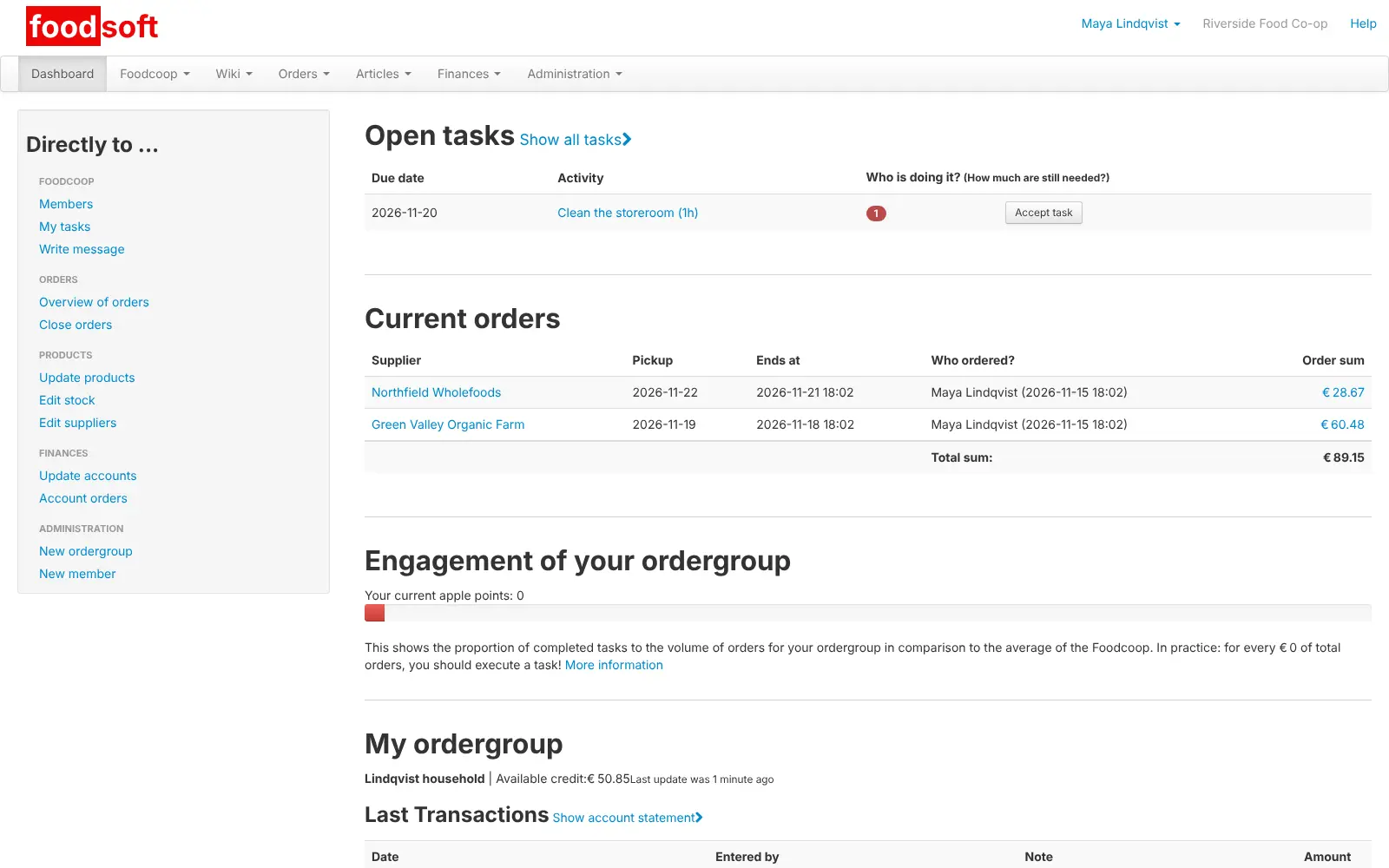
A neighbourhood buying group could open a weekly order with a local farm and a fortnightly one with a wholefoods wholesaler. Each household adds what it wants from its phone or laptop, Foodsoft rounds the totals up to full boxes, the group sends the order on time, and on pick-up day the volunteers print a list per household. The cost of each share is taken from that household's prepaid account, and members sign up for tasks like unpacking the delivery.
Foodsoft works in any web browser, in six languages, and can email members about orders and tasks once you add an email account. Cloudgate installs self-hosted Foodsoft on a server Cloudgate provides or one you connect, with the database it needs and a secure web address, so your members' details and accounts stay on your own server.
What you can do with Foodsoft
- Order together from your suppliers Open an order for each supplier with an end date and a pick-up day, and every household adds what it wants until it closes.
- Fill whole boxes Members can say how much extra they would accept, and Foodsoft shows how many full boxes to order and what is still missing.
- Send the order and print pick-up lists Close orders on time, send them to the supplier, and print lists sorted by household or by product for pick-up day.
- Keep supplier price lists up to date Store each supplier's products with price, VAT, deposit and origin, and update them by uploading the supplier's spreadsheet.
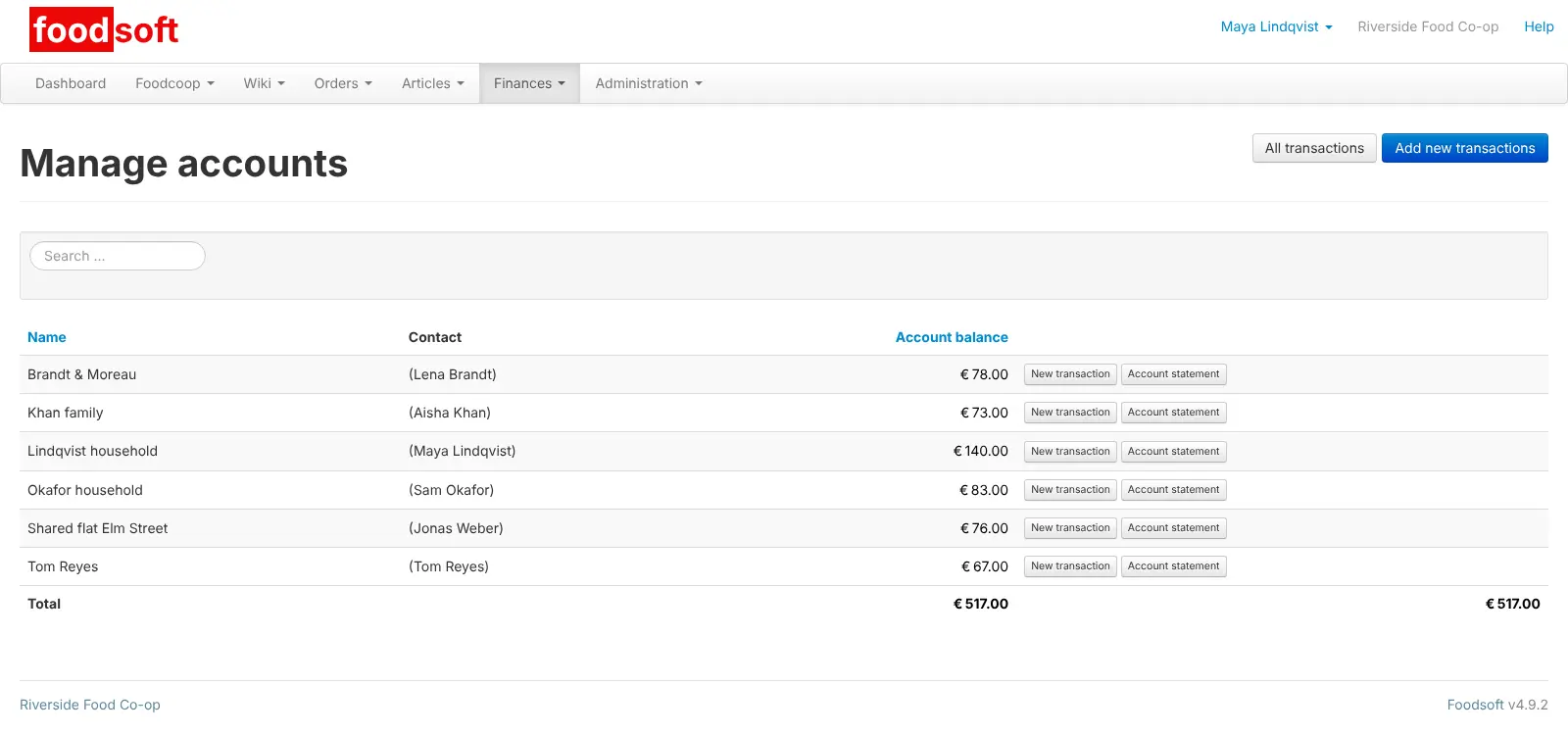
- Run member accounts Each household pays into its own account, finished orders are charged to it, and you record supplier invoices and payments.
- Share out the work Post one-off and weekly tasks such as unpacking deliveries, and let members sign up for them.
- Manage stock Keep a store of goods for members to take from, with deliveries and stock-taking.
- Talk to your members Send messages to everyone or to a group, and keep how-tos in the built-in wiki.
Compare Foodsoft
What happens when you click Deploy?
You do not need a server or any technical knowledge. Four steps, and Foodsoft is running at its own web address.
- Step 1 Click Deploy and create your account
Deploy takes you to Cloudgate. Create an account, or log in if you have one. Foodsoft itself is free.
- Step 2 Choose a server
No server? Get one from Cloudgate: pick a size and a country, and Cloudgate gets it ready. Already have one? Connect it instead.
- Step 3 Cloudgate sets up Foodsoft
It prepares the server, makes the passwords the app needs and starts it. There is nothing to install and nothing to write down.
- Step 4 Open your app and sign in
Your app gets a free web address to start, without https. Add your own domain, like app.yourshop.com, and Cloudgate secures it with https for you.
New to Cloudgate? See what Cloudgate is
Run Cloudgate yourself? Deploy from your own console
In your Cloudgate console, open Templates and choose Foodsoft.
Questions
Is Foodsoft free?
Yes, Foodsoft is free and open source under the AGPL licence, and there is no paid edition. You pay only for the server it runs on.
What is Foodsoft used for?
Foodsoft runs a member-run food co-op or buying group. Members order online from the suppliers the group chooses, collect their share on pick-up day, and pay from a prepaid account, while volunteers handle orders, stock, invoices and tasks in the same app.
How is Foodsoft different from Open Food Network?
Foodsoft is built for members ordering together, with shared boxes, household accounts and volunteer tasks. Open Food Network, also open source, is an online marketplace where food hubs and farms sell to their customers, so it suits a shop-like setup better.
How do I sign in to Foodsoft the first time?
Sign in with the admin email you entered during setup and the password Cloudgate generated for you, which you find in the app's settings in Cloudgate. Foodsoft's well-known default password does not work on a Cloudgate install.
Is there a Foodsoft phone app?
No, Foodsoft has no phone app. Members order in their phone's web browser, though the ordering page is easier to use on a larger screen.
Does Foodsoft need an email account?
Yes, to send invitations, password resets and order and task emails, Foodsoft needs the details of an email account (SMTP). You can add them during setup or leave them out and add members by hand.
What languages is Foodsoft available in?
Foodsoft is available in English, German, Dutch, French, Spanish and Turkish. It follows each member's browser language, and members can choose their own in their profile.
Do I need technical skills to run Foodsoft?
No. Click Deploy, create your Cloudgate account and choose a server, and Cloudgate sets up Foodsoft and gives it a web address. You use it in your browser like any other online tool.
Do I need my own server for Foodsoft?
No. When you deploy Foodsoft, hosted Cloudgate can provide a server. If you already rent one, you can connect it instead.
Related apps

An open-source CMMS for work orders and preventive maintenance.

Recipes, costs, stock, orders and production for small makers.

Run your fab lab or makerspace, from machine bookings to invoices.

Farm records: map fields, log crops, animals and tasks.