DokuWiki
A self-hosted wiki that keeps every page as a plain text file.
No server needed to start: Cloudgate can provide one. What happens when you click Deploy
What is DokuWiki?
DokuWiki is a free, open-source, self-hosted wiki that keeps every page as a plain text file, with no database, for team docs, manuals and runbooks.
DokuWiki is a free, open-source, self-hosted wiki that keeps every page as a plain text file, with no database, and a light alternative to Confluence for team documentation. You write in a simple wiki syntax or Markdown, group pages into folders, and every save is kept so you can go back.
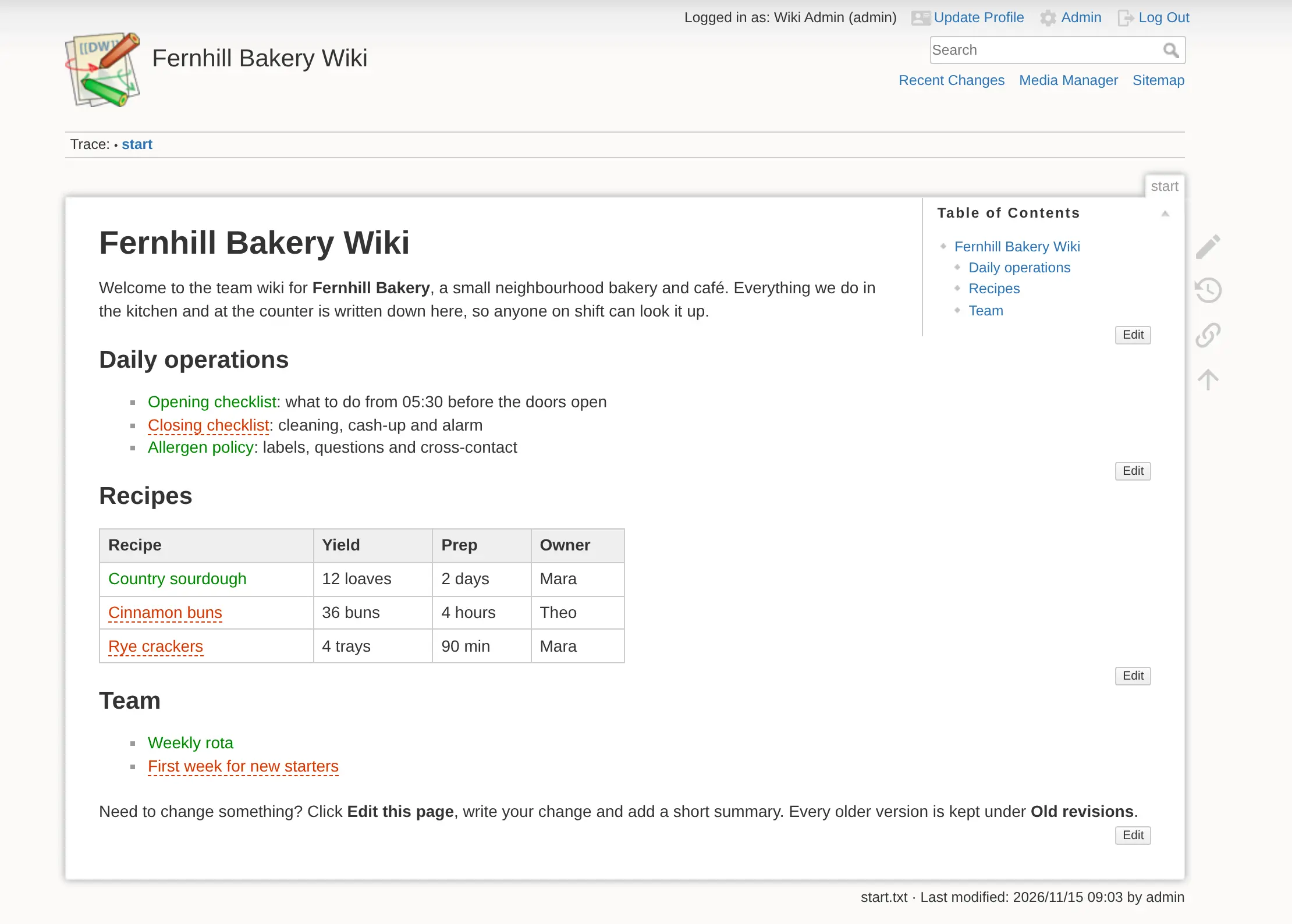
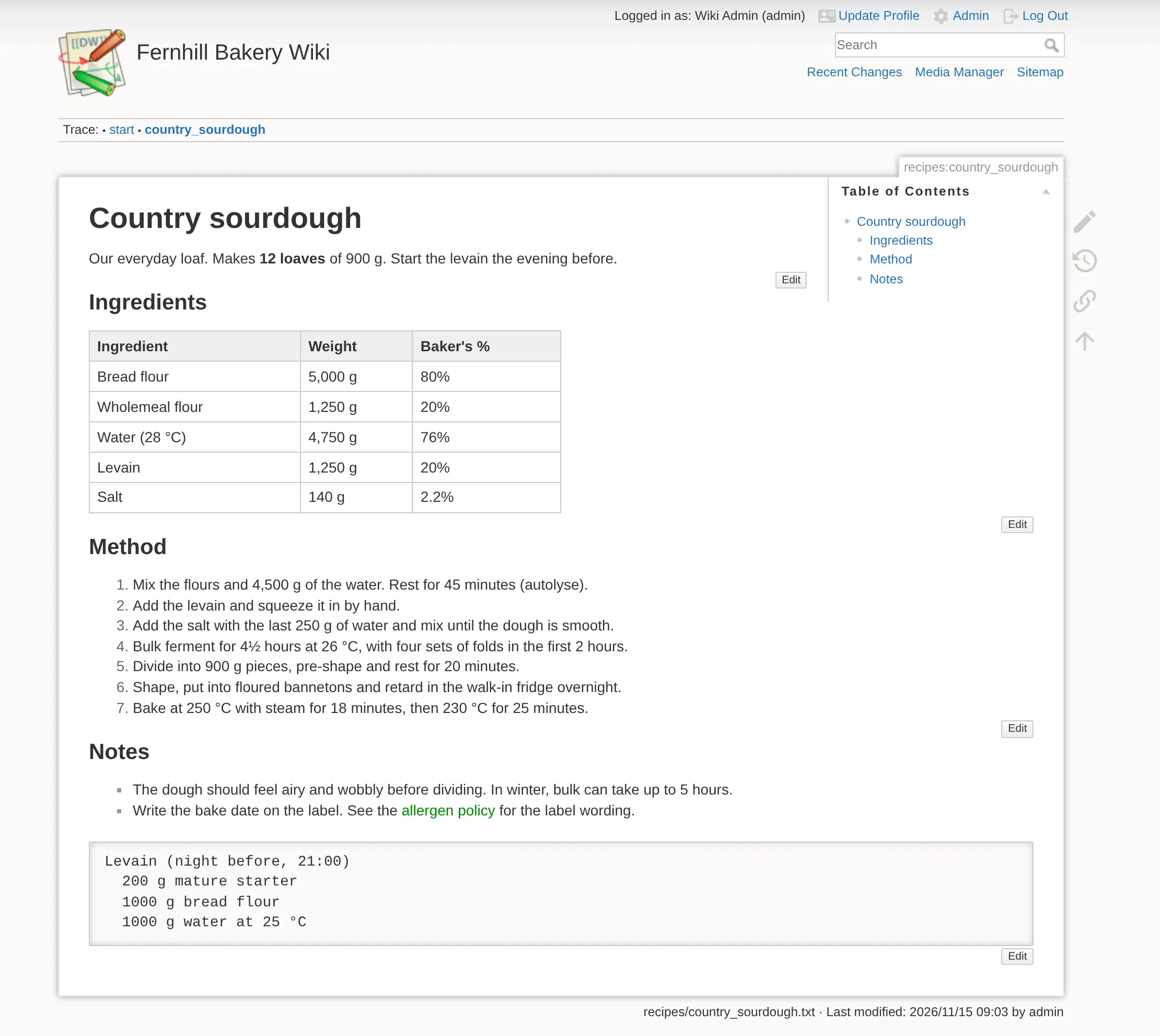
Because pages are just files, there is little to look after: a backup is a copy of one folder, and your pages stay readable even without the wiki. A bakery, for example, could keep its opening and closing checklists, recipes with exact weights, and supplier contacts in one wiki, let every baker edit the recipes, and keep the price list visible only to the managers.
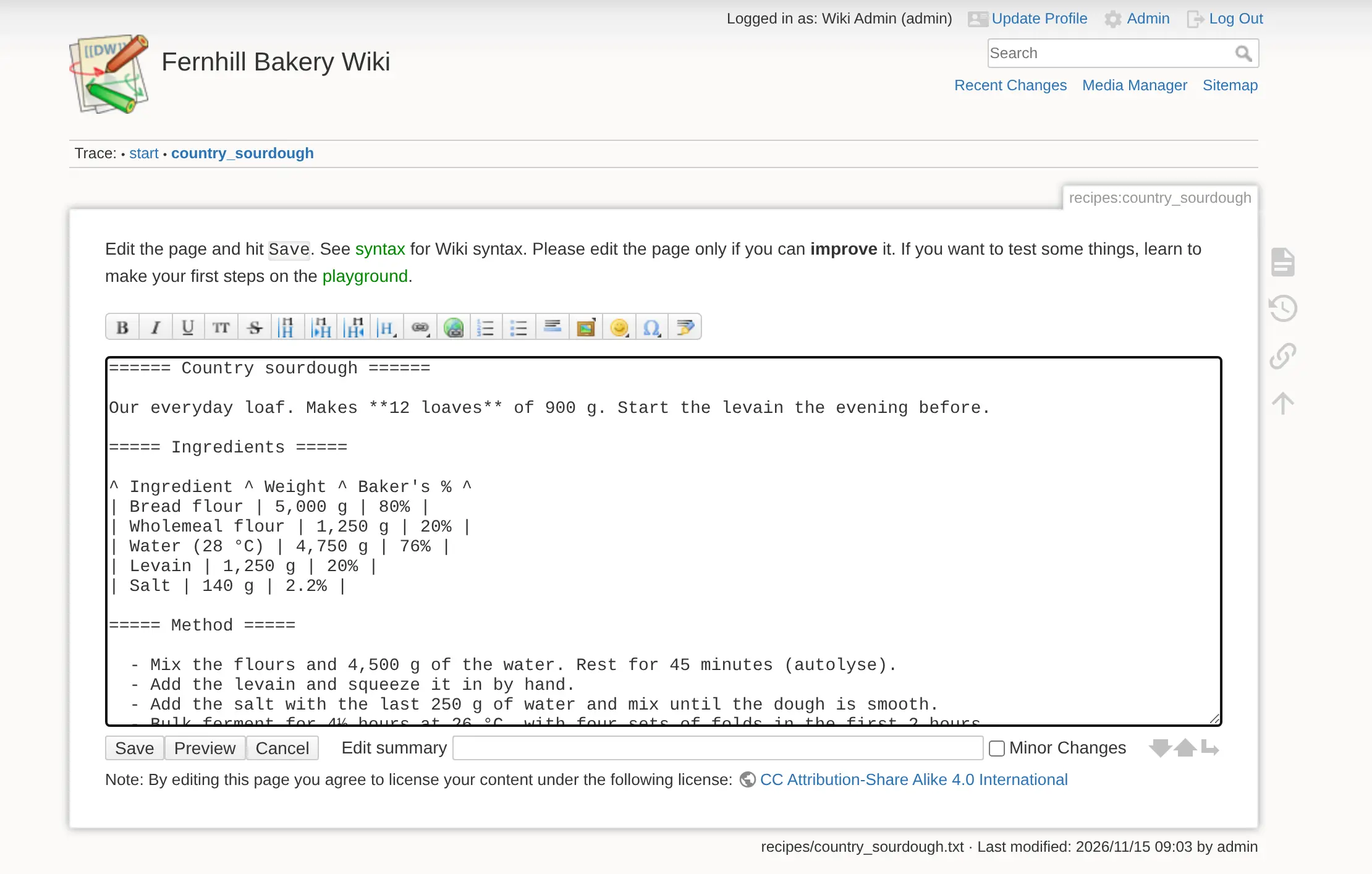
DokuWiki is plain on purpose. The default editor is a text box with a formatting toolbar rather than a word-processor view, and one person edits a page or section at a time. You can set who reads and edits each folder or page, sign people in with LDAP or Active Directory, and add features such as PDF export with plugins. There is no phone app, but the wiki works in a phone's browser.
Cloudgate installs DokuWiki on a server Cloudgate provides or one you connect and gives it a secure web address. Then open /install.php on that address straight away to create your admin.
What you can do with DokuWiki
- No database to look after Every page is saved as a plain text file, so a backup is a copy of one folder and your pages stay readable even without the wiki.
- Write in wiki syntax or Markdown Use the editor's formatting toolbar with DokuWiki's simple syntax, or switch the wiki to Markdown in the settings.
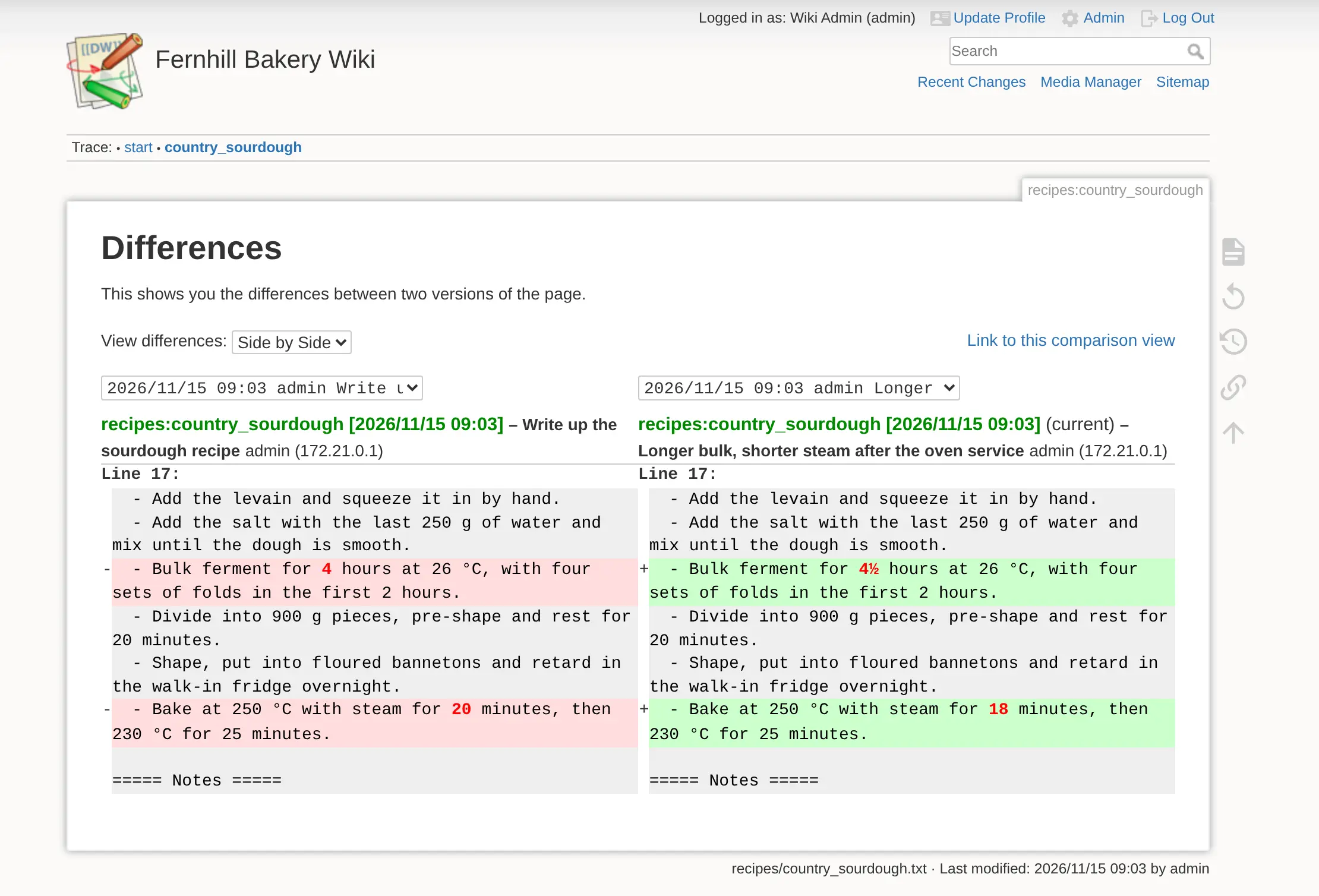
- See and undo every change Each save is kept with a short summary, and you can compare two versions side by side and restore an older one.
- Edit one section at a time Open just the part of a page you need, with drafts saved as you type and the page locked so two people don't overwrite each other.
- Choose who reads and who edits Set read, edit, upload and delete rights per folder or page, for single people or groups, and sign people in with LDAP or Active Directory if you use them.
- Find pages quickly Search the text of every page, browse the site map, and follow recent changes and backlinks.
- Add what you need with plugins Install community plugins and themes from the built-in Extension Manager, for example PDF export or a visual editor.
Replaces Confluence and Notion
DokuWiki does the same job as Confluence and Notion. Here is what changes when you switch.
- Free and open source under the GPL-2.0 licence, with no paid edition and no per-user price
- Nothing but files to back up or move, because there is no database
- Built-in sign-in through LDAP or Active Directory, with rights per folder or page
- Your documentation stays on your own server
- The default editor is a text box with a toolbar and wiki syntax; a visual editor is only available as a beta plugin
- One person edits a page or section at a time; there is no live co-editing
- It covers the wiki part only, with no databases, boards or calendars like Notion
- The look is plainer than Confluence, and there is no built-in importer from Confluence or Notion
What happens when you click Deploy?
You do not need a server or any technical knowledge. Four steps, and DokuWiki is running at its own web address.
- Step 1 Click Deploy and create your account
Deploy takes you to Cloudgate. Create an account, or log in if you have one. DokuWiki itself is free.
- Step 2 Choose a server
No server? Get one from Cloudgate: pick a size and a country, and Cloudgate gets it ready. Already have one? Connect it instead.
- Step 3 Cloudgate sets up DokuWiki
It prepares the server, makes the passwords the app needs and starts it. There is nothing to install and nothing to write down.
- Step 4 Open your app and sign in
Your app gets a free web address to start, without https. Add your own domain, like app.yourshop.com, and Cloudgate secures it with https for you.
New to Cloudgate? See what Cloudgate is
Run Cloudgate yourself? Deploy from your own console
In your Cloudgate console, open Templates and choose DokuWiki.
Questions
Is DokuWiki free?
Yes, DokuWiki is free and open source under the GPL-2.0 licence, and every feature is in the free app; there is no paid or enterprise edition. You pay only for your server.
Does DokuWiki need a database?
No, DokuWiki needs no database. Every page is a plain text file and old versions and uploads are files too, so backing up the wiki means copying one folder.
How do I sign in to DokuWiki the first time?
DokuWiki has no default password; you create the admin account yourself. Right after setup, open your wiki's address with /install.php on the end, choose the wiki's name, your admin login and password, and who may read and edit. Do it straight away, because until the installer has run, anyone who opens that address could create the admin.
Is DokuWiki a good alternative to Confluence?
Yes, for teams that want a light, simple wiki for manuals, how-tos and runbooks, with page history and access rights. DokuWiki has no live co-editing, its default editor uses wiki syntax rather than a word-processor view, and it looks plainer than Confluence.
Does DokuWiki support Markdown?
Yes, since the July 2026 "Mort" release you can set the wiki to use Markdown, DokuWiki's own syntax, or both. DokuWiki's own syntax is the default.
Can I import my Confluence or Notion pages into DokuWiki?
No, DokuWiki has no built-in importer for Confluence or Notion. A community script can convert a Confluence HTML export, but macros are lost, so plan to move your most important pages by hand.
How is DokuWiki different from BookStack and Wiki.js?
DokuWiki stores pages as plain text files and runs without a database, so it is lighter and simpler to back up. BookStack and Wiki.js keep pages in a database and have friendlier editors, and Wiki.js adds live co-writing and Git sync.
Do I need technical skills to run DokuWiki?
No. Click Deploy, create your Cloudgate account and choose a server, and Cloudgate sets up DokuWiki and gives it a web address. You use it in your browser like any other online tool.
Do I need my own server for DokuWiki?
No. When you deploy DokuWiki, hosted Cloudgate can provide a server. If you already rent one, you can connect it instead.
Related apps

A simple self-hosted wiki in Markdown, with every change kept.

A simple self-hosted wiki, organised like books on a shelf.

A self-hosted Markdown wiki with live co-writing and Git sync.

An open-source team wiki with spaces, live editing and diagrams.