
DHIS2
Health data, from clinic forms to dashboards and maps.
No server needed to start: Cloudgate can provide one. What happens when you click Deploy
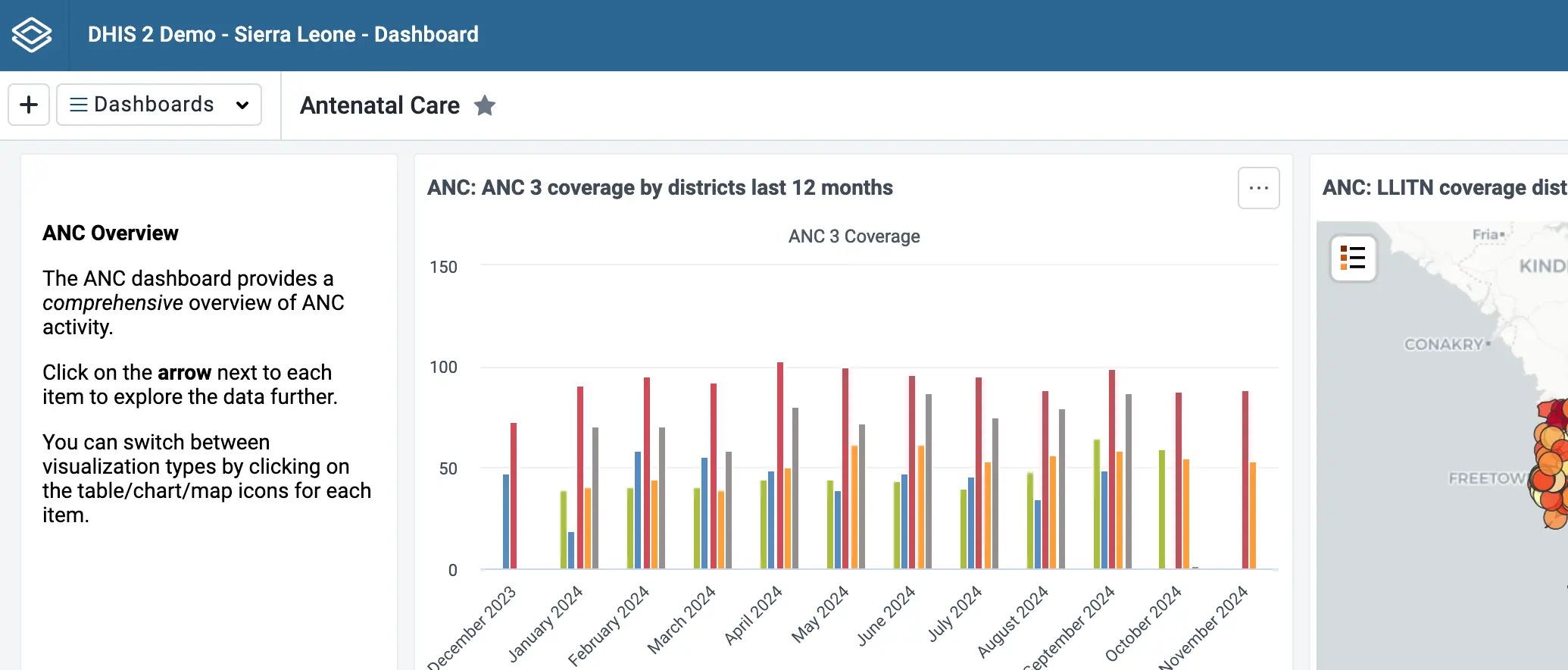

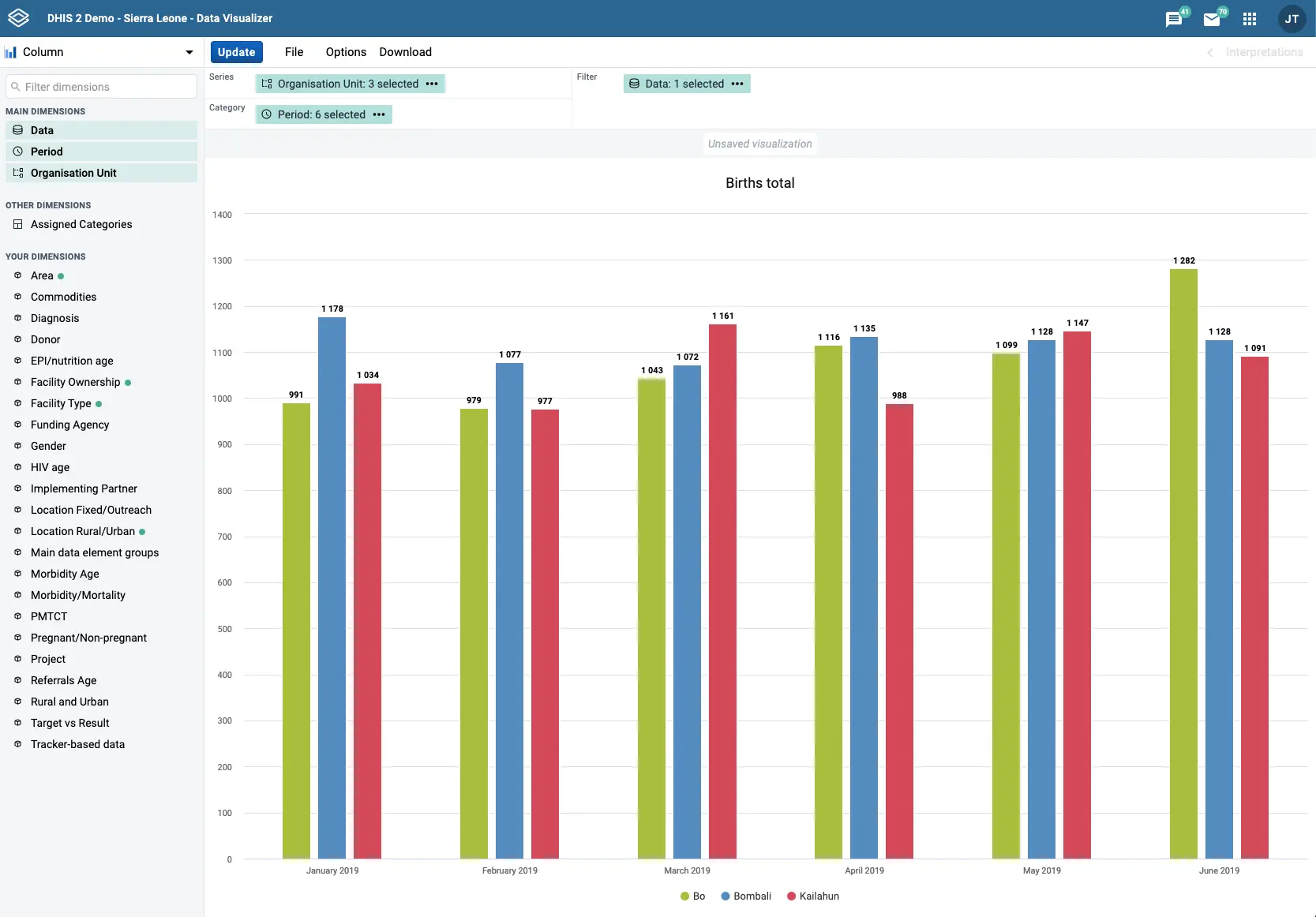

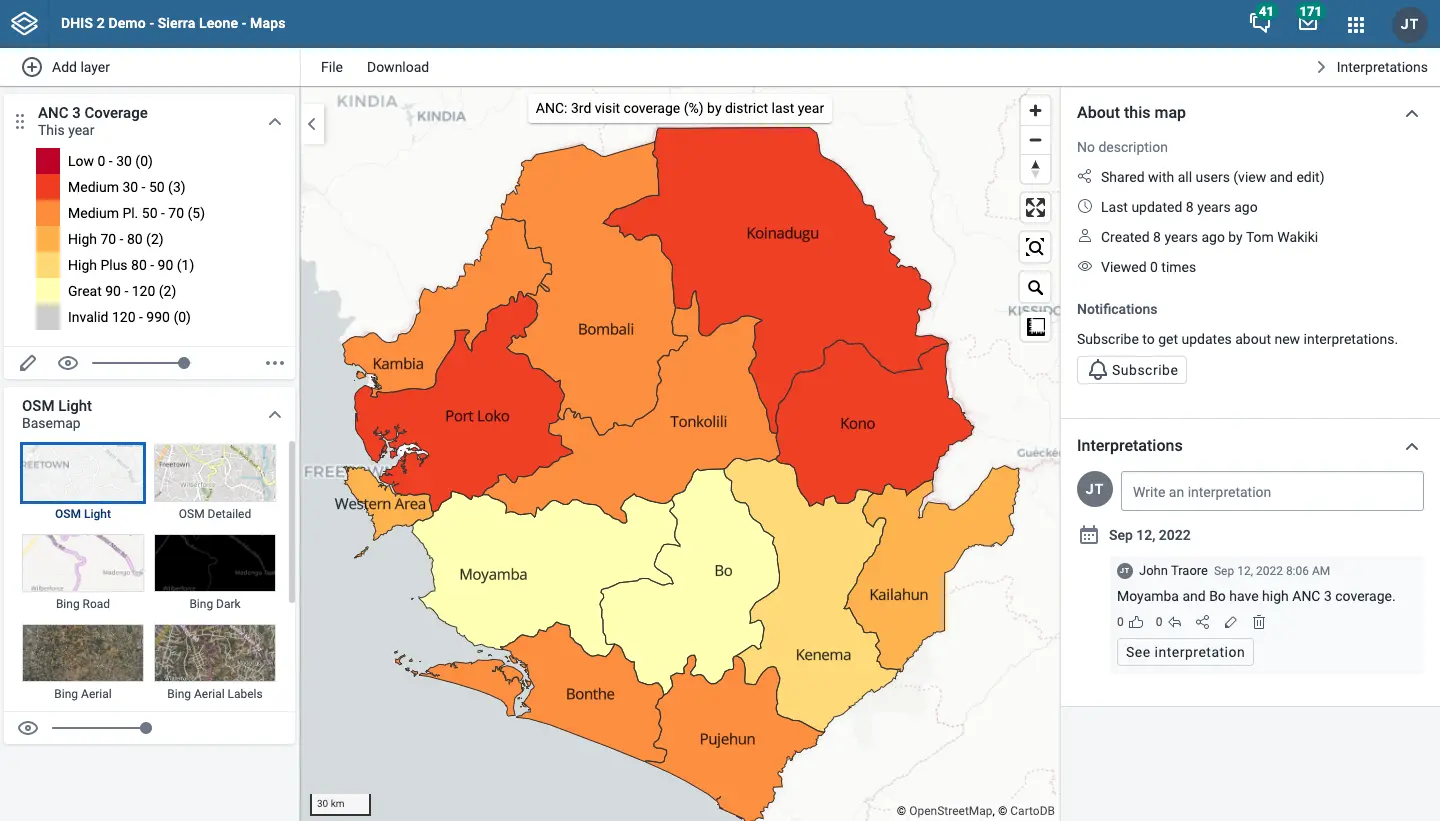

What is DHIS2?
Self-hosted DHIS2 collects routine health data from clinics and field teams and shows it on dashboards, charts and maps, offline and on Android.
Self-hosted DHIS2 is a free, open-source health information system that collects routine data from clinics and field teams and turns it into dashboards, charts and maps, and it is an alternative to paid data-collection platforms such as CommCare and SurveyCTO. Health ministries and NGOs use it to gather the same figures from many sites every month and see them add up by district and region.
Staff enter monthly totals on forms for their clinic, or follow individual people through visits and follow-ups. DHIS2 checks the numbers as they come in, rolls them up your organisation, and shows the results on shared dashboards. A small NGO running eight rural clinics, for example, could have each clinic report its antenatal visits every month and see on one map which villages are falling behind.
DHIS2 works where the internet is patchy: data entry in the browser and the free Android app keep working offline and sync later, and reports can be sent by SMS. It imports CSV, JSON, XML and ADX files and has an open API for other systems.
Cloudgate installs DHIS2 on a server Cloudgate provides or one you connect, together with the database it needs, and gives it a secure web address. Plan a few days to set up your sites, forms and users before staff start reporting.
What you can do with DHIS2
- Collect routine reports Staff fill in monthly or weekly forms for each clinic or site, with checks that catch missing or unlikely numbers.
- Follow individual people or cases Record enrolments, visits and follow-ups for each person or case, not only totals.
- Build dashboards Put charts, tables, maps and notes on shared dashboards, filter them by place and period, or run them as a slideshow.
- Make charts and pivot tables Compare any figure across districts, sites and months in a chart or table, then save it or download it.
- See results on a map Colour districts by coverage, show facilities and events as points, and add satellite and boundary layers.
- Work offline and on Android Enter data in the browser or the free Android app without a connection and sync it later, or send reports by SMS.
- Roll data up your organisation Arrange sites under districts and regions so figures add up automatically, and give each user access only to their own area.
- Import and export data Load data from CSV, JSON, XML or ADX files, and connect other systems through its open API.
Replaces CommCare
DHIS2 does the same job as CommCare. Here is what changes when you switch.
- No licence or per-user fee, and no paid edition holding features back
- Dashboards, charts and maps are built in, with no separate reporting tool
- Figures roll up from each site to district and national level automatically
- Your health data stays on a server you control
- It needs real set-up work before staff can enter data, often with help from a trained implementer
- The phone app is for Android only
- It is a large app that needs a bigger server than most tools in this catalogue
- There is no direct import from CommCare or SurveyCTO; data moves across as CSV files or through the API
What happens when you click Deploy?
You do not need a server or any technical knowledge. Four steps, and DHIS2 is running at its own web address.
- Step 1 Click Deploy and create your account
Deploy takes you to Cloudgate. Create an account, or log in if you have one. DHIS2 itself is free.
- Step 2 Choose a server
No server? Get one from Cloudgate: pick a size and a country, and Cloudgate gets it ready. Already have one? Connect it instead.
- Step 3 Cloudgate sets up DHIS2
It prepares the server, makes the passwords the app needs and starts it. There is nothing to install and nothing to write down.
- Step 4 Open your app and sign in
Your app gets a free web address to start, without https. Add your own domain, like app.yourshop.com, and Cloudgate secures it with https for you.
New to Cloudgate? See what Cloudgate is
Run Cloudgate yourself? Deploy from your own console
In your Cloudgate console, open Templates and choose DHIS2.
Questions
Is DHIS2 free?
Yes. DHIS2 is free, open-source software under the BSD 3-Clause licence, made by the University of Oslo, with no paid edition. The Android app is free too; you pay only for your server.
Is DHIS2 a good alternative to CommCare or SurveyCTO?
Yes, for routine reporting from many sites. DHIS2 is built to collect the same figures every month or week, add them up across districts and show them on dashboards and maps, with no per-user fee. CommCare and SurveyCTO are stronger as phone-first tools for one-off surveys and case management, and many programmes use DHIS2 alongside one of them.
How do I sign in to DHIS2 the first time?
Sign in with the user name admin and the password Cloudgate creates, shown on the app's variables page. DHIS2's usual default password does not work on a Cloudgate install. Self sign-up is off, so you then set up your sites, forms and user accounts yourself.
Does DHIS2 work offline and on phones?
Yes. Data entry in the browser keeps working without a connection and syncs later, and the free DHIS2 Android app collects data offline. Reports can also be sent by SMS. There is no iPhone app.
Can I import data I already have in spreadsheets?
Yes. DHIS2's Import/Export app loads data from CSV, JSON, XML and ADX files once your sites and data fields are set up, and other systems can send data through its open API.
Is DHIS2 only for health data?
No. DHIS2 is mostly used as a health information system, but the same forms, dashboards and maps are used for education, logistics and agriculture data.
What size server does DHIS2 need?
Cloudgate runs DHIS2 on a server with 8 GB of memory and 4 processor cores, which is what the DHIS2 project recommends for a small installation, with fast SSD storage. Larger national systems need 16 GB or more. The first start takes several minutes while the database is created.
Do I need technical skills to run DHIS2?
No. Click Deploy, create your Cloudgate account and choose a server, and Cloudgate sets up DHIS2 and gives it a web address. You use it in your browser like any other online tool.
Do I need my own server for DHIS2?
No. When you deploy DHIS2, hosted Cloudgate can provide a server. If you already rent one, you can connect it instead.
Related apps

FHIR backend for teams building their own health apps.

Glucose following for family and carers, with alarms.

View and measure X-ray, CT and MRI scans in your web browser.

Medical records for clinics, hospitals and health programmes.