
Medplum
FHIR backend for teams building their own health apps.
No server needed to start: Cloudgate can provide one. What happens when you click Deploy

What is Medplum?
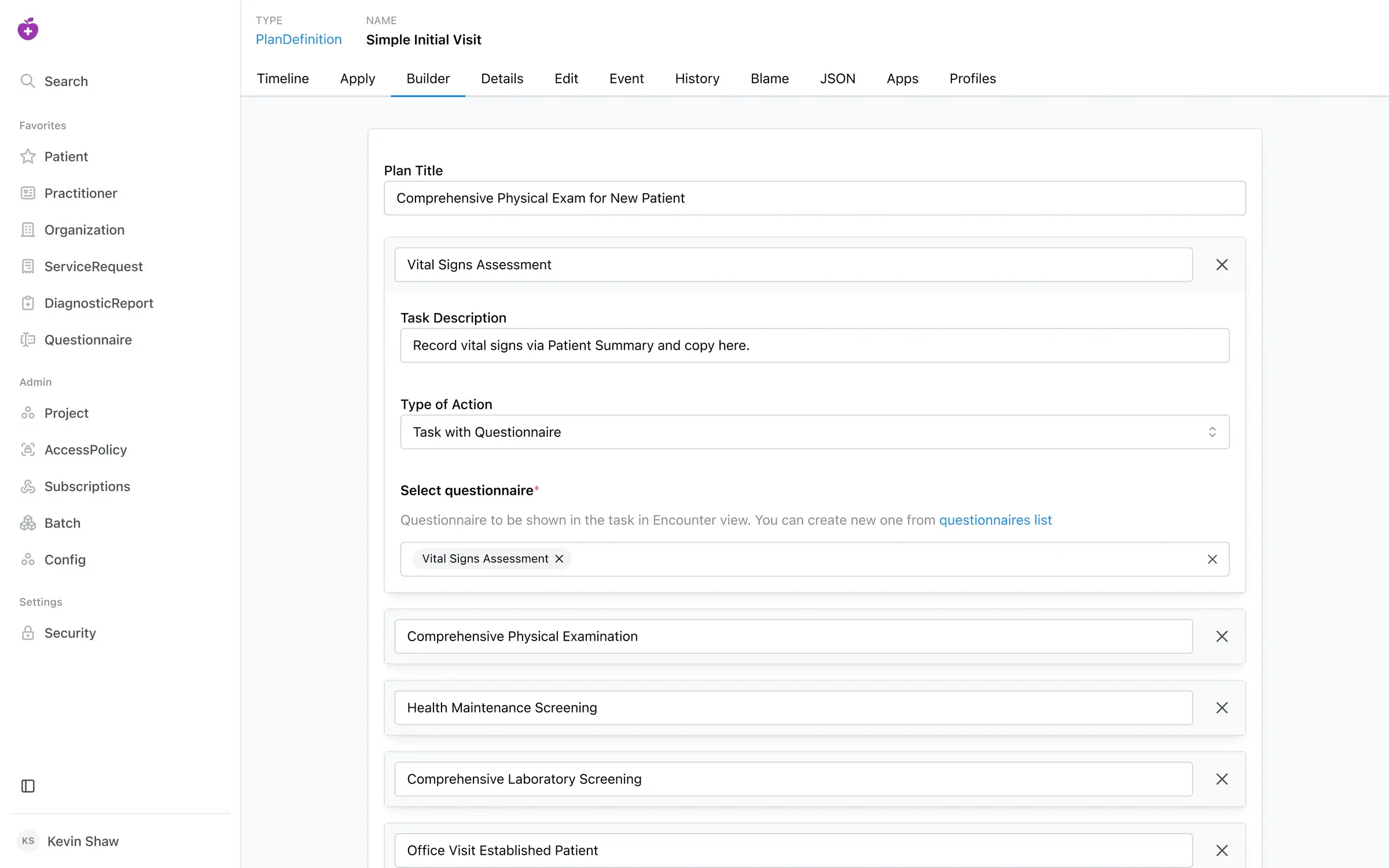
Self-hosted Medplum is an open-source FHIR server, sign-in and API for teams building their own healthcare apps, with an admin app for records.
Self-hosted Medplum is an open-source healthcare platform that gives your developers a FHIR server, user sign-in and an API to build your own clinical apps on, in place of a developer platform such as Healthie's API or a paid FHIR server such as Aidbox. It stores patient records in FHIR, the open standard for health data, and comes with the Medplum App for admins to look up and edit records and manage users.
Medplum is "headless": it has no finished screens for clinicians or patients. It suits a team that wants to design its own. A small online nutrition startup, for example, could have its developers build a patient intake form and a visit app on Medplum, while a server-side script turns each finished intake form into a task for the next free dietitian.
Your developers work with its API, client libraries and screen components, and can connect partner services for e-prescribing, lab orders and insurance claims. There is no ready-made phone app.
Cloudgate installs Medplum on your own server with the database it needs and gives it a secure web address. Sign in as super admin with the email you chose, and Medplum is ready for your developers. Your records stay on that server; keeping it up to date and compliant is your team's job.
What you can do with Medplum
- Store clinical records in a standard format Patients, practitioners, observations, orders, reports and forms are kept as FHIR records, the common standard for exchanging health data.
- Look up and edit any record The Medplum App lets admins search, filter and edit records, see each record's full history, and export a list to CSV.
- Control who sees what Users sign in with passwords, Google or your own sign-in provider, with two-step sign-in and access rules down to single fields.
- Build your own apps on top Your developers get an API, client libraries and ready-made screen components for charts, forms and scheduling.
- Automate the busywork Small scripts called Bots run on the server when a record changes, on a schedule or when another service sends a message.
- Turn forms and visit plans into data Build intake questionnaires and visit templates whose answers are saved as structured records.
- Connect outside health services Medplum has guides for e-prescribing, lab orders, insurance claims, fax and text messages, each through an account with that provider.
Replaces Healthie and Aidbox
Medplum does the same job as Healthie and Aidbox. Here is what changes when you switch.
- Open source under Apache-2.0, with no licence fee for the software
- Health records stay on your own server, in the open FHIR format
- Your team decides every screen and workflow of its app
- No vendor lock-in; any developer who knows FHIR can work on it
- No ready-made clinician or patient app; your developers build those
- Running, upgrading and monitoring the server is your job
- Medplum's compliance certifications cover its own cloud, not your server
- Moving your records across takes engineering work
What happens when you click Deploy?
You do not need a server or any technical knowledge. Four steps, and Medplum is running at its own web address.
- Step 1 Click Deploy and create your account
Deploy takes you to Cloudgate. Create an account, or log in if you have one. Medplum itself is free.
- Step 2 Choose a server
No server? Get one from Cloudgate: pick a size and a country, and Cloudgate gets it ready. Already have one? Connect it instead.
- Step 3 Cloudgate sets up Medplum
It prepares the server, makes the passwords the app needs and starts it. There is nothing to install and nothing to write down.
- Step 4 Open your app and sign in
Your app gets a free web address to start, without https. Add your own domain, like app.yourshop.com, and Cloudgate secures it with https for you.
New to Cloudgate? See what Cloudgate is
Run Cloudgate yourself? Deploy from your own console
In your Cloudgate console, open Templates and choose Medplum.
Questions
Is Medplum free?
Yes, Medplum is free and open source under the Apache-2.0 licence, and you can run it on your own server at no cost. Medplum's hosted cloud, enterprise support and partner services such as e-prescribing and lab connections are paid separately.
Is Medplum a good alternative to Healthie?
Yes, for a team that wants to build its own healthcare app instead of building on Healthie's platform. Medplum gives you the records, sign-in and API, but not Healthie's ready-made scheduling, charting, billing and video screens, so your developers build those.
Can I use Medplum without a developer?
No, not as a clinic system. Without developers you get the Medplum App, an admin tool for raw records and users. A practice that wants ready-to-use patient records, scheduling and billing should look at OpenEMR instead.
How do I sign in to Medplum the first time?
Sign in to the Medplum App with the admin email you gave Cloudgate and the password Cloudgate generated, shown on the app's variables page. The first start takes a few minutes; public sign-up is turned off, so the super admin creates projects and invites users.
Can I move my data from Healthie to Medplum?
Partly. Medplum publishes an example importer that copies patients, medications, allergies and form answers from Healthie, but a developer has to set it up and run it, and other data needs its own migration work.
Is self-hosted Medplum HIPAA compliant?
Compliance is up to you, because no software makes an organization HIPAA compliant on its own. Medplum's HIPAA paperwork and certifications apply to its hosted cloud; on your own server, patient data stays with you and keeping it secure is your team's job.
What server size do I need for Medplum?
Medplum asks for at least 4 GB of memory, so Cloudgate starts it on a medium server. It runs the Medplum App, the API, a PostgreSQL database and a cache, and you can move to a bigger server as your data grows.
Do I need my own server for Medplum?
No. When you deploy Medplum, hosted Cloudgate can provide a server. If you already rent one, you can connect it instead.
Related apps

Health data, from clinic forms to dashboards and maps.

Glucose following for family and carers, with alarms.

View and measure X-ray, CT and MRI scans in your web browser.

Medical records for clinics, hospitals and health programmes.