
Nightscout
Glucose following for family and carers, with alarms.
No server needed to start: Cloudgate can provide one. What happens when you click Deploy
What is Nightscout?
Self-hosted Nightscout puts a CGM's glucose readings on your own private website, so family and carers can follow them live, with alarms and reports.
Nightscout is a free, open-source, self-hosted web app that puts the readings from a continuous glucose monitor (CGM) on a private website of your own, so the person with diabetes, parents and carers can follow glucose live from any browser or follower app. Running Nightscout yourself replaces a hosted Nightscout service such as T1Pal and its monthly fee, and it gives you reports similar to Dexcom Clarity or LibreView, for any sensor brand.
Nightscout is not a medical device and is not approved for treatment decisions. Use it alongside your sensor's official app, its alarms and a meter, never instead of them.
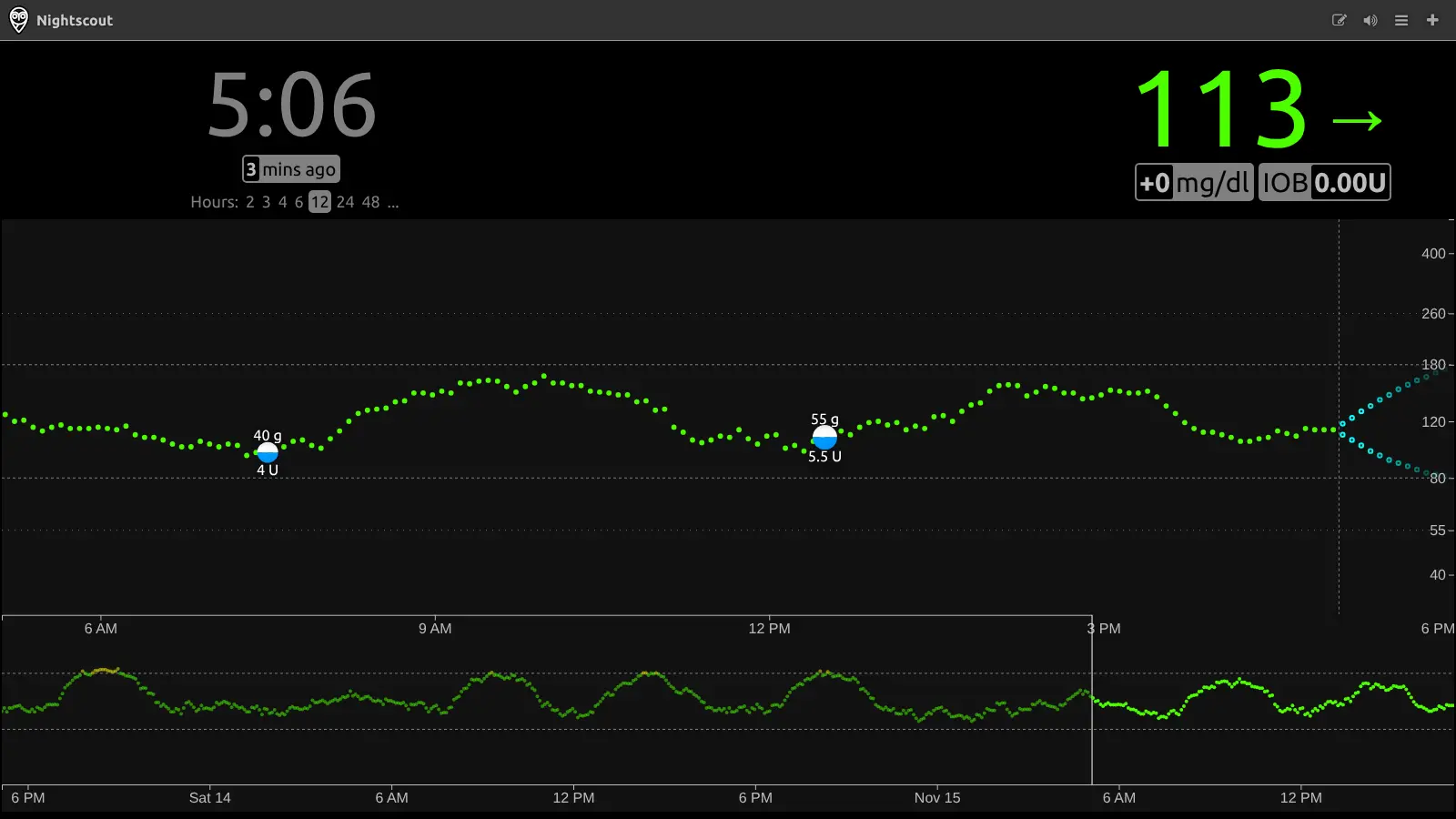
A parent could leave a clock view on the bedside table and get an alarm through a follower app on their own phone if their child's glucose drops at night, while a grandparent checks the same readings on a read-only link. Meals and insulin sit on the same chart, and the reports show time in range for a clinic visit.
Readings arrive from an uploader app such as xDrip+, Loop or AndroidAPS, and follower apps exist for iPhone, Android and watches. Cloudgate installs Nightscout with its database on a server Cloudgate provides or one you connect, gives it a secure web address, keeps it private until you sign in, and creates the secret your uploader app needs.
What you can do with Nightscout
- See glucose live, anywhere The current reading, its trend arrow and the last hours of readings on one chart, in any web browser.
- Get alarms for highs and lows Urgent high, high, low and urgent low alarms sound in the browser, and anyone watching can snooze them.
- Share it safely with family The site stays private until someone signs in, and you give each carer a read-only link of their own.
- Log meals and insulin Add carbs, insulin, finger-stick checks and sensor changes, and see them on the chart next to the readings.
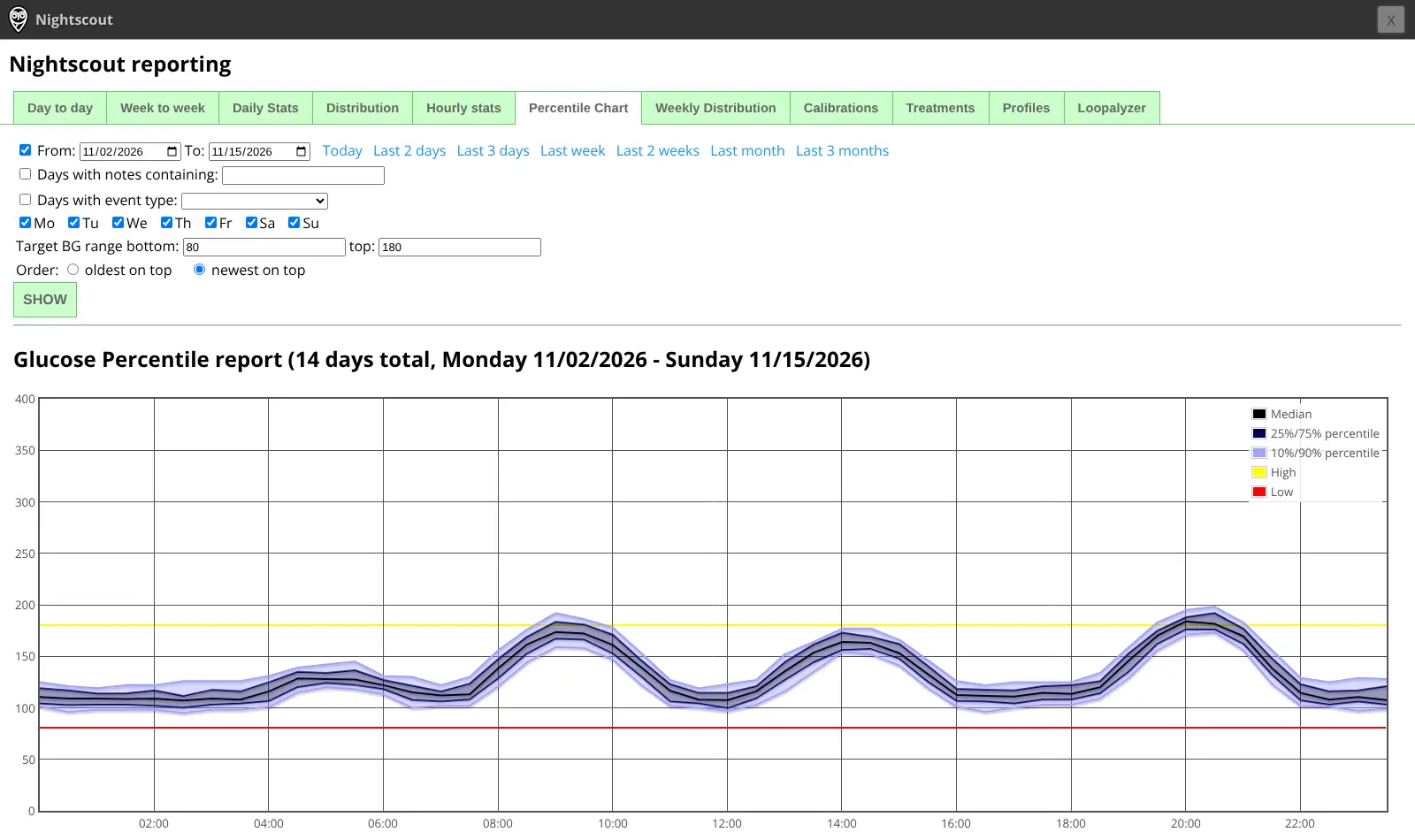
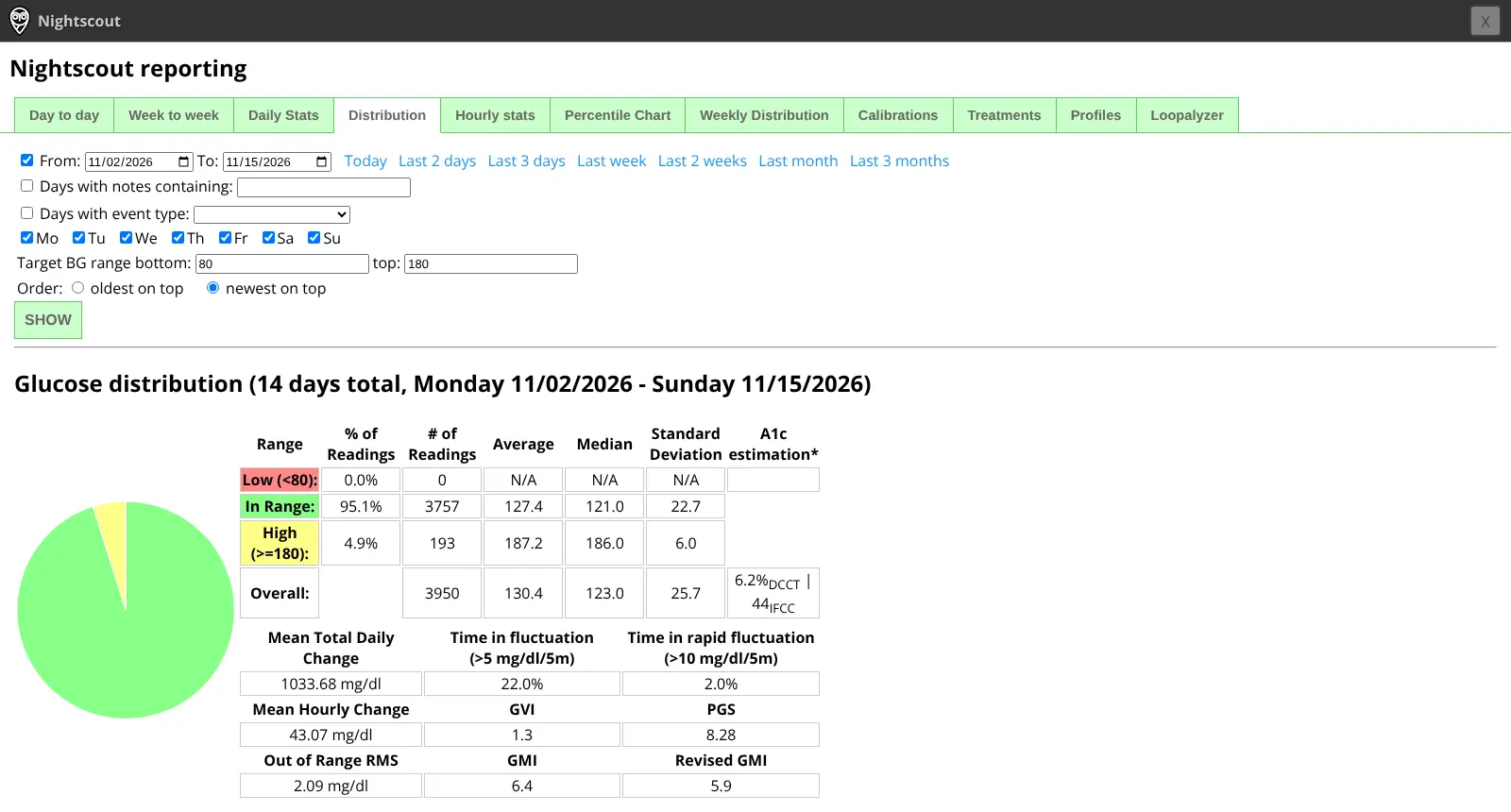
- Run time-in-range reports Daily, weekly, distribution and percentile reports show time in range and patterns across weeks.
- Use it with any sensor or follower app Uploaders exist for Dexcom, FreeStyle Libre, Medtronic and more, and follower apps for iPhone, Android, watches and desktops.
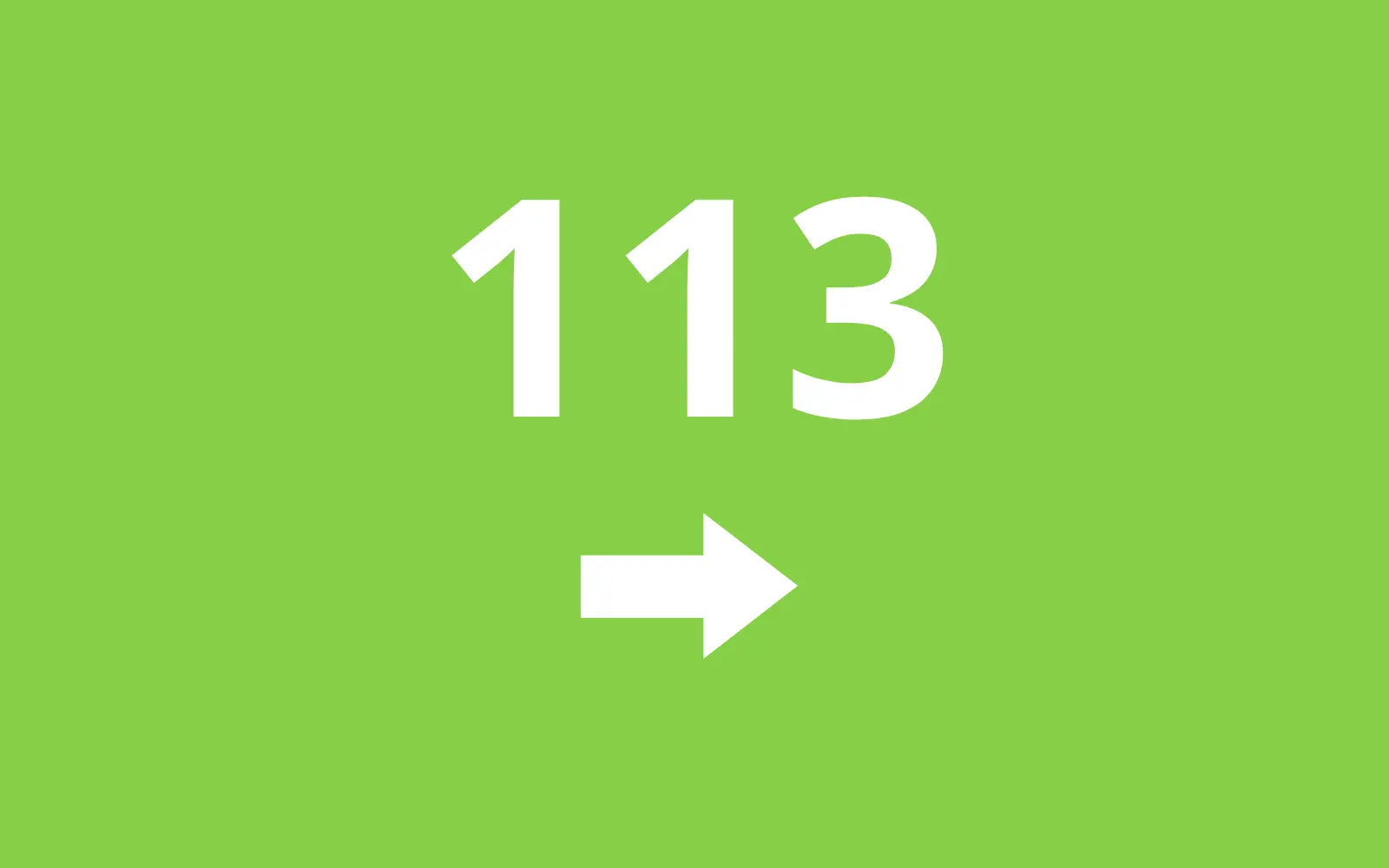
- Keep a bedside display Clock views show one big reading in green, yellow or red for a bedside table or kitchen screen.
Replaces T1Pal
Nightscout does the same job as T1Pal. Here is what changes when you switch.
- Your glucose history stays on a server you control
- No monthly fee for a hosted Nightscout service
- One site for any sensor brand, with insulin and carbs on the same chart
- As many followers as you like, each with their own read-only access
- It is not a medical device; keep your sensor's official app and its alarms
- You set up the uploader app yourself, and help comes from volunteers, not a company
- Readings on your old hosted site do not move across on their own
- It is one site per person with diabetes
What happens when you click Deploy?
You do not need a server or any technical knowledge. Four steps, and Nightscout is running at its own web address.
- Step 1 Click Deploy and create your account
Deploy takes you to Cloudgate. Create an account, or log in if you have one. Nightscout itself is free.
- Step 2 Choose a server
No server? Get one from Cloudgate: pick a size and a country, and Cloudgate gets it ready. Already have one? Connect it instead.
- Step 3 Cloudgate sets up Nightscout
It prepares the server, makes the passwords the app needs and starts it. There is nothing to install and nothing to write down.
- Step 4 Open your app and sign in
Your app gets a free web address to start, without https. Add your own domain, like app.yourshop.com, and Cloudgate secures it with https for you.
New to Cloudgate? See what Cloudgate is
Run Cloudgate yourself? Deploy from your own console
In your Cloudgate console, open Templates and choose Nightscout.
Questions
Is Nightscout a medical device?
No. Nightscout is a community project that is not approved or regulated for diabetes treatment, and its own documentation says not to rely on it as your only way to know glucose levels. Keep your sensor's official app, its alarms and a meter as well, and make treatment decisions with your care team.
Is Nightscout free?
Yes, Nightscout is free and open source under the AGPL licence, and every feature is in the free app. You pay only for your server, instead of a monthly fee to a hosted Nightscout service such as T1Pal.
How do I sign in to Nightscout the first time?
You sign in to Nightscout with the API secret, a long password Cloudgate creates during setup and shows on the app's variables page. The site shows nothing to anyone until they sign in with that secret or an access link you made for them.
How do I get my CGM readings into Nightscout?
An uploader app on the phone that reads the sensor sends them, such as xDrip+, xDrip4iOS, Loop, AndroidAPS or Juggluco, using your site's address and API secret. Nightscout can also be set to fetch readings from Dexcom Share, LibreLinkUp or Medtronic CareLink.
Can family follow Nightscout on their phones?
Yes, family can open the site in any phone's browser or use a follower app such as Nightguard or Nightscout X on iPhone, or xDrip+ or Nightwatch on Android. You create a read-only access token for each of them in Nightscout's admin tools, so they never need your secret.
Can I use Nightscout alongside Dexcom Clarity or LibreView?
Yes. Nightscout can fetch readings live from Dexcom Share or LibreLinkUp and shows time-in-range, distribution and percentile reports similar to Clarity or LibreView, with insulin and carbs on the same chart. It can't import your past Clarity or LibreView history and it isn't an approved medical tool, so keep the official apps as well.
What server size do I need for Nightscout?
A small server is enough, because Nightscout keeps the data for one person. Cloudgate installs the app and its database together.
Do I need technical skills to run Nightscout?
No. Click Deploy, create your Cloudgate account and choose a server, and Cloudgate sets up Nightscout and gives it a web address. You use it in your browser like any other online tool.
Do I need my own server for Nightscout?
No. When you deploy Nightscout, hosted Cloudgate can provide a server. If you already rent one, you can connect it instead.
Can I move my data from T1Pal to Nightscout?
Most people export from T1Pal and import into Nightscout. The official guides at nightscout.github.io walk through it.
Related apps
Health data, from clinic forms to dashboards and maps.

FHIR backend for teams building their own health apps.

View and measure X-ray, CT and MRI scans in your web browser.

Medical records for clinics, hospitals and health programmes.