
Countly Lite
App analytics, crash reports and push in one place.
No server needed to start: Cloudgate can provide one. What happens when you click Deploy
What is Countly Lite?
Countly Lite, self-hosted: usage stats, events, crash reports, push notifications and remote config for your phone, web and desktop apps.
Countly Lite is the free, self-hosted edition of Countly, product analytics for phone, web and desktop apps and an alternative to Firebase Analytics and Mixpanel. It shows who uses your app, how often and which screens they open, reports crashes and errors, and lets you send push notifications and change app settings remotely, all from one dashboard on your server.
A developer adds Countly's tracking library to your app once, and the numbers start arriving. A small studio with a booking app, for example, can see how many people opened it this week, which events like bookings went up, which phone model keeps crashing on the new version, and then send a push message about a new feature, without its users' data going to Google.
Countly has tracking libraries for iPhone, Android, the web, React Native, Flutter, Unity, Node.js, Java and desktop apps. Countly Lite leaves out funnels, retention, cohorts and user profiles, which are in its paid editions. Its licence asks you to keep the Countly logo and to use it for your own apps, not as a service for clients.
Cloudgate installs Countly on a server Cloudgate provides or one you connect, with the database it needs, and gives it a secure web address. The first person to open it creates the admin account.
What you can do with Countly Lite
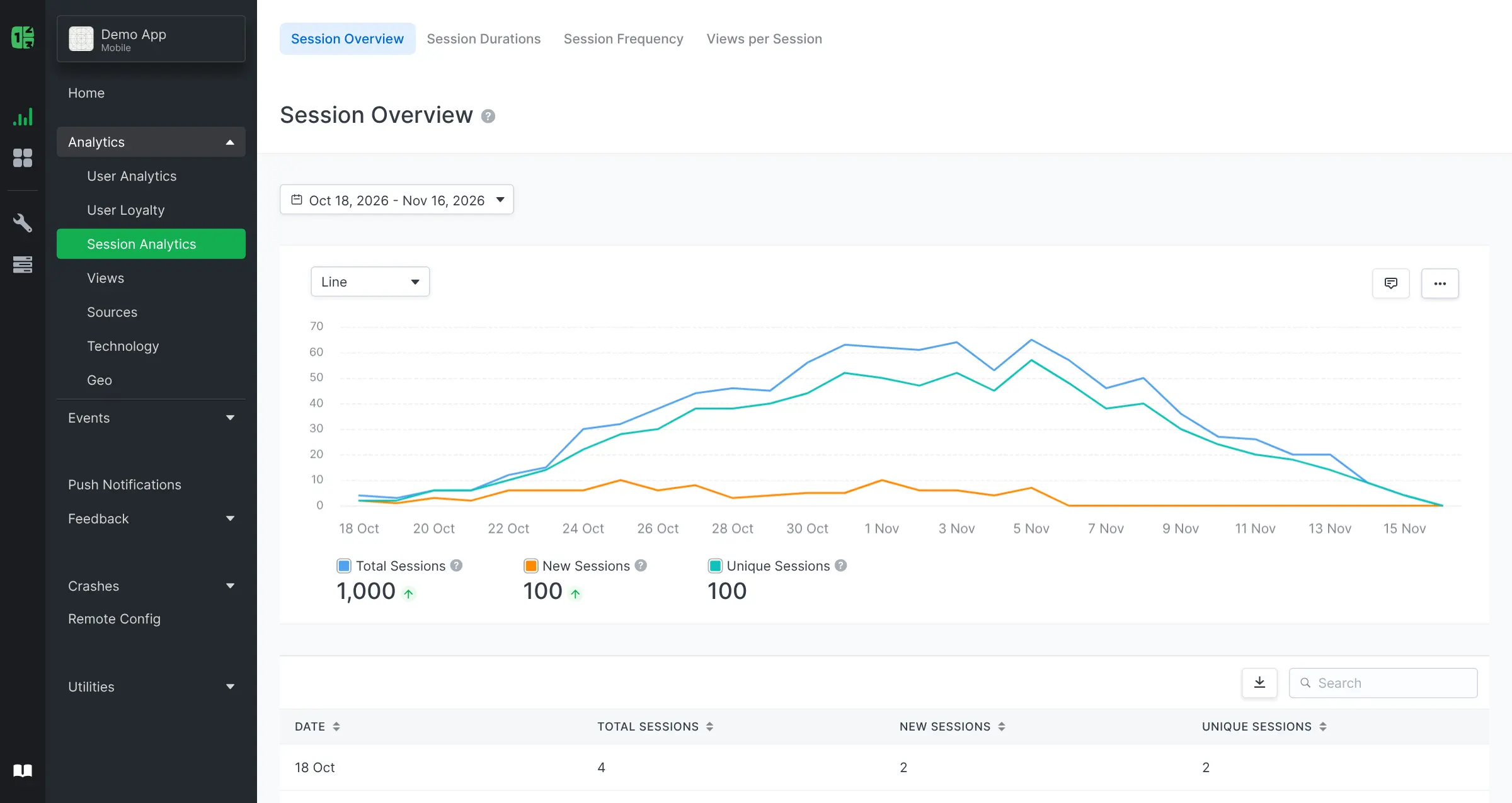
- See how people use your app Users, sessions, new and returning users, session length, screens and pages, for phone, web and desktop apps.
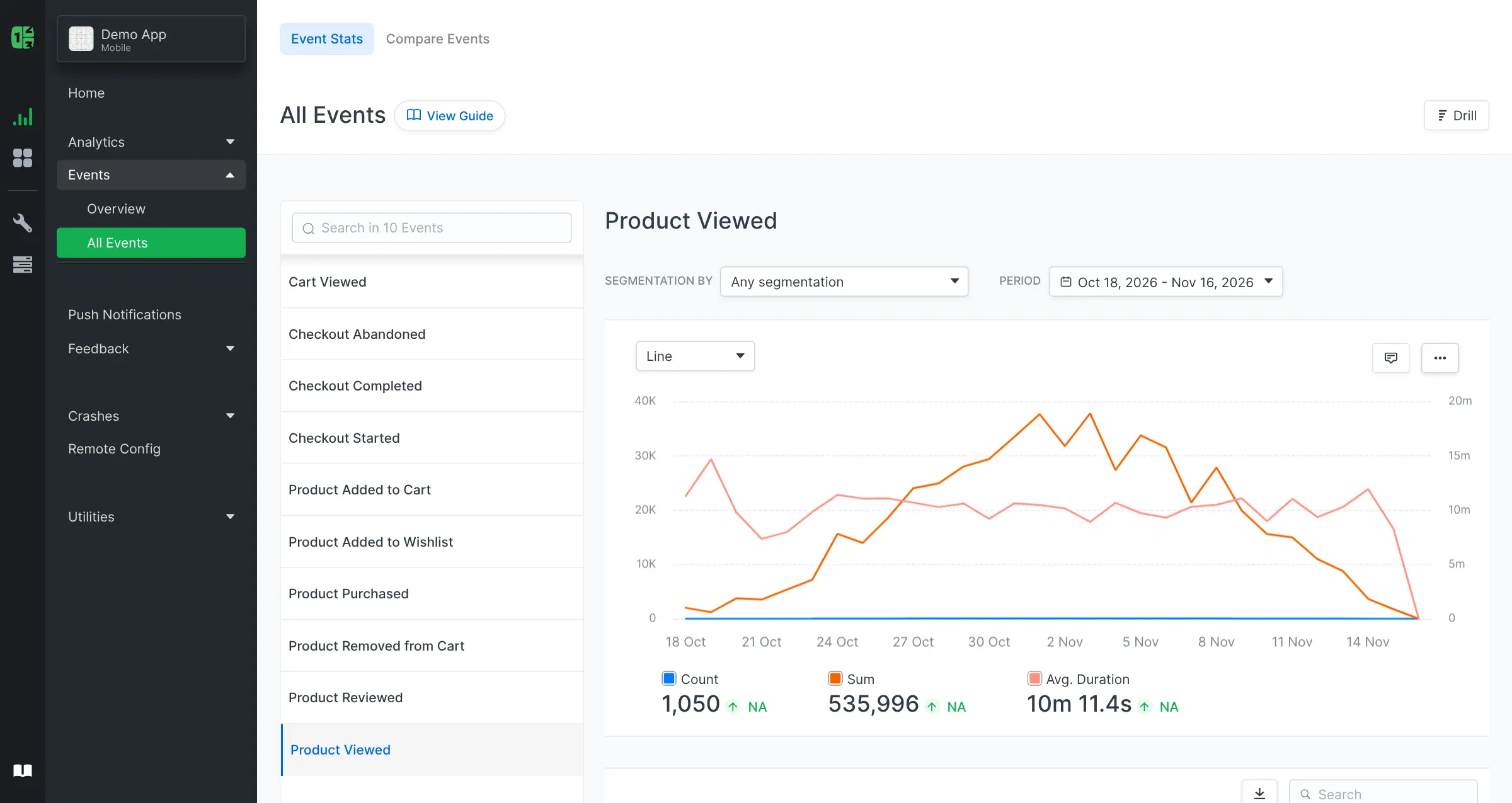
- Track the actions that matter Record events such as sign-ups or purchases, with details you can break them down by.
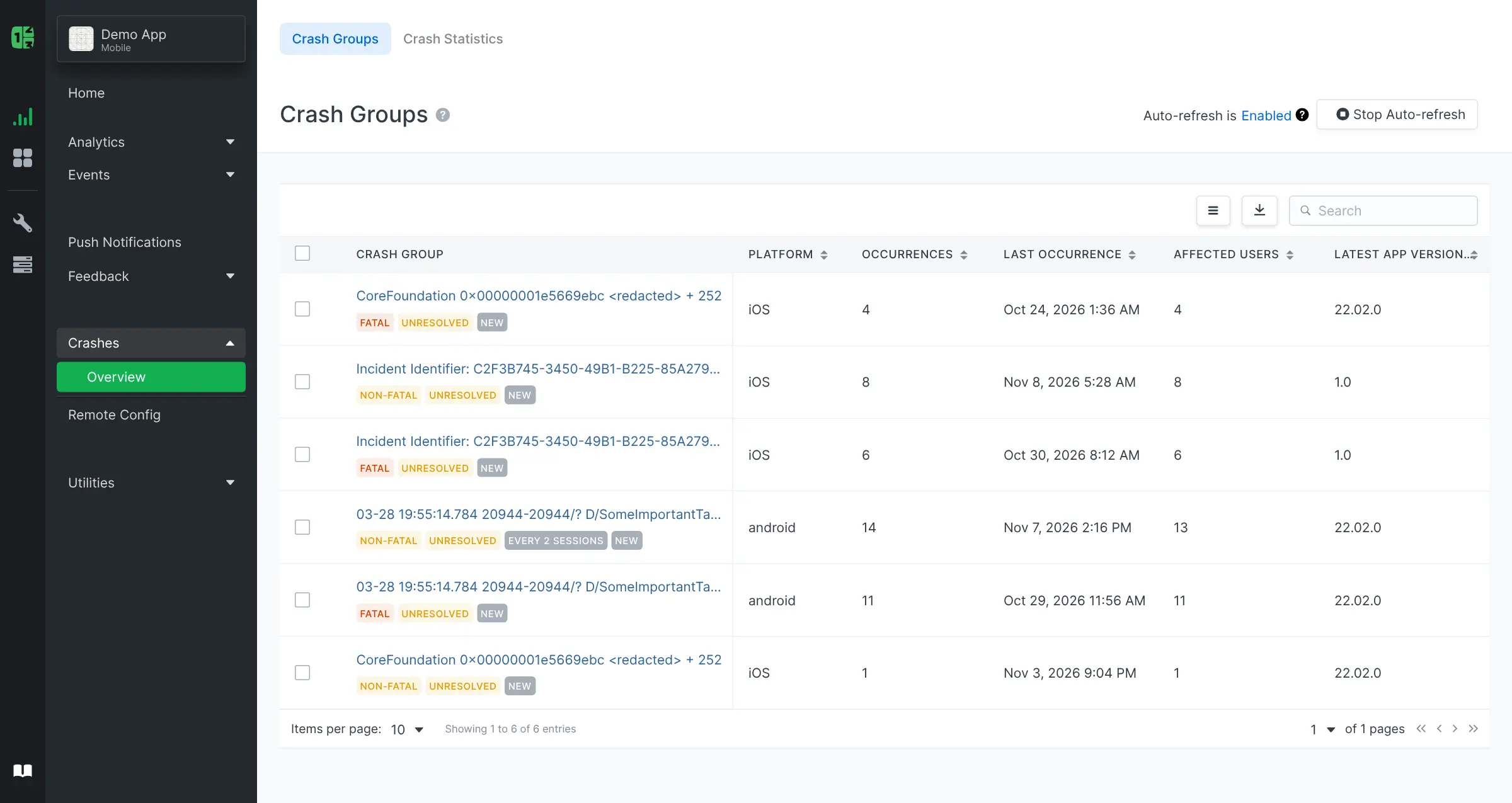
- Catch crashes and errors Crash and error reports from iPhone, Android, React Native, Flutter, Unity, Java and web apps, grouped so you can see which ones happen most.
- Send push notifications Send messages, including ones with images and buttons, to your iPhone and Android users, using your own Apple and Google push keys.
- Change your app without a new release Remote config lets you switch features or change settings in your app from the dashboard.
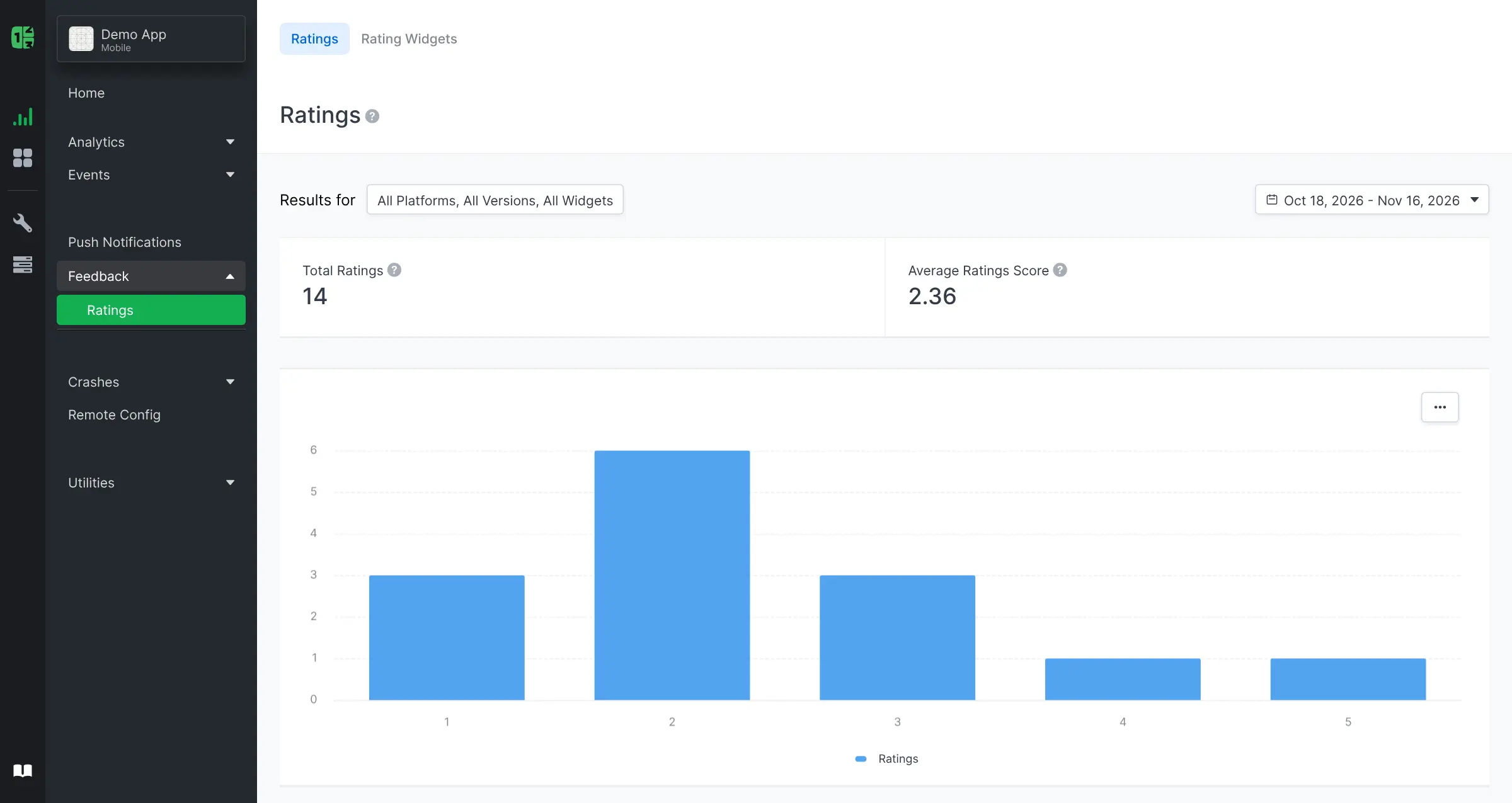
- Ask for star ratings Show a 1 to 5 star rating widget with a comment box inside your app or website and read the answers in one list.
- Dashboards, reports and alerts Build your own dashboards, get reports by email, and get an alert when a number moves, or send data to other tools by webhook.
- Handle consent and data requests Compliance Hub records each user's consent and helps you answer export and delete requests under GDPR.
Replaces Firebase Analytics, Mixpanel and Amplitude
Countly Lite does the same job as Firebase Analytics, Mixpanel and Amplitude. Here is what changes when you switch.
- Your app users' data stays on your server instead of with Google or an analytics company
- Usage stats, crash reports, push and remote config in one tool
- No price per event or per tracked user
- A developer has to add Countly's tracking library to your app
- Funnels, retention, cohorts, user profiles, A/B tests and surveys are only in Countly's paid editions
- Your old Firebase, Mixpanel or Amplitude data does not move across
- The Countly logo must stay, and you may not run it as a service for your clients
What happens when you click Deploy?
You do not need a server or any technical knowledge. Four steps, and Countly Lite is running at its own web address.
- Step 1 Click Deploy and create your account
Deploy takes you to Cloudgate. Create an account, or log in if you have one. Countly Lite itself is free.
- Step 2 Choose a server
No server? Get one from Cloudgate: pick a size and a country, and Cloudgate gets it ready. Already have one? Connect it instead.
- Step 3 Cloudgate sets up Countly Lite
It prepares the server, makes the passwords the app needs and starts it. There is nothing to install and nothing to write down.
- Step 4 Open your app and sign in
Your app gets a free web address to start, without https. Add your own domain, like app.yourshop.com, and Cloudgate secures it with https for you.
New to Cloudgate? See what Cloudgate is
Run Cloudgate yourself? Deploy from your own console
In your Cloudgate console, open Templates and choose Countly Lite.
Questions
Is Countly free?
Yes, Countly Lite is free to self-host for your own apps, and you pay only for your server. Countly's paid editions, Flex and Enterprise, add funnels, retention, cohorts, user profiles, A/B tests, surveys and support.
Is Countly open source?
Not in the strict sense. Countly Lite's code is public under the AGPL-3.0 with added terms that forbid removing or changing the Countly name and logo, so it is source-available. Countly's licensing FAQ also says you may use Lite for your own apps but not run it as a service for clients without a paid licence.
Is Countly a good alternative to Firebase Analytics?
Yes, if you want your app's analytics on your own server. Countly Lite covers usage stats, events, crash reports, push notifications and remote config in one tool. Firebase is free and links to Google Ads and BigQuery, which Countly does not.
Can Countly Lite replace Mixpanel?
Only partly. Countly Lite tracks users, sessions and events and adds crash reports and push, but funnels, retention, cohorts and user profiles are only in Countly's paid editions. Teams that live in Mixpanel's funnels may prefer OpenPanel.
How do I sign in to Countly the first time?
The first person to open your Countly web address sees a setup screen and creates the admin account; there is no default password. Do this straight after the install, then add your app to get its key.
Do I need a developer to use Countly?
Yes, for the setup. A developer adds Countly's tracking library to your phone, web or desktop app with your app's key. After that, anyone on your team can read the dashboard without technical knowledge.
What server size do I need for Countly?
At least 2 GB of memory, and Countly recommends 4 GB or more, with more for busy apps. Countly also needs a MongoDB database, which Cloudgate sets up with it.
Do I need my own server for Countly Lite?
No. When you deploy Countly Lite, hosted Cloudgate can provide a server. If you already rent one, you can connect it instead.
Can I move my data from Firebase Analytics to Countly Lite?
Most people export from Firebase Analytics and import into Countly Lite. The official guides at support.countly.com walk through it.
Related apps

Website stats and product analytics, without cookies or event limits.

Cookieless web analytics with speed and error tracking.

Cookie-free website stats with session replay and funnels.

Minimal, cookie-free visitor stats for all your websites.