
Rybbit
Cookie-free website stats with session replay and funnels.
No server needed to start: Cloudgate can provide one. What happens when you click Deploy




What is Rybbit?
Self-hosted Rybbit: open-source, cookie-free web analytics with session replay, funnels and error tracking, a Google Analytics and Hotjar alternative.
Self-hosted Rybbit is an open-source, cookie-free web analytics tool that replaces Google Analytics and adds session replay, funnels and error tracking. It shows how many people visit your website, where they came from and what they read, and then lets you watch how they actually used it.
Most visitor-stats tools stop at the numbers. Rybbit also records visits, so you can play back a session and see where someone hesitated, and its funnels, journeys and retention reports show where people leave and who comes back. An online shop, for example, can set up a funnel from product page to checkout, see that most visitors drop off at the shipping step, and watch a few of those visits to find out why.
Rybbit sets no cookies, so most websites can use it without a cookie banner. It works with any website: you paste one line into the site's header, and there are guides for WordPress, Shopify, Wix, Squarespace, Webflow and Ghost. There is no phone app, but the dashboard works in a phone's browser.
Cloudgate installs Rybbit on a server Cloudgate provides or one you connect, together with the databases it needs, and gives it a secure web address. Your statistics and recordings stay on your server.
What you can do with Rybbit
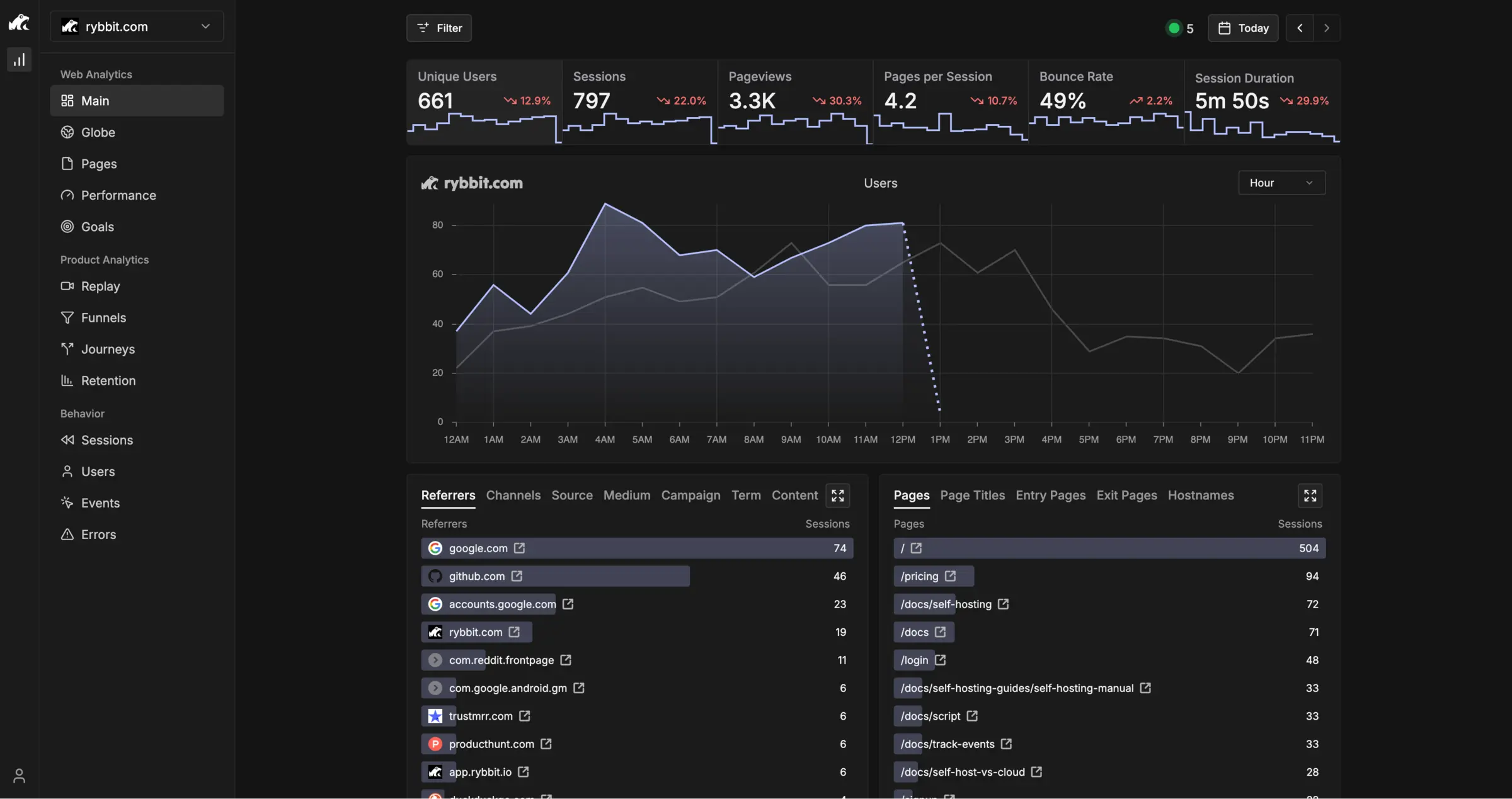
- See your visitors at a glance Visitors, sessions, pageviews, bounce rate, sources, campaigns, countries and devices on one dashboard.
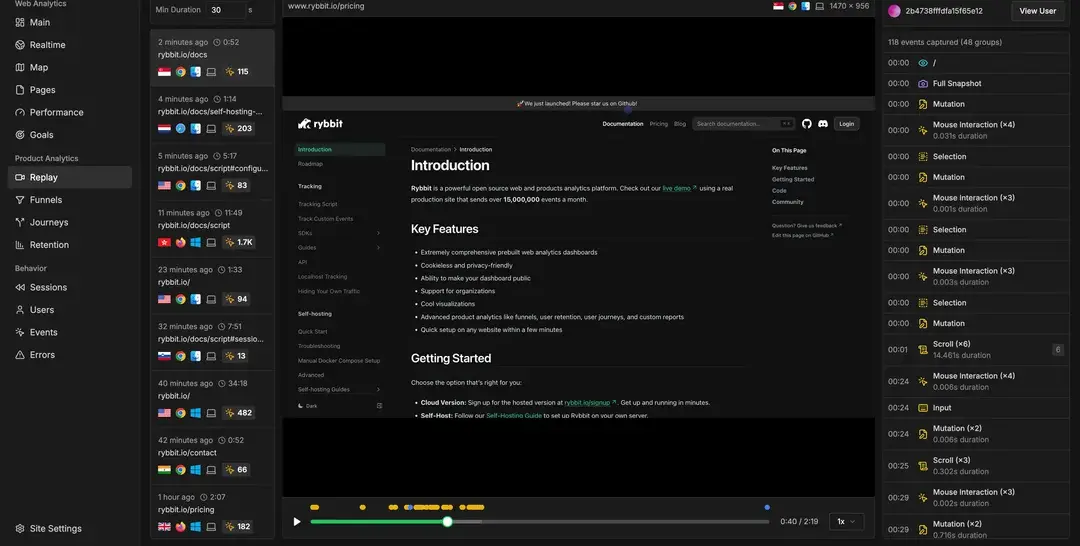
- Watch how people use your site Session replay plays back a visit's clicks, scrolls and pages, with form entries hidden.
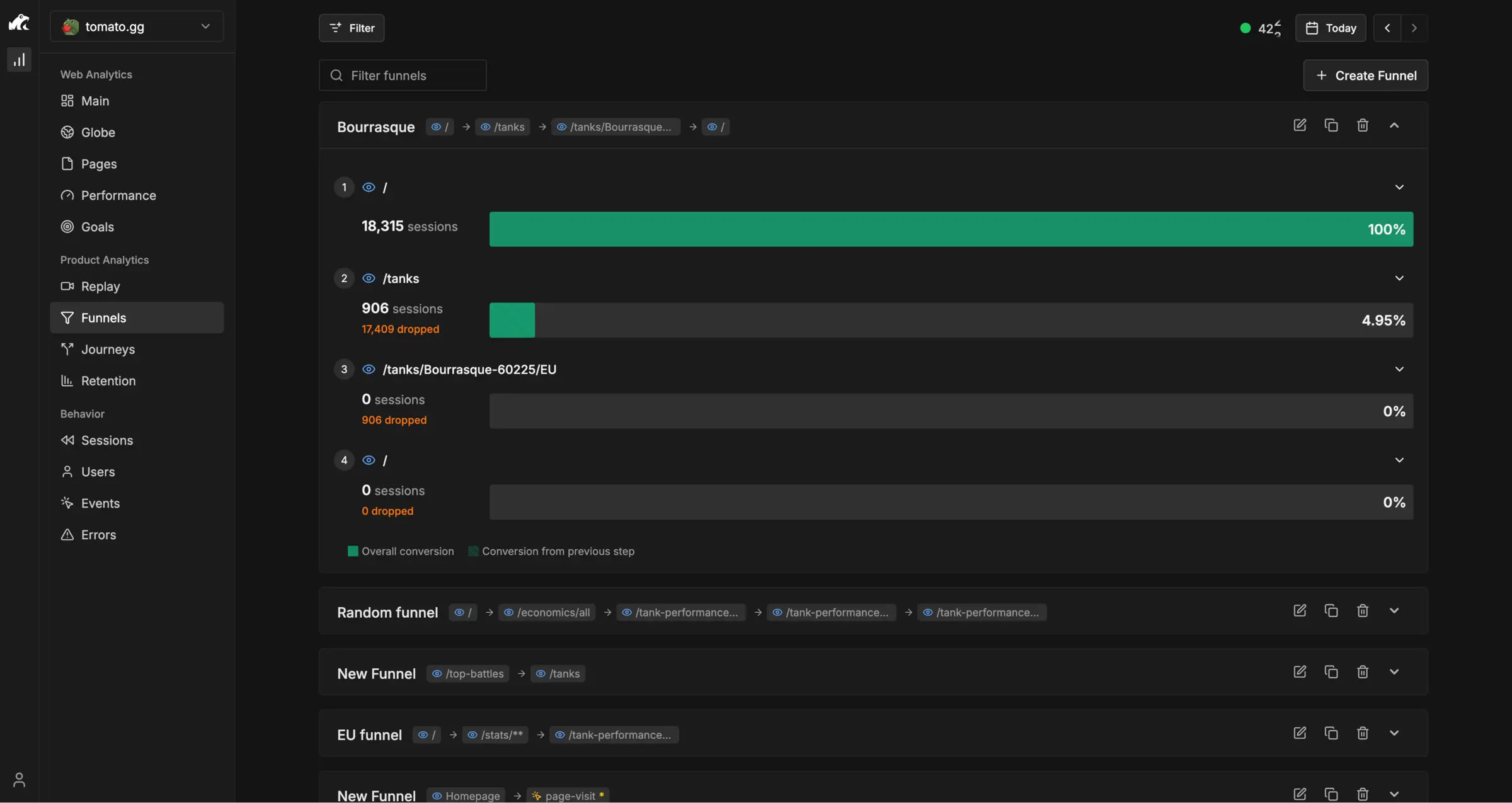
- Find where people give up Funnels show how many visitors finish each step of a sign-up or checkout, and where the rest drop off.
- Follow paths and returns Journeys show the routes visitors take through your pages, and retention shows who comes back.
- Spot website errors JavaScript errors are listed with the sessions they affected, so you can see what the visitor saw.
- Count what matters Track sign-ups, button clicks and other events with their details, and set goals for them.
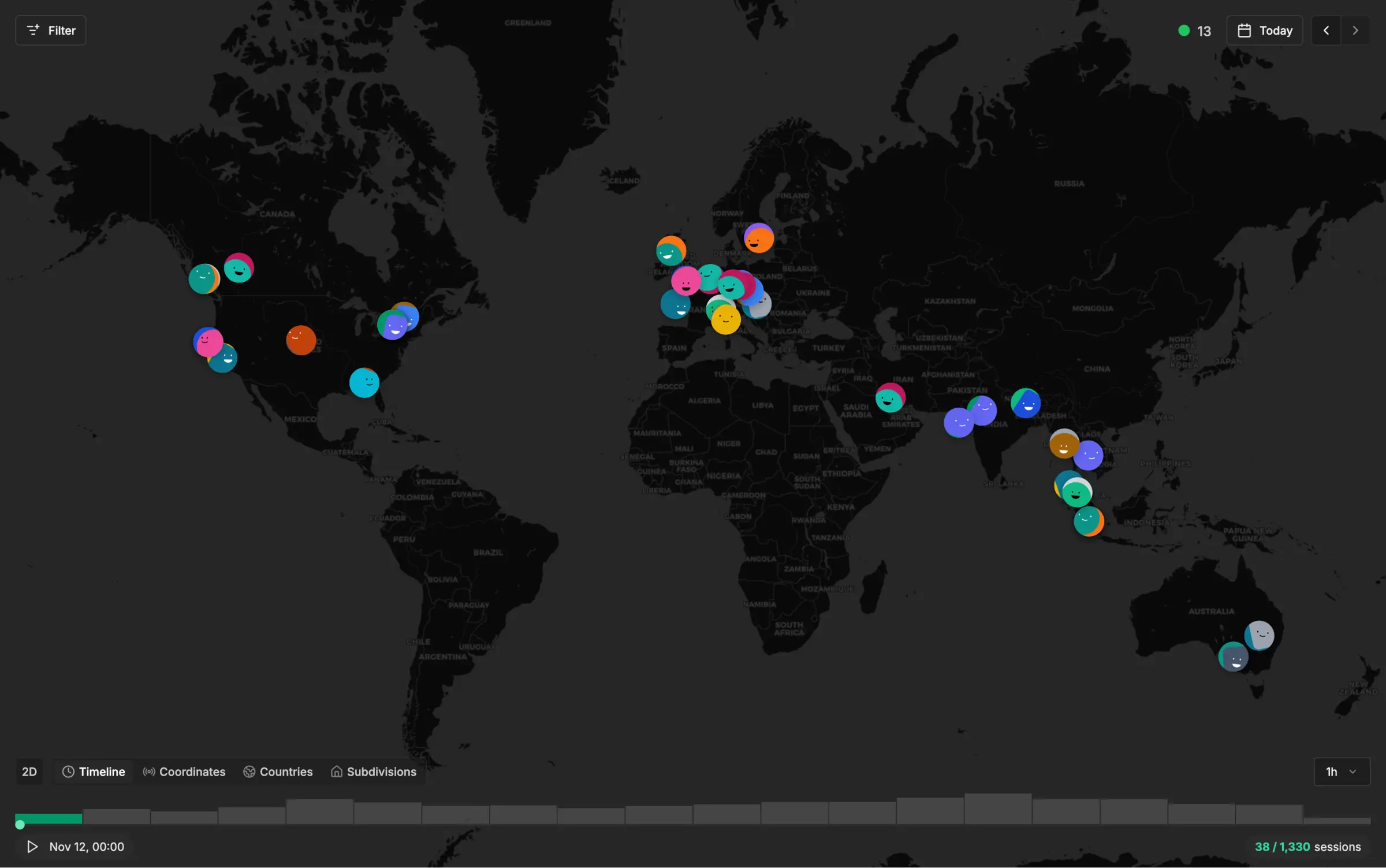
- Watch visitors on a live map A world map shows where visitors are right now, down to region and city.
- Share and work as a team Add unlimited websites, invite your team, and make a dashboard public or embed it.
Replaces Google Analytics, Hotjar, Fathom Analytics and Mixpanel
Rybbit does the same job as Google Analytics, Hotjar, Fathom Analytics and Mixpanel. Here is what changes when you switch.
- No cookies, so most websites need no cookie banner for it
- Your visitors' data stays on your server
- Session replay, funnels and error tracking in the free self-hosted edition
- Visitor stats and visit recordings in one tool instead of two
- Needs a bigger server than simpler stats tools such as Plausible or Umami
- No heatmaps or on-site surveys, which Hotjar has
- A few screens of Rybbit's own hosted service, such as Web Vitals and email reports, are not in the self-hosted edition
- Your old Google Analytics data does not move across
What happens when you click Deploy?
You do not need a server or any technical knowledge. Four steps, and Rybbit is running at its own web address.
- Step 1 Click Deploy and create your account
Deploy takes you to Cloudgate. Create an account, or log in if you have one. Rybbit itself is free.
- Step 2 Choose a server
No server? Get one from Cloudgate: pick a size and a country, and Cloudgate gets it ready. Already have one? Connect it instead.
- Step 3 Cloudgate sets up Rybbit
It prepares the server, makes the passwords the app needs and starts it. There is nothing to install and nothing to write down.
- Step 4 Open your app and sign in
Your app gets a free web address to start, without https. Add your own domain, like app.yourshop.com, and Cloudgate secures it with https for you.
New to Cloudgate? See what Cloudgate is
Run Cloudgate yourself? Deploy from your own console
In your Cloudgate console, open Templates and choose Rybbit.
Questions
Is Rybbit free?
Yes, self-hosted Rybbit is free and open source under the AGPL licence, with session replay, funnels and unlimited websites included. You pay only for your server; a few extras such as Web Vitals and email reports are only in Rybbit's paid hosted service.
Is Rybbit a good alternative to Google Analytics?
Yes, if you want clear visitor numbers without cookies and also want to see how people use your site. Rybbit has fewer marketing reports than Google Analytics and no Google Ads link, but adds session replay, funnels, journeys, retention and error tracking.
Can Rybbit record visitor sessions like Hotjar?
Yes, Rybbit's session replay plays back a visit's clicks, scrolls and page changes, with form entries masked. You turn it on per website in its settings. Rybbit has no heatmaps or on-site surveys, which Hotjar offers.
Does Rybbit need a cookie banner?
For most websites, no, because Rybbit sets no cookies and identifies visitors with an anonymous code instead of personal data. If you turn on session replay, mention it in your privacy notice, and other tools on your site may still need a banner.
Can I import my data into Rybbit?
Partly, Rybbit imports past data from Plausible, Umami and Simple Analytics exports, with no limits when self-hosted. It cannot import Google Analytics history, so keep your old Google reports for comparison.
How do I sign in to Rybbit the first time?
The first person to open Rybbit's sign-up page creates an account and becomes the admin; there is no default password. Sign up as soon as it is installed, because anyone with the address can create an account, then add your website and copy its tracking line into your site's header.
What server size do I need for Rybbit?
Rybbit recommends a server with at least 2 GB of memory, because it stores statistics in a fast analytics database. That is more than the lightest stats tools need, and Cloudgate starts it on a server of that size.
Do I need technical skills to run Rybbit?
No. Click Deploy, create your Cloudgate account and choose a server, and Cloudgate sets up Rybbit and gives it a web address. You use it in your browser like any other online tool.
Do I need my own server for Rybbit?
No. When you deploy Rybbit, hosted Cloudgate can provide a server. If you already rent one, you can connect it instead.
Related apps

Cookie-free website stats with your Stripe revenue by page.

Minimal, cookie-free visitor stats for all your websites.

Cookie-free website stats on one plain page.

Website stats and product analytics, without cookies or event limits.