
Self-hosted alternative to Firebase Analytics

Countly Lite is a free, self-hosted Firebase Analytics alternative for phone apps: sessions, users, custom events and screen views, with crash reports, push notifications and remote config in the same app. Firebase Analytics is free but runs on Google’s servers, with crash reporting, messaging and remote config as separate Firebase products; Countly keeps your app data on your own server, though its free edition has no funnels or retention, and it is source-available rather than open source.

Free app Code: Source-available Import from Firebase Analytics: No Some setup

Why look for an alternative to Firebase Analytics?

Firebase Analytics, also called Google Analytics for Firebase, is Google's free analytics for phone apps. You add Google's library to your iPhone or Android app and see users, sessions, events and screens in the Firebase and Google Analytics consoles, with links to Google Ads and BigQuery. Crash reporting, push messages and remote config are separate Firebase products.

Teams look for an alternative when they don't want their users' app activity sent to Google, need the data on a server they control for privacy rules, or want analytics, crashes, push and remote config in one tool. A self-hosted Countly Lite does those jobs on your own server with no event limit. It is a narrower tool than Firebase in places: no funnels or retention in the free edition, and no Google Ads link.

How Countly Lite compares

App analytics, crash reports and push in one place.

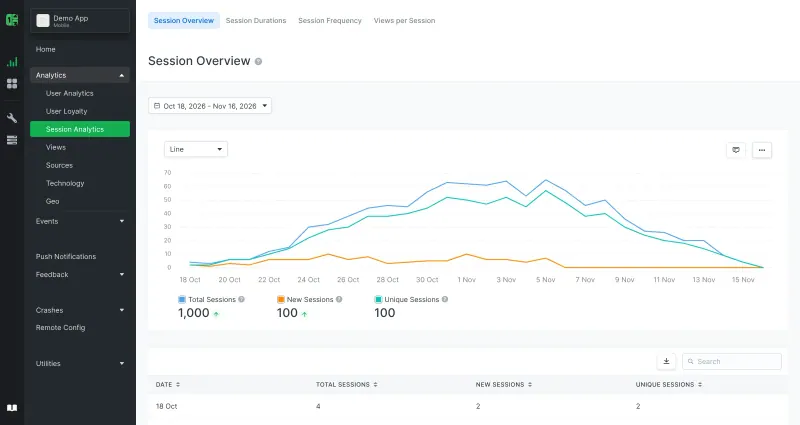
Covers what most apps use Firebase for in one place: sessions, new and returning users, custom events with segmentation, screen views, devices and traffic sources, plus crash reports, push notifications, remote config and in-app star ratings, for iPhone, Android, React Native, Flutter, Unity, web and desktop apps. The free Countly Lite has no funnels, retention, cohorts or user profiles, and no links to Google Ads or BigQuery. It is source-available: its AGPL licence adds terms that keep Countly's branding and do not allow hosting it for clients.

What you gain
  • Your app users' data stays on your server instead of with Google or an analytics company
  • Usage stats, crash reports, push and remote config in one tool
  • No price per event or per tracked user
What is different
  • A developer has to add Countly's tracking library to your app
  • Funnels, retention, cohorts, user profiles, A/B tests and surveys are only in Countly's paid editions
  • Your old Firebase, Mixpanel or Amplitude data does not move across
Some setup Source-available

Moving from Firebase Analytics

Countly cannot import Firebase data, so run both side by side for a while. Open your Countly address straight after install and create the admin account on its setup page, then add your app to get an app key. Add Countly's tracking library to your app, next to Firebase's, and send the same events with the same names, so old and new numbers line up. For crash reports, turn on Countly's crash reporting in the library; for push notifications, enter your own Apple push key and Firebase Cloud Messaging key in Countly, because phones still receive push through Apple and Google. Ship the update, compare the numbers for a few weeks, then remove the Firebase libraries you no longer need. Add an email server in Countly's settings if you want email reports and password resets.

Questions

What is the best self-hosted alternative to Firebase Analytics?

Countly Lite is the free, self-hosted alternative to Firebase Analytics for mobile app analytics in the catalogue today. Covers what most apps use Firebase for in one place: sessions, new and returning users, custom events with segmentation, screen views, devices and traffic sources, plus crash reports, push notifications, remote config and in-app star ratings, for iPhone, Android, React Native, Flutter, Unity, web and desktop apps. The free Countly Lite has no funnels, retention, cohorts or user profiles, and no links to Google Ads or BigQuery. It is source-available: its AGPL licence adds terms that keep Countly's branding and do not allow hosting it for clients.

Is Countly free?

Countly Lite is free to run on your own server for your own apps, with no limit on events. Countly's paid editions, Flex and Enterprise, add funnels, retention, cohorts, user profiles, A/B testing and more. Lite's licence does not allow offering it as a service to clients.

Can Countly replace Firebase Crashlytics and Remote Config too?

Yes, for the basics. Countly Lite collects crash and error reports from iPhone, Android, React Native, Flutter and other apps, and its remote config changes app settings without a new release. Turning crash reports back into readable code lines (symbolication) is a paid feature.

Does Countly need Firebase for push notifications?

On Android, yes, in part. Countly sends the notifications, but Android phones receive them through Google's Firebase Cloud Messaging, and iPhones through Apple's push service, so you enter your own keys for both in Countly.

Can I import my Firebase Analytics data into Countly?

No. Countly has no Firebase importer, so your history stays in Firebase. Run both side by side until Countly has enough data of its own.

Is Countly open source?

Not in the strict sense. Countly Lite's code is public under AGPL-3.0 with an added section that requires its logo and branding to stay, and Countly does not allow hosting it for clients without an Enterprise licence. Using it for your own apps, including commercial ones, is allowed.

Is Countly Lite really free compared with Firebase Analytics?

Yes, Countly Lite is free. To run them you need Cloudgate and a server. Use hosted Cloudgate, which can also provide the server, or install Cloudgate on a server of your own for free. Cloudgate's plans and prices are at cloudgate.octabyte.io/pricing. One server can run several apps.

Do I need a developer to replace Firebase Analytics?

No. Cloudgate installs Countly Lite on your server and gives it a secure web address, and you use it in your browser instead of Firebase Analytics.