
Ackee
Minimal, cookie-free visitor stats for all your websites.
No server needed to start: Cloudgate can provide one. What happens when you click Deploy
What is Ackee?
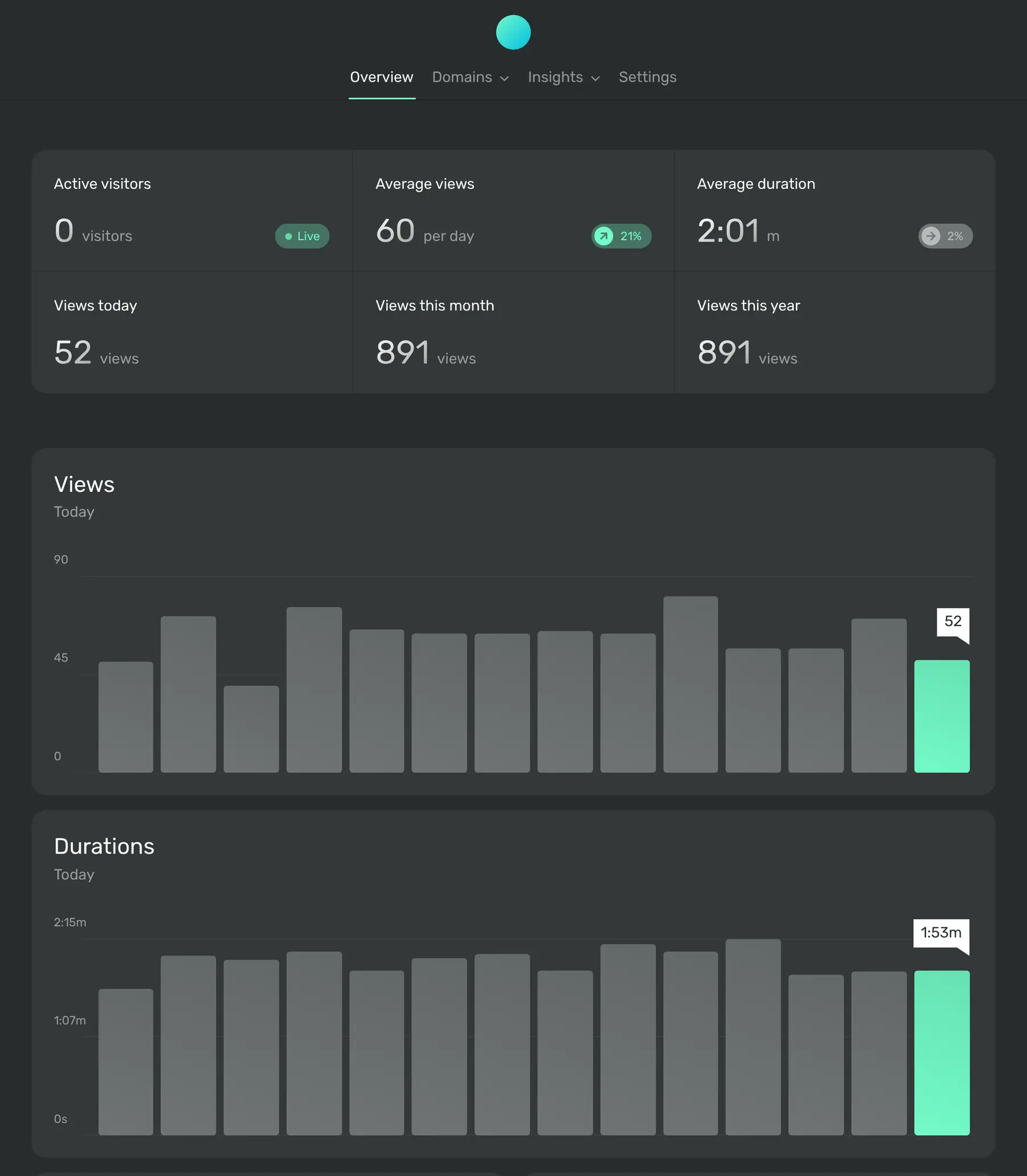
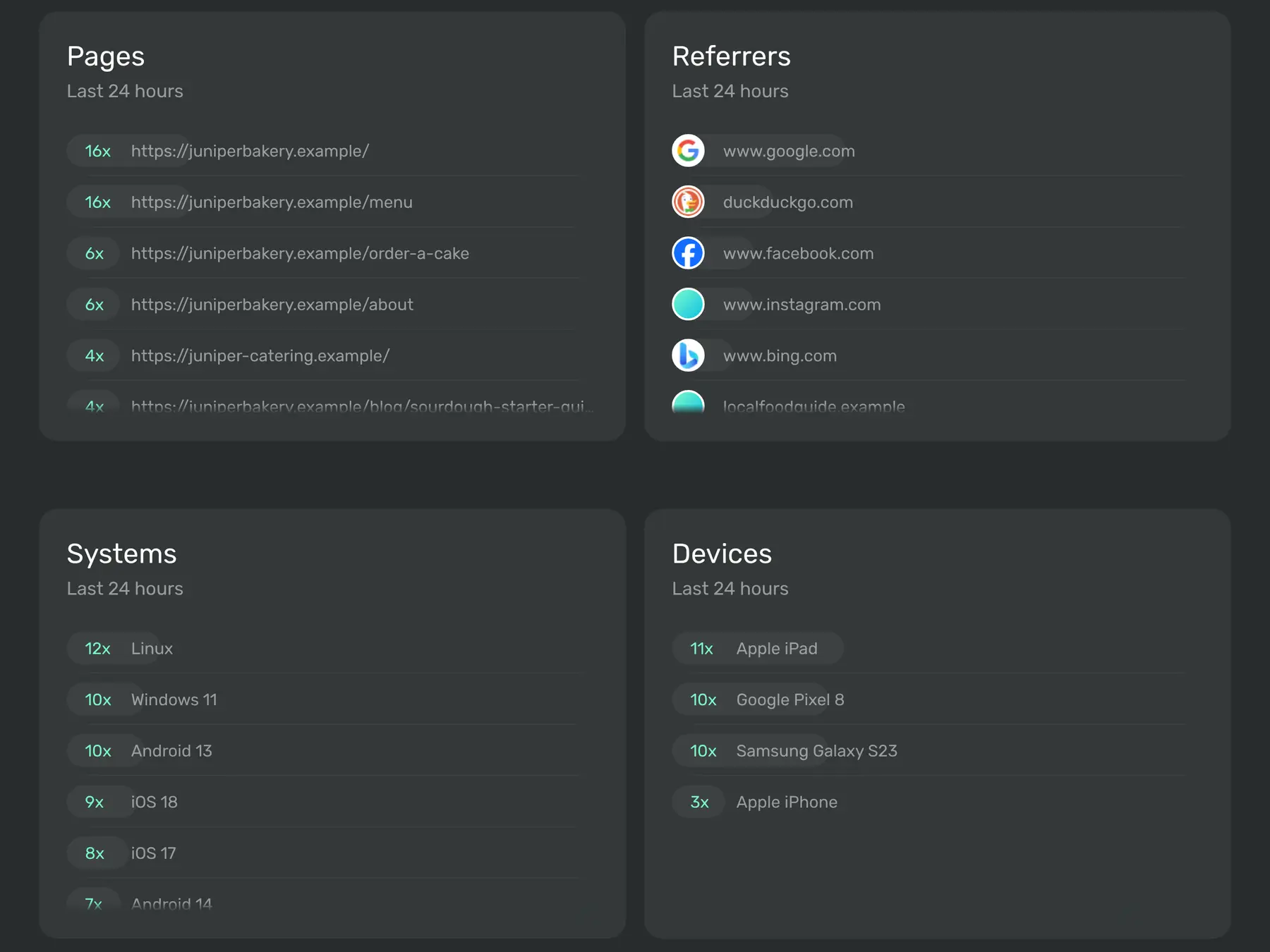
Self-hosted Ackee shows page views, referrers, visit times and devices for all your websites in one minimal dashboard, with no cookies.
Ackee is a free, self-hosted website analytics tool and a simple alternative to Google Analytics and Fathom: it shows how many people visit your websites, which pages they read, where they came from and how long they stay, on one minimal dashboard. It sets no cookies and keeps visitors anonymous, so most sites can use it without a cookie banner.
It suits people who want a quick look at their numbers rather than a marketing suite. A bakery, for example, could see in a few seconds that its menu page is the most visited this week and that most new visitors arrive from Instagram, then track how many people click the "Order a cake" button.
Ackee works with any website: you paste one script line into the site, the same way you would add Google Analytics, and community plugins exist for WordPress and popular website frameworks. There is one login and no phone app, but the dashboard works in a phone's browser.
Cloudgate installs Ackee on a server Cloudgate provides or one you connect, together with the database it needs, and gives it a secure web address. Sign in with the username from setup and the password Cloudgate created, add your website and copy its tracking line. Your statistics stay on your server.
What you can do with Ackee
- See every website at a glance Live visitors, views per day, average visit time and views this month and year on one overview.
- Know where visitors come from Lists of your most viewed pages and the sites and search engines that send people to you.
- Track as many websites as you like Add one website or twenty and switch between them, with no limit on sites or visits.
- Leave visitors anonymous No cookies and no profiles; Ackee forgets who a visitor is the next time it sees them.
- Add device details only if you choose Browsers, systems, devices, screen sizes and languages are collected only when you turn them on for a site.
- Count clicks and sign-ups Set up events for button clicks, newsletter sign-ups and more, shown as charts or lists.
Replaces Google Analytics and Fathom Analytics
Ackee does the same job as Google Analytics and Fathom Analytics. Here is what changes when you switch.
- No cookies, so most websites need no cookie banner for it
- Your visitors' data stays on your server, not with an ad company
- One calm dashboard instead of dozens of reports and filters
- No fee per website or per visit
- One login only; colleagues can't have their own accounts
- No goals, funnels, public share links or e-mailed reports
- No link to Google Ads
- Your old Google Analytics or Fathom data does not move across
What happens when you click Deploy?
You do not need a server or any technical knowledge. Four steps, and Ackee is running at its own web address.
- Step 1 Click Deploy and create your account
Deploy takes you to Cloudgate. Create an account, or log in if you have one. Ackee itself is free.
- Step 2 Choose a server
No server? Get one from Cloudgate: pick a size and a country, and Cloudgate gets it ready. Already have one? Connect it instead.
- Step 3 Cloudgate sets up Ackee
It prepares the server, makes the passwords the app needs and starts it. There is nothing to install and nothing to write down.
- Step 4 Open your app and sign in
Your app gets a free web address to start, without https. Add your own domain, like app.yourshop.com, and Cloudgate secures it with https for you.
New to Cloudgate? See what Cloudgate is
Run Cloudgate yourself? Deploy from your own console
In your Cloudgate console, open Templates and choose Ackee.
Questions
Is Ackee free?
Yes, Ackee is free and open source under the MIT licence, with no paid edition. You pay only for the server it runs on, with no limit on websites or visits.
Is Ackee a good alternative to Google Analytics?
Yes, if you only want clear traffic numbers without cookies. Ackee shows views, pages, referrers, visit times and events, but it has no goals, funnels or Google Ads link, and its own makers say it is not a full marketing platform.
How does Ackee compare to Fathom Analytics?
Ackee is very close to Fathom in what it shows and how it handles visitor data, according to its own FAQ. The difference is that Ackee is free and runs on your own server, while Fathom is a paid service in its own cloud.
Does Ackee need a cookie banner?
For most websites, no, because Ackee sets no cookies and does not track individual visitors. Other tools on your site may still need one, and detailed device data is best collected only after the visitor agrees.
How do I sign in to Ackee the first time?
Sign in to Ackee with the admin username you chose during setup and the password Cloudgate created, shown on the app's variables page. Ackee has no sign-up page. Then add your website in Settings and copy its tracking code.
Can several people have their own Ackee accounts?
No, Ackee has one login by design and its makers don't plan to add more. Share the login with people you trust, or give an app access with a permanent token from the settings.
Can I import my Google Analytics data into Ackee?
No, Ackee only counts visits from its own tracking script, so past Google Analytics or Fathom data stays where it is. Keep your old reports and start fresh in Ackee.
Do I need technical skills to run Ackee?
No. Click Deploy, create your Cloudgate account and choose a server, and Cloudgate sets up Ackee and gives it a web address. You use it in your browser like any other online tool.
Do I need my own server for Ackee?
No. When you deploy Ackee, hosted Cloudgate can provide a server. If you already rent one, you can connect it instead.
Related apps

Cookie-free website stats on one plain page.

Cookie-free website stats with your Stripe revenue by page.

Cookie-free website stats with session replay and funnels.

Simple website visitor stats, with no cookie banner needed.