
OpenPanel
Website stats and product analytics, without cookies or event limits.
No server needed to start: Cloudgate can provide one. What happens when you click Deploy




What is OpenPanel?
Self-hosted OpenPanel: open-source product analytics and website stats with events, funnels, retention and user profiles, without cookies.
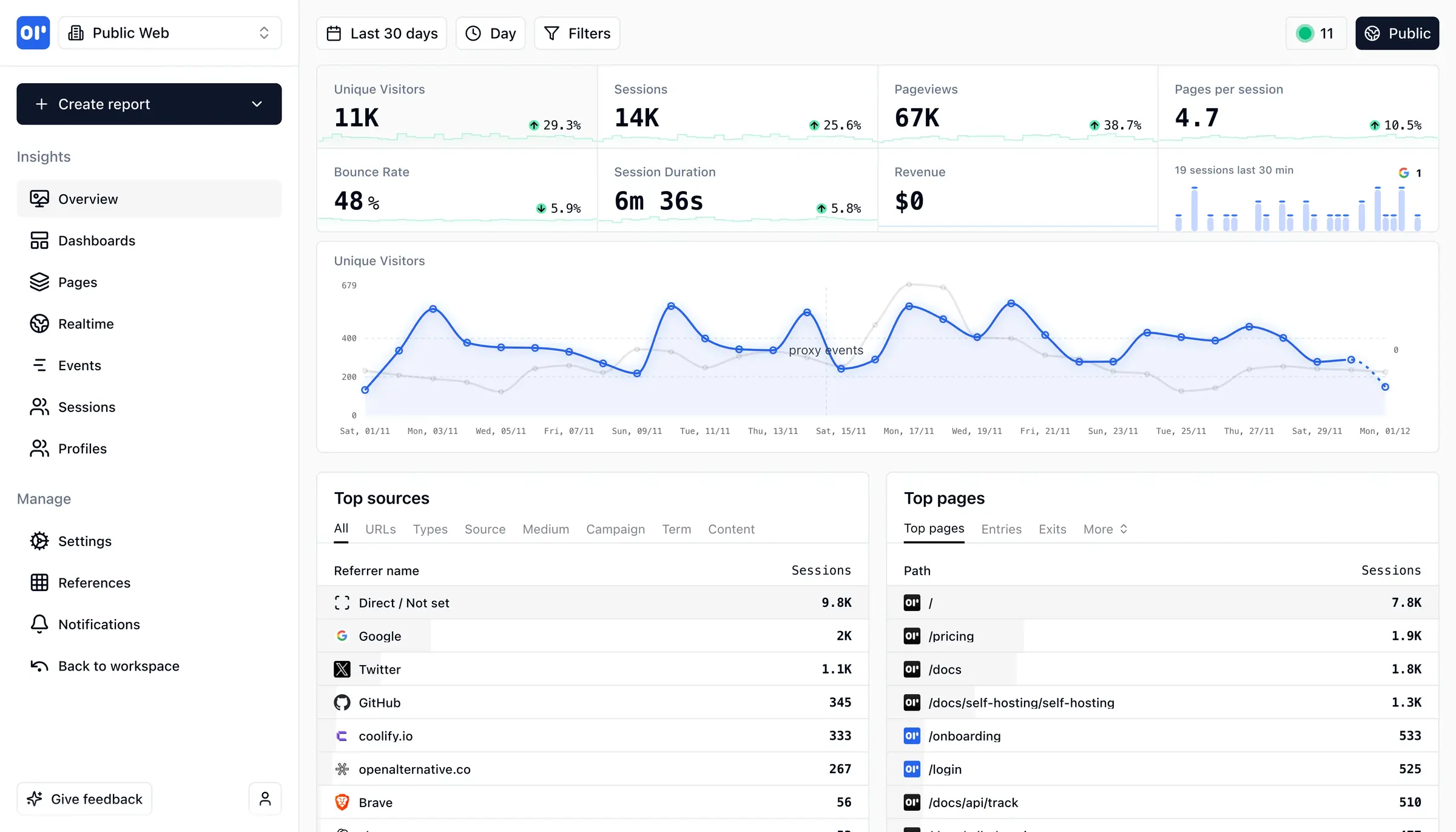
OpenPanel is a free, open-source, self-hosted analytics tool that combines website visitor stats with product analytics, as an alternative to Mixpanel, Amplitude and Google Analytics. It shows how many people visit your website or app, where they come from, and what they do once they're in.
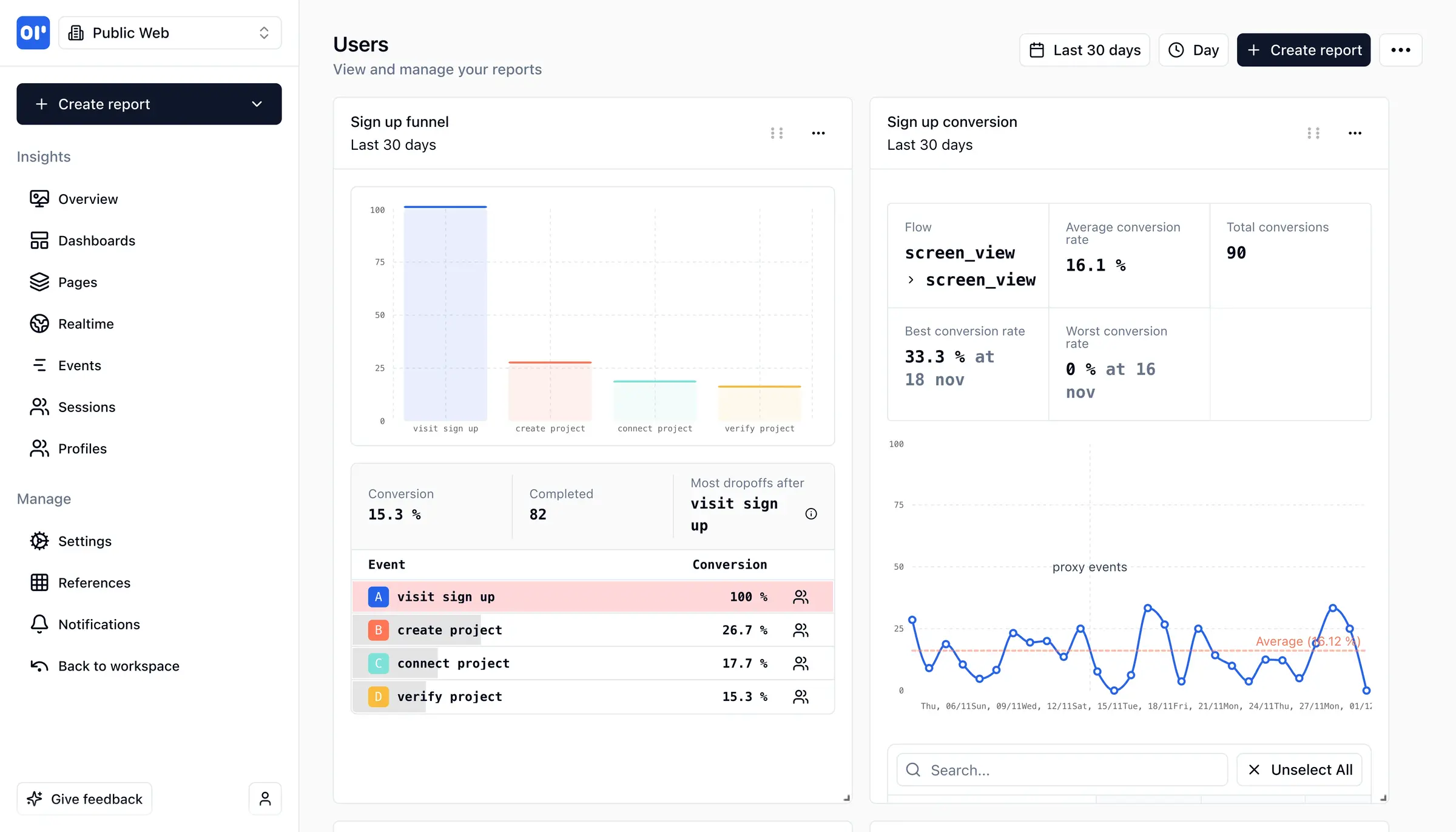
Beyond page views, OpenPanel tracks the actions that matter to your business, such as sign-ups, trials and purchases, and turns them into funnels, retention charts and user profiles. You can replay a user's session, build dashboards for your team and get a Slack or Discord message when something important happens. A small software company, for example, could see which step of its sign-up form loses the most people and whether the customers who finish it come back a month later.
OpenPanel tracks without cookies by default and works with websites, iPhone and Android apps and servers. If you are leaving Mixpanel or Amplitude, its importers bring your existing history across. A website needs only a short tracking script pasted into its pages; tracking actions inside an app is usually a job for a developer.
Cloudgate installs OpenPanel on a server Cloudgate provides or one you connect, with the databases it needs, and gives it a secure web address. The first person to create an account becomes the owner.
What you can do with OpenPanel
- See your website traffic Visitors, sessions, page views, bounce rate, top pages and where visitors came from, on one overview.
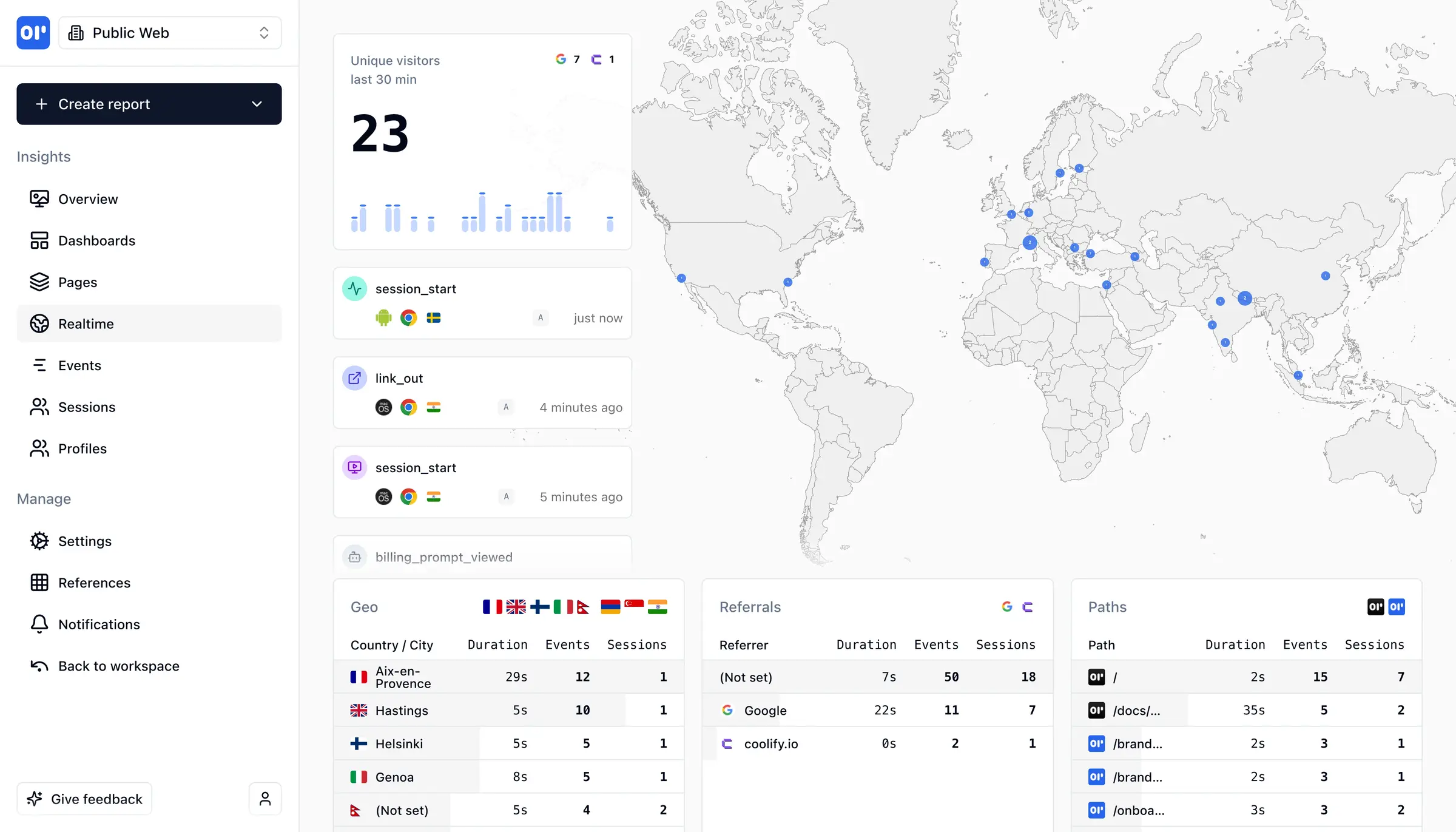
- Watch visitors live A real-time view shows who is on your site or app now, on a world map, with each event as it happens.
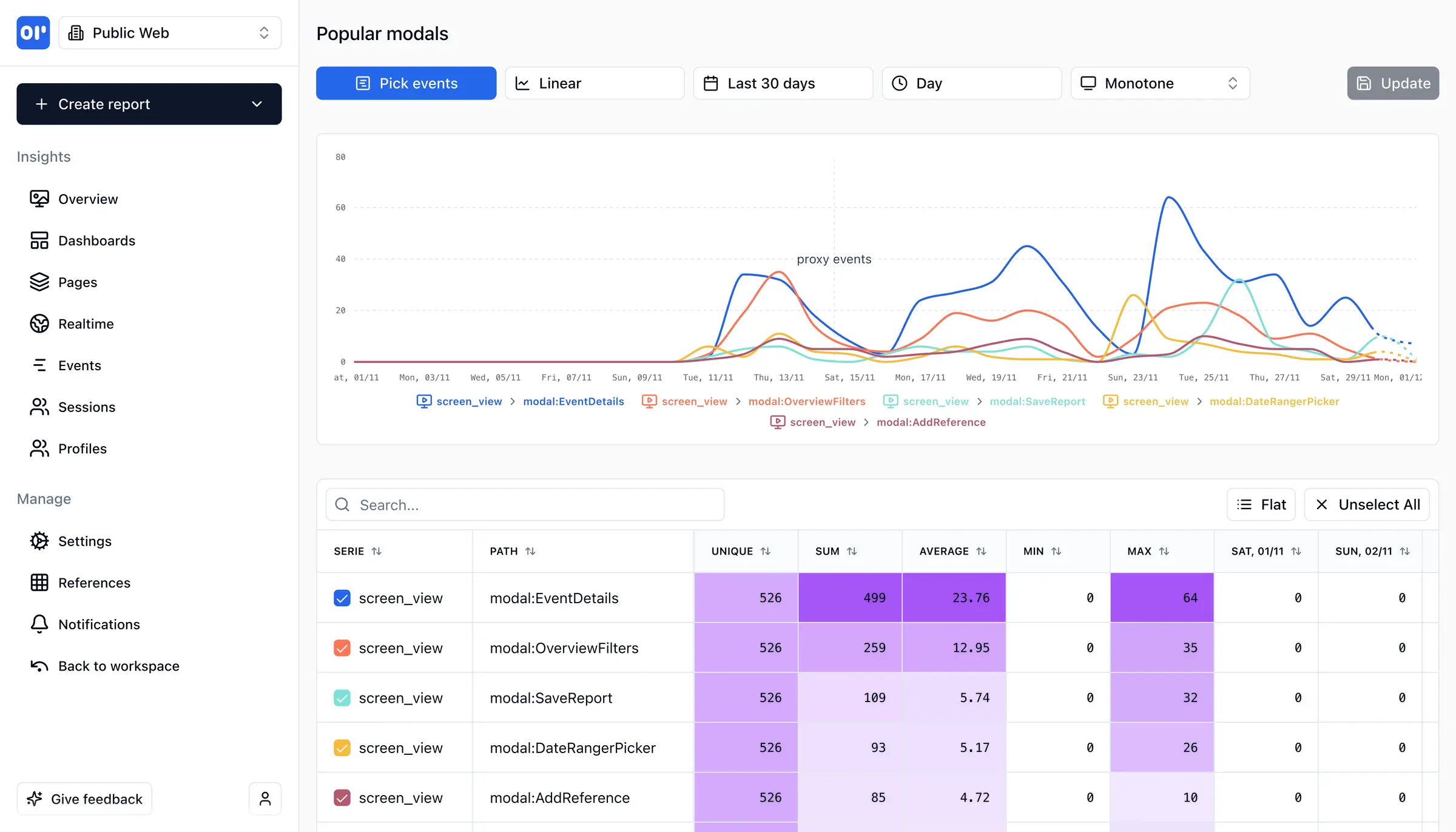
- Track what users do Count sign-ups, purchases and any other action, and chart them as lines, bars, maps or tables.
- Find where people drop off Funnel, conversion and retention reports show which step loses people and who comes back.
- Follow each user Open a user's profile to see their sessions and events, and replay a session to see what they saw.
- Build your own dashboards Put the charts your team checks every week on one dashboard.
- Get alerts in Slack or Discord Send a notification when an important event happens or a funnel is completed.
Replaces Mixpanel, Amplitude and Google Analytics
OpenPanel does the same job as Mixpanel, Amplitude and Google Analytics. Here is what changes when you switch.
- No limit on events or users, and no plan to upgrade as you grow
- Your users' data stays on your server, tracked without cookies by default
- Website stats and product analytics in one tool
- Bring your history across with the Mixpanel and Amplitude importers
- Fewer integrations and ready-made reports than Mixpanel or Amplitude
- It needs a bigger server than simple visitor counters such as Umami or Plausible
- The newest OpenPanel versions reach self-hosters later than paying supporters and OpenPanel Cloud
- Inviting teammates by email and password resets need an email service set up first
What happens when you click Deploy?
You do not need a server or any technical knowledge. Four steps, and OpenPanel is running at its own web address.
- Step 1 Click Deploy and create your account
Deploy takes you to Cloudgate. Create an account, or log in if you have one. OpenPanel itself is free.
- Step 2 Choose a server
No server? Get one from Cloudgate: pick a size and a country, and Cloudgate gets it ready. Already have one? Connect it instead.
- Step 3 Cloudgate sets up OpenPanel
It prepares the server, makes the passwords the app needs and starts it. There is nothing to install and nothing to write down.
- Step 4 Open your app and sign in
Your app gets a free web address to start, without https. Add your own domain, like app.yourshop.com, and Cloudgate secures it with https for you.
New to Cloudgate? See what Cloudgate is
Run Cloudgate yourself? Deploy from your own console
In your Cloudgate console, open Templates and choose OpenPanel.
Questions
Is OpenPanel free?
Yes, self-hosted OpenPanel is free and open source under the AGPL-3.0 licence, with no event limits; you pay only for your server. Its makers also sell OpenPanel Cloud and a supporter plan that gets new versions earlier.
Is OpenPanel a good alternative to Mixpanel?
Yes, OpenPanel covers the core of Mixpanel, including events, funnels, retention, cohorts and user profiles, and adds website stats and session replay. It has fewer integrations than Mixpanel, so check that the tools you connect today are supported.
Can I import my Mixpanel or Amplitude data into OpenPanel?
Yes, OpenPanel has importers for Mixpanel and Amplitude, which read your history through their export APIs, and it can also import an Umami export file. Run the import from the project's settings after you create it.
Does OpenPanel need a cookie banner?
OpenPanel tracks without cookies by default, so it doesn't set tracking cookies on your visitors. Whether you need a banner also depends on the other tools on your site and on what user details you send to it.
Can OpenPanel track a mobile app?
Yes, OpenPanel has tracking libraries for iPhone (Swift), Android (Kotlin) and React Native apps, as well as websites and servers. Events from your website and app can sit in the same project.
How do I sign in to OpenPanel the first time?
Open your OpenPanel web address and create an account; the first account becomes the owner, and open sign-up then closes. After that, colleagues join by invitation from the owner.
What server size do I need for OpenPanel?
OpenPanel needs at least 2 GB of memory and recommends 4 GB or more, so Cloudgate asks for a large server. It runs a database built for analytics alongside the app, which is why it needs more than a simple visitor counter.
Do I need technical skills to run OpenPanel?
No. Click Deploy, create your Cloudgate account and choose a server, and Cloudgate sets up OpenPanel and gives it a web address. You use it in your browser like any other online tool.
Do I need my own server for OpenPanel?
No. When you deploy OpenPanel, hosted Cloudgate can provide a server. If you already rent one, you can connect it instead.
Related apps

Cookieless web analytics with speed and error tracking.

Cookie-free website stats with session replay and funnels.

App analytics, crash reports and push in one place.

Minimal, cookie-free visitor stats for all your websites.