
Comentario
Comments for many websites, with moderation rules.
No server needed to start: Cloudgate can provide one. What happens when you click Deploy
What is Comentario?
Comentario is a self-hosted comment system with a moderation dashboard, spam rules and statistics, and no ads. Import your Disqus or Commento comments.
Comentario is a free, open-source, self-hosted comment system for websites and blogs, and an ad-free alternative to Disqus. It adds a comment section under your pages and gives you a separate dashboard to moderate comments, manage readers and see statistics, with every comment kept on your own server.
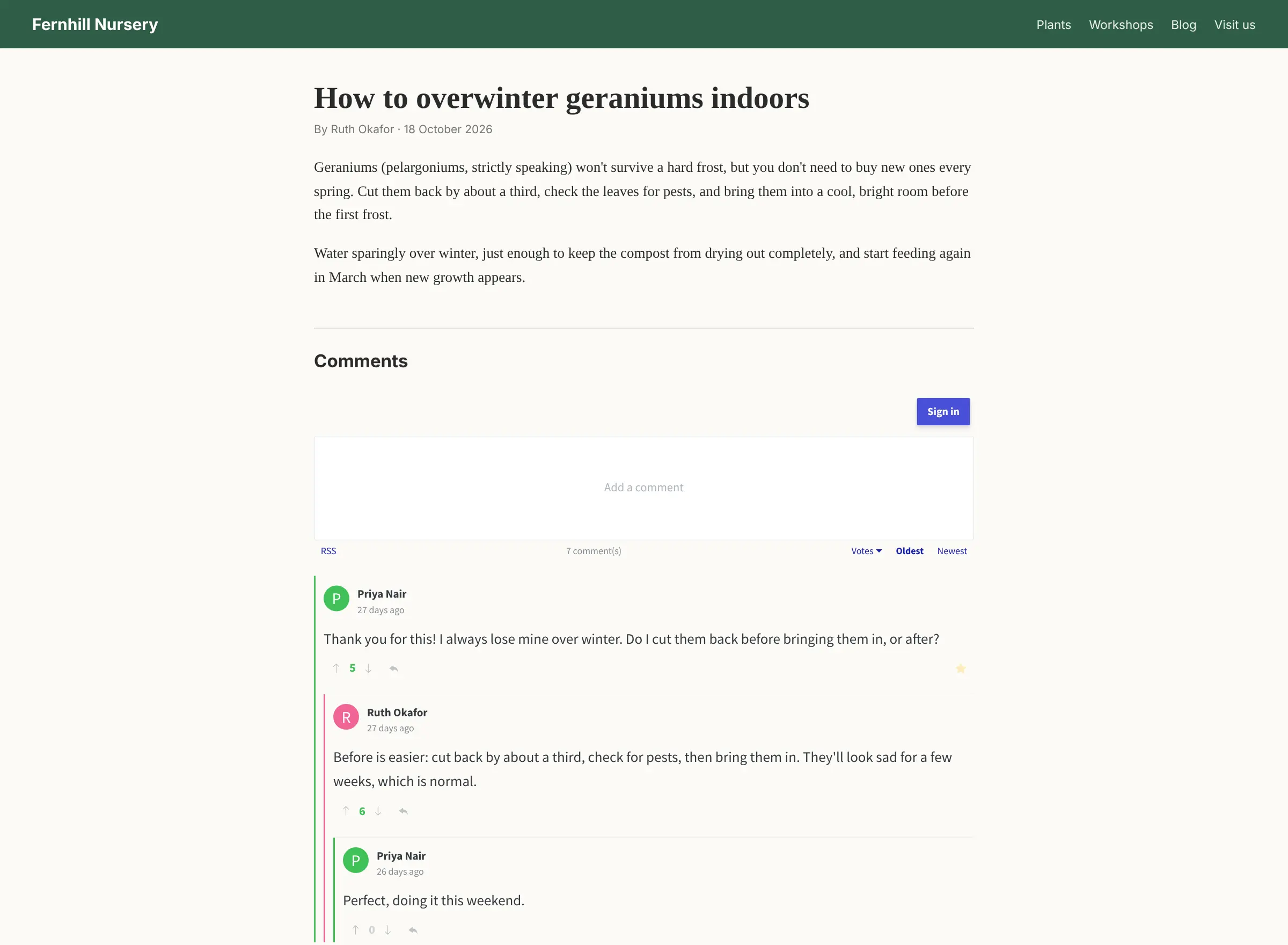
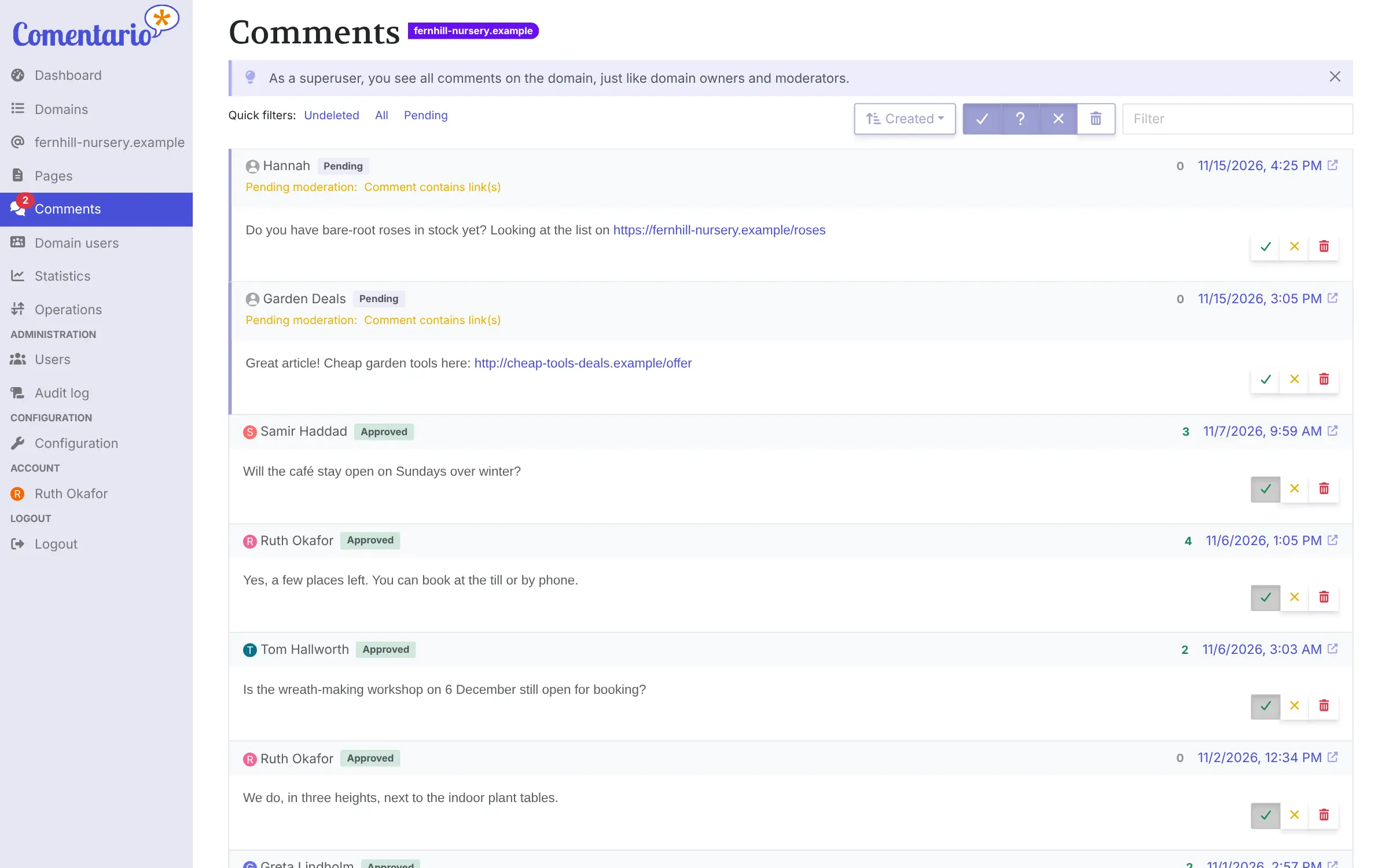
You add your website in the dashboard and paste the short snippet it gives you into your site's pages, much like a Disqus or YouTube embed. Readers can then comment without an account, sign up with email, reply to each other and vote. A garden centre with a care-tips blog, for example, could let staff answer readers' questions as moderators, hold any comment with a link until someone approves it, and see which articles bring the most readers each month.
Comentario can run comments for several websites at once, with owners, moderators and read-only helpers set per site. It imports comments from Disqus, WordPress and the discontinued Commento, which it grew out of, and it can send reply alerts by email if you connect an email account.
Cloudgate installs Comentario on a server Cloudgate provides or one you connect, together with the database it needs, and gives it a secure web address.
What you can do with Comentario
- Manage every website in one dashboard Add your blog, shop and other sites to one Comentario and see all their pages, comments and readers in one place.
- Approve comments before they go live Set rules per website, such as holding comments with links or from brand-new accounts, and approve or reject them from a moderation queue.
- Catch spam and abuse Turn on optional checks with Akismet, Perspective or APILayer to flag spam and toxic comments, once you add a key for each service.
- Give helpers the right access Make people owners, moderators, commenters or read-only for each website, so a colleague can moderate without changing settings.
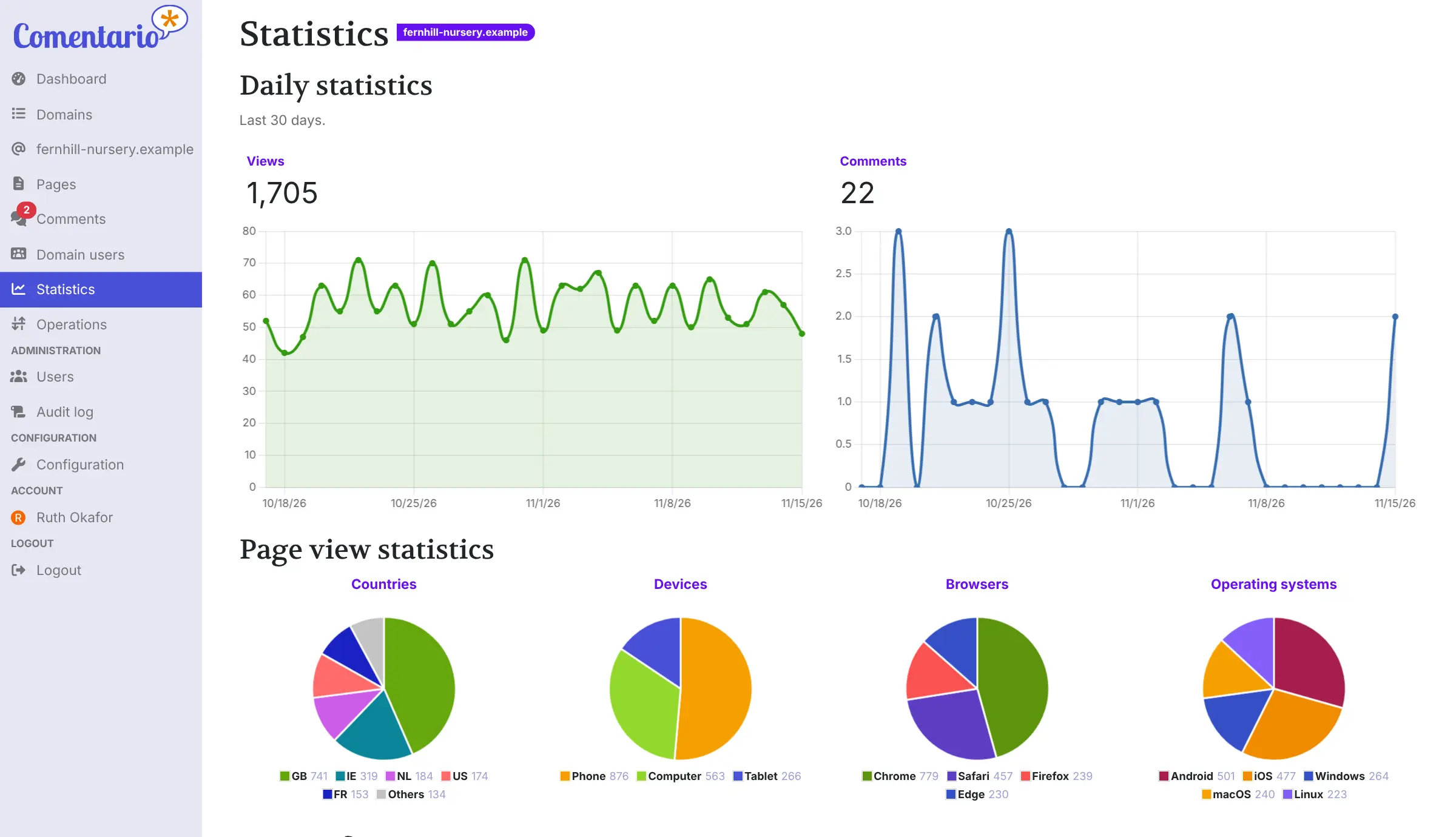
- See what readers do Daily views and comments, top pages, and readers' countries, devices and browsers, with no tracking scripts or ads.
- Let readers join in their way Readers can comment without an account, sign up with email, or use Google, GitHub, Apple and other logins you set up.
- Real conversations under each post Nested replies, voting, Markdown, pinned comments, live updates without reloading, and email alerts when someone replies.
- Bring your old comments with you Import comments from Disqus, WordPress or Commento with a button in the dashboard, and export everything as a file.
Replaces Disqus
Comentario does the same job as Disqus. Here is what changes when you switch.
- No ads under your posts and no tracking of your readers
- Every comment and reader account stays on your own server
- A moderation queue with automatic rules, instead of cleaning up after the fact
- Your own statistics on views and comments for each website
- You paste the snippet into your site and choose how readers sign in yourself
- No Disqus-wide community or cross-site discovery for your posts
- Automatic spam checks need a key from Akismet, Perspective or APILayer
- Social logins such as Google need an app registered with each provider
What happens when you click Deploy?
You do not need a server or any technical knowledge. Four steps, and Comentario is running at its own web address.
- Step 1 Click Deploy and create your account
Deploy takes you to Cloudgate. Create an account, or log in if you have one. Comentario itself is free.
- Step 2 Choose a server
No server? Get one from Cloudgate: pick a size and a country, and Cloudgate gets it ready. Already have one? Connect it instead.
- Step 3 Cloudgate sets up Comentario
It prepares the server, makes the passwords the app needs and starts it. There is nothing to install and nothing to write down.
- Step 4 Open your app and sign in
Your app gets a free web address to start, without https. Add your own domain, like app.yourshop.com, and Cloudgate secures it with https for you.
New to Cloudgate? See what Cloudgate is
Run Cloudgate yourself? Deploy from your own console
In your Cloudgate console, open Templates and choose Comentario.
Questions
Is Comentario free?
Yes, Comentario is free and open source under the MIT licence, with no paid edition and no ads. You pay only for the server it runs on.
Is Comentario a good alternative to Disqus?
Yes, if you want comments without ads or tracking and with your data on your own server. Comentario covers replies, voting, sign-in options and a full moderation dashboard, but it has no Disqus-style community across websites.
Can I import my Disqus comments into Comentario?
Yes, you upload the export file Disqus emails you under Operations, Import data in the Comentario dashboard, and its comments, pages and commenters are added to your website. WordPress comments can be imported the same way.
I used Commento. Can I move to Comentario?
Yes, Comentario started as a fork of Commento, which is no longer maintained, and it imports Commento and Commento++ exports. It has been rewritten since and adds a dashboard, roles, moderation rules and statistics.
How do I become the admin of my Comentario?
The first person to sign up to Comentario with an email and password becomes the admin, called the superuser, so sign up as soon as Cloudgate has installed it. There is no default password.
How does Comentario stop spam?
Comentario holds comments for approval using rules you choose, such as comments with links, from readers without an account or from new accounts. You can also connect Akismet, Perspective or APILayer to check each comment for spam and toxic language.
What server size do I need for Comentario?
A small server is enough for most blogs and small business websites, because Comentario is one light app plus a PostgreSQL database. Cloudgate sets up both.
Do I need technical skills to run Comentario?
No. Click Deploy, create your Cloudgate account and choose a server, and Cloudgate sets up Comentario and gives it a web address. You use it in your browser like any other online tool.
Do I need my own server for Comentario?
No. When you deploy Comentario, hosted Cloudgate can provide a server. If you already rent one, you can connect it instead.
Related apps

Ad-free comments for your blog, with an admin panel to moderate.

A self-hosted comment system for blogs, with a moderation dashboard.

Comments for news sites, with real moderation tools.

Ad-free, private comments under your blog posts, on your server.