
AzuraCast
Internet radio with an AutoDJ that plays around the clock.
No server needed to start: Cloudgate can provide one. What happens when you click Deploy
What is AzuraCast?
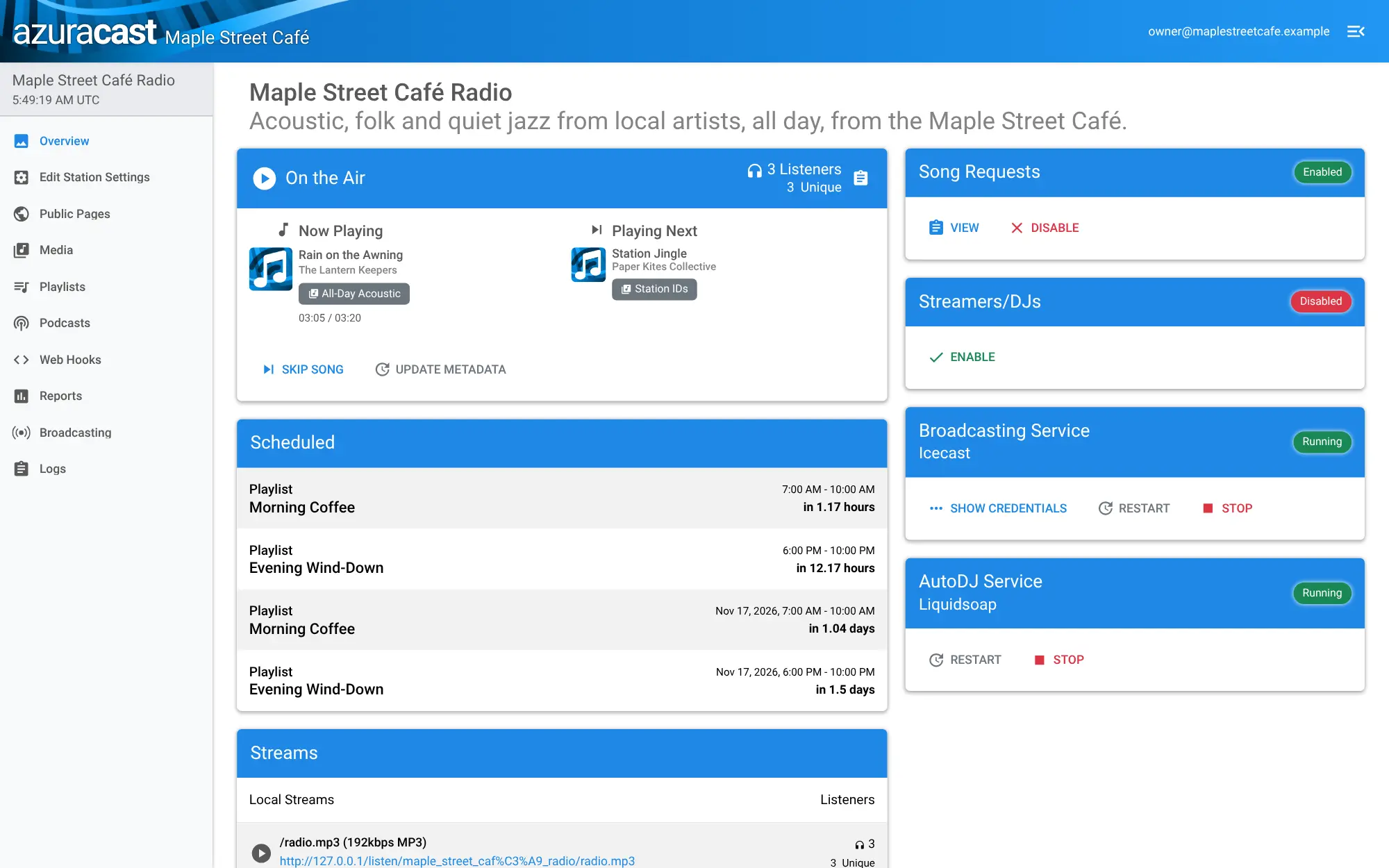
AzuraCast is self-hosted internet radio: upload your music, schedule playlists and let the AutoDJ stream your station 24/7, like Radio.co or Live365.
AzuraCast is free, open-source, self-hosted internet radio software: it runs a complete web radio station on your own server, with an AutoDJ that plays your music around the clock, much like Radio.co, Live365 or RadioKing but with no monthly hosting fee. You upload songs in the browser, build playlists and give them time slots, and AzuraCast keeps the station on air.
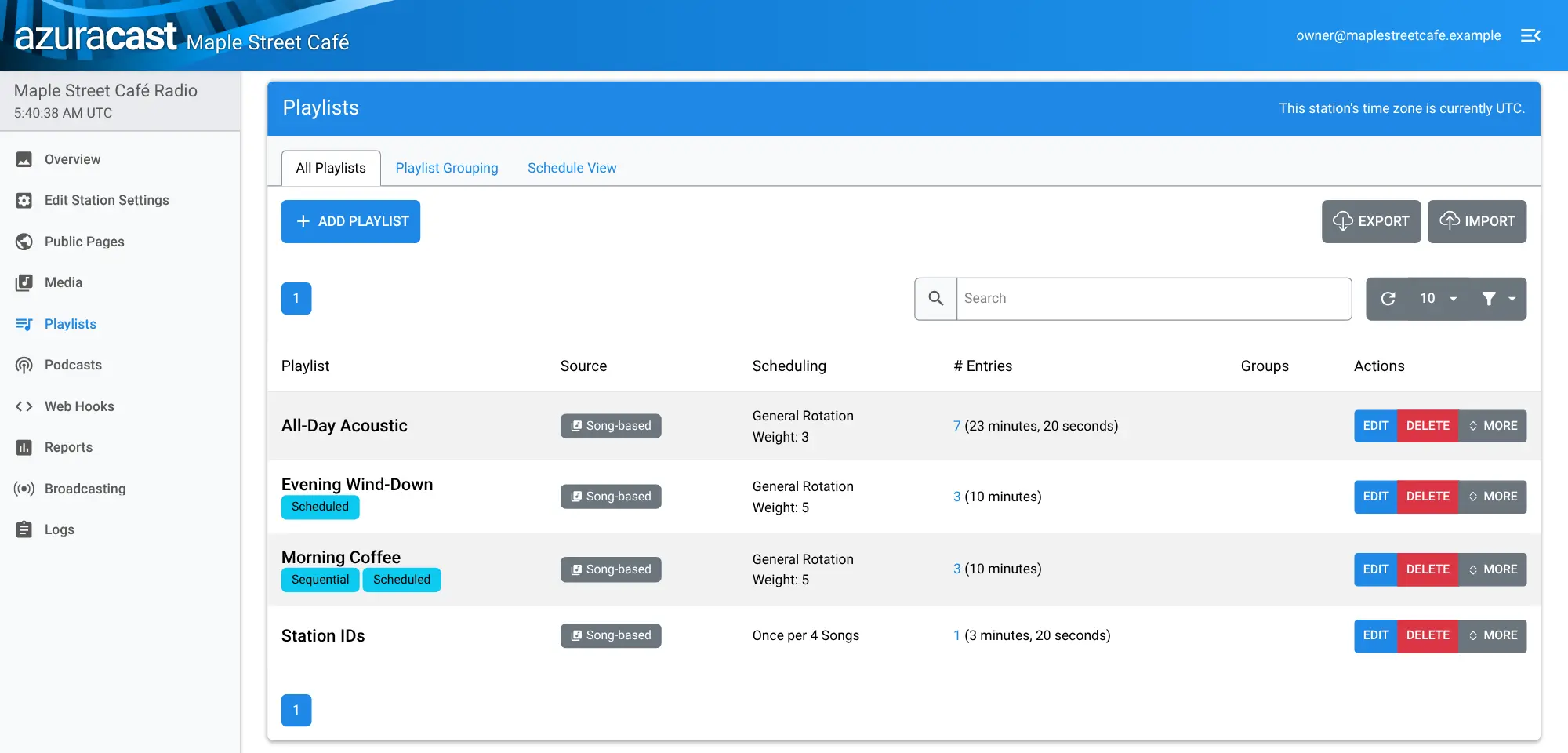
A café, for example, could stream local acoustic music all day, with a sequential "Morning Coffee" playlist from 7 to 10, a quieter mix in the evening and a station jingle every four songs, and put the player on its own website so regulars can listen at home and request songs. Reports show how many people are listening and which songs keep them.
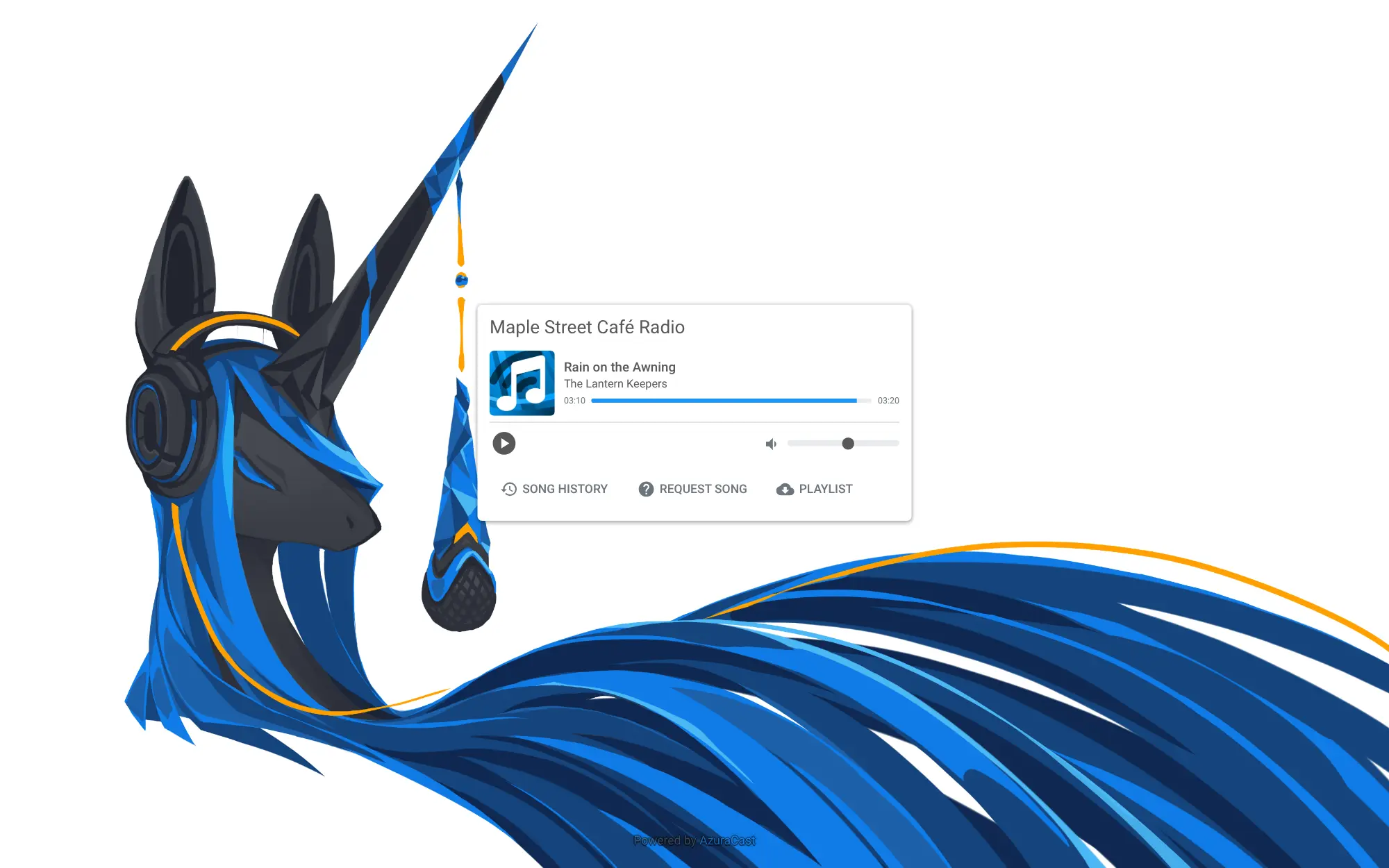
Each station gets a public player page you can embed, song requests and web hooks for Discord, Slack and TuneIn, and one install can run several stations. Listeners use any browser or internet radio app.
Cloudgate installs AzuraCast on a server Cloudgate provides or one you connect and gives it a secure web address that carries both the admin pages and the stream. Open the address right after setup to create the admin account and your first station. On Cloudgate the station runs on its AutoDJ only: live DJ broadcasting is not available.
What you can do with AzuraCast
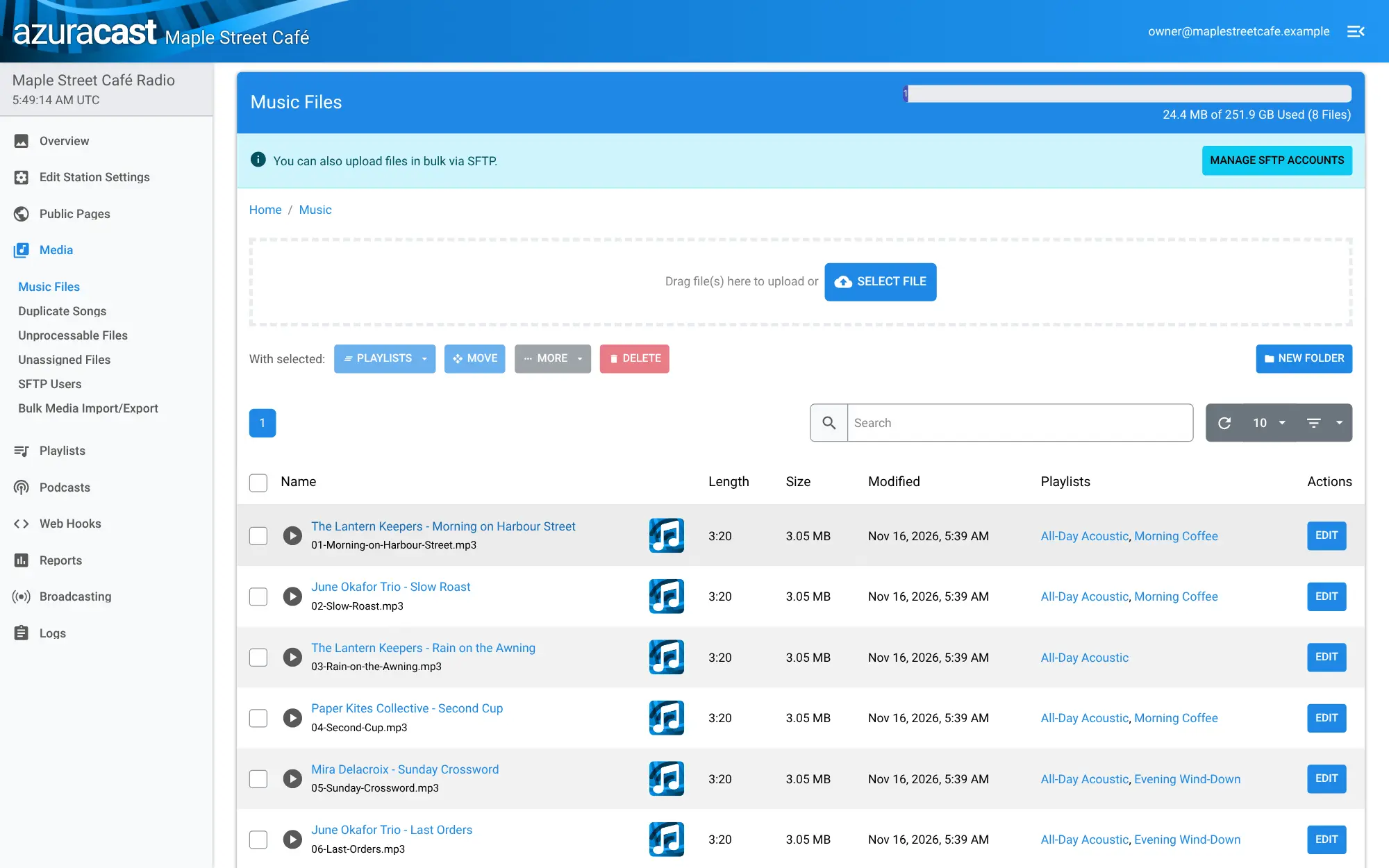
- Upload and organise your music Drag songs into the browser, fix titles and artists, and sort them into folders.
- Let the AutoDJ run the station Shuffled or in-order playlists play around the clock, with jingles every few songs and playlists grouped into a clockwheel.
- Schedule your shows Give each playlist its own time slot, such as a morning show on weekdays and a quiet mix in the evening.
- A player for your website Every station gets a public page with a player, song history and requests, which you can embed on your own site.
- Take listener requests Listeners pick songs from your library, and you decide when requests play and when they are switched off.
- See who is listening Reports show listeners over time, how each song affects your audience, a listener map and a SoundExchange report for US royalties.
- Run several stations Host more than one station on one server, and give each team member access to just the stations and tasks they need.
- Post what's playing Web hooks send the current song to Discord, Slack, TuneIn and other services.
Replaces Radio.co, Live365 and RadioKing
AzuraCast does the same job as Radio.co, Live365 and RadioKing. Here is what changes when you switch.
- No monthly hosting fee; you pay only for your server
- Your music library, playlists and listener data stay on your own server
- Several stations on one install, with no limit set by a plan
- Free and open source, with every feature included
- On Cloudgate the station runs on its AutoDJ only; DJs can't broadcast live into it
- Music licences and royalties are yours to arrange; Live365, for example, bundles US licensing
- Streams come from your own server, so bandwidth grows with your audience
- There is no importer from paid hosts; you upload your music again
What happens when you click Deploy?
You do not need a server or any technical knowledge. Four steps, and AzuraCast is running at its own web address.
- Step 1 Click Deploy and create your account
Deploy takes you to Cloudgate. Create an account, or log in if you have one. AzuraCast itself is free.
- Step 2 Choose a server
No server? Get one from Cloudgate: pick a size and a country, and Cloudgate gets it ready. Already have one? Connect it instead.
- Step 3 Cloudgate sets up AzuraCast
It prepares the server, makes the passwords the app needs and starts it. There is nothing to install and nothing to write down.
- Step 4 Open your app and sign in
Your app gets a free web address to start, without https. Add your own domain, like app.yourshop.com, and Cloudgate secures it with https for you.
New to Cloudgate? See what Cloudgate is
Run Cloudgate yourself? Deploy from your own console
In your Cloudgate console, open Templates and choose AzuraCast.
Questions
Is AzuraCast free?
Yes, AzuraCast is free and open source under the AGPL-3.0 licence, with no paid edition or locked features. You pay only for your server; the project is funded by donations.
Is AzuraCast a good alternative to Radio.co or Live365?
Yes, if you want an automated station without a monthly fee. AzuraCast gives you an AutoDJ, scheduled playlists, song requests, a public player and listener reports on your own server; in return you look after the server, its bandwidth and your own music licences.
Can DJs go live on AzuraCast hosted by Cloudgate?
No, this template runs your station on its AutoDJ only. Live broadcasting from DJ software or AzuraCast's Web DJ needs extra network ports that Cloudgate does not open, so plan your station around playlists and schedules; listening works normally through your web address.
How do listeners tune in?
Listeners open your station's public page or the player you embed on your website, or paste the stream link into any app that plays internet radio. Everything streams through the station's secure web address; AzuraCast has no phone app of its own.
How do I sign in to AzuraCast the first time?
There is no default password; the first person to open your AzuraCast web address creates the administrator account, so do this right after setup. A short wizard then asks for your first station's name and the site's address.
Do I need a music licence to run an internet radio station?
Usually, yes, if you play music you don't own, and the rules depend on your country. AzuraCast does not pay royalties for you, but it can produce a SoundExchange report for US stations.
What server size do I need for AzuraCast?
AzuraCast needs at least 2 GB of memory and 20 GB of disk. Its makers recommend 4 GB of memory and 4 CPU cores for running five to ten stations, and your music takes up disk space too.
Do I need technical skills to run AzuraCast?
No. Click Deploy, create your Cloudgate account and choose a server, and Cloudgate sets up AzuraCast and gives it a web address. You use it in your browser like any other online tool.
Do I need my own server for AzuraCast?
No. When you deploy AzuraCast, hosted Cloudgate can provide a server. If you already rent one, you can connect it instead.
Can I move my data from Radio.co to AzuraCast?
Most people export from Radio.co and import into AzuraCast. The official guides at www.azuracast.com walk through it.
Related apps

A self-hosted music server that works with almost any music app.

A self-hosted audiobook and podcast server with synced progress.

Sound-based playlists and music discovery for your music server.

A self-hosted music server with its own free iPhone and Android apps.