



Self-hosted alternatives to WhatsApp Business API

WAHA is a free, open-source alternative to the WhatsApp Business API for sending and receiving WhatsApp messages from your own apps, through a simple web API and webhooks. Meta’s official platform charges per message and needs approved message templates; WAHA links an ordinary number by QR code with no message fees, but it is unofficial and WhatsApp can ban a number used this way.

6 alternatives Free apps Our pick: WAHA

At a glance

App Good for Code Ease of use
WAHA Small businesses and developers wiring WhatsApp into their own tools, who accept the ban risk Code Open source Some setup
Evolution API Small businesses and agencies hooking WhatsApp up to Chatwoot, n8n or a chatbot, who accept the ban risk Code Source-available Some setup
GOWA Small businesses and developers who want a light WhatsApp API for their tools or AI agents, and accept the ban risk Code Open source Some setup
OpenWA Developers and small businesses sending order updates and replies on WhatsApp from their own tools, who accept the ban risk Code Open source Some setup
Waxum Developers who want a fast WhatsApp API with a test console, and accept the ban risk Code Open source Some setup
WuzAPI Developers who want a small, code-first WhatsApp API and accept the ban risk Code Open source Some setup

Why look for an alternative to WhatsApp Business API?

The WhatsApp Business API, now Meta's WhatsApp Business Platform, is the official way for a business's software to send and receive WhatsApp messages: notifications, support chats and chatbots, with verified business profiles and approved message templates, sold by Meta directly or through providers such as Twilio.

Small businesses and developers look for an alternative because the official platform charges for conversations and messages, is set up through Meta's business tools, and asks for outgoing message templates to be approved. WAHA does the everyday part for free: it links your existing number by QR code, sends messages from your apps and passes incoming ones to them through webhooks. Evolution API adds ready-made chatbot and inbox integrations and can also use the official Cloud API, OpenWA adds message templates, auto-replies and API keys limited to chosen chats, and WuzAPI does the job in a smaller package for developers who write their own code. The catch is that the QR-code link is unofficial, so WhatsApp can ban the number, and it is only sensible where that risk is acceptable. GOWA, also free, does the same in a lighter program and adds scheduled sends and a way for AI agents to send messages, with the same risk. Waxum, another small program for developers, can also run a number on Meta's official Cloud API.

The alternatives, compared

WAHA

Our pick

Send and receive WhatsApp messages from your own apps, unofficially.

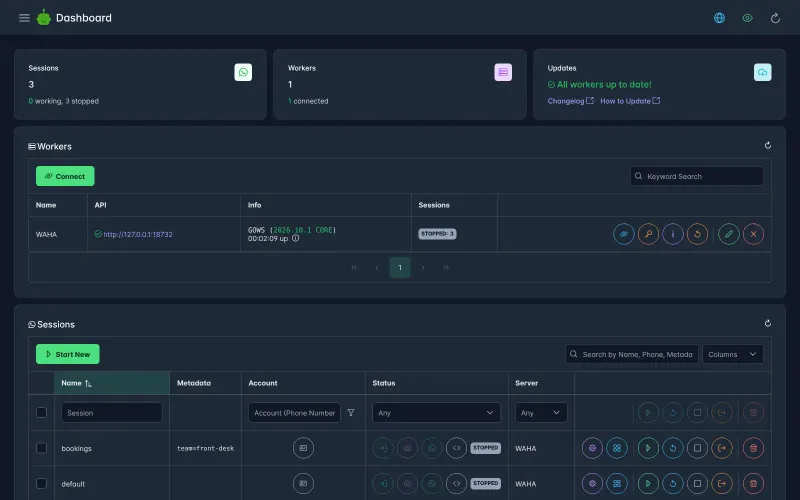
Lets your apps send texts, images, files and voice notes to WhatsApp chats and groups, and receive every incoming message through webhooks, using an ordinary number linked by QR code, with no fee per message and no templates to get approved. It is unofficial: WhatsApp can ban a number used this way, there is no business verification or Meta support, and a WhatsApp update can break it until WAHA catches up.

What you gain
  • No fee per message or conversation, and no message templates to get approved
  • Uses the WhatsApp number you already have, linked in a minute
  • Messages and media stay on your server
What is different
  • It is unofficial, and WhatsApp can ban a number used this way
  • No official business verification, green tick or Meta support
  • A WhatsApp update can break it until WAHA catches up
Some setup Open source

Connect WhatsApp to your chatbots, inbox and apps, unofficially.

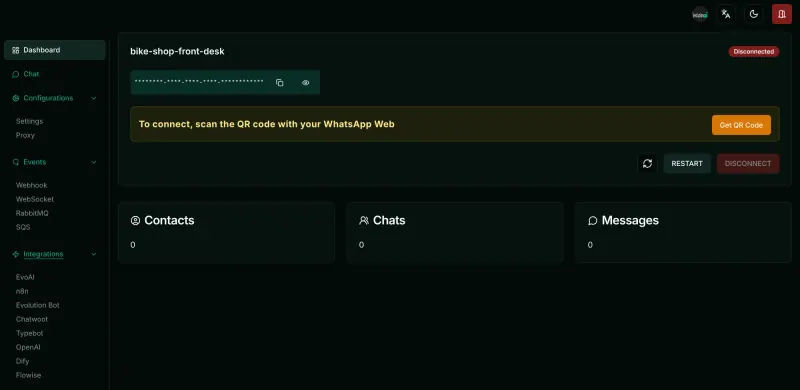
Does what WAHA does, sending and receiving messages through a web API and webhooks from a number linked by QR code, and adds a web manager with ready-made settings for Chatwoot, Typebot, n8n, OpenAI, Dify and Flowise, and stores chats in its own database. It can also connect to Meta's official Cloud API, where Meta's per-message charges apply. The QR-code link is unofficial, so WhatsApp can ban the number, and its licence is Apache 2.0 with extra conditions, so it is source-available rather than open source.

What you gain
  • No fee per message or conversation on the QR-code connection
  • Uses the WhatsApp number you already have, linked in a minute
  • Chatwoot, Typebot, n8n and AI chatbot links built in
What is different
  • The QR-code connection is unofficial, and WhatsApp can ban a number used this way
  • No business verification, green tick or Meta support on that connection
  • A WhatsApp update can break it until a new Evolution API release
Some setup Source-available

A light, free WhatsApp API for your own apps, unofficial.

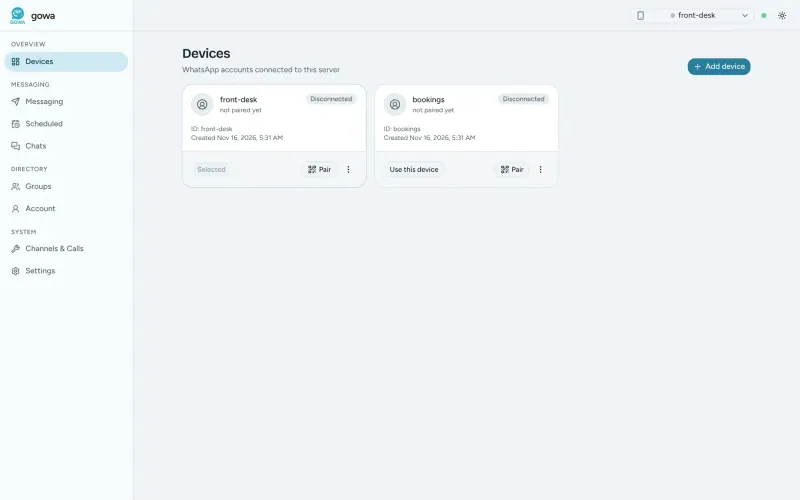
Does the same job as WAHA in one small Go program with no browser inside: your apps send texts, media, polls and files through a web API and get incoming messages through signed webhooks, for several linked numbers on one server. It adds scheduled and repeating sends and a built-in MCP server for AI agents, and connects to Chatwoot and n8n. Like WAHA it is unofficial, so WhatsApp can ban the number, with no templates, verification or Meta support; its dashboard is plainer, and it is mostly one developer's work.

What you gain
  • No fee per message or conversation, and no message templates to get approved
  • Uses the WhatsApp number you already have, linked in a minute
  • Messages and media stay on your server
What is different
  • It is unofficial, and WhatsApp can ban a number used this way
  • No official business verification, green tick or Meta support
  • A WhatsApp update can break it until GOWA catches up
Some setup Open source

A self-hosted WhatsApp API for your own apps, unofficial.

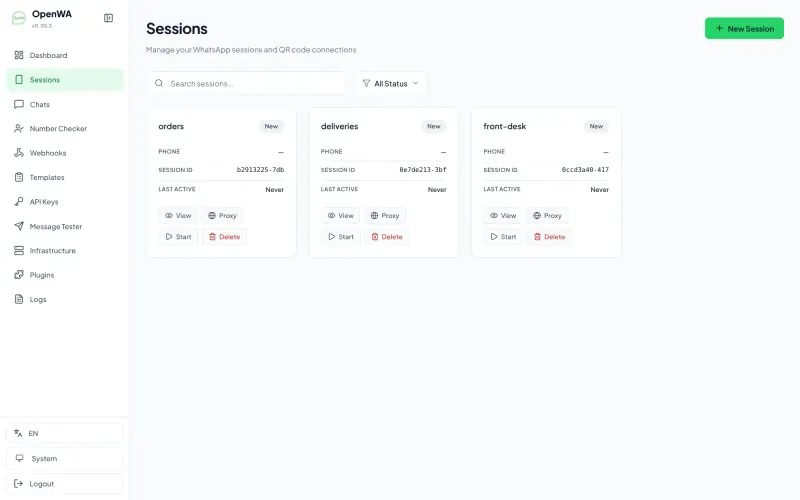
A WAHA-style gateway under the MIT licence: link one or more numbers by QR code, then send and receive messages through a web API and signed webhooks, with a dashboard in 15 languages, reusable message templates, simple auto-reply rules and API keys limited to chosen numbers or chats. It is unofficial and young, before version 1.0, so WhatsApp can ban a number used this way, and its own makers say not to use it for regulated messaging such as healthcare or finance.

What you gain
  • No fee per message and no message templates to get approved by Meta
  • Uses a WhatsApp number you already have, linked with a QR code
  • Messages and media stay on your server
What is different
  • It is unofficial, and WhatsApp can restrict or ban a number used this way
  • No verified business name, green tick or Meta support
  • A WhatsApp change can break it until OpenWA is updated
Some setup Open source

WhatsApp API with a test console; unofficial, numbers can be banned.

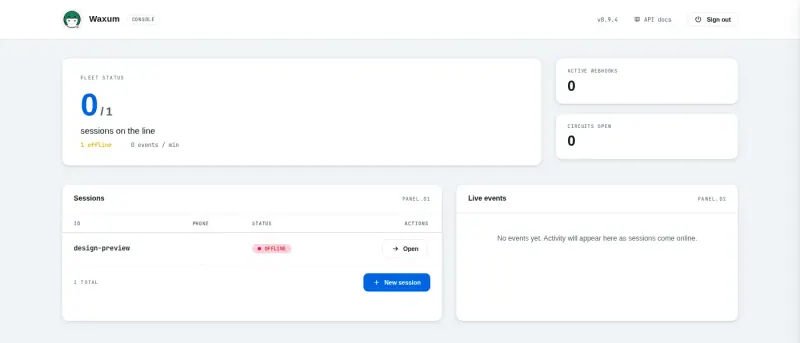
A small, single-program WhatsApp API for developers: send texts, media, voice notes, documents, polls and locations, receive signed webhooks with retries, link several numbers by QR code or pair code, and try every call in its web console. It adds scheduled sends and voice calls, and can switch a number to Meta's official Cloud API with the same code, where Meta's fees and templates apply. In its default unofficial mode WhatsApp can ban the number, and it is a young project with one main maintainer.

What you gain
  • No fee per message or conversation in linked-phone mode, and no templates to get approved
  • Uses the WhatsApp number you already have, linked in a minute
  • Messages and media stay on your server
What is different
  • The default mode is unofficial, and WhatsApp can ban a number used this way
  • No green tick or Meta support unless you use the official Cloud API mode, where Meta's prices apply
  • A WhatsApp update can break it until Waxum catches up
Some setup Open source

A light WhatsApp API for your own code, unofficial and ban-prone.

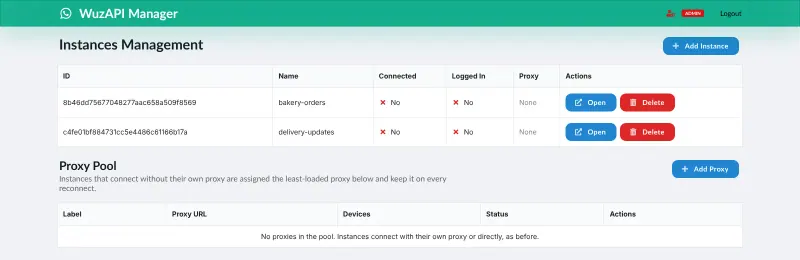
A smaller, code-first WhatsApp API: your code sends texts, images, voice notes, documents, polls and more over HTTP, and incoming messages arrive by webhook, with several numbers on one server and a dashboard to link each one by QR code or pairing code. It runs without a browser engine, so it needs very little memory, but it has no ready-made links to tools such as Chatwoot or n8n. Like WAHA it is unofficial, so WhatsApp can ban the number and an update can break it.

What you gain
  • No fee per message or conversation, and no message templates to get approved
  • Uses the WhatsApp number you already have, linked in a minute
  • Messages and media stay on your server
What is different
  • It is unofficial, and WhatsApp can ban a number used this way
  • No official business verification, green tick or Meta support
  • A WhatsApp update can break it until WuzAPI catches up
Some setup Open source

Moving from WhatsApp Business API

There is nothing to import: WAHA, Evolution API, OpenWA, WuzAPI, GOWA and Waxum all link to a WhatsApp number from a phone, the way WhatsApp Web does. Start with a spare number while you test, not your main business number. Sign in to the WAHA dashboard, start a session and scan its QR code from WhatsApp on the phone (Settings, Linked devices). Point WAHA's webhook at your app, help desk or automation tool, such as Chatwoot or n8n, and change your code to call WAHA's send endpoints instead of the official API. In Evolution API, open its manager with the API key Cloudgate shows, create an instance and scan its QR code, then switch on the webhook or the built-in Chatwoot, Typebot or n8n settings; if you already have an official Cloud API number, you can connect that instead and keep sending through Meta. In OpenWA, sign in to the dashboard with the admin key, add a session and scan its QR code, then add a webhook and create API keys for each app that sends messages. In WuzAPI, open /dashboard on its address, sign in with the admin token Cloudgate shows, add an instance for each number and scan its QR code or use a pairing code, then set the instance's webhook and call WuzAPI's send endpoints from your code; its built-in API reference lists each one. Keep messages to people who expect them: bulk or unsolicited messages are the quickest way to get a number banned.

GOWA works the same way: sign in to its dashboard, add a device and scan its QR code from WhatsApp on the phone, or type the pairing code it shows. Set its webhook to your app, Chatwoot or n8n, and point your code at GOWA's send endpoints. The same advice applies: test with a spare number and keep to messages people expect.

Waxum starts the same way: sign in to its console with the admin token Cloudgate shows, create a session for each number and link it by QR code or pair code, add a webhook for incoming messages, and call its send endpoints, which the API reference on your server lists. If you later need the official route, switch a session to Meta's WhatsApp Cloud API with your Meta business account and token, and your code keeps working.

Questions

What is the best self-hosted alternative to WhatsApp Business API?

Start with WAHA. All 6 are free to self-host. WAHA, GOWA, OpenWA, Waxum and WuzAPI are open source; Evolution API (source-available) publishes its code under a licence with conditions an open-source licence does not have, such as limits on reselling it, keeping the maker's branding or a paid key for some features.

Can WhatsApp ban my number if I use WAHA, Evolution API, OpenWA, WuzAPI, GOWA or Waxum?

Yes. All six link a number unofficially, as WhatsApp Web does, and WhatsApp does not allow unofficial clients, so a number can be restricted or banned, especially for bulk or unsolicited messages. Test with a spare number and use the official API when you cannot take that risk; Evolution API and Waxum can connect to it too.

Do I need approved message templates with WAHA?

No. WAHA and GOWA, and Evolution API or OpenWA on a QR-code link, send messages as the linked phone would, so there are no templates to approve, but there is also no green tick or official business verification. The same goes for WuzAPI and for Waxum on a linked number; a Waxum session switched to Meta's official Cloud API follows Meta's rules, templates included.

Should I choose WAHA, Evolution API, OpenWA, WuzAPI, GOWA or Waxum?

Choose WAHA for the simplest setup under a plain Apache 2.0 open-source licence. Choose Evolution API for ready-made Chatwoot, Typebot and n8n settings, saved chat history, or the option of Meta's official Cloud API, and accept its licence conditions. Choose OpenWA for an MIT-licensed gateway with message templates, auto-replies and API keys limited to chosen chats, and accept that it is a young project. Choose WuzAPI if a developer is writing the code and you want a small, light server that runs several numbers with very little memory. Choose GOWA for a lighter program with no browser inside, scheduled sends, or an MCP server so AI agents can send WhatsApp messages; it is mostly one developer's work. Choose Waxum if you expect to need the official route later: a session can move from a linked number to Meta's Cloud API while your code stays the same.

Can I use my existing WhatsApp Business app number?

Yes. WAHA, GOWA, WuzAPI and Waxum link to an ordinary WhatsApp or WhatsApp Business app number as a linked device, and the phone keeps working as before.

Are these WhatsApp Business API alternatives really free?

Yes, WAHA, Evolution API, GOWA, OpenWA, Waxum and WuzAPI are free. To run them you need Cloudgate and a server. Use hosted Cloudgate, which can also provide the server, or install Cloudgate on a server of your own for free. Cloudgate's plans and prices are at cloudgate.octabyte.io/pricing. One server can run several apps.

Do I need a developer to replace WhatsApp Business API?

Usually, yes. Cloudgate installs the app and gives it a secure web address, but WAHA, Evolution API, OpenWA, WuzAPI, GOWA and Waxum are APIs: to use one you connect it to a tool that speaks to it, such as Chatwoot or n8n, or have a developer call it from your own app.