
Evolution API
Connect WhatsApp to your chatbots, inbox and apps, unofficially.
No server needed to start: Cloudgate can provide one. What happens when you click Deploy
What is Evolution API?
Self-hosted Evolution API: an unofficial WhatsApp API with a web manager, webhooks and Chatwoot, n8n and Typebot links. WhatsApp can ban numbers.
Evolution API is free, self-hosted software that connects WhatsApp to your own apps, chatbots and shared inbox, as a low-cost alternative to the WhatsApp Business API and providers such as Twilio. Its usual connection is unofficial: it links your number as a WhatsApp Web device, and WhatsApp can ban a number used this way.
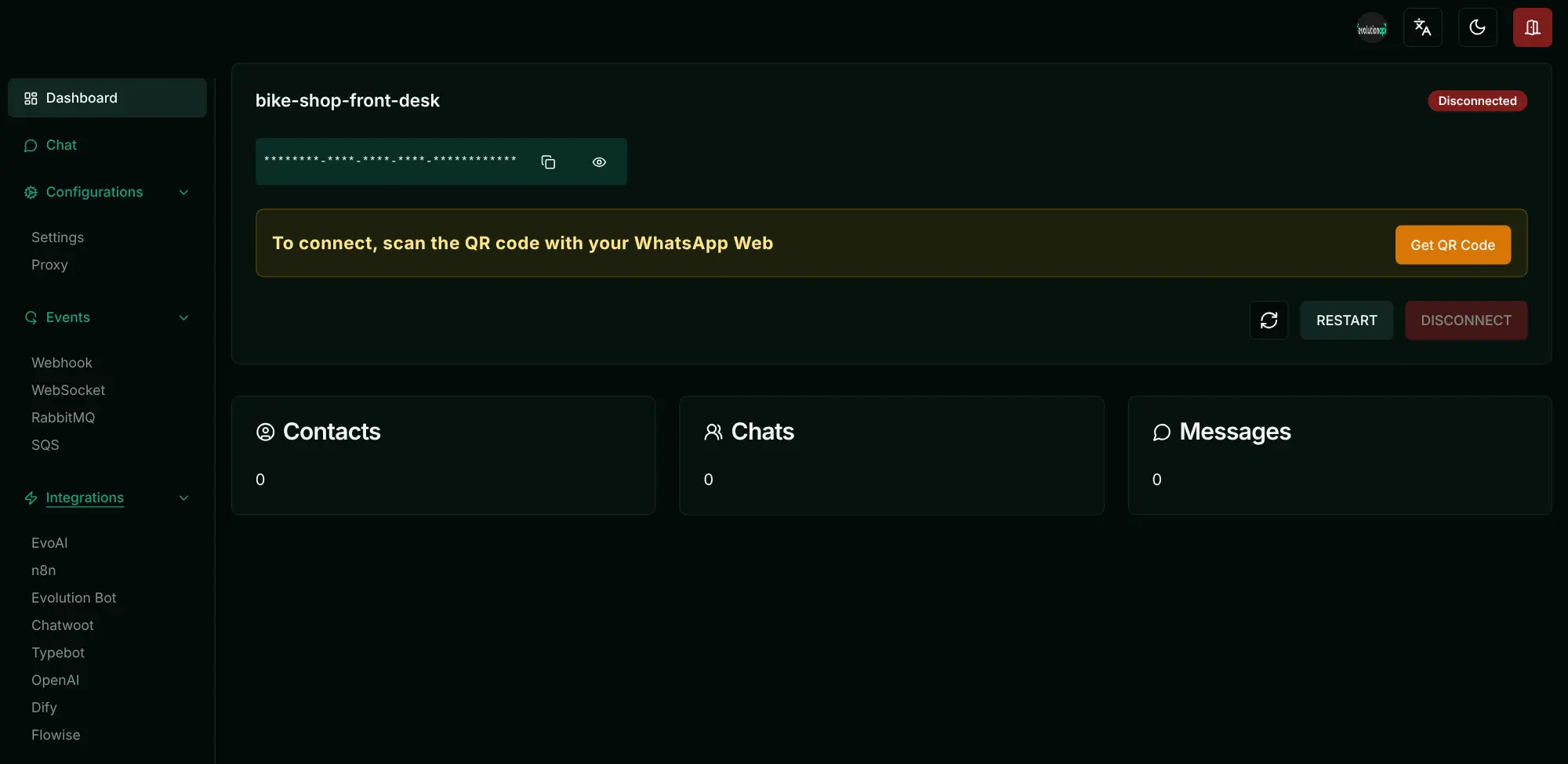
You scan a QR code once with WhatsApp on your phone, and from then on your tools can send texts, pictures, documents and voice notes and receive replies. A web manager lets you switch on ready-made links to a Chatwoot inbox, Typebot or n8n, or an AI chatbot from OpenAI, Dify or Flowise, which need your own account or key with those services. A bike shop, for example, could answer common questions with a chatbot and pass the rest to its team in Chatwoot, with no fee per message.
When you need the official route, the same Evolution API can connect to Meta's WhatsApp Cloud API instead, with Meta's charges. Its licence adds conditions to Apache 2.0, such as keeping the Evolution logo in the manager.
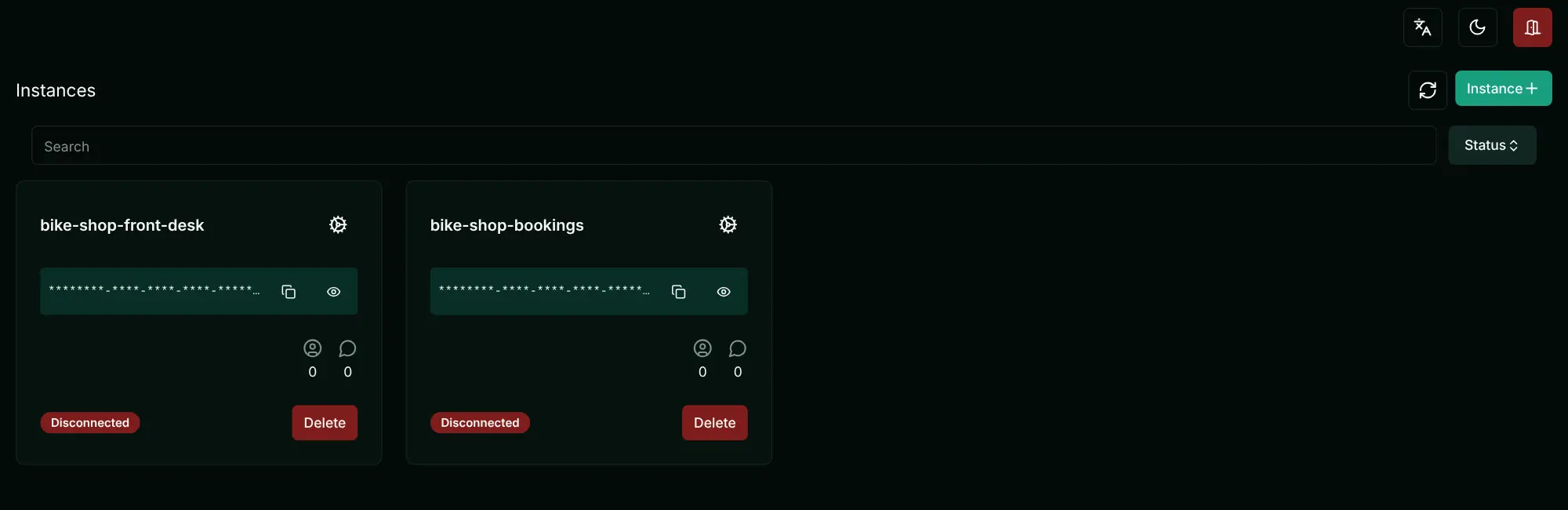
Cloudgate installs Evolution API on a server Cloudgate provides or one you connect, gives it a secure web address and creates its API key. Open the manager, create an instance and scan the QR code to link your number.
What you can do with Evolution API
- Send any kind of message Send texts, images, videos, documents, voice notes, locations, contact cards, polls and reactions from your own apps.
- Link a number with a QR code Connect an ordinary WhatsApp or WhatsApp Business app number by scanning a QR code, as you would for WhatsApp Web.
- Or use Meta's official API Connect Meta's official WhatsApp Cloud API instead of a QR code, with the same endpoints and integrations, if you need the official route.
- Several numbers, one server Run more than one WhatsApp number as separate instances, each with its own token.
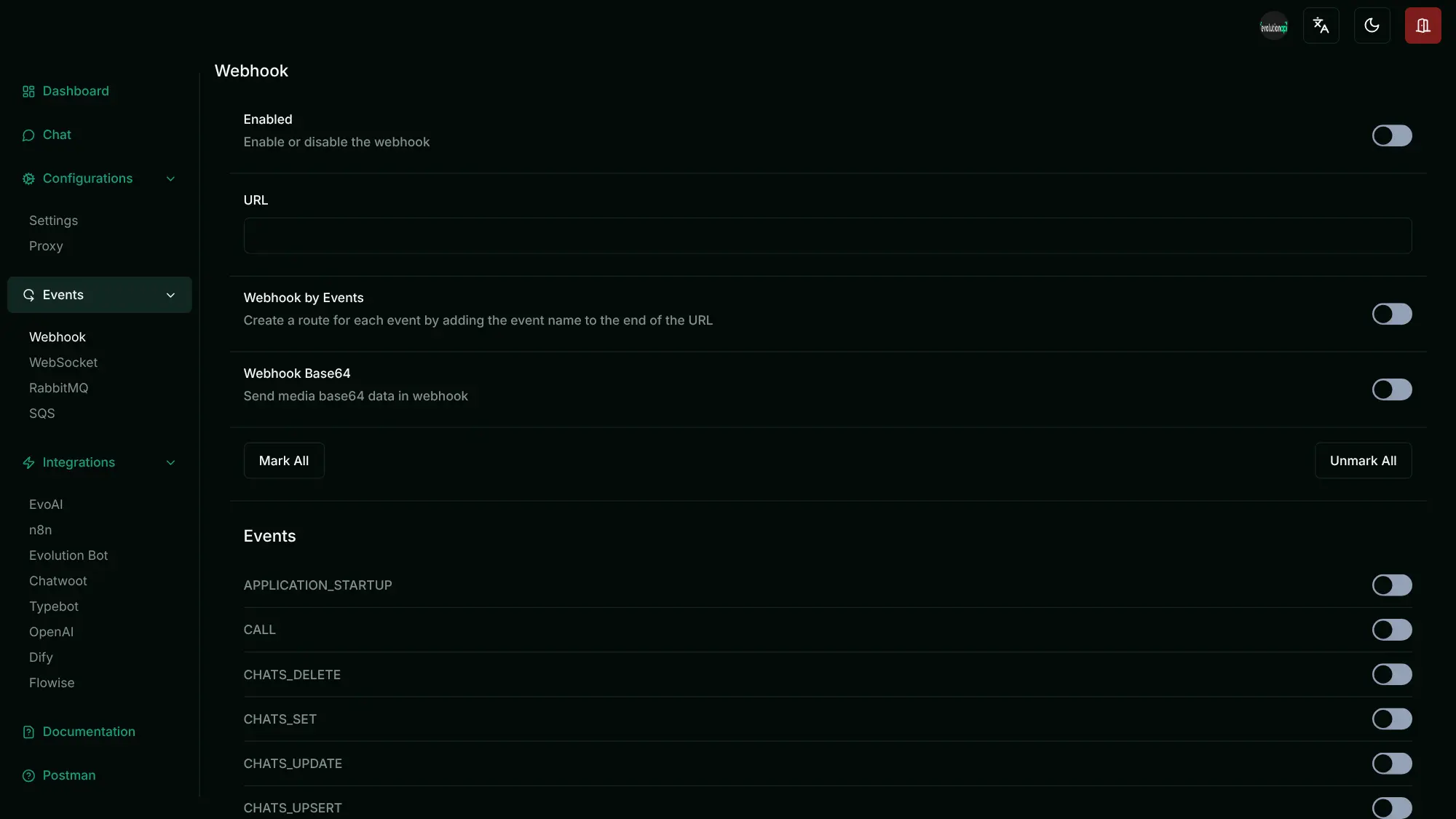
- Manage it in a web manager Create instances, scan QR codes, restart or disconnect a number and switch on webhooks and integrations from a web page.
- Ready-made integrations Hook a number up to a Chatwoot shared inbox, Typebot, n8n, OpenAI, Dify or Flowise chatbots from the manager, with no code.
- Webhooks and live events Pass new messages and other events to your website or CRM through webhooks, choosing which events each one gets.
- Groups and profiles Create and manage groups, check whether numbers are on WhatsApp, and change the profile name, picture and status.
Replaces WhatsApp Business API
Evolution API does the same job as WhatsApp Business API. Here is what changes when you switch.
- No fee per message or conversation on the QR-code connection
- Uses the WhatsApp number you already have, linked in a minute
- Chatwoot, Typebot, n8n and AI chatbot links built in
- Messages and media stay on your server
- The QR-code connection is unofficial, and WhatsApp can ban a number used this way
- No business verification, green tick or Meta support on that connection
- A WhatsApp update can break it until a new Evolution API release
- Its licence adds conditions to Apache 2.0, such as keeping the Evolution logo
What happens when you click Deploy?
You do not need a server or any technical knowledge. Four steps, and Evolution API is running at its own web address.
- Step 1 Click Deploy and create your account
Deploy takes you to Cloudgate. Create an account, or log in if you have one. Evolution API itself is free.
- Step 2 Choose a server
No server? Get one from Cloudgate: pick a size and a country, and Cloudgate gets it ready. Already have one? Connect it instead.
- Step 3 Cloudgate sets up Evolution API
It prepares the server, makes the passwords the app needs and starts it. There is nothing to install and nothing to write down.
- Step 4 Open your app and sign in
Your app gets a free web address to start, without https. Add your own domain, like app.yourshop.com, and Cloudgate secures it with https for you.
New to Cloudgate? See what Cloudgate is
Run Cloudgate yourself? Deploy from your own console
In your Cloudgate console, open Templates and choose Evolution API.
Questions
Is Evolution API an official WhatsApp API?
No. Evolution API is not made by or connected to WhatsApp or Meta. Its usual connection links your number as a WhatsApp Web device by QR code. It can also connect to Meta's official WhatsApp Cloud API, but then Meta's rules and per-message charges apply.
Can WhatsApp ban my number if I use Evolution API?
Yes. The QR-code connection Evolution API uses is unofficial, WhatsApp does not allow unofficial clients, and a number used this way can be restricted or banned. Bulk or unsolicited messages raise the risk most, so test with a spare number and only message people who expect to hear from you.
Is Evolution API free and open source?
It is free, with its code public, but it is not plain open source. Its licence is Apache 2.0 with extra conditions: you must keep the Evolution logo and copyright in its manager, and if you build it into a product, show administrators that it uses Evolution API, or a commercial licence may be needed. Every feature is in the free version, and you pay only for your server.
Is Evolution API a good alternative to the WhatsApp Business API or Twilio?
Yes for chatbots, internal tools and small volumes, where no per-message fee and a quick QR setup matter most. For customer messaging at scale, approved templates, a verified business name or a number you cannot risk losing, use the official API, which Evolution API can also connect to.
How do I sign in to Evolution API and connect my WhatsApp number?
Open the Evolution API manager at your app's web address followed by /manager and sign in with the API key Cloudgate shows. Create an instance, click Get QR Code and scan it with WhatsApp on your phone, under Settings, Linked devices.
Does Evolution API work with n8n, Chatwoot or Typebot?
Yes. The manager has built-in settings for Chatwoot, Typebot, n8n, Evolution Bot, EvoAI, OpenAI, Dify and Flowise, and n8n also has an Evolution API community node. Any other tool can use its web API and webhooks.
Should I choose Evolution API or WAHA?
Choose Evolution API for ready-made chatbot and inbox integrations and the option of Meta's official Cloud API; choose WAHA if you want a simpler app with no separate database under a plain Apache 2.0 open-source licence. Both link a number unofficially and carry the same ban risk.
Do I need technical skills to run Evolution API?
No. Click Deploy, create your Cloudgate account and choose a server, and Cloudgate sets up Evolution API and gives it a web address. You use it in your browser like any other online tool.
Do I need my own server for Evolution API?
No. When you deploy Evolution API, hosted Cloudgate can provide a server. If you already rent one, you can connect it instead.
Can I move my data from WhatsApp Business API to Evolution API?
Most people export from WhatsApp Business API and import into Evolution API. The official guides at docs.evolutionfoundation.com.br walk through it.
Related apps

A self-hosted WhatsApp API for your own apps, unofficial.

WhatsApp API with a test console; unofficial, numbers can be banned.

A light WhatsApp API for your own code, unofficial and ban-prone.

Zapier-style automations between your apps, on your own server.