
WuzAPI
A light WhatsApp API for your own code, unofficial and ban-prone.
No server needed to start: Cloudgate can provide one. What happens when you click Deploy
What is WuzAPI?
Self-hosted WuzAPI: a light, open-source REST API to send and receive WhatsApp messages from your own code. Unofficial; WhatsApp can ban numbers.
WuzAPI is a free, self-hosted WhatsApp API that lets your own code send and receive WhatsApp messages, as a low-cost alternative to the WhatsApp Business API. It is unofficial: it links to your number as a WhatsApp Web device, and WhatsApp can ban a number used this way.
You scan a QR code once with WhatsApp on your phone, and from then on your website or app can send texts, pictures, documents and voice notes through a simple web API, and receive replies and read receipts through webhooks. A bakery, for example, could have its order system text customers when their cake is ready and pass their replies back to the order.
WuzAPI is built for developers. It is a single small program that talks to WhatsApp directly, without running a web browser, so it stays light even with several numbers. Its dashboard is for setting up numbers and testing; the work happens in your code. Test with a spare number, and message only people who expect to hear from you.
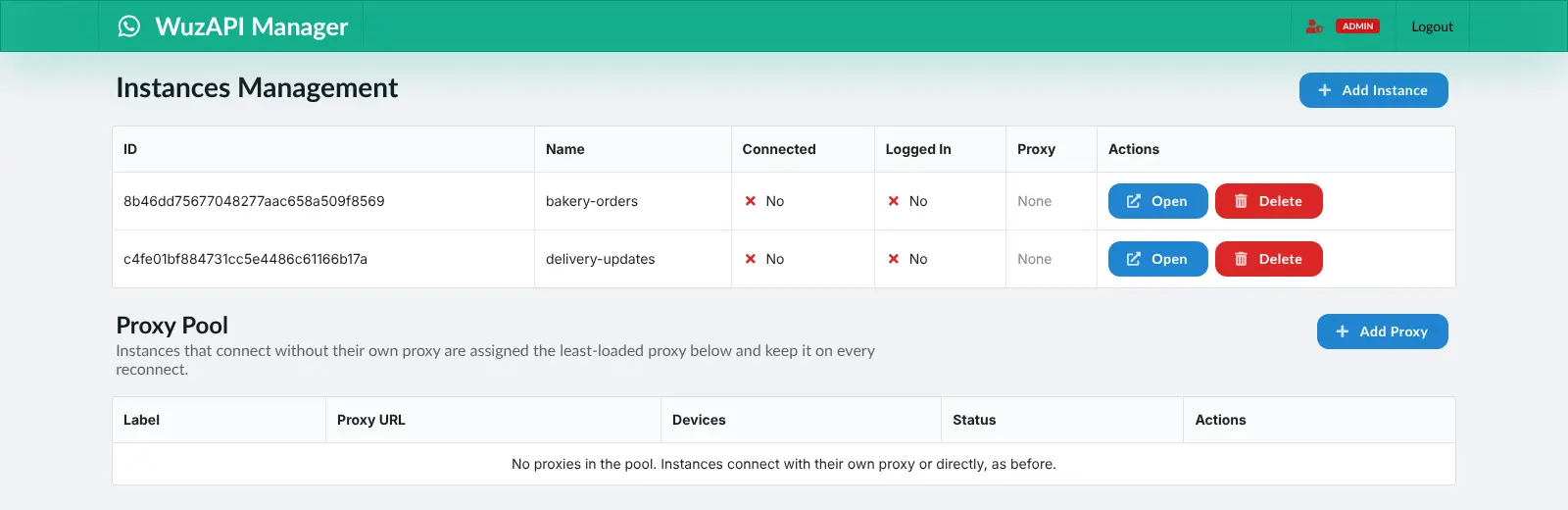
Cloudgate installs WuzAPI on a server Cloudgate provides or one you connect and gives it a secure web address, protected by an admin token. Open the dashboard at /dashboard on that address, add an instance and scan the QR code to link your number.
What you can do with WuzAPI
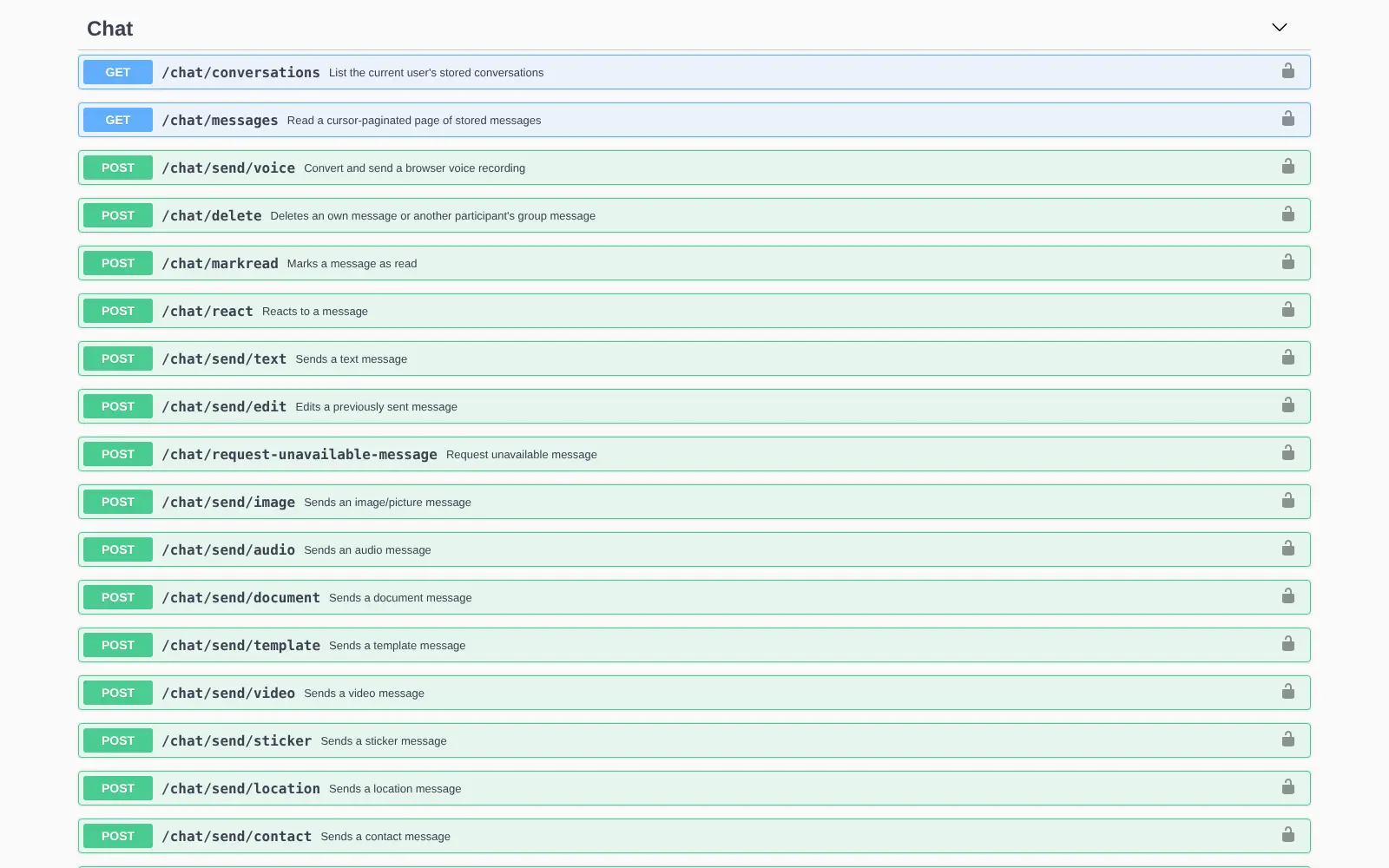
- Send any kind of message Send texts, images, voice notes, documents, videos, stickers, locations, contacts and polls through a simple web API.
- Get incoming messages by webhook Every new message, read receipt and event is posted to your own web address, signed so your app can check it really came from your server.
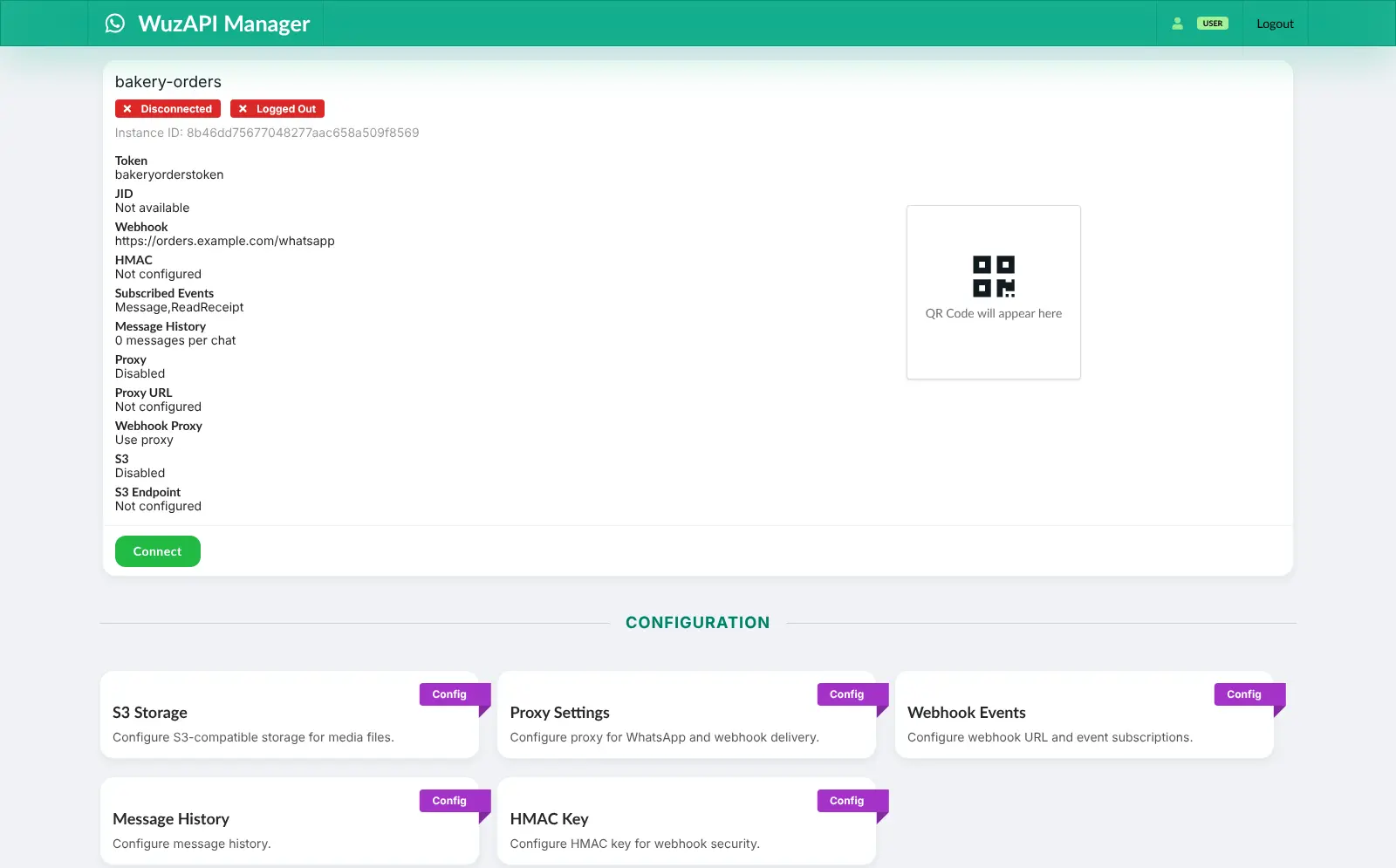
- Link a number by QR code Connect an ordinary WhatsApp number by scanning a QR code, or with a pairing code, as you would for WhatsApp Web.
- Several numbers on one server Add an instance for each WhatsApp number, each with its own access token, webhook and settings.
- Manage it from a dashboard Add and remove instances, connect them, scan QR codes and set webhooks, storage and proxies in a web dashboard.
- Groups and contacts Create groups, manage their members, names, photos and invite links, and check whether a phone number uses WhatsApp.
- Built-in API reference Every endpoint is documented on an interactive page on your own server, where you can try calls before writing code.
Replaces WhatsApp Business API
WuzAPI does the same job as WhatsApp Business API. Here is what changes when you switch.
- No fee per message or conversation, and no message templates to get approved
- Uses the WhatsApp number you already have, linked in a minute
- Messages and media stay on your server
- Open source under the MIT licence, with no paid edition
- It is unofficial, and WhatsApp can ban a number used this way
- No official business verification, green tick or Meta support
- A WhatsApp update can break it until WuzAPI catches up
- It is built for developers, so you need some code to use it
What happens when you click Deploy?
You do not need a server or any technical knowledge. Four steps, and WuzAPI is running at its own web address.
- Step 1 Click Deploy and create your account
Deploy takes you to Cloudgate. Create an account, or log in if you have one. WuzAPI itself is free.
- Step 2 Choose a server
No server? Get one from Cloudgate: pick a size and a country, and Cloudgate gets it ready. Already have one? Connect it instead.
- Step 3 Cloudgate sets up WuzAPI
It prepares the server, makes the passwords the app needs and starts it. There is nothing to install and nothing to write down.
- Step 4 Open your app and sign in
Your app gets a free web address to start, without https. Add your own domain, like app.yourshop.com, and Cloudgate secures it with https for you.
New to Cloudgate? See what Cloudgate is
Run Cloudgate yourself? Deploy from your own console
In your Cloudgate console, open Templates and choose WuzAPI.
Questions
Is WuzAPI an official WhatsApp API?
No. WuzAPI is independent software that is not made by, connected to or endorsed by WhatsApp or Meta. It links to your account as a linked device, like WhatsApp Web, while the official route is Meta's WhatsApp Business Platform.
Can WhatsApp ban my number if I use WuzAPI?
Yes. WuzAPI's own documentation warns that using it against WhatsApp's Terms of Service can get your number banned, and tells businesses with commercial needs to use the WhatsApp Business API instead. Never send spam or bulk messages, and test with a spare number.
Is WuzAPI free?
Yes. WuzAPI is free and open source under the MIT licence, with no paid edition or locked features. You pay only for your server.
Is WuzAPI a good alternative to the WhatsApp Business API?
For a developer sending order updates, alerts or replies to people who expect them, yes. WuzAPI costs nothing per message, needs no approved templates and links a number in a minute. If you message customers in bulk, need a verified business name or cannot risk losing the number, use Meta's official API instead.
How do I connect my WhatsApp number to WuzAPI?
Add /dashboard to your WuzAPI address, since the address on its own shows a short page about the API. Choose Admin Login and sign in with the admin token Cloudgate shows. Add an instance, open it and press Connect, then scan the QR code with WhatsApp on your phone, under Settings, Linked devices.
What is the difference between WuzAPI and WAHA?
Both link a WhatsApp number unofficially and offer a web API with webhooks. WuzAPI is a single small program that talks to WhatsApp directly without a web browser, so it needs little memory, and it is aimed at developers. WAHA has a more polished dashboard and ready-made connections to n8n and Chatwoot.
What server size does WuzAPI need?
A small server with 1 GB of memory is enough. WuzAPI does not run a copy of WhatsApp Web in a browser, so each extra number adds little load.
Do I need technical skills to run WuzAPI?
No. Click Deploy, create your Cloudgate account and choose a server, and Cloudgate sets up WuzAPI and gives it a web address. You use it in your browser like any other online tool.
Do I need my own server for WuzAPI?
No. When you deploy WuzAPI, hosted Cloudgate can provide a server. If you already rent one, you can connect it instead.
Can I move my data from WhatsApp Business API to WuzAPI?
Most people export from WhatsApp Business API and import into WuzAPI. The official guides at github.com walk through it.
Related apps

WhatsApp API with a test console; unofficial, numbers can be banned.

Connect WhatsApp to your chatbots, inbox and apps, unofficially.

A self-hosted WhatsApp API for your own apps, unofficial.

Zapier-style automations between your apps, on your own server.