
R

Open-source alternatives to RSS.app

RSSHub is the free, open-source RSS.app alternative we recommend: it turns websites, social accounts and apps that offer no feed into RSS, Atom or JSON feeds for any feed reader, with no limit on feeds. RSS.app prices its plans by the number of feeds; self-hosted RSSHub has no plans at all, though it works only for sites someone has written a route for and has no point-and-click builder. RSS-Bridge is the other choice when a page has no RSSHub route: its generic bridge makes a feed from the parts of a page you name.

2 alternatives Free apps Our pick: RSSHub

At a glance

App Good for Code Ease of use
RSSHub People who follow news in a feed reader and want feeds from sites and accounts that offer none Code Open source Some setup
RSS-Bridge People who want sites, channels and social accounts with no RSS in their feed reader Code Open source Easy

Why look for an alternative to RSS.app?

RSS.app is an online service that creates RSS feeds from websites and social media accounts that have none, with widgets and bots to show them elsewhere. Its plans are priced by the number of feeds: when we checked in November 2026, the free plan had 2 feeds refreshed once a day, and the paid plans allowed 15, 100 or 500 feeds.

People look for an alternative when they need more feeds than a plan allows, or want them without paying per feed. A self-hosted RSSHub makes as many feeds as you want from the sites its community covers, caches them on your server so the sources aren't visited on every request, and works with any feed reader. RSS-Bridge does the same for pages without a route, from ready-made bridges or the parts of a page you name.

The alternatives, compared

RSSHub

Our pick

RSS feeds for websites and accounts that have none.

Makes feeds from the sites, social accounts and apps that have an RSSHub route, as RSS, Atom or JSON Feed, with filters by keyword, a limit on items and full-text mode for some routes, and no limit on how many feeds you make. It has no point-and-click builder, widgets or bots like RSS.app, routes can break when a site changes until the community fixes them, and routes that need a full web browser don't run in this setup.

What you gain
  • No limit on the number of feeds and no subscription
  • Your feed list and reading habits stay on your own server
  • No paying extra for a faster refresh rate
What is different
  • Only works for sites someone has written a route for; there is no point-and-click feed builder
  • Routes can stop working when a site changes its pages or blocks automated visits, until the community fixes them
  • No widgets, email digests or chat bots; you read the feeds in a separate reader
Some setup Open source

RSS feeds for websites and channels that don't have one.

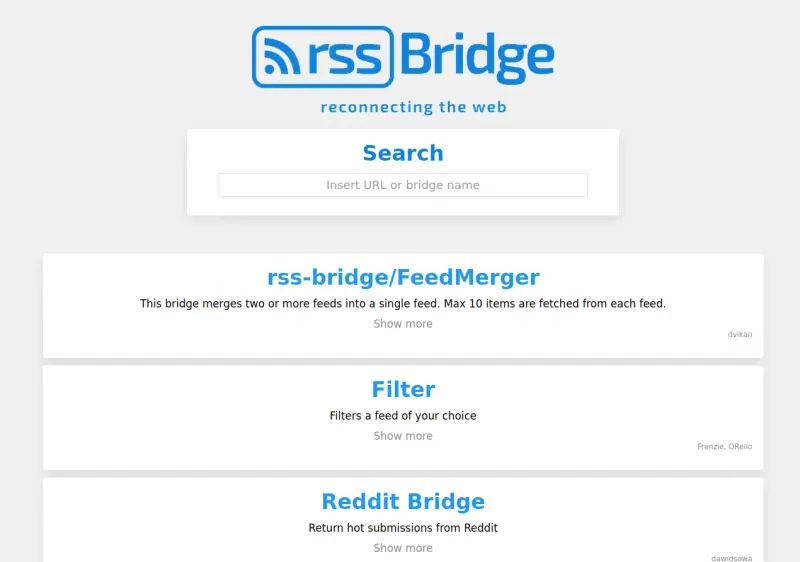
Makes RSS and Atom feeds for sites that have none, with hundreds of ready-made bridges for YouTube, Reddit, Mastodon, Bluesky, public Telegram channels and more, plus a generic bridge that turns any page into a feed from the parts you name. It can also filter and merge feeds. It has no point-and-click picker, no widgets for your website and no reader of its own, and big social sites sometimes block it until the next update.

What you gain
  • No limit on how many feeds you make, and no subscription
  • Hundreds of ready-made bridges for popular sites, not just page scraping
  • The sites you follow are known only to your own server
What is different
  • No point-and-click picker; for a page without a bridge you name the parts to pick up yourself
  • No widgets for embedding feeds on your website
  • Big social sites sometimes block it, so some bridges stop working until the next update
Easy Open source

Moving from RSS.app

There is nothing to import, because RSS.app feeds are addresses on its service. For each feed you follow, look up the source in RSSHub's route list on docs.rsshub.app, build the address from your RSSHub web address and the route, add ?key= with the access key Cloudgate shows on the app's variables page, and swap it for the RSS.app address in your feed reader. The RSSHub Radar browser extension shows the routes for the site you are on. A site with no route needs one written in JavaScript or requested on GitHub, so check your important sources before you cancel RSS.app.

With RSS-Bridge there is nothing to import either: list the feeds you made in RSS.app and the pages or accounts each one follows. In RSS-Bridge, type each address or site name into the search box to find its bridge, fill in the channel, account or page, and choose Generate feed. For a page with no ready-made bridge, use the CSS selector bridge and name the parts to pick up, such as each headline and its link. Copy each new feed link into your feed reader in place of the RSS.app one, then cancel your plan once the new feeds have refreshed.

Questions

What is the best open-source alternative to RSS.app?

Start with RSSHub. If you want something simpler, try RSS-Bridge. Both are free and open source.

Can RSSHub make a feed from any website?

No. RSSHub only covers sites that have a route, written by its community. RSS.app can build a feed from almost any page by pointing and clicking; with RSSHub, a site without a route needs one written in JavaScript or requested on GitHub.

Do I need a feed reader to use RSSHub or RSS-Bridge?

Yes. Both make feeds but do not show them. Add their feed addresses to any reader, such as FreshRSS, Miniflux, Feedly or Inoreader.

Why do some RSSHub feeds stop working?

Because the source site changed its pages or blocked automated visits. Community updates fix the route, sometimes not quickly, and some sources need your own API key or account cookies.

Can RSS-Bridge replace RSS.app's website widgets?

No. RSS-Bridge makes feeds for feed readers and other tools, as Atom, RSS, JSON or plain HTML, but it has no widgets to embed a feed on your website.

Should I choose RSSHub or RSS-Bridge?

Choose RSSHub when the sites you follow already have a route, since it covers many sites and apps with filters and full-text mode. Choose RSS-Bridge when a page has no route: its generic bridge makes a feed from the parts of a page you name. Both are free and work with any feed reader.

Are these RSS.app alternatives really free?

Yes, RSSHub and RSS-Bridge are free. To run them you need Cloudgate and a server. Use hosted Cloudgate, which can also provide the server, or install Cloudgate on a server of your own for free. Cloudgate's plans and prices are at cloudgate.octabyte.io/pricing. One server can run several apps.

Do I need a developer to replace RSS.app?

No. Cloudgate installs the app you choose on your server and gives it a secure web address, and you use it in your browser instead of RSS.app.