

O

Open-source alternatives to OneDrive

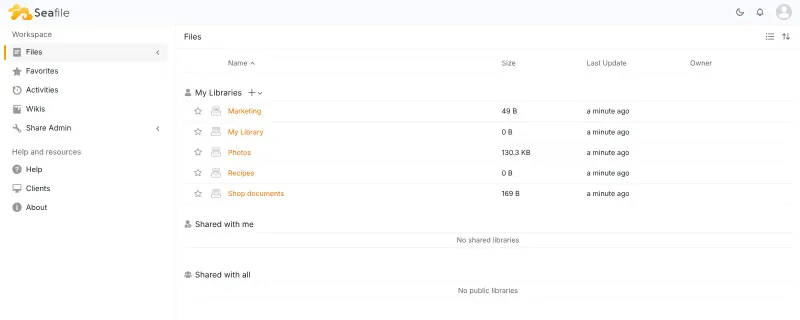
Seafile is a free, open-source OneDrive alternative for syncing and sharing files across Windows, macOS, Linux and phones, with file history and encrypted libraries. OneDrive’s storage comes with Microsoft 365 plans charged per user; self-hosted Seafile has no per-user price, and its storage is your server’s disk.

3 alternatives Free apps Our pick: Seafile

At a glance

App Good for Code Ease of use
Seafile Teams that want fast, dependable file sync and sharing without a full office suite Code Open source Easy
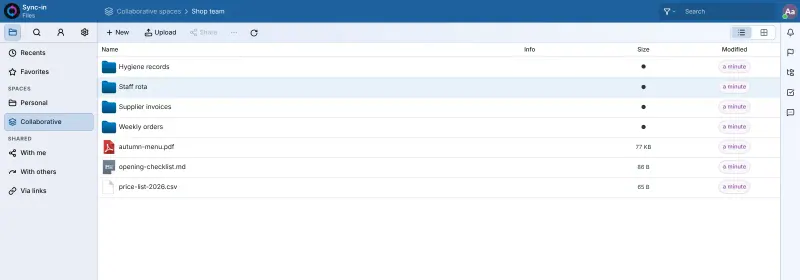
Sync-in Small teams that want a shared drive with tightly controlled share links, without a full office suite Code Open source Easy
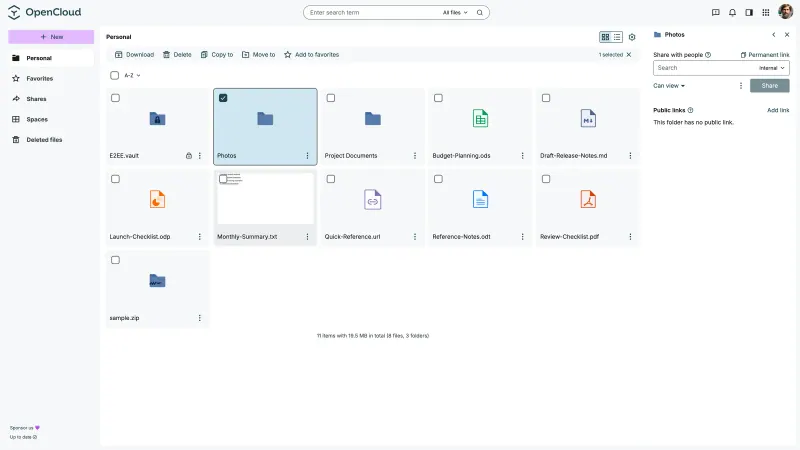
OpenCloud Teams that want fast, focused file sync and shared team drives on a small server Code Open source Easy

Why look for an alternative to OneDrive?

OneDrive is Microsoft's cloud storage, built into Windows and Microsoft 365, for syncing files across devices and sharing them with others.

People look for an alternative because OneDrive's storage comes with Microsoft 365 plans, which businesses pay for per user, and because their files sit on Microsoft's servers. Seafile, OpenCloud and Sync-in sync and share files the same way on your own server, with no price per user and storage as large as your server's disk.

The alternatives, compared

Seafile

Our pick

Fast, self-hosted file sync and sharing for your team.

Syncs files to Windows, macOS and Linux with desktop apps, and phone apps upload photos. You share with links that can have a password and expiry date, or with colleagues and groups, and every file keeps its history. OneDrive edits Office files in the browser and fits into Microsoft 365; Seafile needs a separate office server for that, and its free edition searches file names only.
Easy Open source

File sharing and sync for your team's shared drive.

Keeps folders in sync on Windows, macOS and Linux with its desktop app, and adds team spaces, comments, file locking, search inside documents, and share links with a password, an expiry date and an access limit. Editing Office files in the browser needs a separate Collabora Online or OnlyOffice server. It has no files-on-demand like OneDrive's, no version history yet and no phone app of its own.

Easy Open source

File sync and sharing, with shared drives for each team.

Desktop apps for Windows, macOS and Linux keep files in sync, with files on demand on Windows, and phone apps open your files. You share with colleagues and groups or by link with a password and expiry date, and team files live in shared Spaces. OneDrive edits Office files in the browser and fits into Microsoft 365; this template has no office editor, and search finds file names, not the words inside files.

Easy Open source

Moving from OneDrive

Let the OneDrive app finish syncing so every file is on your computer, then install the Seafile desktop app and sync a library to a folder of your choice. Move your files into that folder and Seafile uploads them. Shared links and permissions do not carry over, so share again from Seafile, then turn off OneDrive syncing. Moving to OpenCloud works the same way through its desktop app; put team folders into Spaces so they stay with the team. With Sync-in, sync your personal space with its desktop app, move the files in, and put team folders into a shared space.

Questions

What is the best open-source alternative to OneDrive?

Start with Seafile. All 3 are free and open source.

Does Seafile sync like OneDrive?

Yes. Desktop apps for Windows, macOS and Linux keep your libraries in sync, and the SeaDrive app shows files without downloading them until you open them.

Should I choose Seafile, OpenCloud or Sync-in?

Choose Seafile for fast, dependable sync with encrypted libraries. Choose OpenCloud if you want shared team drives (Spaces) and a lighter server with no database to look after. Choose Sync-in for a light shared drive with closely controlled share links, if you can do without version history and a phone app.

Can I edit Word and Excel files in Seafile?

Not on its own. Seafile can connect to an OnlyOffice or Collabora server for editing in the browser, which is not part of this template. You can always open files in the apps on your computer.

Are these OneDrive alternatives really free?

Yes, Seafile, Sync-in and OpenCloud are free. To run them you need Cloudgate and a server. Use hosted Cloudgate, which can also provide the server, or install Cloudgate on a server of your own for free. Cloudgate's plans and prices are at cloudgate.octabyte.io/pricing. One server can run several apps.

Do I need a developer to replace OneDrive?

No. Cloudgate installs the app you choose on your server and gives it a secure web address, and you use it in your browser instead of OneDrive.