
Zipline
Share screenshots, files and short links from your own domain.
No server needed to start: Cloudgate can provide one. What happens when you click Deploy
What is Zipline?
Zipline is a self-hosted server for sharing files, screenshots and short links on your own domain, with ShareX uploads, in place of Zight or Droplr.
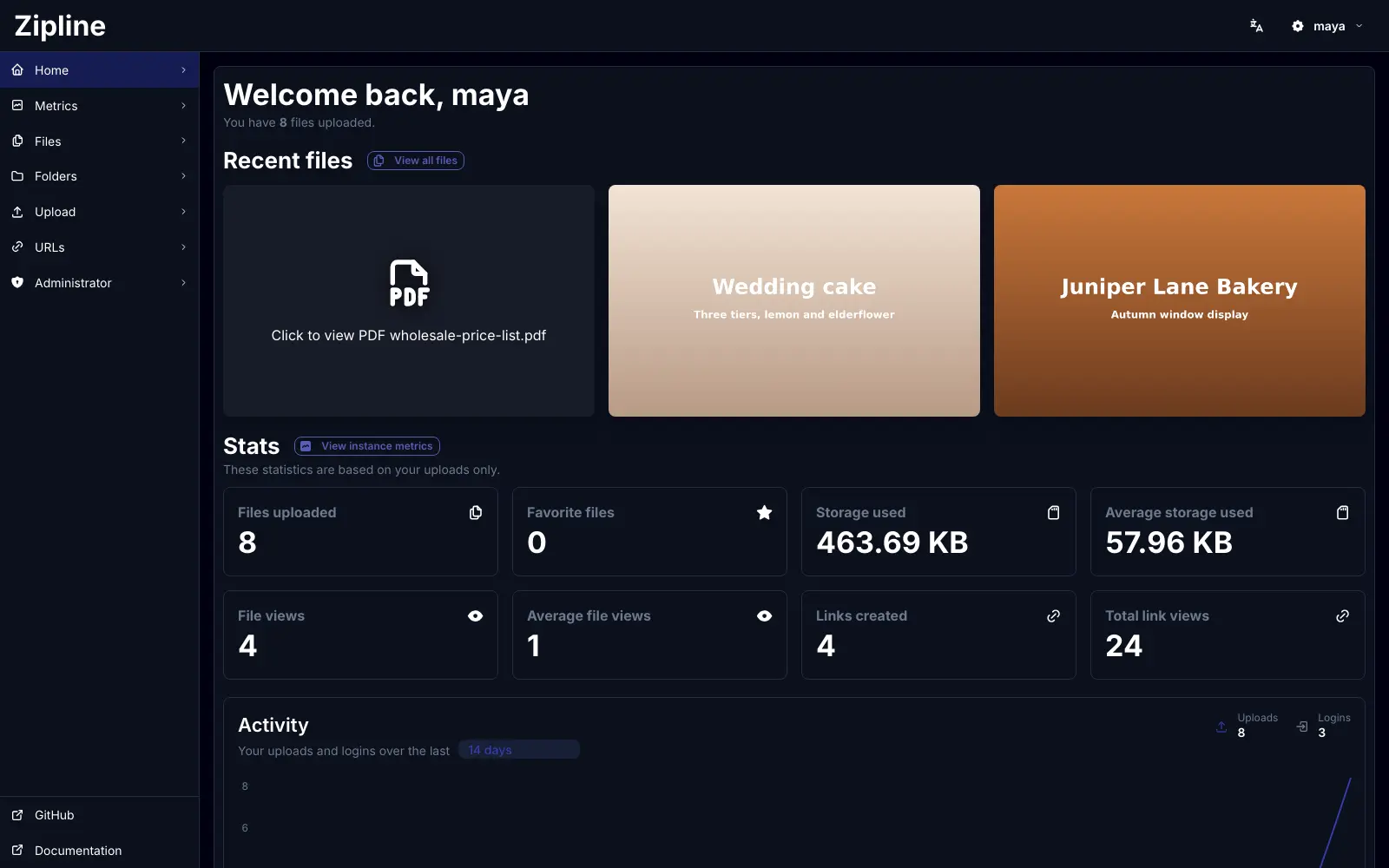
Zipline is a free, open-source, self-hosted server for sharing screenshots, files and short links from your own domain, in place of paid services like Zight (formerly CloudApp) or Droplr. You upload a file from the browser or straight from your screenshot tool, and Zipline gives you a short link to paste into an email, chat or support ticket.
A wedding photographer, for example, could send couples a link to a price list or a sample photo, keep contract templates in a shared folder, and use short links like /go/weddings on business cards. A support team can capture a screen with ShareX and paste the link Zipline sends back straight into a reply. Files can carry a password, or delete themselves after a week or a set number of views.
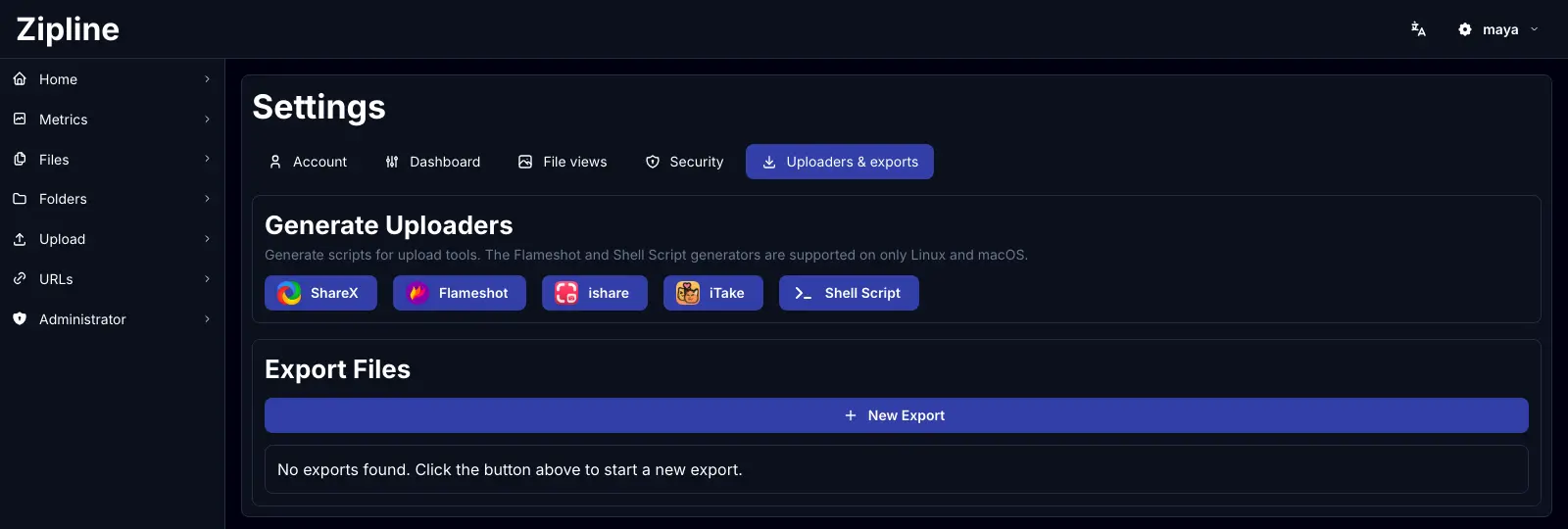
Zipline works with ShareX on Windows, Flameshot on Linux, ishare and iTake on a Mac, an official iPhone shortcut and the xshare app on Android. It has no recorder or annotation tool of its own, so you keep using the capture tool you like.
Cloudgate installs Zipline on a server Cloudgate provides or one you connect, with the database it needs and a secure web address. Open the address, choose your admin account, then download your upload profile from the dashboard.
What you can do with Zipline
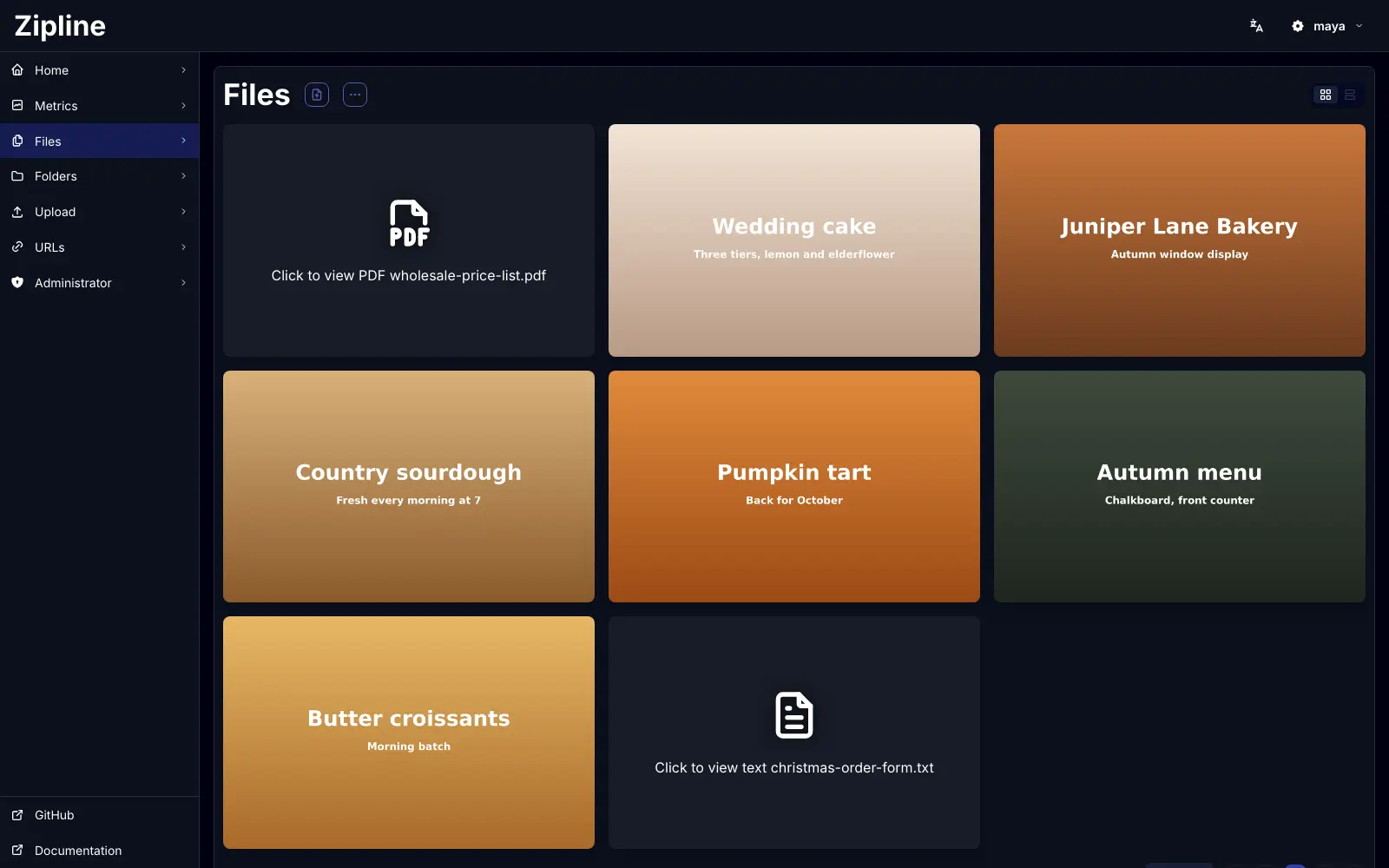
- Share any file with a short link Upload pictures, videos, PDFs or text and get a short link anyone can open, on your own web address.
- Upload straight from your screenshot tool Download a ready-made profile for ShareX on Windows, Flameshot on Linux, ishare or iTake on a Mac, or the iPhone shortcut, and every capture uploads itself.
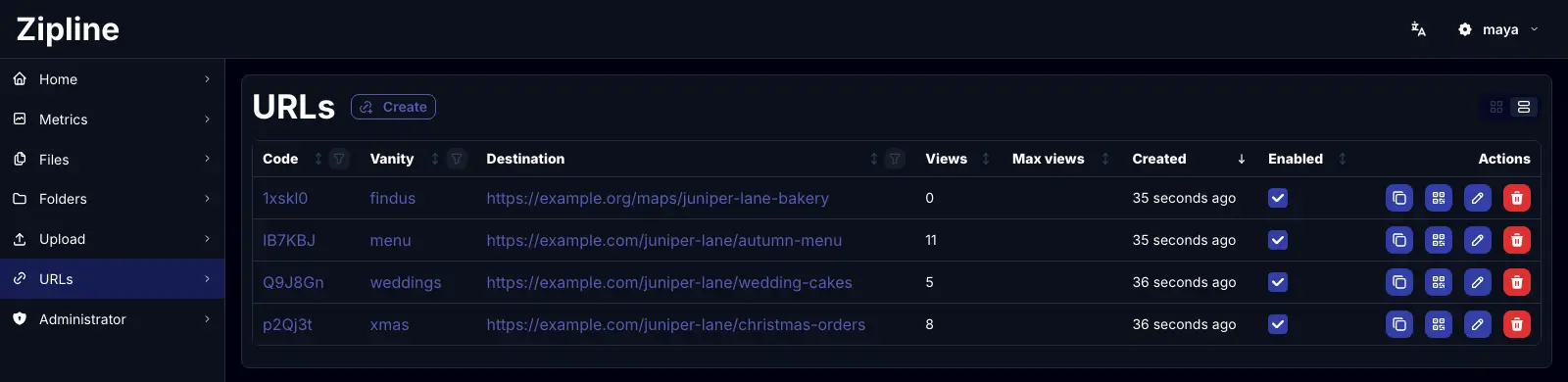
- Shorten web links Turn long web addresses into short links with your own endings, such as /go/menu.
- Keep files tidy Sort uploads into folders and tags, and share a whole folder with one public link.
- Control who sees what Protect a file or link with a password, or let it delete itself after a set time or number of views.
- Invite your team Add colleagues with invite links, set how much each person can upload, and see upload and view numbers on a stats page.
- Sign in safely Use two-step sign-in, passkeys, or sign in with Google, GitHub, Discord or your company's sign-in provider.
Replaces Zight (CloudApp) and Droplr
Zipline does the same job as Zight (CloudApp) and Droplr. Here is what changes when you switch.
- Your files and links live on your own domain and server
- No fee per person, however many colleagues you invite
- Files can expire on their own or after a number of views
- Works with ShareX and the other screenshot tools you already use
- No screen recorder or annotation tool of its own; you pair it with ShareX, Flameshot or a Mac app
- View counts only, not the detailed viewer stats Zight sells
- Your old Zight, CloudApp or Droplr files do not move across on their own
- Storage grows with your server's disk, so large videos fill it faster
What happens when you click Deploy?
You do not need a server or any technical knowledge. Four steps, and Zipline is running at its own web address.
- Step 1 Click Deploy and create your account
Deploy takes you to Cloudgate. Create an account, or log in if you have one. Zipline itself is free.
- Step 2 Choose a server
No server? Get one from Cloudgate: pick a size and a country, and Cloudgate gets it ready. Already have one? Connect it instead.
- Step 3 Cloudgate sets up Zipline
It prepares the server, makes the passwords the app needs and starts it. There is nothing to install and nothing to write down.
- Step 4 Open your app and sign in
Your app gets a free web address to start, without https. Add your own domain, like app.yourshop.com, and Cloudgate secures it with https for you.
New to Cloudgate? See what Cloudgate is
Run Cloudgate yourself? Deploy from your own console
In your Cloudgate console, open Templates and choose Zipline.
Questions
Is Zipline free?
Yes, Zipline is free and open source under the MIT licence, with no paid edition and no fee per user. You pay only for the server it runs on and the space your files take.
Is Zipline a good alternative to Zight (CloudApp)?
Yes, if what you need is sharing screenshots and files as short links on your own domain. Zipline has no screen recorder, GIF maker or annotation tool of its own, so you pair it with a free capture tool such as ShareX, and its stats are view counts rather than detailed viewer reports.
Does Zipline work with ShareX?
Yes, Zipline makes a ready-to-use ShareX profile from your dashboard, so each screenshot you take uploads to your own server and gives you its link. It also makes profiles for Flameshot on Linux, ishare and iTake on a Mac, the xshare app on Android and a command-line script.
How do I sign in to Zipline the first time?
The first time you open Zipline's web address, a setup page asks you to choose the admin username and password. Do this straight after installing, because the first person to reach that page becomes the admin. New sign-ups are closed by default, so you add colleagues with invite links.
Can I import my files from Zight, CloudApp or Droplr?
No, Zipline has no importer for Zight, CloudApp or Droplr. Download the files you want to keep from your old account and upload them to Zipline, then share the new links.
Can I use Zipline on my phone?
Yes, the dashboard works in a phone's browser and can be added to the home screen like an app. On an iPhone or iPad, the official Zipline shortcut uploads files and shortens links from the share menu, and on Android the xshare app can upload to it.
What server size do I need for Zipline?
A small server is enough for most teams, because Zipline is one light app and a database. Plan the disk for your files rather than the app, since videos and large uploads take the most space.
Do I need technical skills to run Zipline?
No. Click Deploy, create your Cloudgate account and choose a server, and Cloudgate sets up Zipline and gives it a web address. You use it in your browser like any other online tool.
Do I need my own server for Zipline?
No. When you deploy Zipline, hosted Cloudgate can provide a server. If you already rent one, you can connect it instead.
Related apps

Upload files and screenshots and share them by link from your server.

Your own web drive to store, preview and share files privately.

File server to send, collect and share large files.

Send large files by link, under your own logo.