
Wizarr
Invite friends to your Plex, Jellyfin or Emby with one link.
No server needed to start: Cloudgate can provide one. What happens when you click Deploy
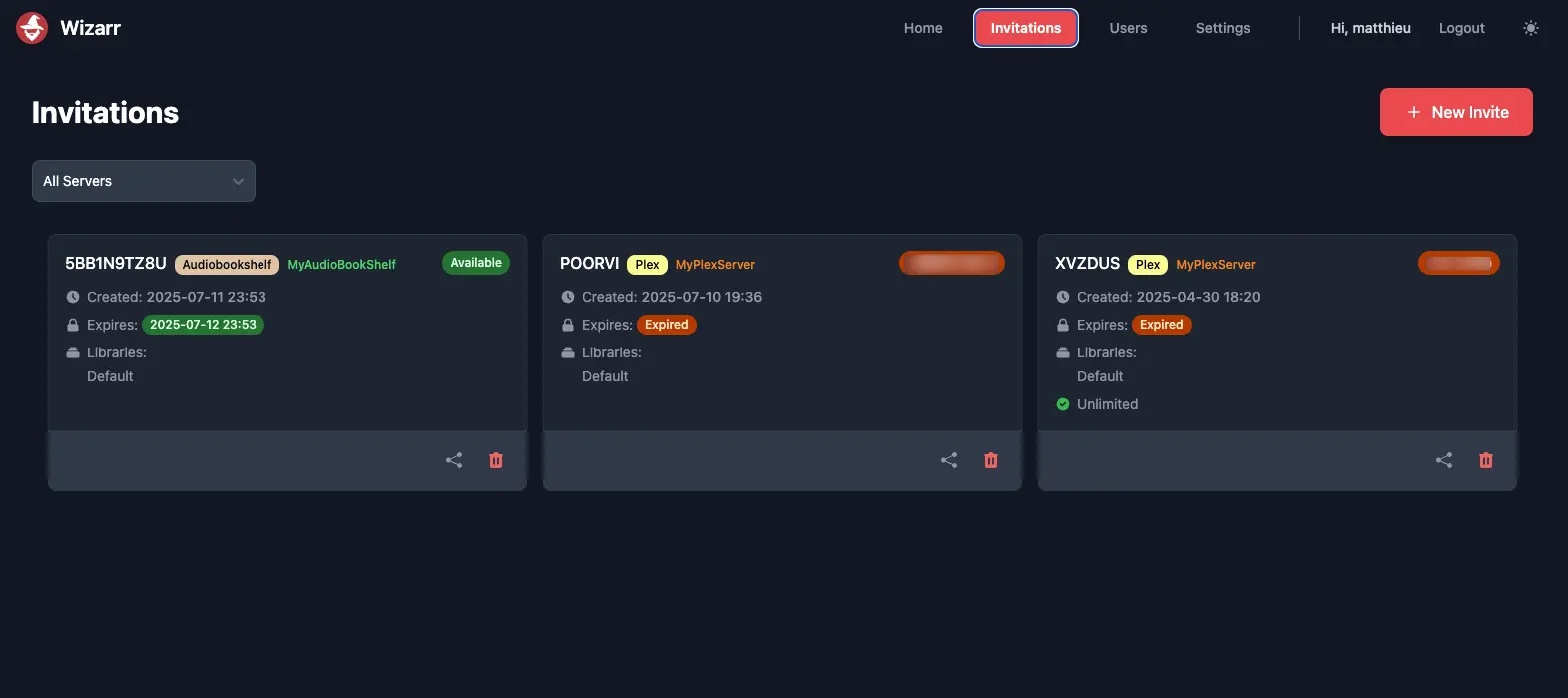

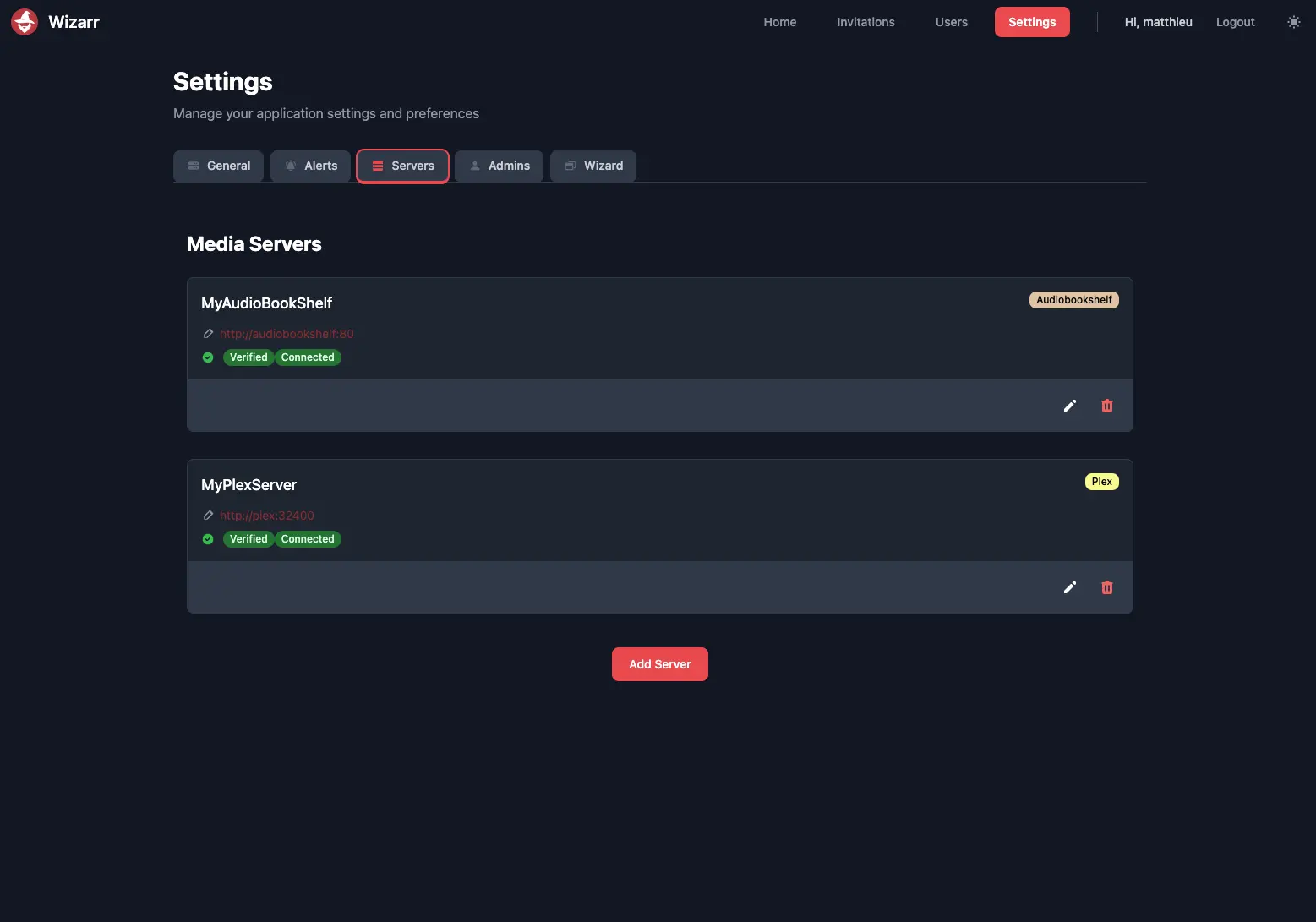

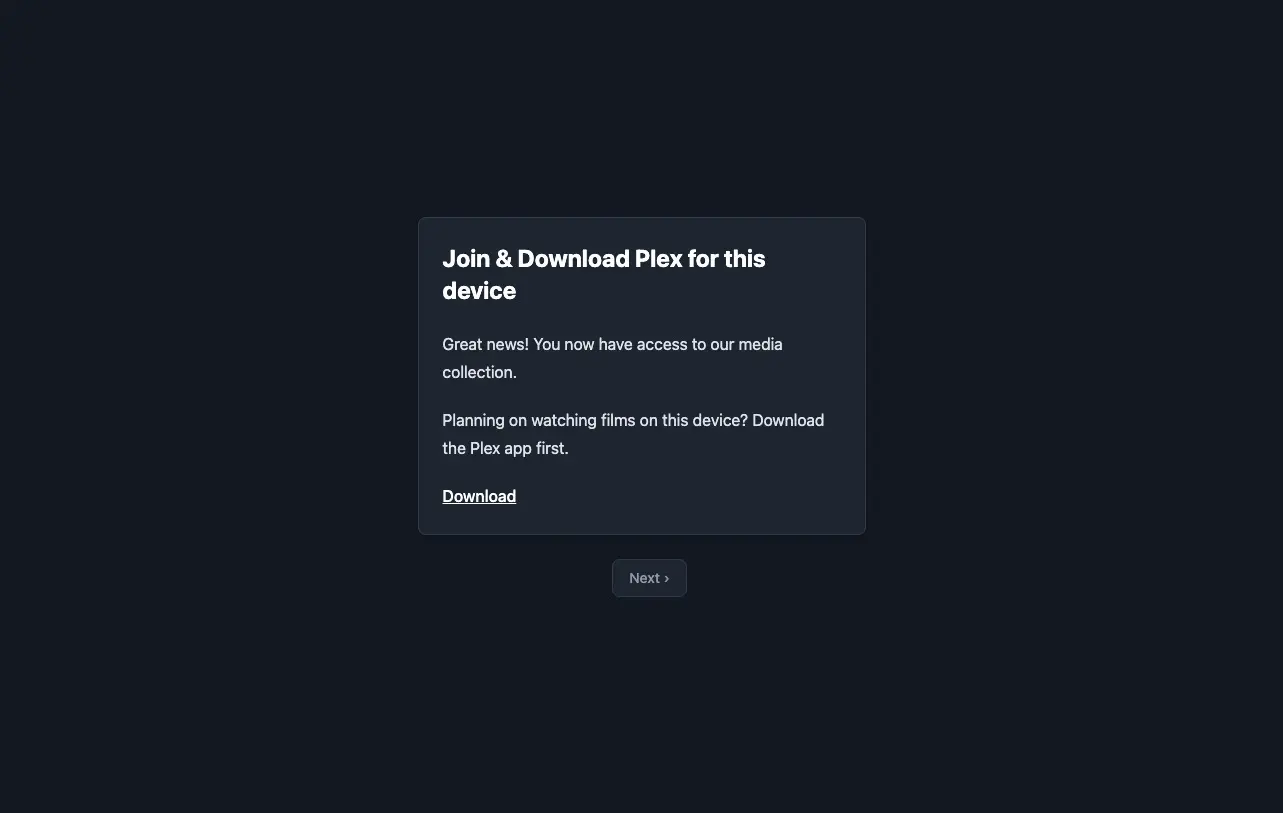

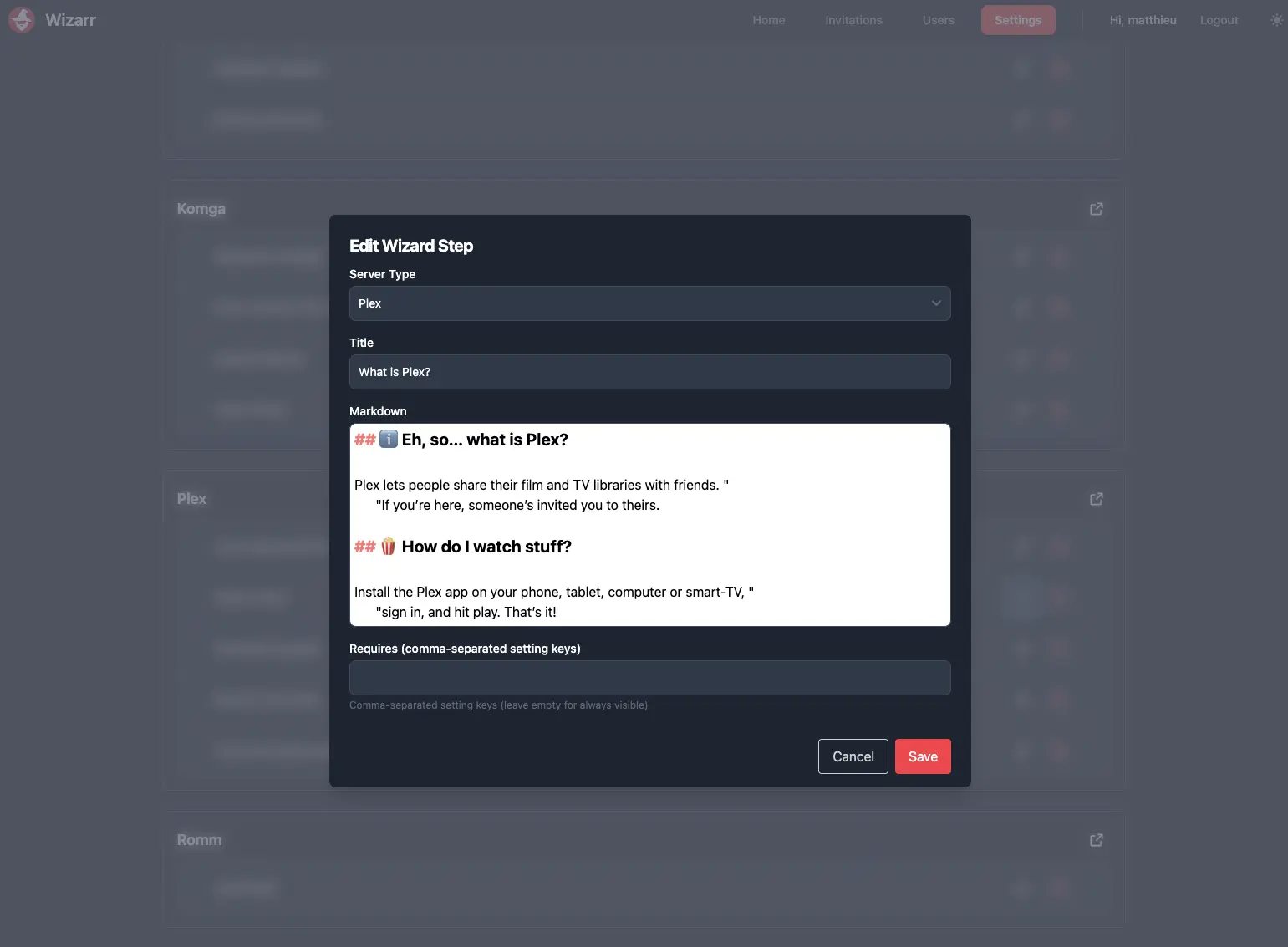

What is Wizarr?
Wizarr is a self-hosted invite tool for Plex, Jellyfin and Emby: send one link and friends get an account and a guide to start watching.
Wizarr is a free, open-source, self-hosted invitation tool for Plex, Jellyfin and Emby that lets friends and family join your media server through one link, instead of you creating each account by hand. It also works with Audiobookshelf, Komga, Kavita and Romm.
You create an invite, choose which libraries it opens and when it expires, and send the link or code. The person creates a login, gets an account on your server, and then sees a short guide you can edit: which app to download, house rules, how to request films, and a link to your Discord. Someone who shares a Jellyfin server with relatives, for example, could send one link to a cousin and let Wizarr handle the account and the app instructions.
Wizarr does not stream anything itself, so you need a media server, such as Jellyfin, already running, plus its web address and API key. Its dashboard lists who joined, when their access ends and whether each server is online, and it can send alerts to Discord, Telegram and other services.
Cloudgate installs Wizarr on a server Cloudgate provides or one you connect and gives it a secure web address. The first person to open that address creates the admin account.
What you can do with Wizarr
- Invite people with one link Create an invite link or code and send it; the person creates a login, or signs in with Plex, and gets an account on your media server.
- Works with the servers you run Invite people to Plex, Jellyfin, Emby, Audiobookshelf, Komga, Kavita and Romm, and to several servers from one place.
- Decide what each invite gives Choose the libraries, allow or block downloads, make a link single-use or unlimited, and make the invite or the membership expire.
- Guide new people step by step After joining, guests see a short guide on which app to download and how to start watching, and you can add your rules before they sign up.
- Point people to requests and Discord Show guests how to request films and shows in Overseerr, Jellyseerr or Ombi, and invite them to your Discord server.
- Keep track of who joined See every user across your servers, when their access ends, what is playing now, and whether each server is online.
- Get told when someone joins Send alerts to Discord, Telegram, ntfy, Pushover and other services.
Compare Wizarr
What happens when you click Deploy?
You do not need a server or any technical knowledge. Four steps, and Wizarr is running at its own web address.
- Step 1 Click Deploy and create your account
Deploy takes you to Cloudgate. Create an account, or log in if you have one. Wizarr itself is free.
- Step 2 Choose a server
No server? Get one from Cloudgate: pick a size and a country, and Cloudgate gets it ready. Already have one? Connect it instead.
- Step 3 Cloudgate sets up Wizarr
It prepares the server, makes the passwords the app needs and starts it. There is nothing to install and nothing to write down.
- Step 4 Open your app and sign in
Your app gets a free web address to start, without https. Add your own domain, like app.yourshop.com, and Cloudgate secures it with https for you.
New to Cloudgate? See what Cloudgate is
Run Cloudgate yourself? Deploy from your own console
In your Cloudgate console, open Templates and choose Wizarr.
Questions
Is Wizarr free?
Yes, Wizarr is free and open source under the MIT licence. You pay only for the small server it runs on.
Do I need my own media server to use Wizarr?
Yes, Wizarr does not play films or music itself. It adds people to a Plex, Jellyfin, Emby, Audiobookshelf, Komga, Kavita or Romm server you already run, using that server's web address and API key, or for Plex a Plex sign-in. That server must be reachable from Wizarr over the internet or your network, for example at its public address.
Which media servers does Wizarr work with?
Wizarr works with Plex, Jellyfin, Emby, Audiobookshelf, Komga, Kavita and Romm. One Wizarr can connect to several of them, and an invite can be for a single server.
How does an invited person join with Wizarr?
They open your invite link or enter the code on your Wizarr page, create their account, and then follow a short guide that shows which app to download and how to start watching. For Plex, they sign in with a Plex account instead.
Can Wizarr invites expire?
Yes, an invite can expire on a date, work once or for any number of people, and give access for a limited time, after which Wizarr removes the person's account from your media server.
How do I sign in to Wizarr the first time?
Wizarr has no default login; the first visit opens a setup page where you create the admin account with a username and password, so open it straight after setup. Then add your media server under Settings, Servers.
What server size do I need for Wizarr?
The smallest server is enough, because Wizarr is one light app with a small built-in database. Your media server does the heavy work.
Do I need technical skills to run Wizarr?
No. Click Deploy, create your Cloudgate account and choose a server, and Cloudgate sets up Wizarr and gives it a web address. You use it in your browser like any other online tool.
Do I need my own server for Wizarr?
No. When you deploy Wizarr, hosted Cloudgate can provide a server. If you already rent one, you can connect it instead.
Related apps

Podcast hosting with your own feed, website and stats.

Share your game clips and videos with a link, from your own server.

A self-hosted media server for your family's films and home videos.

Watch history and statistics for your Jellyfin media server.