
Castopod
Podcast hosting with your own feed, website and stats.
No server needed to start: Cloudgate can provide one. What happens when you click Deploy
What is Castopod?
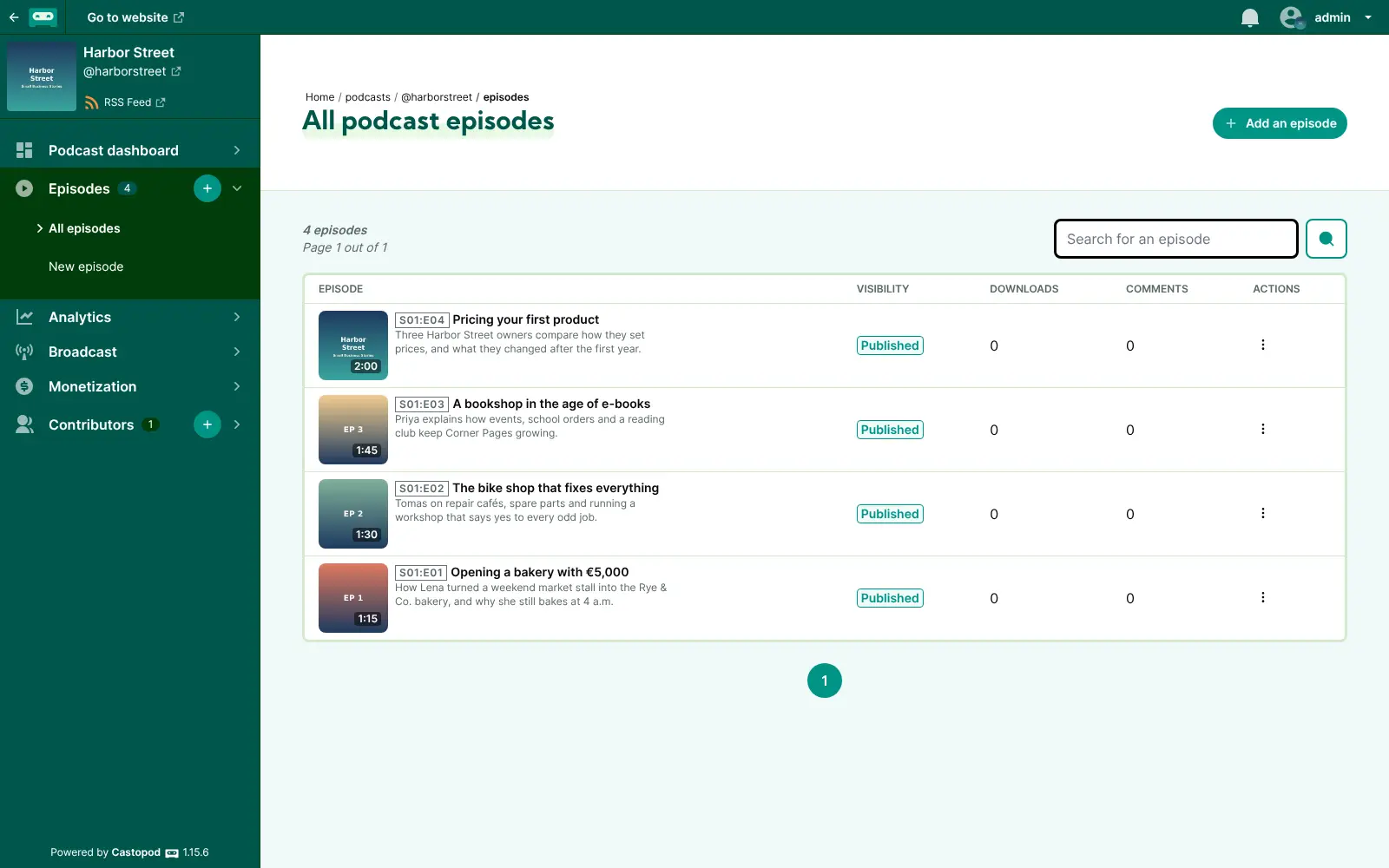
Castopod is self-hosted podcast hosting: publish episodes, get an RSS feed for every podcast app, a public podcast page and listener stats.
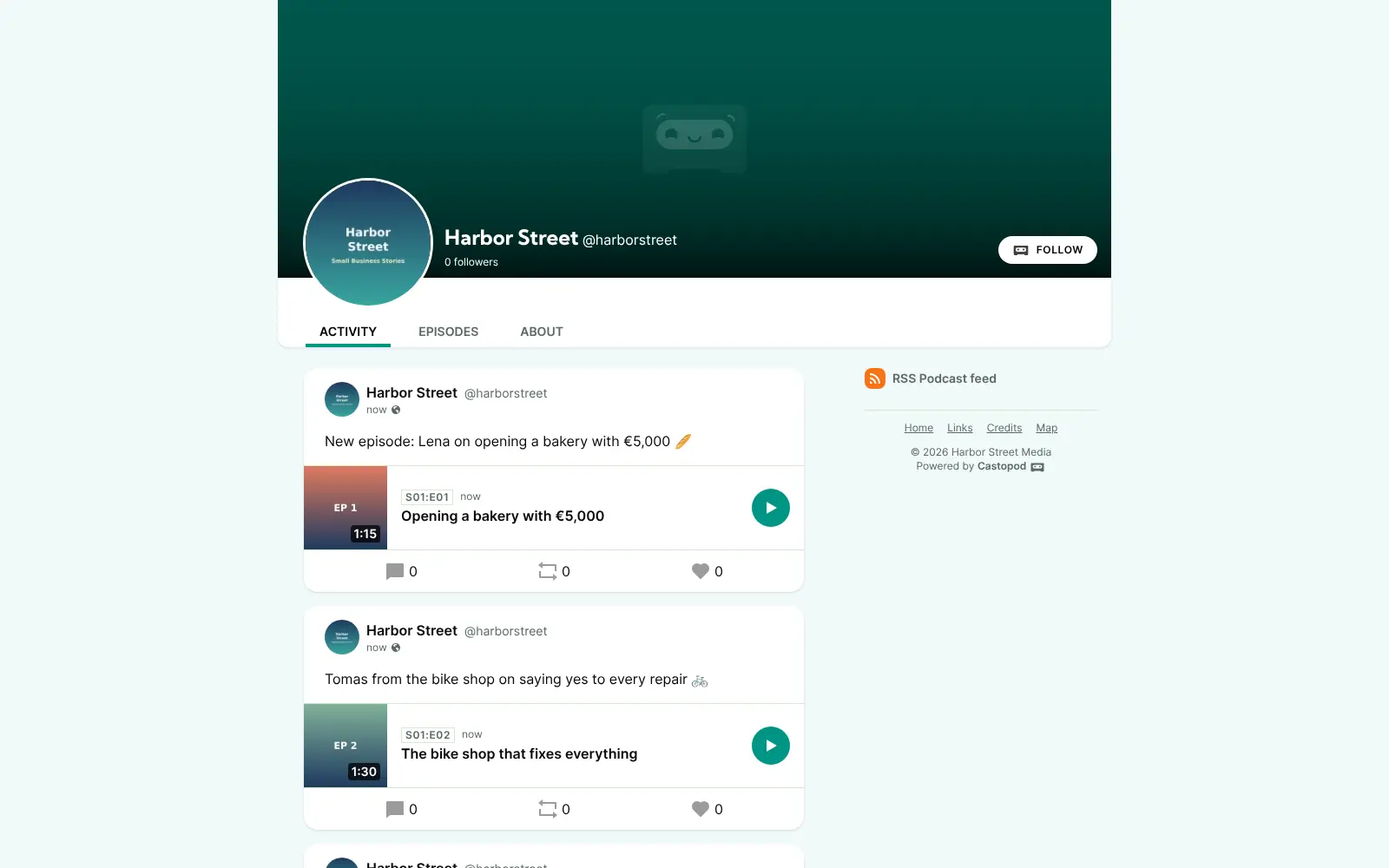
Castopod is free, open-source, self-hosted podcast hosting: you upload your episodes, and it publishes your podcast's RSS feed, a public podcast website and listener statistics from your own server, much like Buzzsprout or Transistor. Apple Podcasts, Spotify and other podcast apps read the feed, so listeners find you where they already listen.
There are no upload-hour or download limits, and one Castopod can host several shows. A local history society, for example, could publish a monthly interview series and a short weekly news show side by side, see which episodes get the most listens, and let members follow and comment from Mastodon. Already podcasting elsewhere? Castopod imports your show from its RSS feed.
Castopod is part of the fediverse, supports Podcasting 2.0 features such as transcripts, chapters and funding links, and gives each podcast an embeddable player. There is no phone app; listeners use any podcast app.
Cloudgate installs Castopod on a server Cloudgate provides or one you connect, together with its database, and gives it a secure web address. Open the address followed by /cp-install right after setup to create the super admin. A new podcast stays in draft until you publish it, and your audio is stored on your server.
What you can do with Castopod
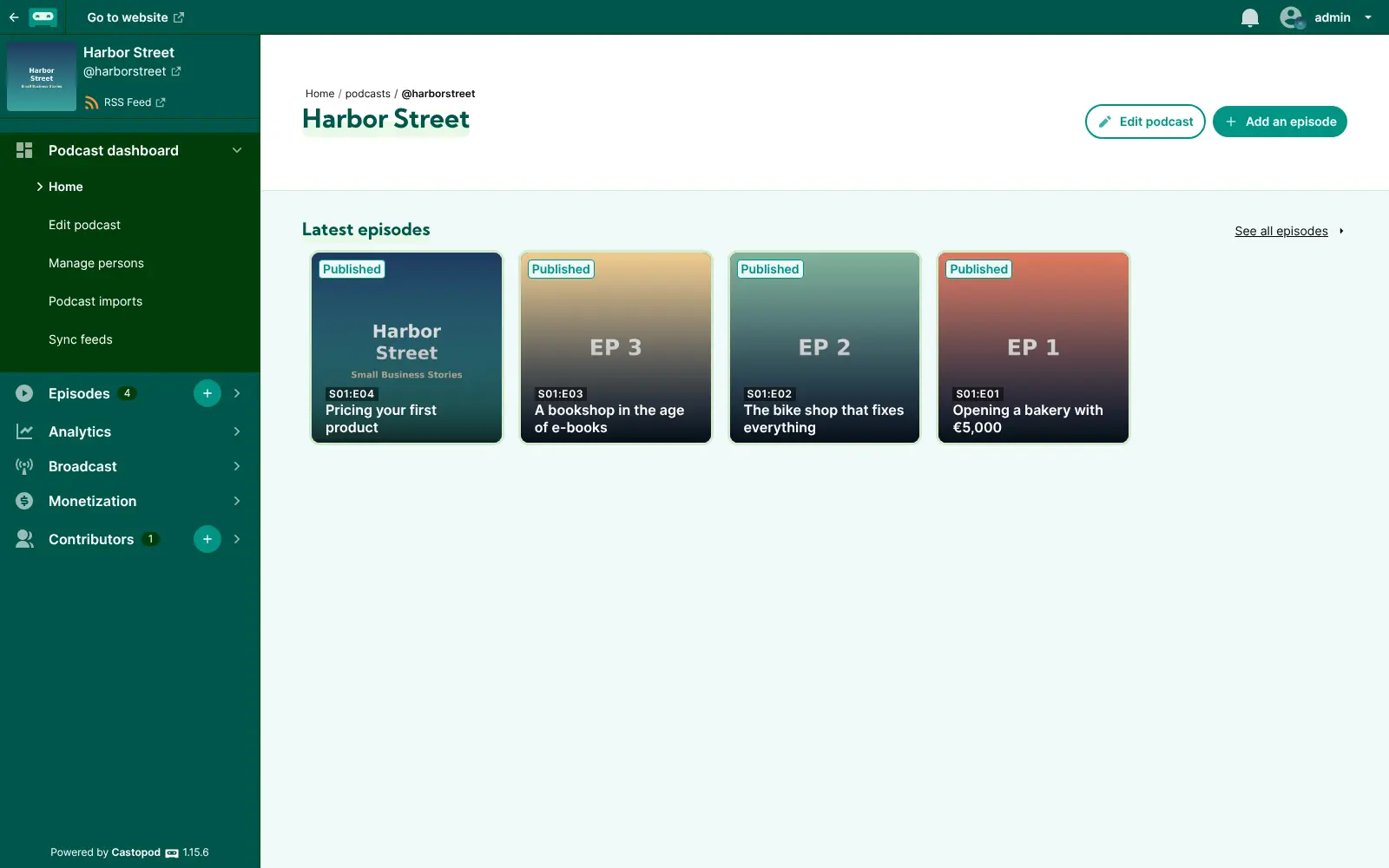
- Publish episodes Upload each episode with its artwork, season and episode number, and publish it to your feed.
- One feed for every podcast app Each podcast gets an RSS feed that Apple Podcasts, Spotify and other podcast apps read.
- A public page for your show Listeners get a podcast website with every episode, a player you can embed on other sites, and your own colours.
- See who is listening Built-in stats show downloads, listeners, apps, devices and countries, measured on your own server.
- Reach the fediverse People on Mastodon and similar networks can follow your podcast, comment on episodes and share them.
- Bring your podcast with you Import an existing podcast from its RSS feed, episodes included, and move it out again whenever you like.
- Run several shows and a team Host as many podcasts as you like on one install, with super admin, manager and podcaster roles.
- Earn from your show Add funding links and ads, or offer premium episodes for subscribers only.
Replaces Buzzsprout and Transistor
Castopod does the same job as Buzzsprout and Transistor. Here is what changes when you switch.
- No upload-hour or download caps beyond what your server can handle
- Your audio, feed and listener data stay on your own server
- Unlimited podcasts and premium episodes at no extra cost
- Fediverse followers and comments built in
- You pay for your server's storage and bandwidth, and there is no built-in content delivery network
- Video is limited to short clips; full video episodes are not published to YouTube
- You submit your RSS feed to Apple Podcasts and Spotify yourself, once
- Password resets and invitations by email need an email server added later
What happens when you click Deploy?
You do not need a server or any technical knowledge. Four steps, and Castopod is running at its own web address.
- Step 1 Click Deploy and create your account
Deploy takes you to Cloudgate. Create an account, or log in if you have one. Castopod itself is free.
- Step 2 Choose a server
No server? Get one from Cloudgate: pick a size and a country, and Cloudgate gets it ready. Already have one? Connect it instead.
- Step 3 Cloudgate sets up Castopod
It prepares the server, makes the passwords the app needs and starts it. There is nothing to install and nothing to write down.
- Step 4 Open your app and sign in
Your app gets a free web address to start, without https. Add your own domain, like app.yourshop.com, and Cloudgate secures it with https for you.
New to Cloudgate? See what Cloudgate is
Run Cloudgate yourself? Deploy from your own console
In your Cloudgate console, open Templates and choose Castopod.
Questions
Is Castopod free?
Yes, Castopod is free and open source under the AGPL-3.0 licence, with every feature included. You pay only for your server; its makers also sell managed hosting if you would rather not run it yourself.
Is Castopod a good alternative to Buzzsprout or Transistor?
Yes, Castopod is a good Buzzsprout or Transistor alternative if you want to own your podcast and not pay per upload hour or per download. Castopod gives you an RSS feed, a podcast website, listener stats and unlimited shows; in return you run the server and pay for its storage and bandwidth.
Can I move my existing podcast to Castopod?
Yes, Castopod imports an existing podcast from its RSS feed, including its episodes. After the import, set up a redirect to your new feed at your old host so listeners and podcast apps follow you.
How do I sign in to Castopod the first time?
There is no default password; you create the super admin account yourself by opening your Castopod web address followed by /cp-install. Do it right after setup, because whoever opens that page first becomes the super admin; afterwards you sign in at /cp-auth/login.
Will my podcast be on Apple Podcasts and Spotify?
Yes, once you submit your Castopod RSS feed to each directory, which you do once per podcast. A new podcast stays in draft until you publish it, so publish it before you submit the feed.
Does Castopod show listener statistics?
Yes, Castopod has built-in analytics for downloads, unique listeners, listening apps, devices and locations, using the IAB v2 measurement standard. The statistics are worked out on your own server, with no third party involved.
What server size do I need for Castopod?
A small server with 1 GB of memory is enough to run Castopod. Your audio files are stored on the server's disk, so plan the disk for your episodes, and expect traffic to grow with your audience.
Do I need technical skills to run Castopod?
No. Click Deploy, create your Cloudgate account and choose a server, and Cloudgate sets up Castopod and gives it a web address. You use it in your browser like any other online tool.
Do I need my own server for Castopod?
No. When you deploy Castopod, hosted Cloudgate can provide a server. If you already rent one, you can connect it instead.
Related apps
Share your game clips and videos with a link, from your own server.
A self-hosted media server for your family's films and home videos.

Watch history and statistics for your Jellyfin media server.

Stream your own films, series and anime, with no renaming.