
Jellystat
Watch history and statistics for your Jellyfin media server.
No server needed to start: Cloudgate can provide one. What happens when you click Deploy
What is Jellystat?
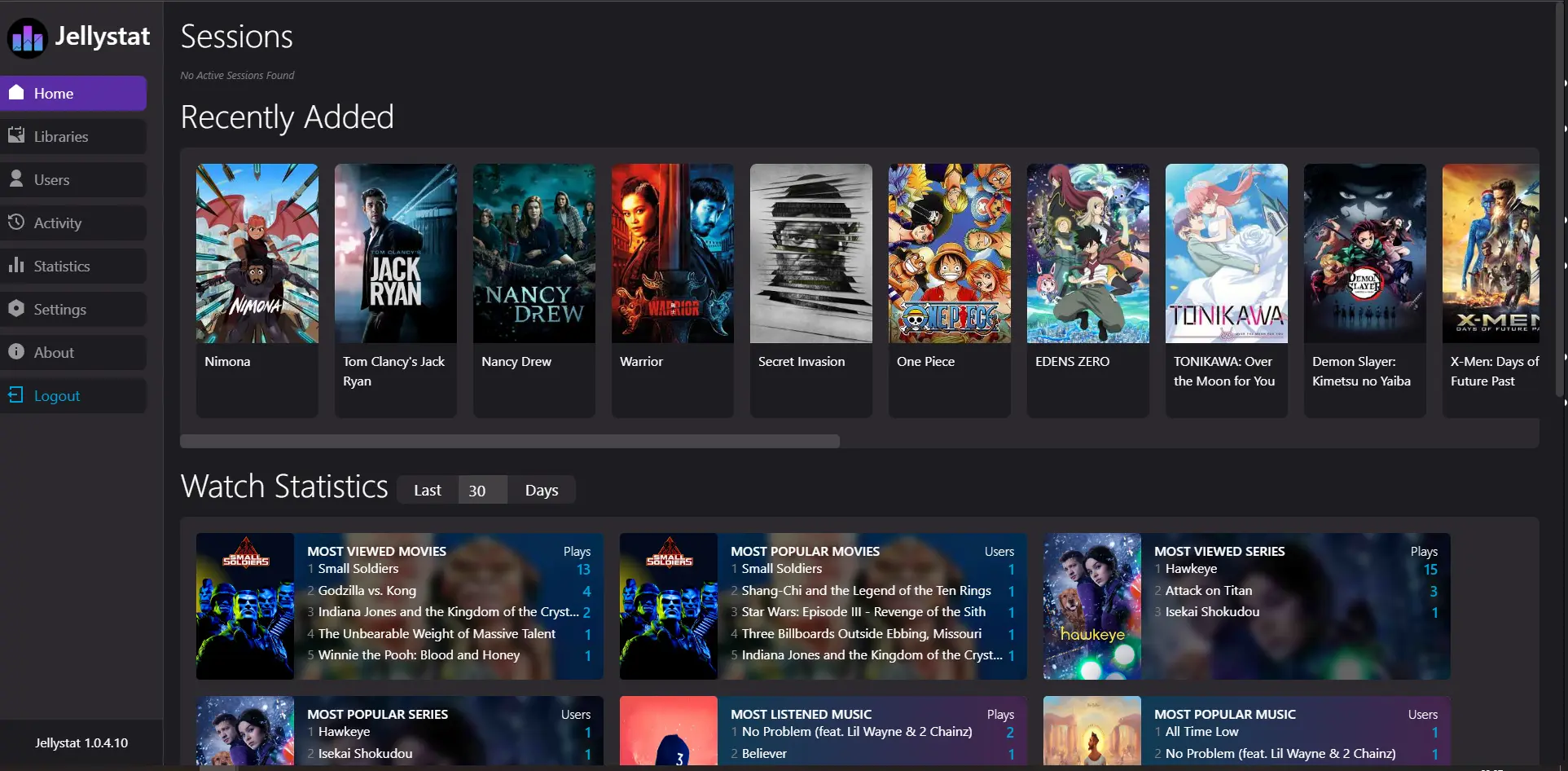
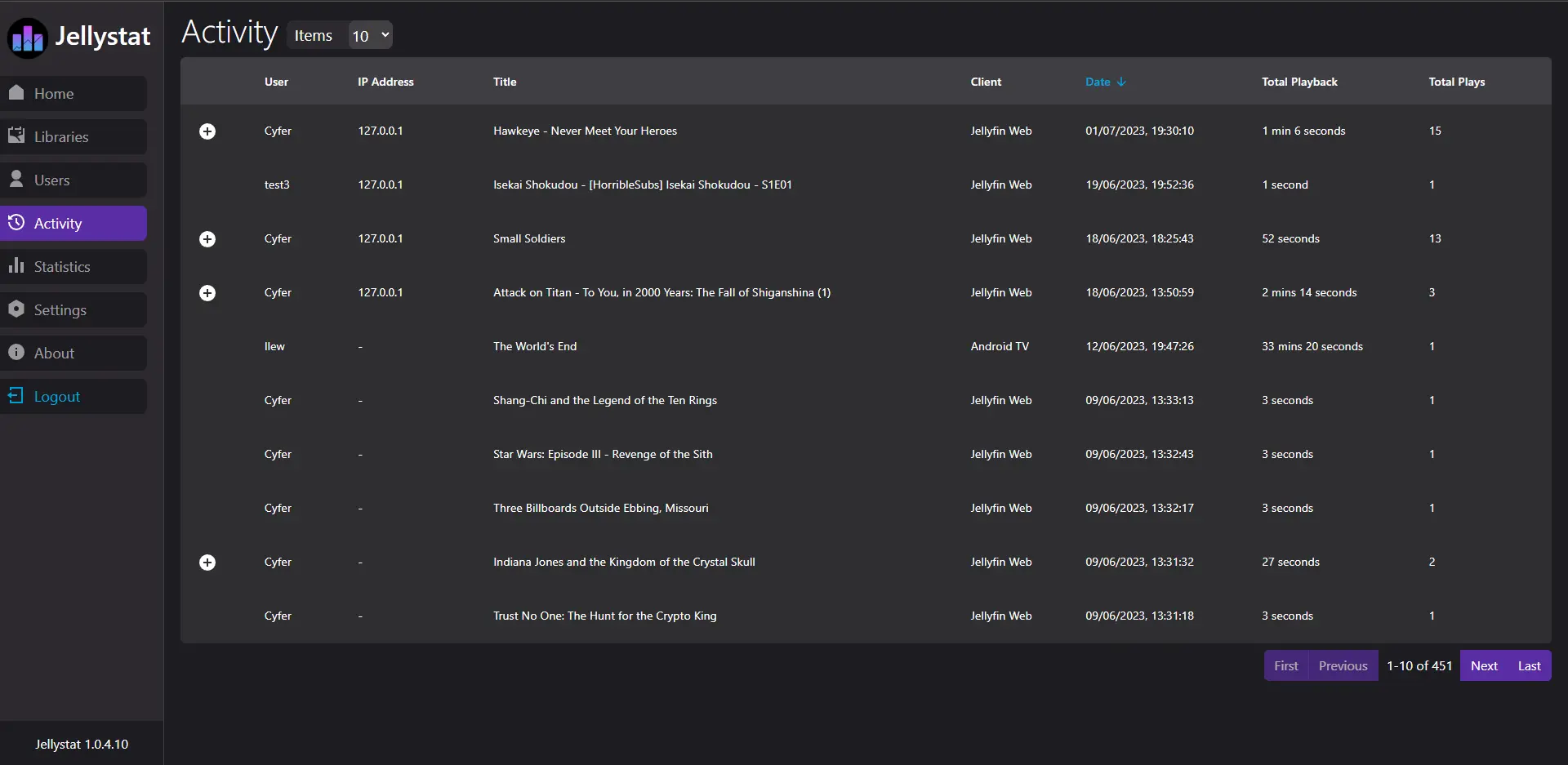
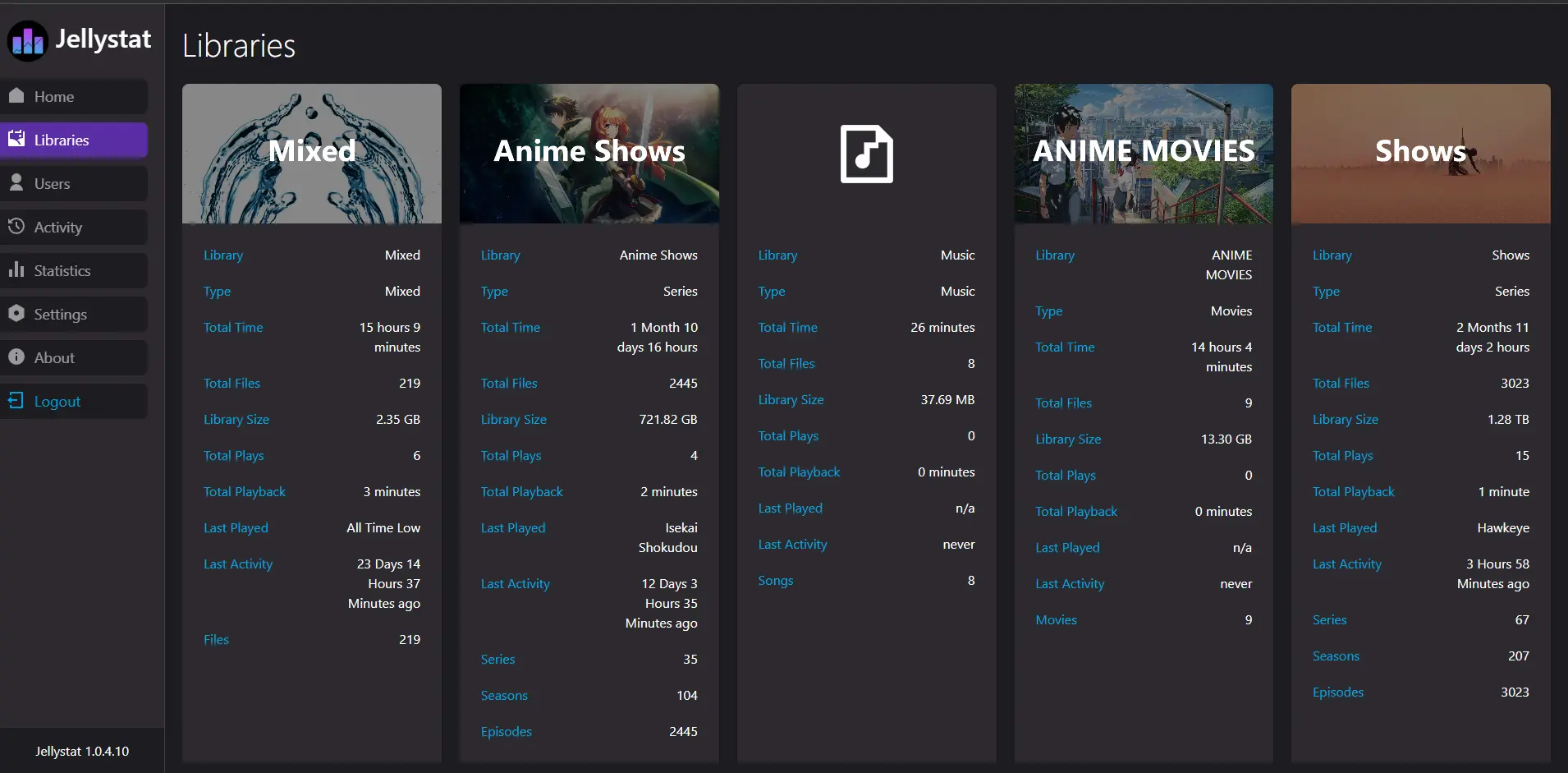
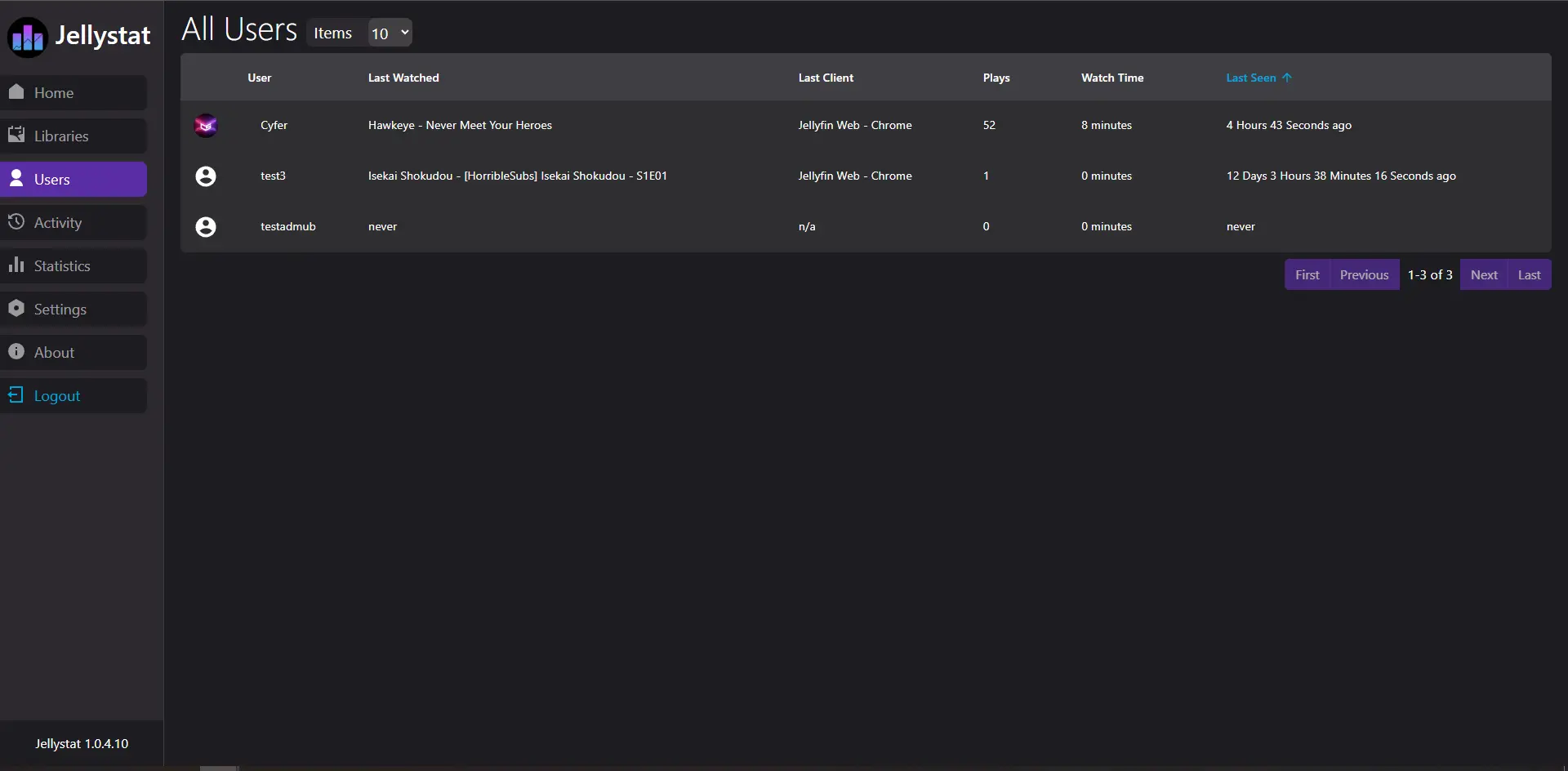
Self-hosted Jellystat: watch history and statistics for your Jellyfin media server, with live sessions and per-library and per-user stats.
Jellystat is a free, self-hosted statistics app for Jellyfin that shows who watched what, when and on which device, much like Tautulli does for Plex. It connects to your Jellyfin server, keeps a full watch history and adds statistics for each library and each person.
You see live sessions as they happen, the most watched films, series and music for any period you choose, and how big each library is and how much it gets used. A family can check which series the children actually finish before buying the next season, and a small club or B&B that shares its Jellyfin with guests can see which titles get played and on which TVs.
Jellystat is an add-on: it reads from Jellyfin (or Emby) through an API key and never stores or streams the videos itself. It can import older plays recorded by Jellyfin's Playback Reporting plugin, and it can back up its own data. The pages are made for a computer screen.
Cloudgate installs Jellystat on your server with the database it needs and gives it a secure web address. On first visit, create your Jellystat login, then connect it to your Jellyfin server.
What you can do with Jellystat
- See who is watching now The home page lists live playback sessions on your Jellyfin server as they happen.
- Keep a full watch history Every play is logged with the person, the title, the device or app, the date and how long they watched.
- Statistics for every library Each library shows its size, number of files, total plays and total watch time.
- Follow each viewer See what each person watched last, on which app, how many plays and how much time in total.
- Spot the favourites Most viewed and most popular films, series and music over the last 30 days, or any number of days you choose.
- Bring in older history Import plays already recorded by Jellyfin's Playback Reporting plugin, and stay in sync with your libraries automatically.
- Back up your statistics Make a backup of Jellystat's data and restore it later from the settings page.
Compare Jellystat
What happens when you click Deploy?
You do not need a server or any technical knowledge. Four steps, and Jellystat is running at its own web address.
- Step 1 Click Deploy and create your account
Deploy takes you to Cloudgate. Create an account, or log in if you have one. Jellystat itself is free.
- Step 2 Choose a server
No server? Get one from Cloudgate: pick a size and a country, and Cloudgate gets it ready. Already have one? Connect it instead.
- Step 3 Cloudgate sets up Jellystat
It prepares the server, makes the passwords the app needs and starts it. There is nothing to install and nothing to write down.
- Step 4 Open your app and sign in
Your app gets a free web address to start, without https. Add your own domain, like app.yourshop.com, and Cloudgate secures it with https for you.
New to Cloudgate? See what Cloudgate is
Run Cloudgate yourself? Deploy from your own console
In your Cloudgate console, open Templates and choose Jellystat.
Questions
Is Jellystat free?
Yes, Jellystat is free and open source under the MIT licence, with no paid edition. You pay only for the server it runs on.
Is Jellystat like Tautulli for Jellyfin?
Yes, Jellystat does for Jellyfin much of what Tautulli does for Plex. It logs every play, shows who is watching now and adds statistics for each library and each person.
Do I need Jellyfin to use Jellystat?
Yes, Jellystat only reads data from a Jellyfin server, or from an Emby server with one setting changed. It doesn't play or store any films itself, so run it next to your media server.
How do I sign in to Jellystat the first time?
The first visit asks you to create a Jellystat username and password, separate from your Jellyfin accounts. You then enter your Jellyfin address and an API key, which you make in Jellyfin under Dashboard, API Keys.
Can Jellystat show plays from before I installed it?
Yes, if Jellyfin's Playback Reporting plugin has been recording them. Jellystat can import that older history; otherwise it starts counting from the first sync.
Does Jellystat work on a phone?
Partly. Jellystat opens in a phone's browser, but the pages are laid out for a computer screen, and making them fit phones is still on the project's to-do list.
What server size do I need for Jellystat?
A small server is enough, because Jellystat is one light app plus a PostgreSQL database and never handles the video itself. Cloudgate sets up both.
Do I need technical skills to run Jellystat?
No. Click Deploy, create your Cloudgate account and choose a server, and Cloudgate sets up Jellystat and gives it a web address. You use it in your browser like any other online tool.
Do I need my own server for Jellystat?
No. When you deploy Jellystat, hosted Cloudgate can provide a server. If you already rent one, you can connect it instead.
Related apps

A self-hosted media server for your family's films and home videos.

Podcast hosting with your own feed, website and stats.

Share your game clips and videos with a link, from your own server.

Stream your own films, series and anime, with no renaming.