
TYPO3
A CMS for large, multilingual sites with many editors.
No server needed to start: Cloudgate can provide one. What happens when you click Deploy



What is TYPO3?
Self-hosted TYPO3, the open-source CMS for large, multilingual websites with many editors, workspaces and detailed permissions.
TYPO3 is a free, open-source, self-hosted content management system for large websites, and an alternative to enterprise platforms such as Sitecore and Adobe Experience Manager. It runs big sites with many pages, many editors and several languages, with no licence fees, on your own server.
Editors work in a browser backend built around a page tree. They add content blocks, translate pages, and prepare changes in a workspace that someone else approves before it goes live, while editor groups decide who can change which pages. A school group, for example, could run one website per school from a single TYPO3, in two languages, with each school's staff able to edit only their own pages.
TYPO3 13 is a long-term support release with free updates until the end of 2027. Most organisations have a web agency or developer build the design and content types; after that, editors need no coding. Extensions from the official repository add news, events and more.
Cloudgate installs TYPO3 on a server Cloudgate provides or one you connect, together with its database, and gives it a secure web address. TYPO3 publishes no official Docker image, so Cloudgate uses a community-maintained one. Open that address straight away and run the install wizard to create your admin account.
What you can do with TYPO3
- Organise pages in a tree Every page sits in one page tree, and editors add text, images, tables, menus and forms as content blocks.
- Publish in several languages Translate each page and content block, and run several websites from one TYPO3.
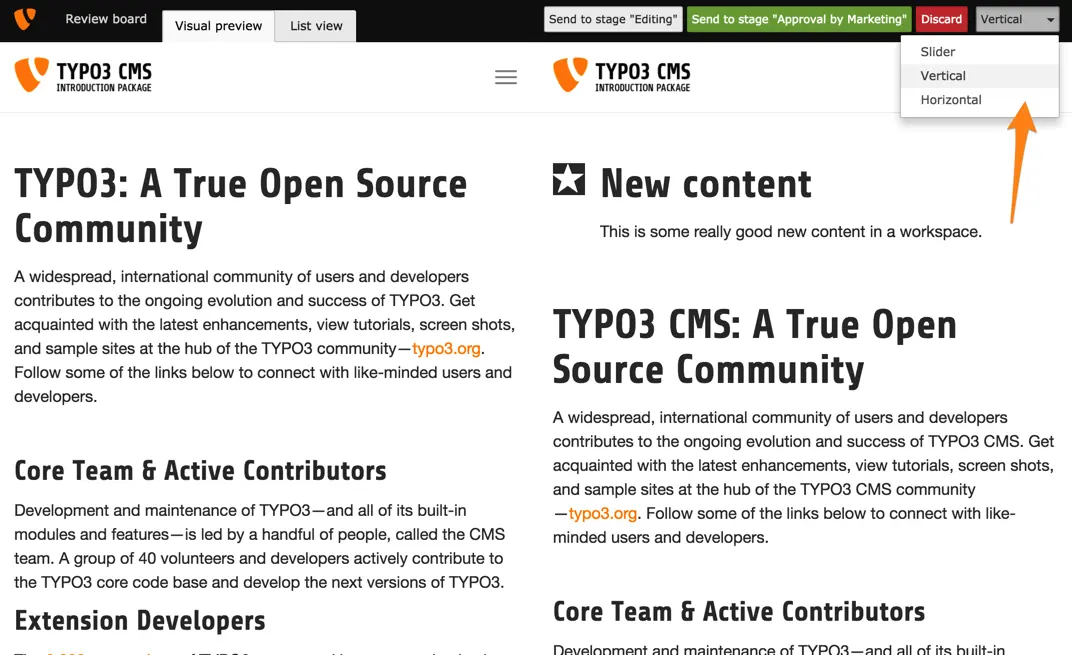
- Review before publishing Workspaces let editors prepare changes as drafts, compare them with the live site and send them for approval.
- Control what each editor can do Editor groups decide which pages, content types and fields each person can see and change.
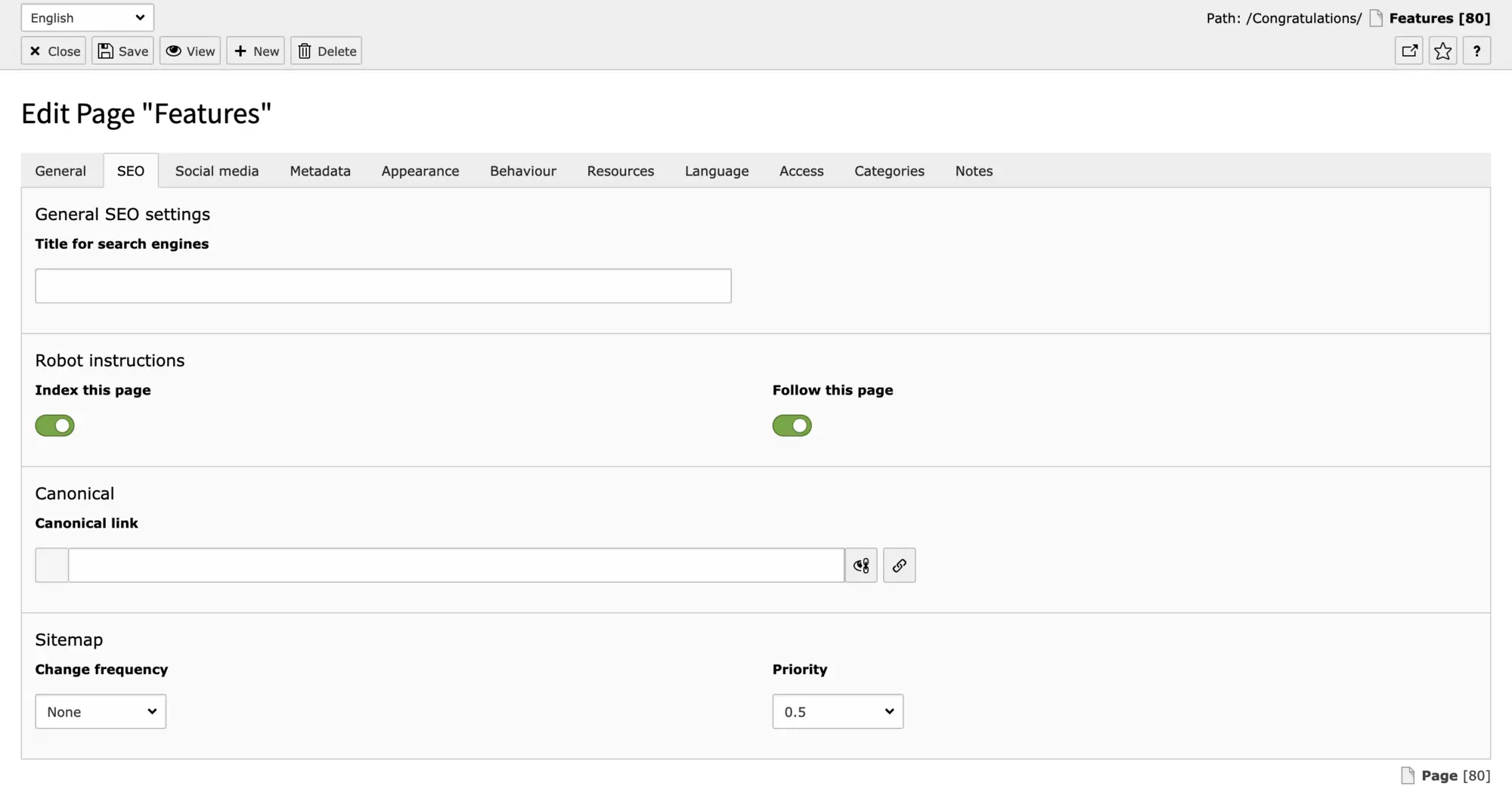
- Get the SEO basics built in Set a search title, robots rules, a canonical link and sitemap priority on every page.
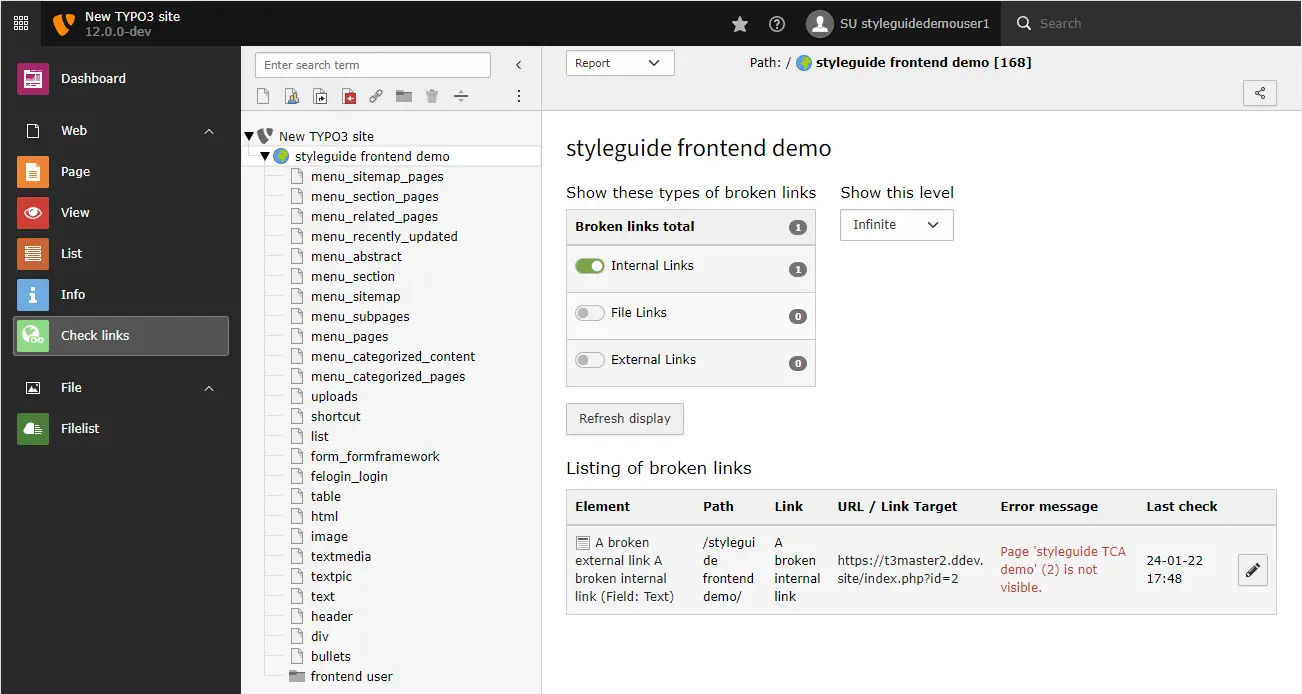
- Keep the site tidy A link checker finds broken links, and redirects, a recycle bin and scheduled tasks are included.
- Add what you need Extend TYPO3 with extensions from its official extension repository, such as news, events or shop add-ons.
Replaces Sitecore and Adobe Experience Manager
TYPO3 does the same job as Sitecore and Adobe Experience Manager. Here is what changes when you switch.
- No licence fees, whatever the number of sites, editors or visitors
- Multilingual sites, workspaces and detailed permissions included
- Your content and visitor data stay on your own server
- Long-term support releases, with free updates for each one for about three years
- No built-in personalisation or marketing suite like Sitecore or AEM
- Designing and building the site usually needs a developer or agency
- More to learn than WordPress for a small, simple website
- No vendor support contract unless you buy one from an agency
What happens when you click Deploy?
You do not need a server or any technical knowledge. Four steps, and TYPO3 is running at its own web address.
- Step 1 Click Deploy and create your account
Deploy takes you to Cloudgate. Create an account, or log in if you have one. TYPO3 itself is free.
- Step 2 Choose a server
No server? Get one from Cloudgate: pick a size and a country, and Cloudgate gets it ready. Already have one? Connect it instead.
- Step 3 Cloudgate sets up TYPO3
It prepares the server, makes the passwords the app needs and starts it. There is nothing to install and nothing to write down.
- Step 4 Open your app and sign in
Your app gets a free web address to start, without https. Add your own domain, like app.yourshop.com, and Cloudgate secures it with https for you.
New to Cloudgate? See what Cloudgate is
Run Cloudgate yourself? Deploy from your own console
In your Cloudgate console, open Templates and choose TYPO3.
Questions
Is TYPO3 free?
Yes, TYPO3 is free and open source under the GPL-2.0-or-later licence, with no licence fee for any number of sites or editors. You pay for the server and, usually, for an agency or developer to build the design.
Is TYPO3 a good alternative to Sitecore or Adobe Experience Manager?
Yes, for content management. TYPO3 handles large page trees, many languages, several sites, approval workflows and detailed editor rights without licence fees. It has no built-in personalisation or marketing suite like Sitecore or AEM.
Is TYPO3 better than WordPress?
For large organisations with many editors and languages, TYPO3 is often the better fit, because permissions, workspaces and multilingual sites are built in. For a small business site or blog, WordPress is easier to start with.
How long is TYPO3 13 supported?
TYPO3 13 is a long-term support release, with free updates until 31 December 2027. Paid extended support is available until 2030.
How do I set up TYPO3 the first time?
Open TYPO3's web address after setup and follow its install wizard. The database is already filled in; choose the empty database, then create the admin account and name your site. Do it straight away, because until it is finished anyone who opens the address could complete it.
Do I need a developer to use TYPO3?
Usually, yes. A developer builds the design and sets up the content types of a TYPO3 site. Once the site is built, editors work in the browser without any coding.
Can I move my Sitecore or Adobe Experience Manager site to TYPO3?
Not automatically. TYPO3 has no importer from Sitecore or AEM, so moving is a website rebuild. A developer or agency builds the site templates, then content is moved by hand or with a script, with redirects from the old addresses.
What server size do I need for TYPO3?
A small server with about 1 GB of memory is enough to start, for TYPO3 and its database. Busy sites with many visitors need more.
Do I need my own server for TYPO3?
No. When you deploy TYPO3, hosted Cloudgate can provide a server. If you already rent one, you can connect it instead.
Related apps
Edit pages right on your website, for many sites and languages.

A self-hosted CMS for websites and intranets with many editors.

A headless CMS with visual, on-page editing, and content kept in Git.

Self-hosted .NET CMS for websites, blogs and headless content