OpenCms
Edit pages right on your website, for many sites and languages.
No server needed to start: Cloudgate can provide one. What happens when you click Deploy
What is OpenCms?
Self-hosted OpenCms: an open-source Java CMS to run many websites in several languages, with editing right on the page and a publish step.
OpenCms is a free, open-source, self-hosted content management system for websites, and an alternative to enterprise platforms such as Sitecore, Adobe Experience Manager and Magnolia. One OpenCms runs many websites in several languages, with many editors, and no licence fees.
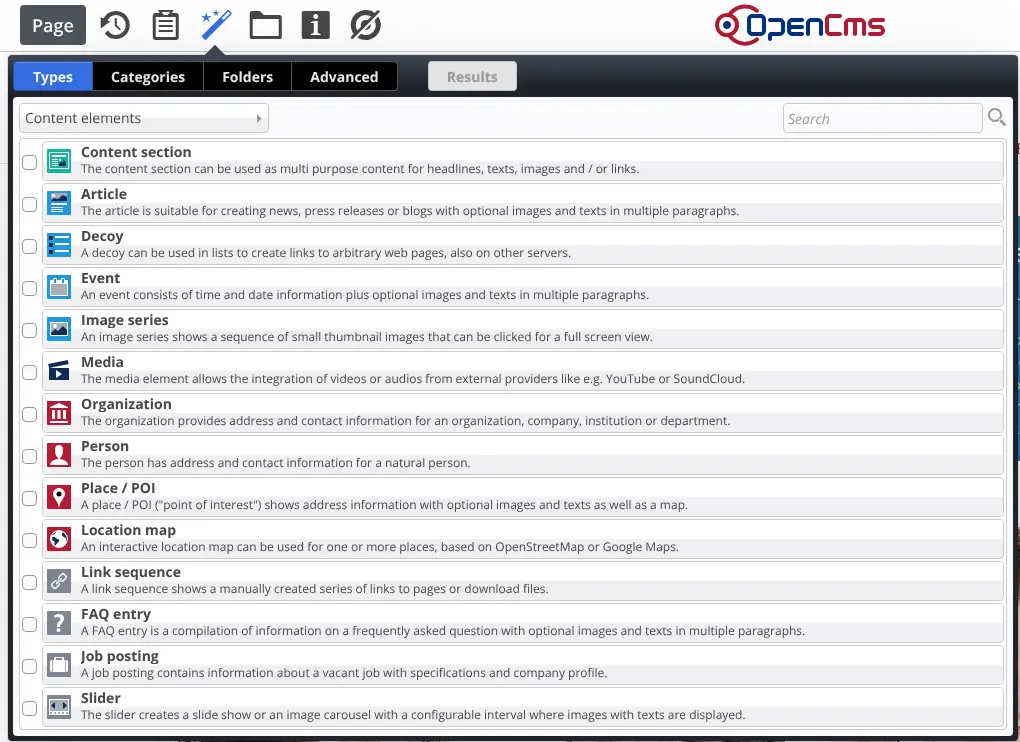
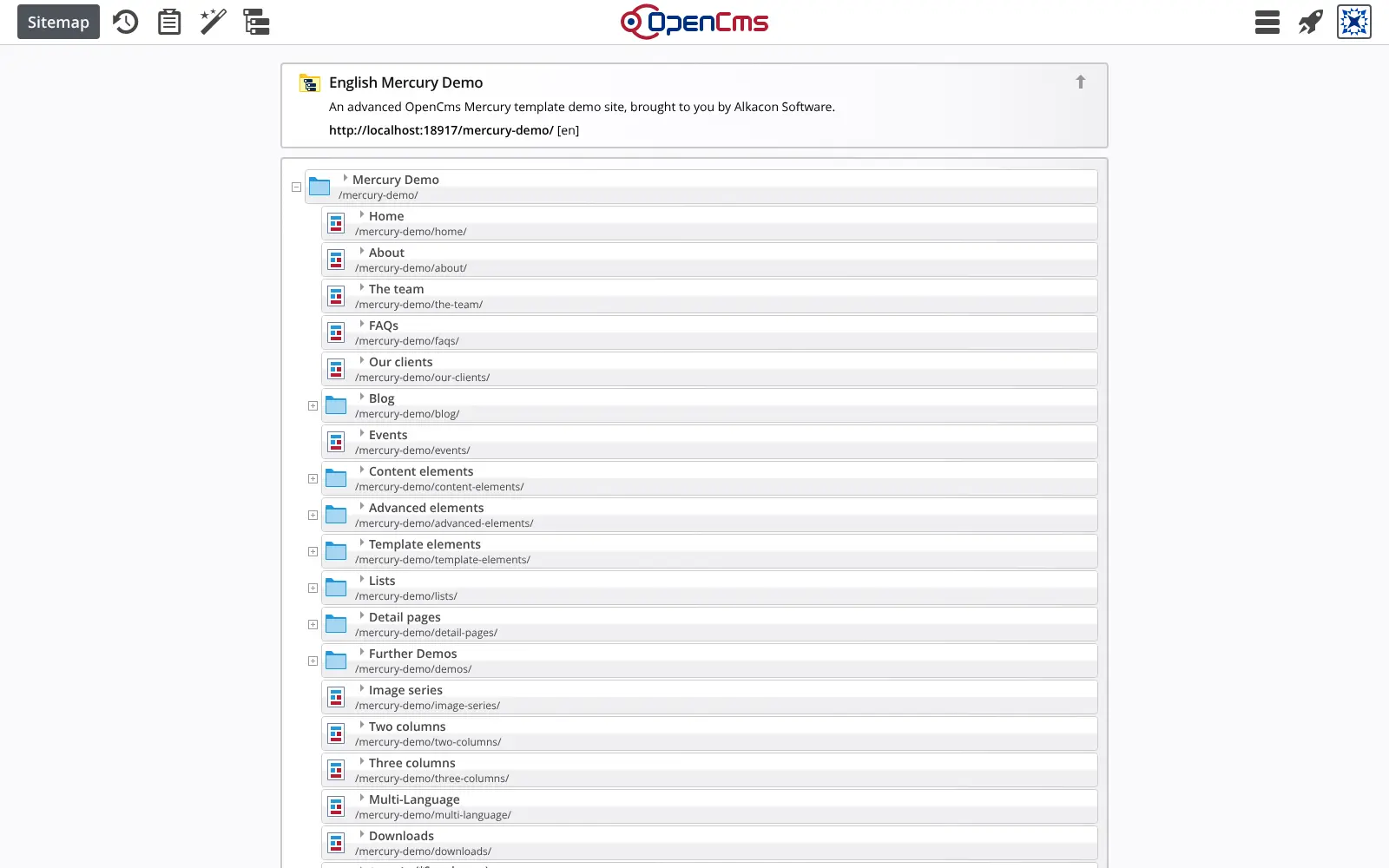
Editors change the website where they see it: they click into a page to edit text, drag in images and other elements, and arrange pages in a sitemap editor. Changes stay offline until someone publishes them. A regional council, for example, could run its main site and a site for each library from one OpenCms, in two languages, with each library's staff editing only their own pages.
OpenCms is made by Alkacon Software, with two releases a year. It comes with Mercury, a responsive website template, and a demo site to start from; most organisations have a developer or agency build their own design. Images and documents live in shared galleries, and full-text search covers PDF and Office files too.
Cloudgate installs OpenCms on a server Cloudgate provides or one you connect, together with its database, and gives it a secure web address. Sign in as Admin with the generated password once the first start has finished.
What you can do with OpenCms
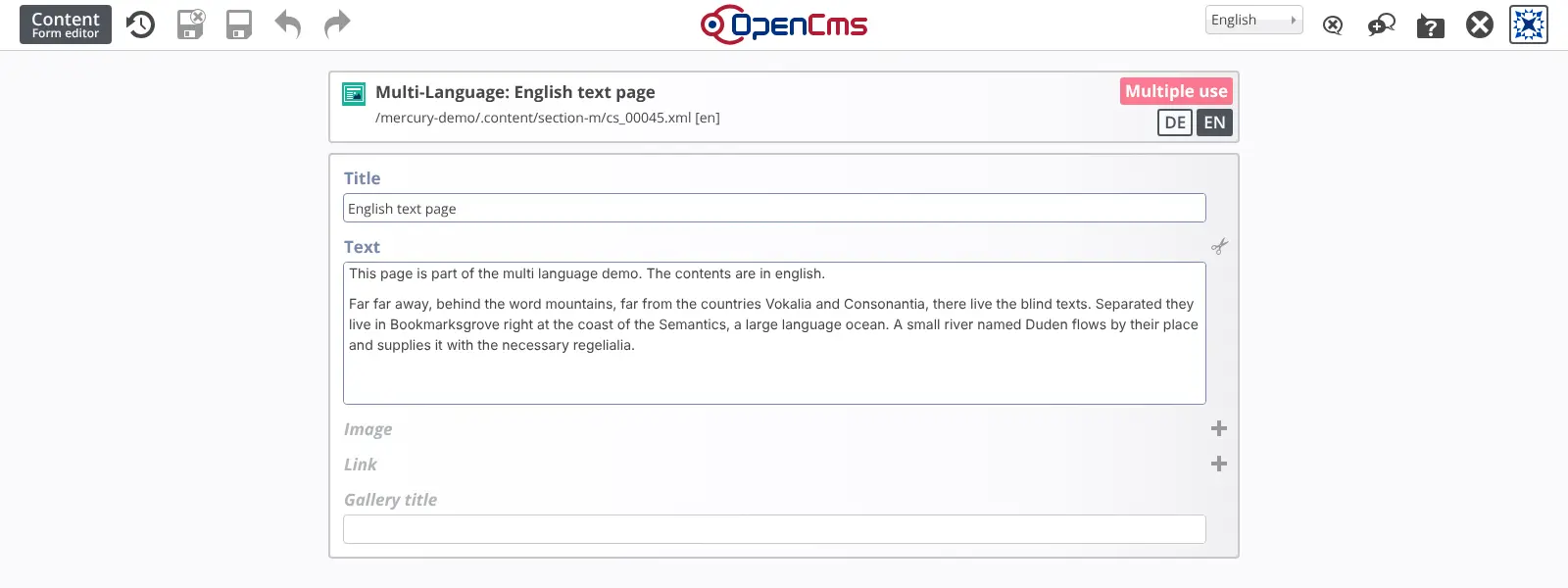
- Edit on the page itself Click into the live page to change text, and drag in images, teasers and other elements, or switch to a form for the same content.
- Build the page tree by dragging The sitemap editor creates new pages and moves them around the menu by drag and drop.
- Run many websites in one place Manage several websites and subsites from one installation, each with its own editors and groups.
- Publish in several languages Keep a version of each page per language and compare languages side by side in the sitemap editor.
- Publish when you are ready Editors work on an offline version, and changes appear on the live site only once they are published.
- Reuse images and documents Galleries store images and files for reuse across pages, with built-in cropping and resizing.
- Find anything Full-text search covers web pages and documents such as PDF and Office files.
- Start from a ready template The responsive Mercury template comes with a demo website and ready-made elements, and creates the sitemap.xml for search engines.
Replaces Sitecore, Adobe Experience Manager and Magnolia
OpenCms does the same job as Sitecore, Adobe Experience Manager and Magnolia. Here is what changes when you switch.
- No licence fees, however many sites, editors or visitors you have
- Editing on the page itself, with drag and drop, for every editor
- Several sites and languages in one installation
- Your content and visitor data stay on your own server
- No personalisation or marketing suite like Sitecore or Adobe Experience Manager
- Building your own site design needs a Java developer or an OpenCms agency
- LDAP or Active Directory sign-in and server clustering are a paid add-on (Alkacon OCEE)
- A smaller community than WordPress or TYPO3, mostly in Europe
What happens when you click Deploy?
You do not need a server or any technical knowledge. Four steps, and OpenCms is running at its own web address.
- Step 1 Click Deploy and create your account
Deploy takes you to Cloudgate. Create an account, or log in if you have one. OpenCms itself is free.
- Step 2 Choose a server
No server? Get one from Cloudgate: pick a size and a country, and Cloudgate gets it ready. Already have one? Connect it instead.
- Step 3 Cloudgate sets up OpenCms
It prepares the server, makes the passwords the app needs and starts it. There is nothing to install and nothing to write down.
- Step 4 Open your app and sign in
Your app gets a free web address to start, without https. Add your own domain, like app.yourshop.com, and Cloudgate secures it with https for you.
New to Cloudgate? See what Cloudgate is
Run Cloudgate yourself? Deploy from your own console
In your Cloudgate console, open Templates and choose OpenCms.
Questions
Is OpenCms free?
Yes, OpenCms is free and open source under the LGPL licence (version 2.1 or later), with no licence fee for any number of sites or editors. Its maker, Alkacon, sells support and a paid add-on called OCEE for server clustering, LDAP or Active Directory sign-in and database replication.
Is OpenCms a good alternative to Sitecore or Adobe Experience Manager?
Yes, for running websites. OpenCms handles many sites, languages and editors in one installation, with editing on the page and a publish step, without licence fees. It has no built-in personalisation or marketing suite like Sitecore or AEM.
How do I sign in to OpenCms the first time?
Sign in at your OpenCms address followed by /system/login, with the username Admin and the password Cloudgate generated, shown on the app's variables page. The first start takes several minutes while OpenCms installs itself, so the address answers only after that.
Can OpenCms run several websites in several languages?
Yes. One OpenCms installation runs many websites and subsites, each with its own editors, and each site can have a version of its pages per language.
Can I move my Sitecore, AEM or Magnolia site to OpenCms?
Not automatically. OpenCms has no importer from Sitecore, Adobe Experience Manager or Magnolia, so moving is a website rebuild, with content moved by hand or with a script.
Do I need a developer to use OpenCms?
Not to edit, but usually to build your own design. Editors work in the browser without coding, and the Mercury template gives a ready starting point; custom templates are built in Java, often by an OpenCms agency.
What server size does OpenCms need?
A server with about 4 GB of memory, because OpenCms runs on Java with a 2 GB memory allowance by default, next to its database.
Do I need my own server for OpenCms?
No. When you deploy OpenCms, hosted Cloudgate can provide a server. If you already rent one, you can connect it instead.
Related apps

A headless CMS with visual, on-page editing, and content kept in Git.

A CMS for large, multilingual sites with many editors.

Self-hosted .NET CMS for websites, blogs and headless content

A self-hosted CMS for websites and intranets with many editors.