
Storyden
A self-hosted forum and community knowledge base in one place.
No server needed to start: Cloudgate can provide one. What happens when you click Deploy
What is Storyden?
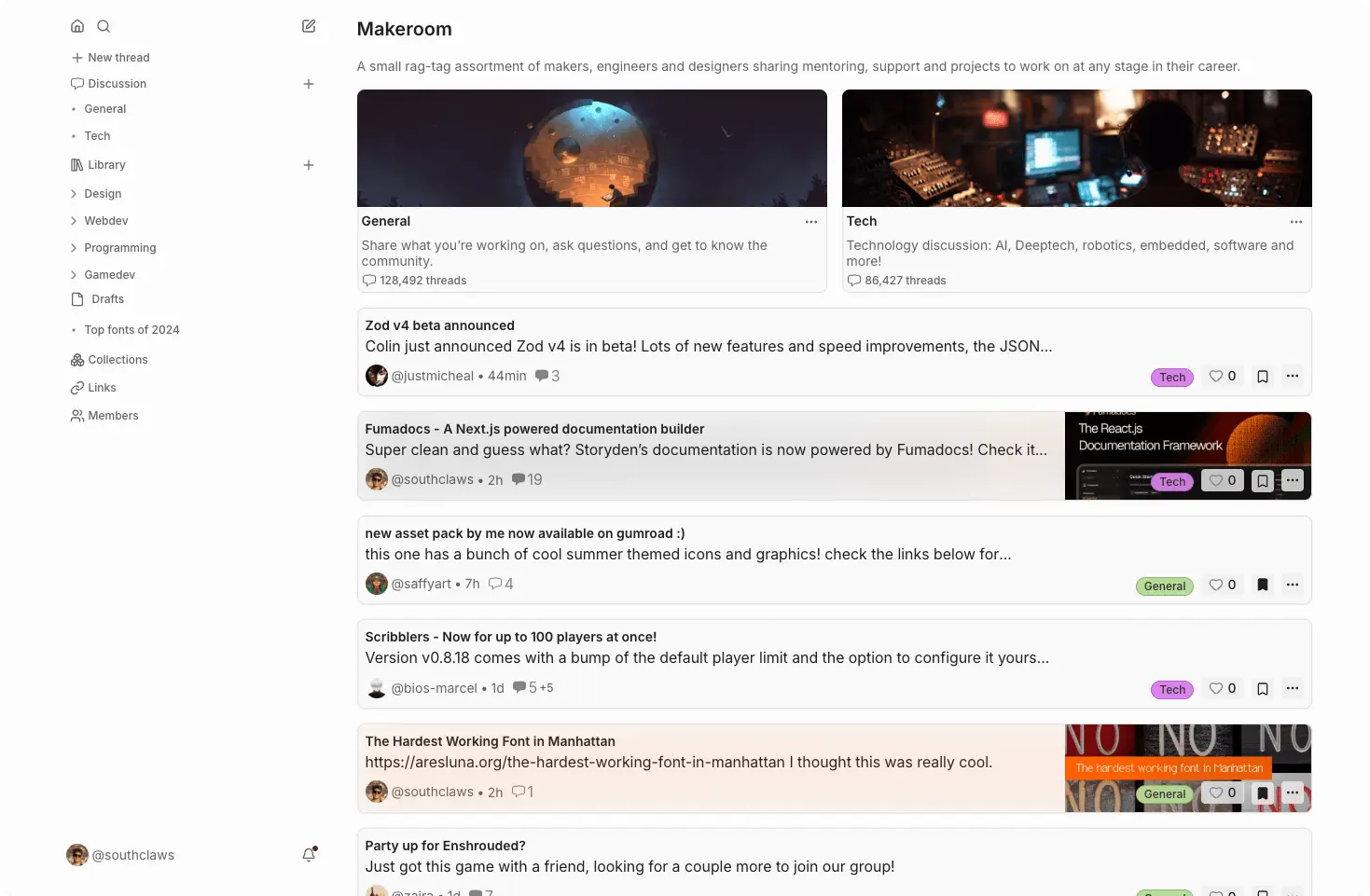
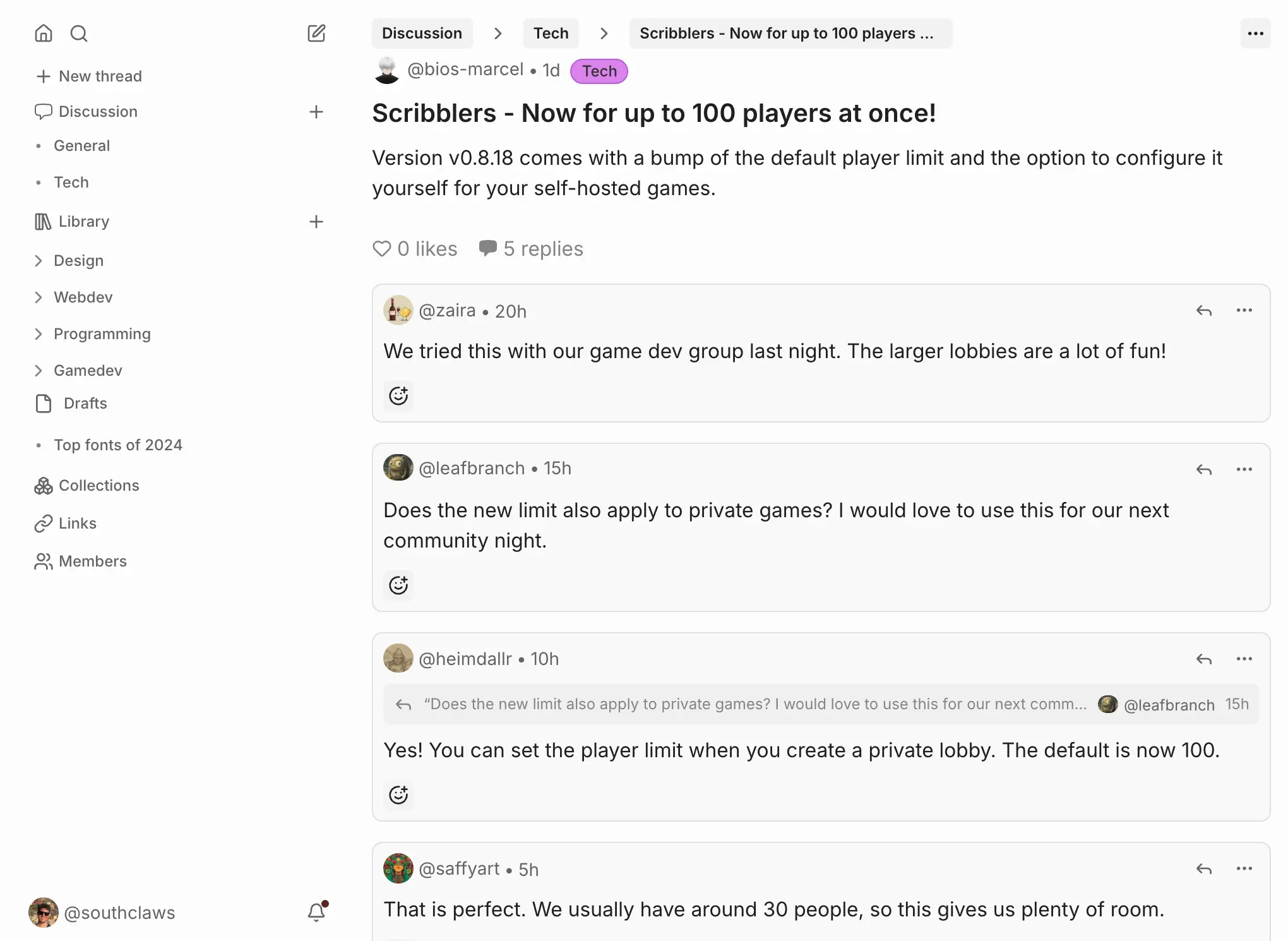
Storyden is a self-hosted forum and community knowledge base in one: threads, wiki-style library pages and shared links on your own domain, in place of Circle.
Storyden is free, open-source, self-hosted community software that puts a discussion forum and a shared knowledge base in one place, as an alternative to paid community platforms such as Circle, XenForo or Invision Community. Members talk in threads, and the best of what they share is kept in a library of wiki-style pages that stays easy to find.
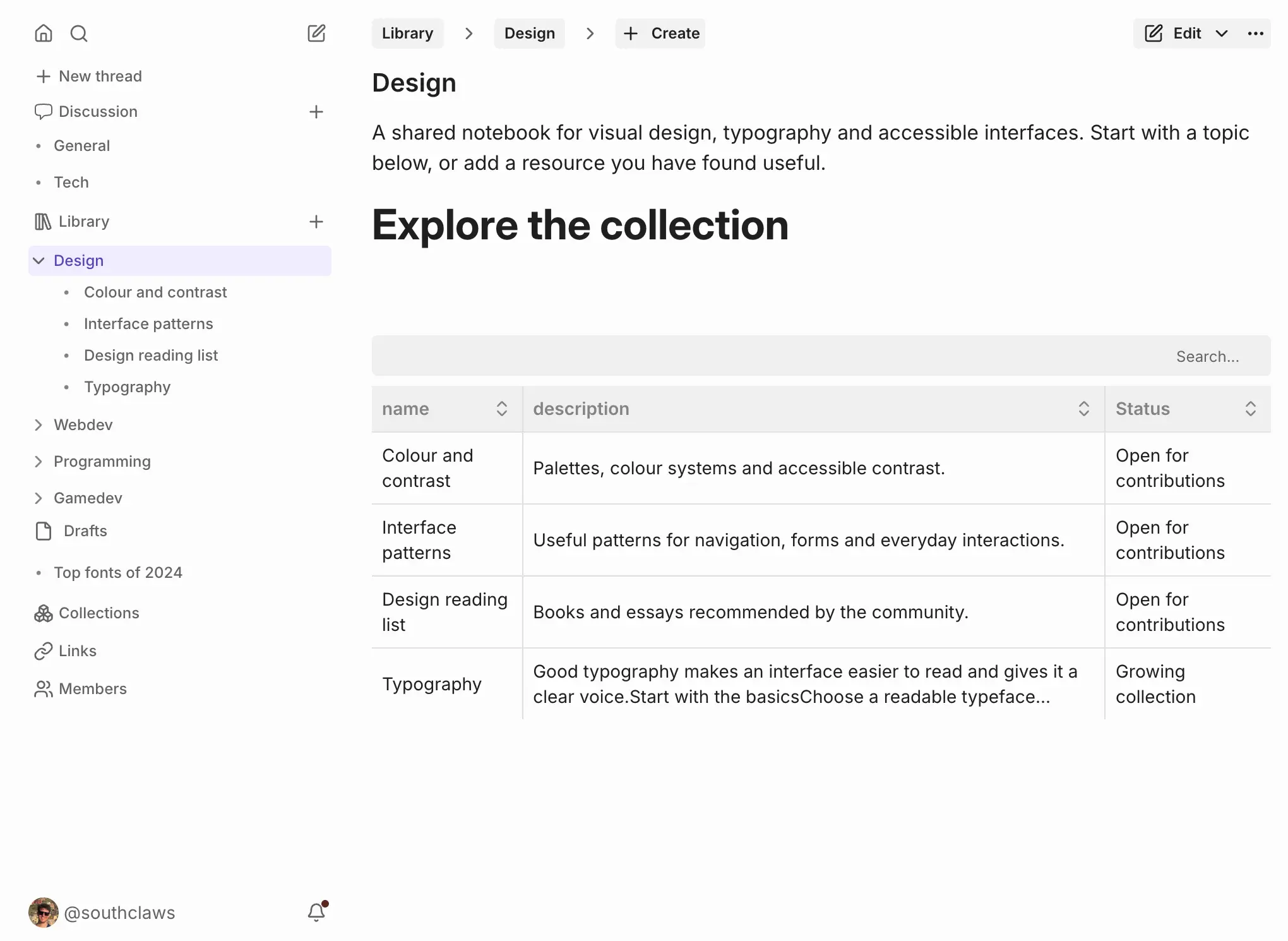
A car club, for example, could discuss weekend drives and repairs in the forum, keep a library of model guides and trusted garages with fields such as Region and Status, and let members suggest new entries for a moderator to approve. Shared links and collections help members gather useful finds.
Roles, permissions and moderation tools such as reports, warnings and word filters help you keep things friendly. Members can sign in with a password, a passkey, or a Google, GitHub or Discord account. Optional AI tools can suggest titles, tags and summaries if you connect your own AI provider. Storyden works in any browser; there is no phone app.
Cloudgate installs Storyden on a server Cloudgate provides or one you connect and gives it a secure web address. Register right after setup: the first account becomes the admin.
What you can do with Storyden
- Hold discussions Members start threads in categories, reply, quote each other, add tags and react to posts.
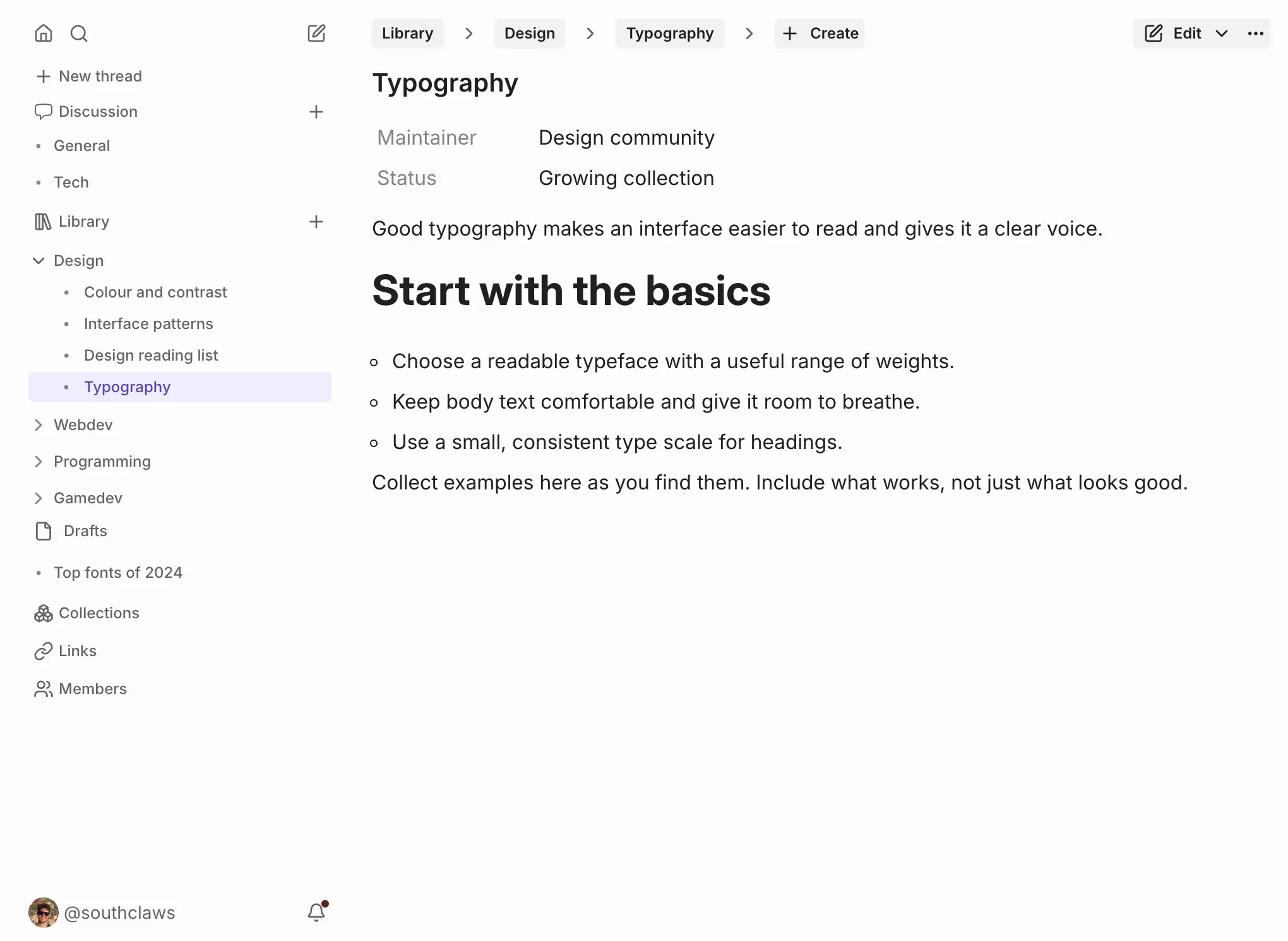
- Build a shared library Collect what your community knows in a tree of wiki-style pages, such as guides, reading lists or a directory.
- Add details to pages Give library pages fields such as Status or Author, and see a section's pages side by side in a table.
- Review changes before they go live Members can suggest new pages or edits, and moderators accept them before they are published.
- Share and collect links Members share useful links, which are saved and searchable, and gather threads and pages into collections.
- Moderate with care Handle reports, give private warnings, keep staff notes, suspend accounts and block unwanted words.
- Decide who can do what Use the Admin, Member and Guest roles or create your own, each with its own permissions and badge.
- Sign in your way Members can sign in with a password, a passkey, or a Google, GitHub or Discord account.
Replaces Circle, XenForo and Invision Community
Storyden does the same job as Circle, XenForo and Invision Community. Here is what changes when you switch.
- No subscription or licence fee; you pay only for your server
- Your forum and its knowledge base live side by side on your own domain
- Your members, posts and pages stay on your own server
- It is a forum and knowledge base; there are no courses, events pages or paid memberships
- No phone apps; members use it in their phone's browser
- There is no tool to import a community from Circle, XenForo or Invision Community
- It is a young project that is still changing, so check the release notes before updates
What happens when you click Deploy?
You do not need a server or any technical knowledge. Four steps, and Storyden is running at its own web address.
- Step 1 Click Deploy and create your account
Deploy takes you to Cloudgate. Create an account, or log in if you have one. Storyden itself is free.
- Step 2 Choose a server
No server? Get one from Cloudgate: pick a size and a country, and Cloudgate gets it ready. Already have one? Connect it instead.
- Step 3 Cloudgate sets up Storyden
It prepares the server, makes the passwords the app needs and starts it. There is nothing to install and nothing to write down.
- Step 4 Open your app and sign in
Your app gets a free web address to start, without https. Add your own domain, like app.yourshop.com, and Cloudgate secures it with https for you.
New to Cloudgate? See what Cloudgate is
Run Cloudgate yourself? Deploy from your own console
In your Cloudgate console, open Templates and choose Storyden.
Questions
Is Storyden free?
Yes, Storyden is free and open source under the MPL-2.0 licence, with no paid edition or member limit. You pay only for your server. Its optional AI tools use your own OpenAI or Anthropic account, which that provider bills you for.
Is Storyden a good alternative to Circle?
Yes, if your community needs discussions and a shared knowledge base on your own domain without a monthly fee. Storyden pairs a forum with a wiki-style library, but unlike Circle it has no courses, events pages or paid memberships.
How do I sign in to Storyden the first time?
Open your Storyden web address and register an account. The first account registered becomes the admin, so do it right after installing, before you share the address.
Can I import my existing forum into Storyden?
No, Storyden has no tool to import a forum from Circle, XenForo, Discourse or other software. Most communities start fresh and keep the old forum readable for a while.
What size server does Storyden need?
A small one. Storyden's documentation says it idles at about 80 MB of memory and that 1 GB is plenty for a small to medium community.
Is there a Storyden phone app?
No, there is no phone app. Storyden works in any phone or computer browser, with a layout made for small screens.
Do I have to use Storyden's AI features?
No, Storyden's AI features are optional and off until you turn them on. To use them, you add your own OpenAI or Anthropic API key in the admin settings.
Do I need technical skills to run Storyden?
No. Click Deploy, create your Cloudgate account and choose a server, and Cloudgate sets up Storyden and gives it a web address. You use it in your browser like any other online tool.
Do I need my own server for Storyden?
No. When you deploy Storyden, hosted Cloudgate can provide a server. If you already rent one, you can connect it instead.
Related apps
Classic self-hosted forum software for clubs and communities.

Free, self-hosted forum software for a classic message board.

Reddit-style communities with voting and threaded comments.

Forum software for your community, with live chat.