
SENAITE LIMS
A free, open-source LIMS for samples, results and lab reports.
No server needed to start: Cloudgate can provide one. What happens when you click Deploy
What is SENAITE LIMS?
SENAITE is a self-hosted, open-source LIMS for testing labs: track samples, worksheets, instrument results, verification and PDF reports.
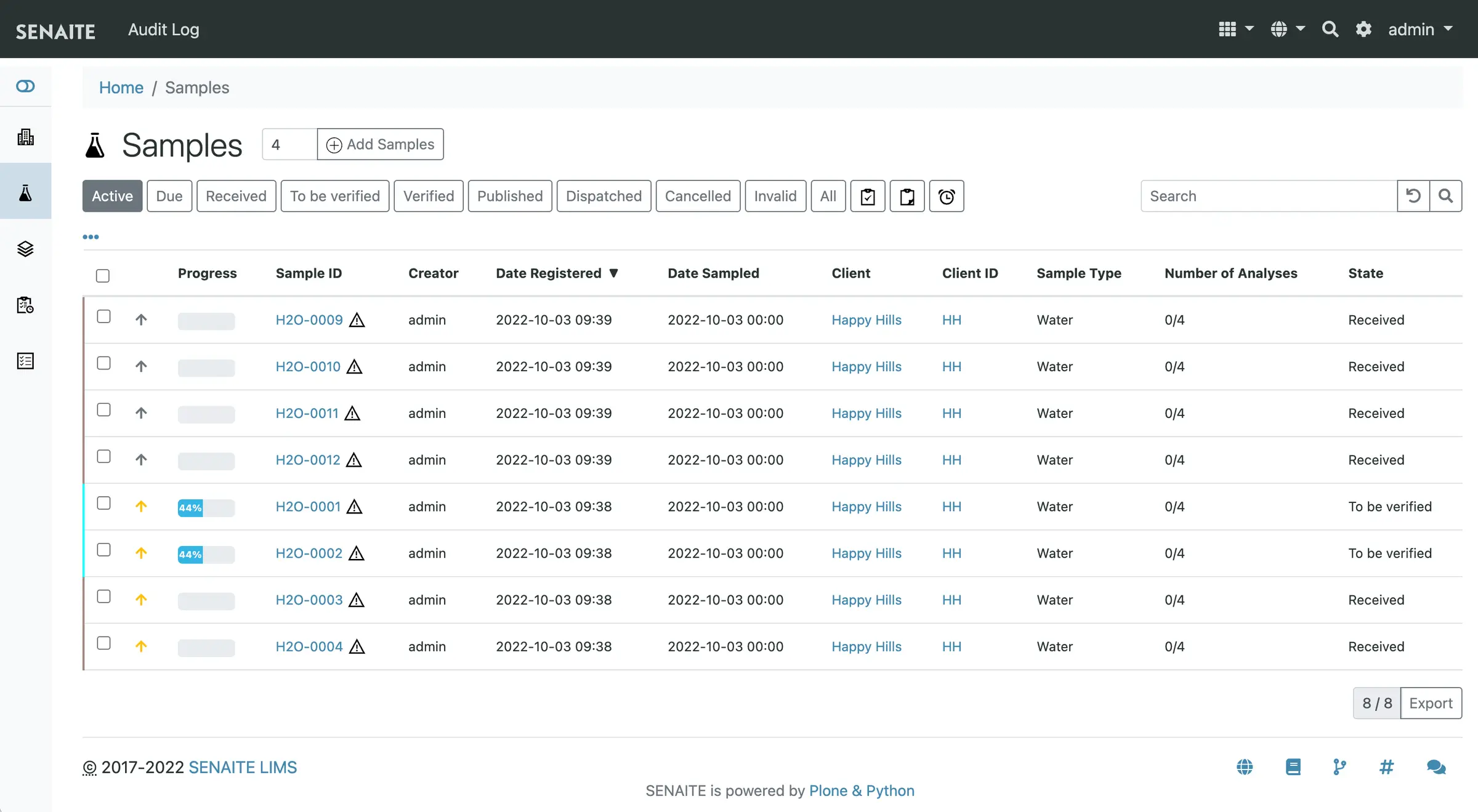
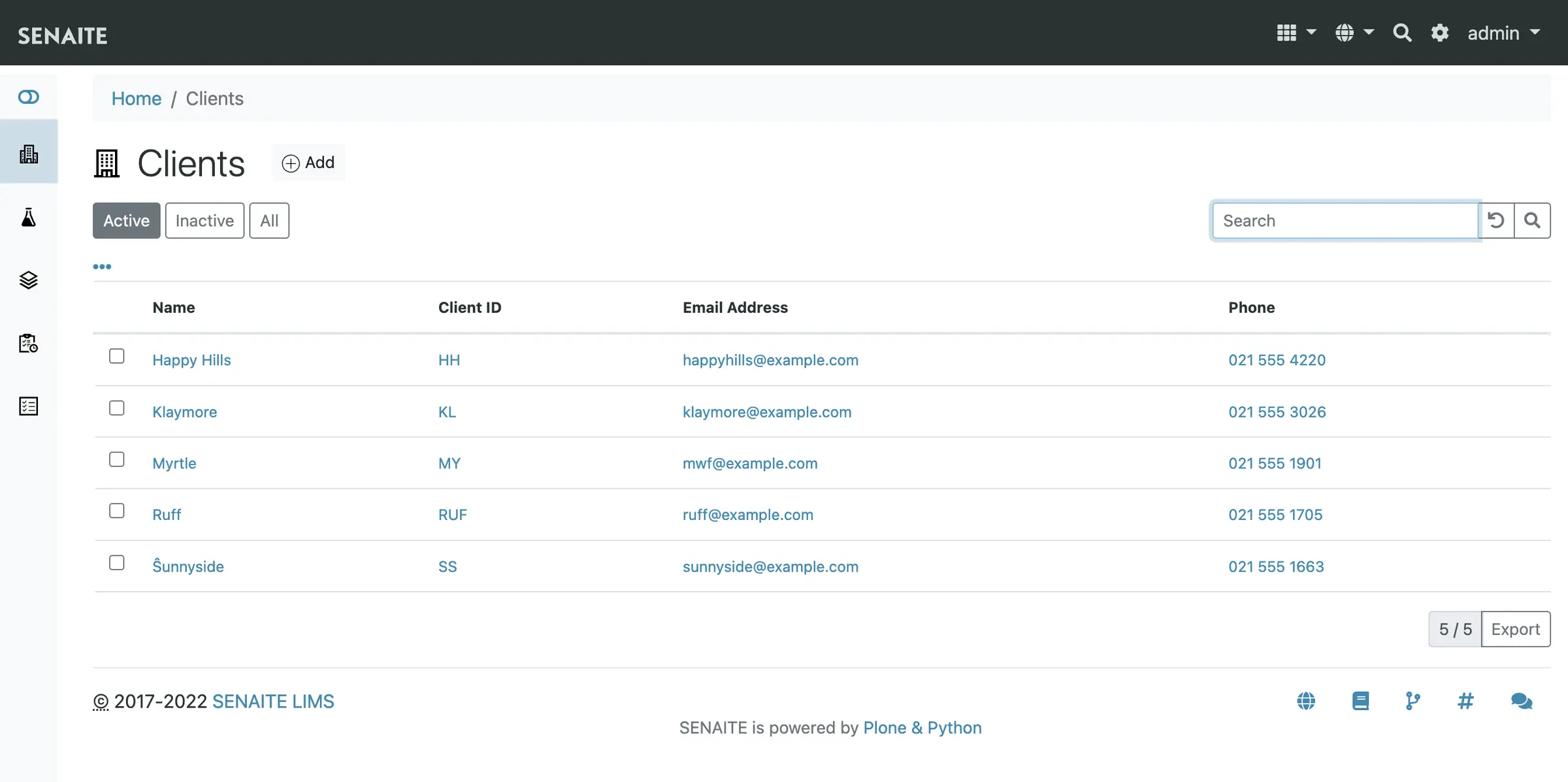
SENAITE is a free, open-source laboratory information management system (LIMS) you can self-host, used in place of QBench, LabWare LIMS or LabVantage to run a testing lab from sample intake to the published results report. It registers each client's samples, groups the analyses into worksheets, takes in results, has them checked by a second person and publishes the report.
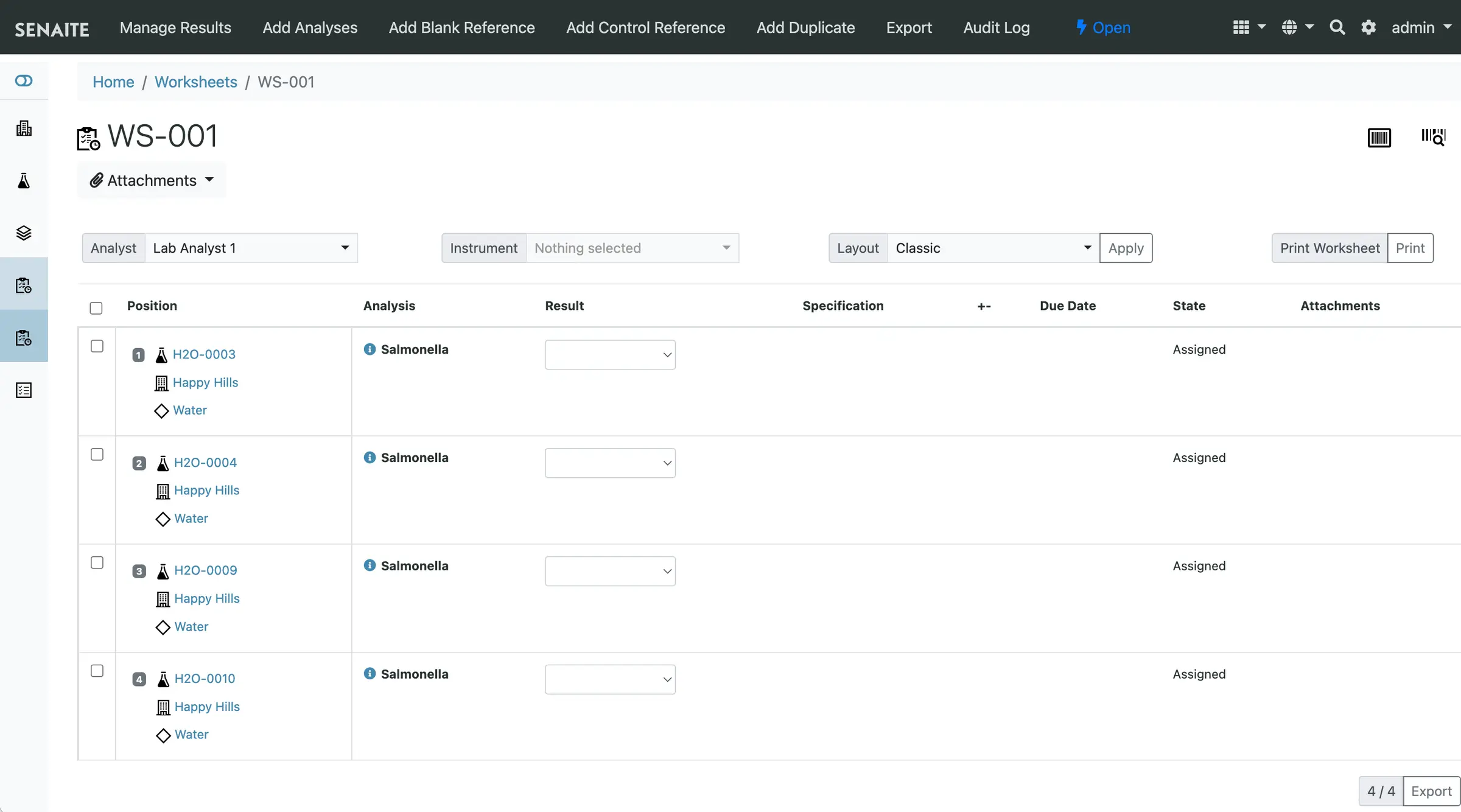
A water testing lab, for example, could log the bottles a council sends in each morning, put the Salmonella tests from several clients on one worksheet for an analyst, import the readings from its instruments, and email each client a PDF report once a lab manager has verified the results. The client can log in to follow their samples and download past reports.
SENAITE is built on the Plone website system and is not a quick install-and-go app: plan time to enter your tests, methods, sample types and report layout, and expect a learning curve. In return there is no licence fee, no price per user and every feature is included. It works in any web browser and connects to other systems through its API.
Cloudgate installs SENAITE on a server Cloudgate provides or one you connect, and gives it a secure web address.
What you can do with SENAITE LIMS
- Register and track samples Log any sample type for any client with its own ID and priority, and follow it from received to verified to published.
- Plan the bench work in worksheets Group analyses from many samples into one worksheet for an analyst, with blanks, controls and duplicates alongside.
- Bring in instrument results Import results from your instruments' export files instead of typing them in, and let formulas work out calculated results.
- Check every result twice A second person verifies results before they are published, and an audit log records who changed what and when.
- Keep instruments in order Record calibration certificates and maintenance; an instrument with an expired certificate or a failed control can't take new results.
- Publish reports to clients Turn verified results into PDF reports from your own templates and email them, and let clients follow their samples in their own portal.
- Give each person the right access Built-in roles run from client contact to analyst to lab manager, and what each can do follows the state of the sample.
Replaces QBench, LabWare LIMS and LabVantage
SENAITE LIMS does the same job as QBench, LabWare LIMS and LabVantage. Here is what changes when you switch.
- No licence fee and no price per user; you pay only for your server
- Samples, results and client data stay on your own server
- GPL open source with no paid edition, so every feature is included
- You can change workflows, formulas and report templates yourself
- It takes real setup work, and the interface is plainer and older in style than a modern cloud LIMS
- It is built on the Plone website system, which has its own way of doing things to learn
- There is no vendor helpdesk; support comes from the community forum or a paid SENAITE service provider
- There is no importer from another LIMS, and validating the system for your accreditation is your lab's job
What happens when you click Deploy?
You do not need a server or any technical knowledge. Four steps, and SENAITE LIMS is running at its own web address.
- Step 1 Click Deploy and create your account
Deploy takes you to Cloudgate. Create an account, or log in if you have one. SENAITE LIMS itself is free.
- Step 2 Choose a server
No server? Get one from Cloudgate: pick a size and a country, and Cloudgate gets it ready. Already have one? Connect it instead.
- Step 3 Cloudgate sets up SENAITE LIMS
It prepares the server, makes the passwords the app needs and starts it. There is nothing to install and nothing to write down.
- Step 4 Open your app and sign in
Your app gets a free web address to start, without https. Add your own domain, like app.yourshop.com, and Cloudgate secures it with https for you.
New to Cloudgate? See what Cloudgate is
Run Cloudgate yourself? Deploy from your own console
In your Cloudgate console, open Templates and choose SENAITE LIMS.
Questions
Is SENAITE LIMS free?
Yes, SENAITE is free and open source under the GPL version 2 licence, with no paid edition and no limit on users or samples. You pay only for your server; companies that work with the project sell setup and support if you want help.
Is SENAITE a good alternative to QBench?
Yes, for a testing lab willing to set it up itself. When we checked in November 2026, QBench's plans started at $16,500 a year for five users, while SENAITE has no licence fee and covers sample intake, worksheets, verification and published reports. QBench is more modern and is run for you; SENAITE takes more configuration and you look after it.
Can SENAITE replace LabWare LIMS or LabVantage?
Yes, for many small and medium testing labs. LabWare and LabVantage are enterprise systems sold through a sales quote, with much wider coverage for large and regulated organisations; SENAITE focuses on the core of a testing lab, from sample intake to the published report, and costs nothing to license.
Is SENAITE ISO 17025 compliant?
Not by itself, since SENAITE holds no certification of its own, but the SENAITE project describes it as ready for ISO/IEC 17025, with an audit trail and second-person verification of results. The project says the accreditation itself stays with the laboratory and how it runs the system, so your lab still validates it.
How do I sign in to SENAITE the first time?
Open your app's address, choose "View your SENAITE site" (the LIMS lives at /senaite), and sign in as admin with the password Cloudgate generated and shows in your app's settings. The first start takes 1 to 3 minutes while Cloudgate creates the site. Then add your lab staff and client contacts yourself; there is no public sign-up.
Can I import results from my lab instruments?
Yes, SENAITE imports results from the export files of many lab instruments, and it has an API for connecting other systems. There is no tool to move data over from QBench, LabWare or another LIMS.
Is SENAITE hard to set up?
Yes, it takes some work. Before the lab can use it you enter your tests, methods, sample types, specifications and report layout, and the Plone-based interface takes time to learn. Many labs get help from a SENAITE service provider for the first setup.
Do I need technical skills to run SENAITE LIMS?
No. Click Deploy, create your Cloudgate account and choose a server, and Cloudgate sets up SENAITE LIMS and gives it a web address. You use it in your browser like any other online tool.
Do I need my own server for SENAITE LIMS?
No. When you deploy SENAITE LIMS, hosted Cloudgate can provide a server. If you already rent one, you can connect it instead.
Related apps

A self-hosted web archive that keeps lasting copies of web pages.

Archives management with a public catalogue.

Publish your organisation's datasets on your own open data portal.

An open-source electronic lab notebook and inventory for your lab.