CKAN
Publish your organisation's datasets on your own open data portal.
No server needed to start: Cloudgate can provide one. What happens when you click Deploy
What is CKAN?
CKAN is self-hosted, open-source data portal software: publish your organisation's datasets with search, previews and a data API.
CKAN is open-source data portal software: a website where you publish your organisation's datasets, describe them, and let anyone search, preview and download them. It is the software behind many national and city open data portals, and a self-hosted alternative to Opendatasoft and Socrata.
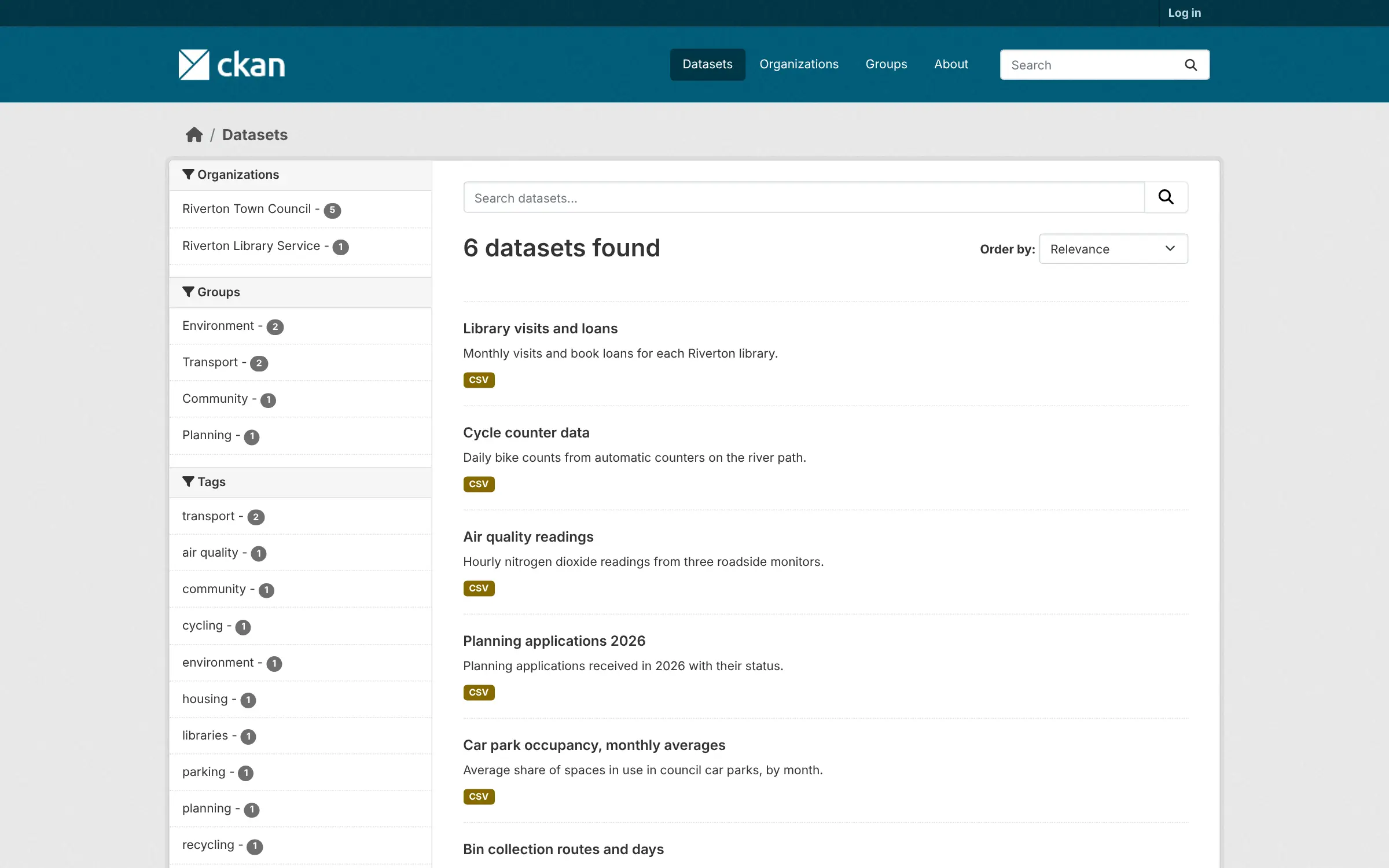
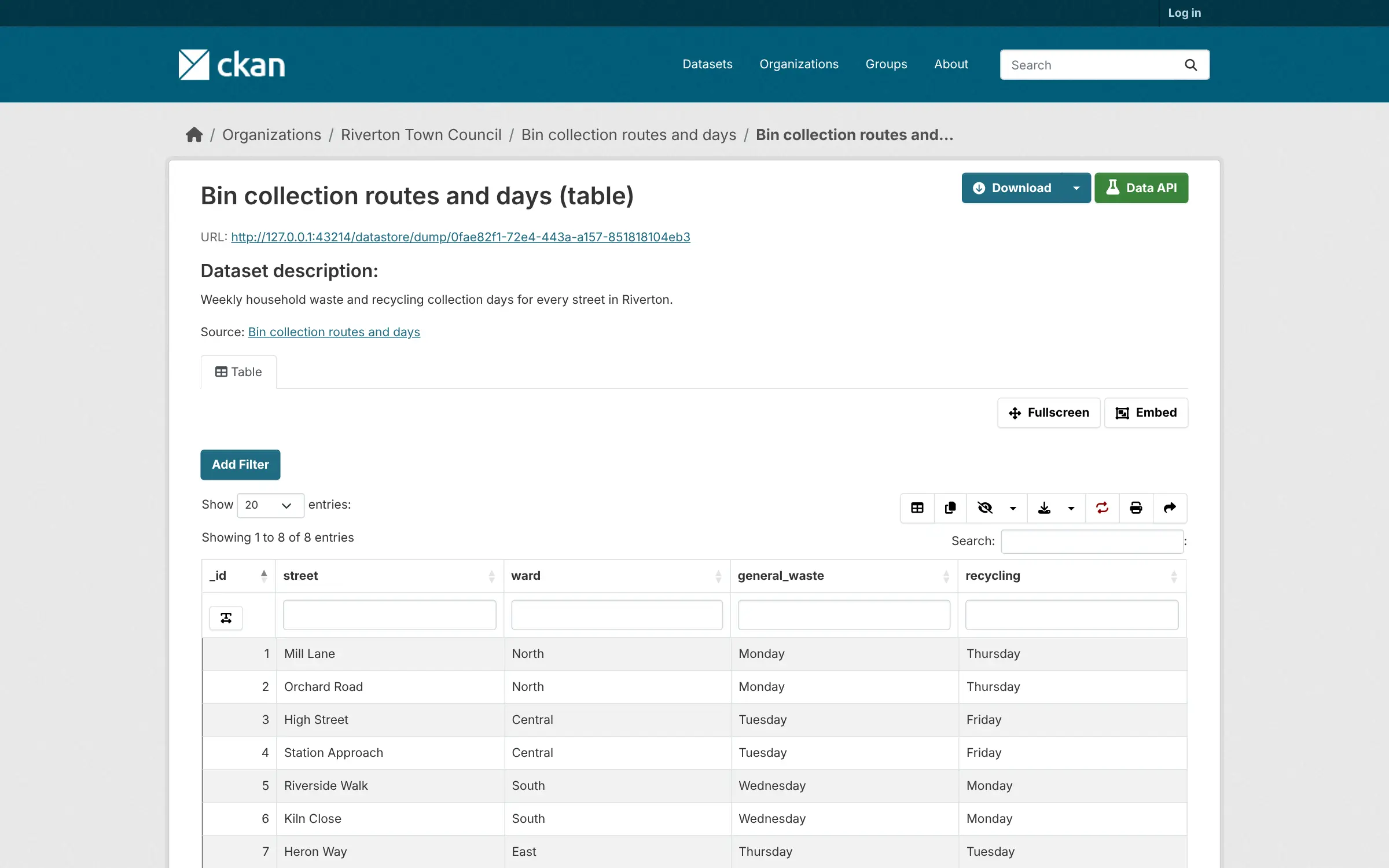
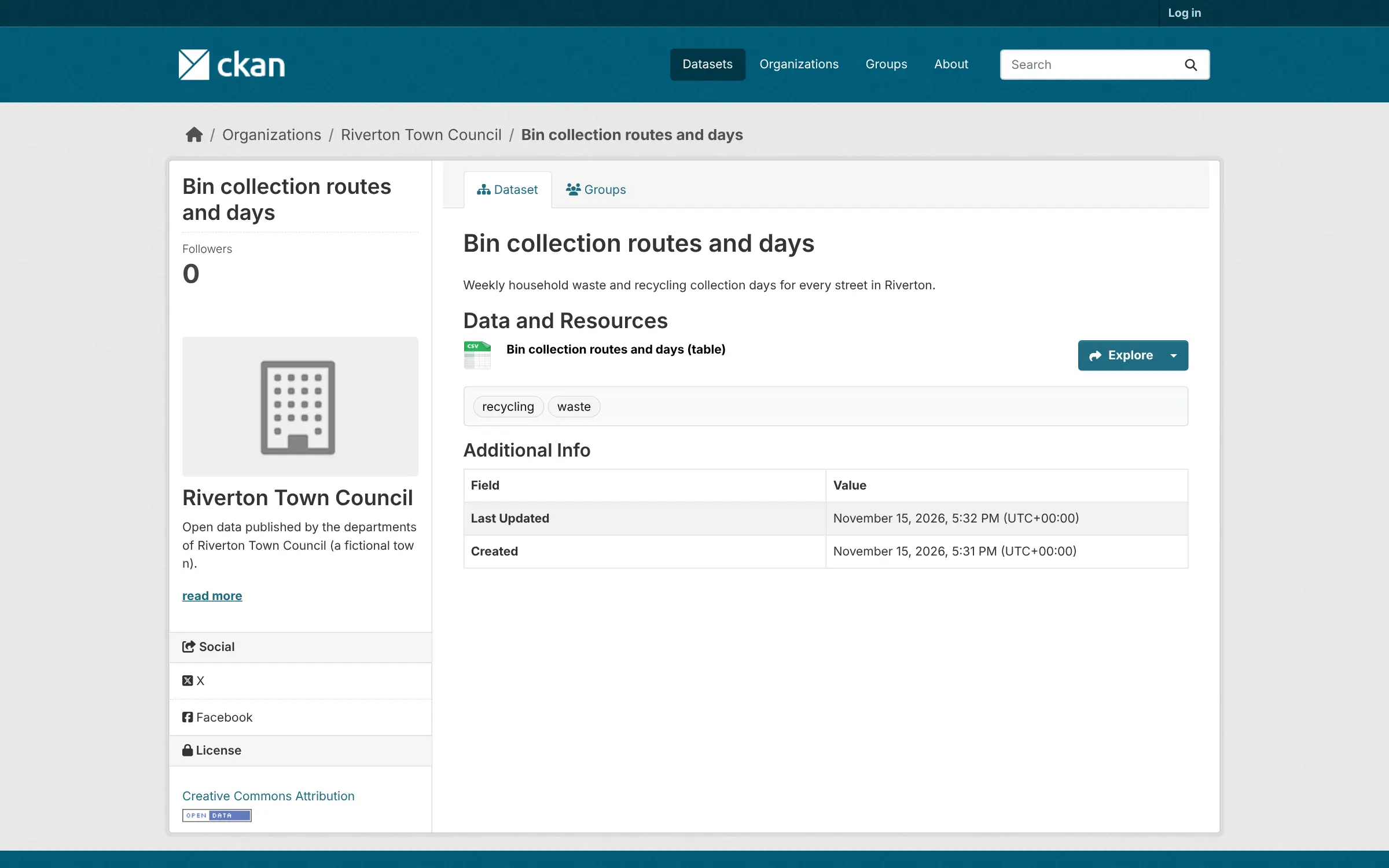
Each dataset has a page with a description, licence, tags and its files, such as spreadsheets, CSV files, maps or reports, uploaded to CKAN or linked from elsewhere. Visitors search by keyword and filter by organisation, topic, format or licence, and developers get the same data through an API. A town council, for example, could publish bin collection routes, planning applications and parking data in one place, with each department managing its own datasets and keeping drafts private until they are ready.
Organisations decide who can add and edit datasets, groups collect datasets by theme, and the look can be changed to match your brand. CKAN has a large library of community extensions for things like charts and harvesting from other portals; this template installs the core with table previews and the DataStore.
Cloudgate installs CKAN with its database and search engine on your server, gives it a secure web address and creates your admin account.
What you can do with CKAN
- Publish datasets Add a dataset with a title, description, licence and tags, then upload its files or link to where they live.
- Let people search and filter Visitors search by keyword and narrow results by organisation, group, tag, format or licence.
- Preview data in the browser Tables, images and text files can be viewed on the page before anyone downloads them.
- Organise who publishes what Each department or team gets an organisation with its own admins, editors and members, and datasets can be public or private.
- Offer a data API Everything on the site can also be read and updated through CKAN's API, and tables in the DataStore can be queried row by row.
- Group datasets by theme Collect datasets from different teams into groups such as transport, health or environment.
- Make it look like your organisation Change the logo, colours and home page text to match your brand.
Replaces Huwise and Socrata
CKAN does the same job as Huwise and Socrata. Here is what changes when you switch.
- No subscription or per-dataset fee; you pay only for your server
- The same open-source software behind national data portals such as Canada's and Australia's
- Your data and its address stay under your control
- A full API for every dataset and page
- Charts and maps, harvesting from other portals and many other features come from extensions not installed here
- Uploaded spreadsheets are not loaded into table previews automatically in this setup
- Setting it up and customising it takes more work than a hosted portal
- Email for password resets needs a mail server you connect yourself
What happens when you click Deploy?
You do not need a server or any technical knowledge. Four steps, and CKAN is running at its own web address.
- Step 1 Click Deploy and create your account
Deploy takes you to Cloudgate. Create an account, or log in if you have one. CKAN itself is free.
- Step 2 Choose a server
No server? Get one from Cloudgate: pick a size and a country, and Cloudgate gets it ready. Already have one? Connect it instead.
- Step 3 Cloudgate sets up CKAN
It prepares the server, makes the passwords the app needs and starts it. There is nothing to install and nothing to write down.
- Step 4 Open your app and sign in
Your app gets a free web address to start, without https. Add your own domain, like app.yourshop.com, and Cloudgate secures it with https for you.
New to Cloudgate? See what Cloudgate is
Run Cloudgate yourself? Deploy from your own console
In your Cloudgate console, open Templates and choose CKAN.
Questions
Is CKAN free?
Yes. CKAN is free, open-source software under the AGPL-3.0 licence, with no paid edition. You pay only for your server; some companies sell CKAN hosting and support if you want help.
Is CKAN a good alternative to Opendatasoft or Socrata?
Yes, if you want to own your data portal. CKAN covers publishing, search, previews and a data API, and it runs many government portals, but out of the box it has fewer charts and visual tools than Opendatasoft (now Huwise) or Socrata, and you look after the server.
Who uses CKAN?
Governments, cities, universities and companies use CKAN for their data portals. The CKAN project lists the Government of Canada, the Singapore Government and the Australian Government among them.
How do I sign in to CKAN the first time?
Go to the CKAN login page and sign in with the admin username you chose during setup and the password Cloudgate shows for the app. This account is a sysadmin, so it can create organisations and add other users.
Can people use CKAN data without visiting the website?
Yes. Every dataset and its details can be read through CKAN's API, so developers and other tools can fetch data directly, and tables stored in the DataStore can be searched and filtered row by row.
What server size do I need for CKAN?
A medium server with 2 GB of memory, so Cloudgate asks for that size. CKAN runs with a search engine and a database alongside it, so a 1 GB server is too small.
Do I need technical skills to run CKAN?
No. Click Deploy, create your Cloudgate account and choose a server, and Cloudgate sets up CKAN and gives it a web address. You use it in your browser like any other online tool.
Do I need my own server for CKAN?
No. When you deploy CKAN, hosted Cloudgate can provide a server. If you already rent one, you can connect it instead.
Can I move my data from Huwise to CKAN?
Most people export from Huwise and import into CKAN. The official guides at docs.ckan.org walk through it.
Related apps

A self-hosted web archive that keeps lasting copies of web pages.

Archives management with a public catalogue.

An open-source electronic lab notebook and inventory for your lab.

Field surveys that work offline, on phones and the web.