
ArchivesSpace
Archives management with a public catalogue.
No server needed to start: Cloudgate can provide one. What happens when you click Deploy
What is ArchivesSpace?
ArchivesSpace is self-hosted archives management: record accessions, describe collections and publish finding aids to a public catalogue.
ArchivesSpace is free, open-source archives management software you can self-host, used by archives, libraries, museums and historical societies in place of paid systems such as PastPerfect, Axiell Collections or Lucidea ArchivEra. Staff record what comes in, describe each collection from the whole down to single folders, and publish finding aids to a public catalogue that researchers can search.
It covers the everyday work of an archive: accessions, arrangement and description, condition assessments, boxes and shelf locations, and shared records for people, organisations and subjects. It follows archival standards, so descriptions go in and out as EAD, MARCXML and EAC-CPF, and accessions or folder lists can be loaded from a spreadsheet. A local historical society could, for example, log a family's donated letters and photographs, arrange them into series and boxes, and publish a guide that a researcher finds online and cites. Only the records you choose to publish are shown to the public.
ArchivesSpace runs in the browser in eleven languages, with no phone apps; it describes digital files but does not store them. It is built by a community of archivists and led by Lyrasis. Cloudgate installs ArchivesSpace on a server Cloudgate provides or one you connect, with secure web addresses for the staff interface and the public catalogue.
What you can do with ArchivesSpace
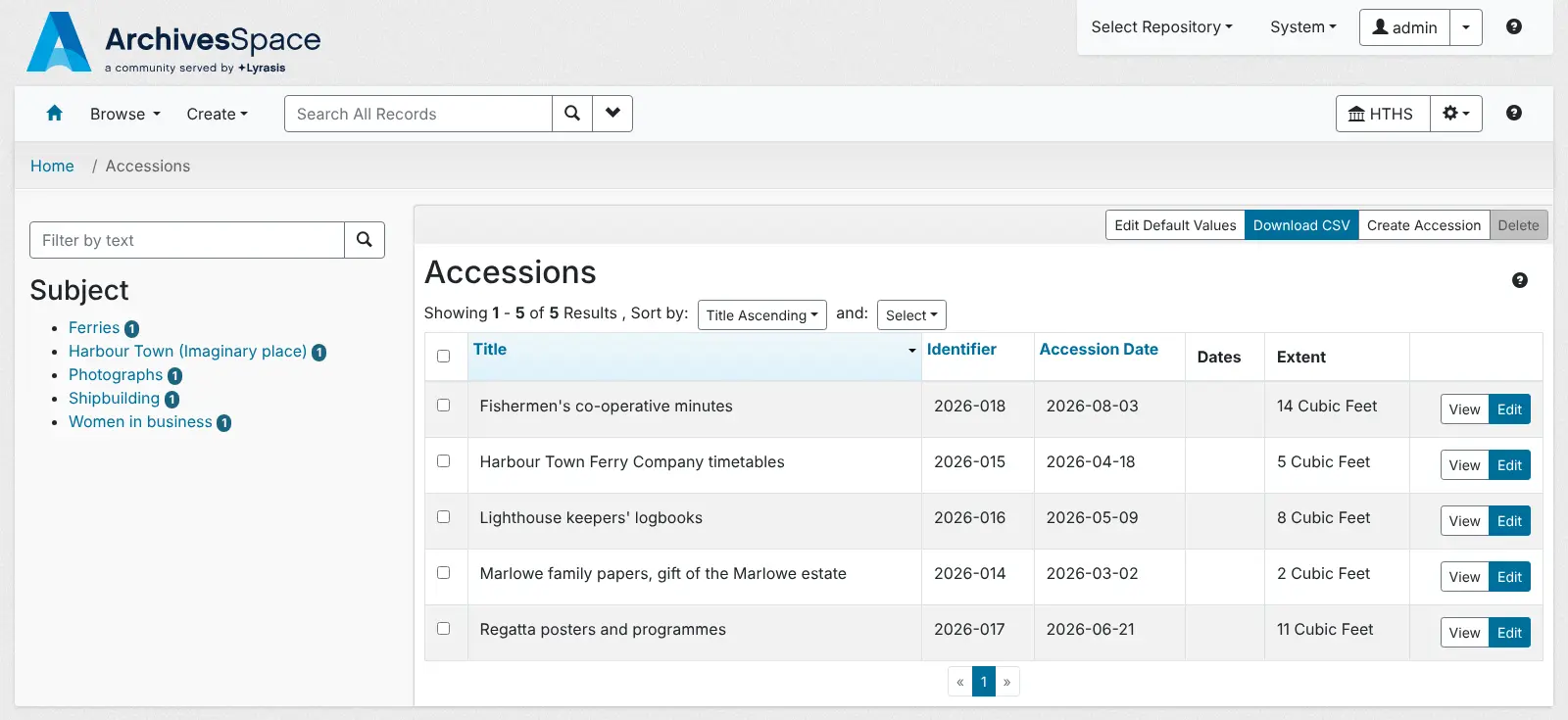
- Record what comes in Log each donation or transfer as an accession, then turn it into a collection description without typing the details again.
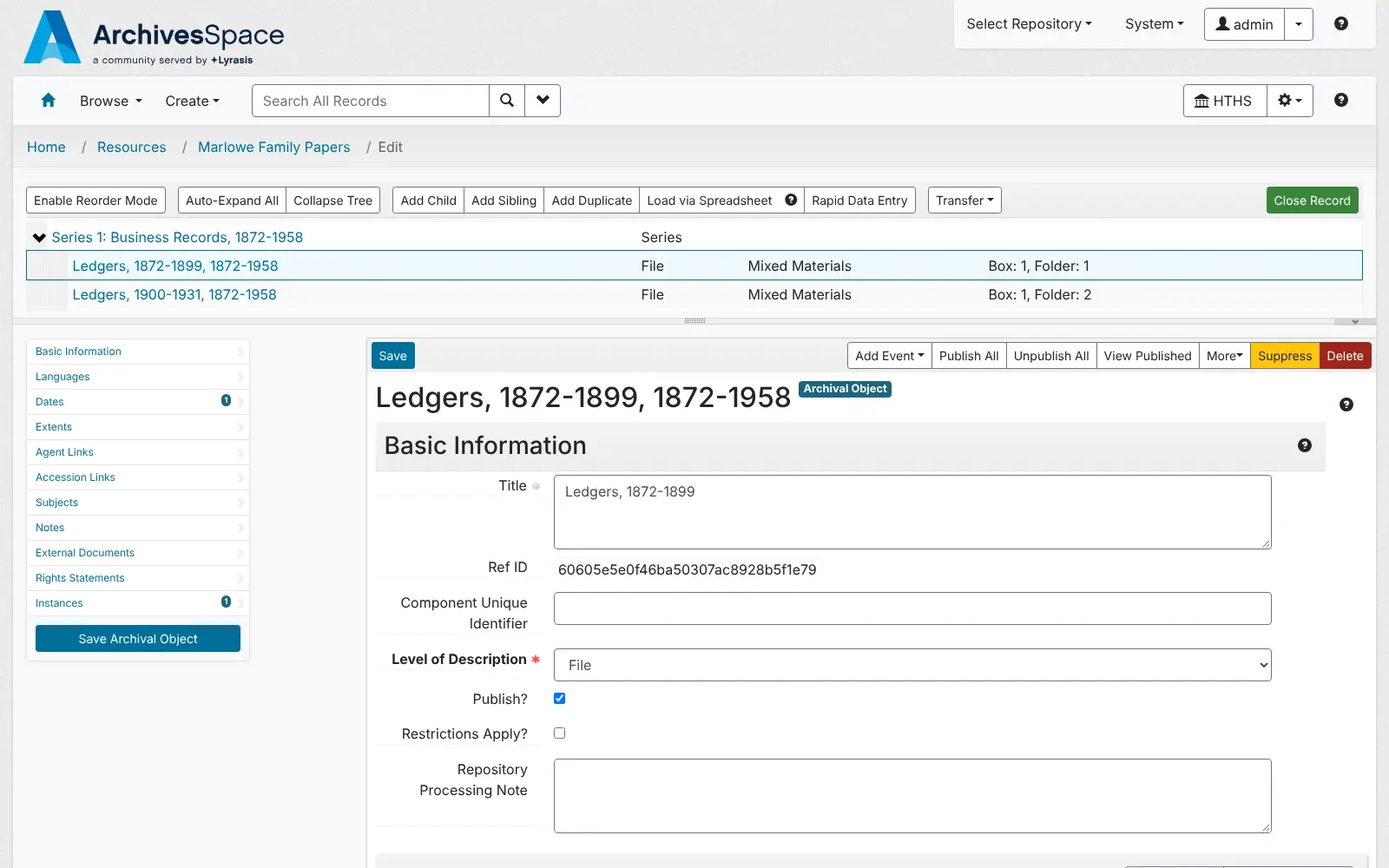
- Describe collections in a tree Arrange a collection into series, files and items, each with its own dates, extent, notes and rights statements.
- Know which box is on which shelf Track boxes and folders and the building, room and shelf where each one is stored.
- Link people, places and subjects Keep one record for each person, family, organisation or subject and link it to every collection it belongs to.
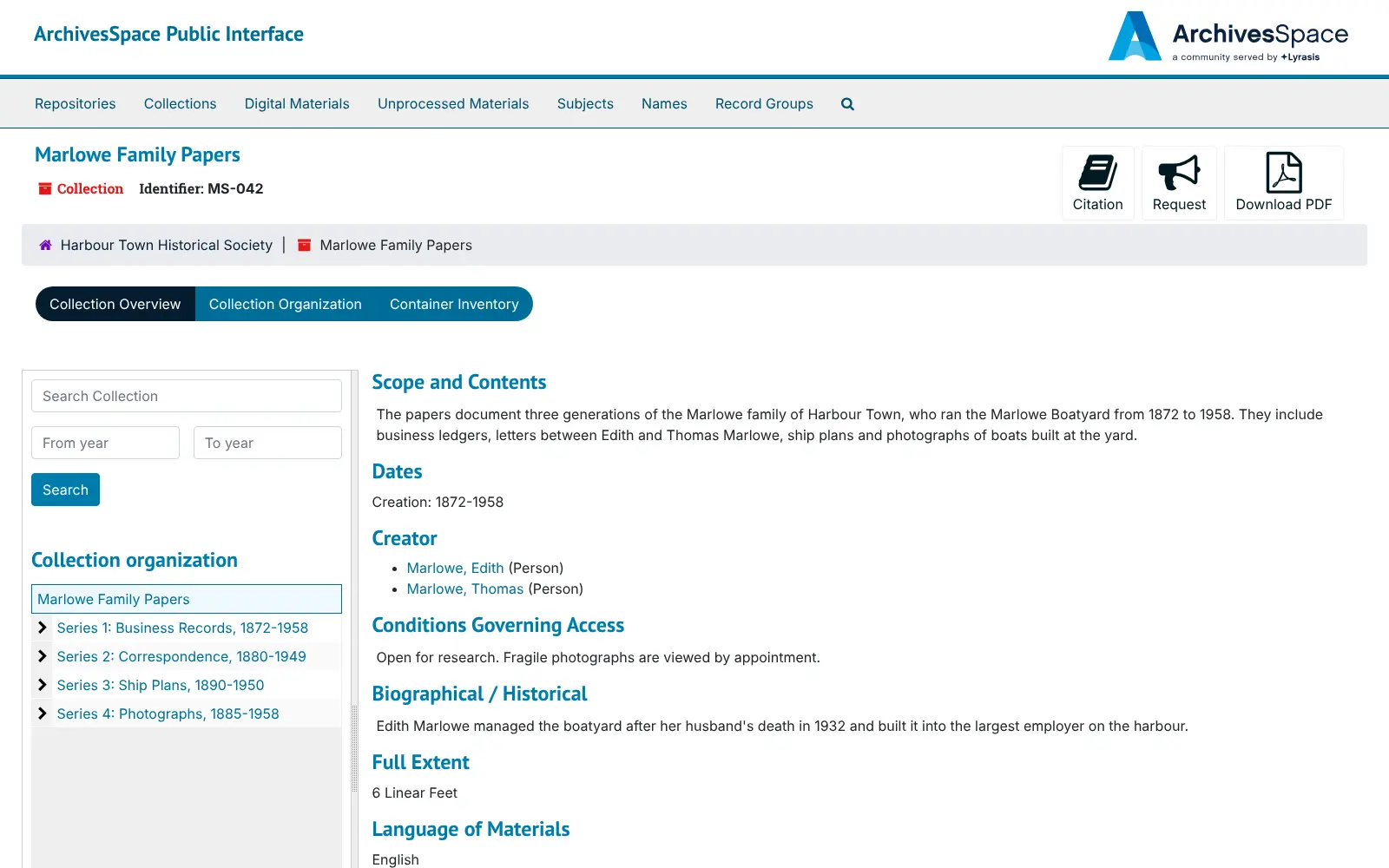
- Publish a public catalogue Researchers search and browse the records you choose to publish, cite them, request them and download finding aids as PDF.
- Import and export archival standards Bring in and send out EAD, MARCXML and EAC-CPF records, and load accessions or folder lists from spreadsheets.
- Give each person the right access Create as many staff accounts as you need, each with permissions for what they may view or edit.
Replaces Axiell Collections and ArchivEra
ArchivesSpace does the same job as Axiell Collections and ArchivEra. Here is what changes when you switch.
- No licence fee, and no paid edition holding features back
- Your catalogue and finding aids stay on your own server
- Built on archival standards (DACS and EAD), so your descriptions can move to other systems
- A public catalogue for researchers is included
- It is made for archival collections, with no catalogue for museum objects
- It does not store digital files; it links to files kept elsewhere
- It uses archivists' terms and takes some learning for volunteers
- The official user manual and support come with a paid membership, though the software is free
What happens when you click Deploy?
You do not need a server or any technical knowledge. Four steps, and ArchivesSpace is running at its own web address.
- Step 1 Click Deploy and create your account
Deploy takes you to Cloudgate. Create an account, or log in if you have one. ArchivesSpace itself is free.
- Step 2 Choose a server
No server? Get one from Cloudgate: pick a size and a country, and Cloudgate gets it ready. Already have one? Connect it instead.
- Step 3 Cloudgate sets up ArchivesSpace
It prepares the server, makes the passwords the app needs and starts it. There is nothing to install and nothing to write down.
- Step 4 Open your app and sign in
Your app gets a free web address to start, without https. Add your own domain, like app.yourshop.com, and Cloudgate secures it with https for you.
New to Cloudgate? See what Cloudgate is
Run Cloudgate yourself? Deploy from your own console
In your Cloudgate console, open Templates and choose ArchivesSpace.
Questions
Is ArchivesSpace free?
Yes. ArchivesSpace is free, open-source software under the Educational Community License 2.0, with no paid edition. An optional paid membership gives you the user manual, support and a voice in its development, but every feature is in the free software.
Is ArchivesSpace a good alternative to PastPerfect or Axiell Collections?
Yes, for archival collections. ArchivesSpace handles accessions, collection descriptions, box locations, name and subject records and a public catalogue of finding aids. It has no catalogue for museum objects, so a museum that mainly records objects may still need other software.
Can I bring my records over from another archives system?
Yes, if your current system can export EAD, MARCXML or EAC-CPF files or spreadsheets. ArchivesSpace imports those formats, has spreadsheet templates for accessions and folder lists, and has official migration tools for Archivists' Toolkit and Archon.
How do I sign in to ArchivesSpace the first time?
Open the staff address, which is separate from the public catalogue's address, and sign in with the user name admin and the password Cloudgate generated, shown on the app's variables page. Nobody can sign up on their own: as admin you create a repository for your archive under System > Manage Repositories, then add accounts for your staff. You can change the admin password in ArchivesSpace.
Can the public search our collections?
Yes. ArchivesSpace includes a public website where researchers search and browse your collections and download finding aids. Only the records you mark as published appear there.
Does ArchivesSpace store our digital files?
No. ArchivesSpace describes digital material and links to files stored on another server or system, but it is not a digital storage or preservation system.
What size server does ArchivesSpace need?
A server with 4 GB of memory, which is what this template uses. The project recommends at least 2 GB for ArchivesSpace itself, and it also runs a database and a search index. The first start takes several minutes while it sets up the database and search index.
Do I need technical skills to run ArchivesSpace?
No. Click Deploy, create your Cloudgate account and choose a server, and Cloudgate sets up ArchivesSpace and gives it a web address. You use it in your browser like any other online tool.
Do I need my own server for ArchivesSpace?
No. When you deploy ArchivesSpace, hosted Cloudgate can provide a server. If you already rent one, you can connect it instead.
Can I move my data from Axiell Collections to ArchivesSpace?
Most people export from Axiell Collections and import into ArchivesSpace. The official guides at docs.archivesspace.org walk through it.
Related apps

A self-hosted web archive that keeps lasting copies of web pages.

Publish your organisation's datasets on your own open data portal.

An open-source electronic lab notebook and inventory for your lab.

Field surveys that work offline, on phones and the web.