
Ryot
Track the shows, books, games and workouts you love in one app.
No server needed to start: Cloudgate can provide one. What happens when you click Deploy



What is Ryot?
Self-hosted Ryot tracks the movies, shows, books, games and podcasts you enjoy, plus your workouts, in one private app.
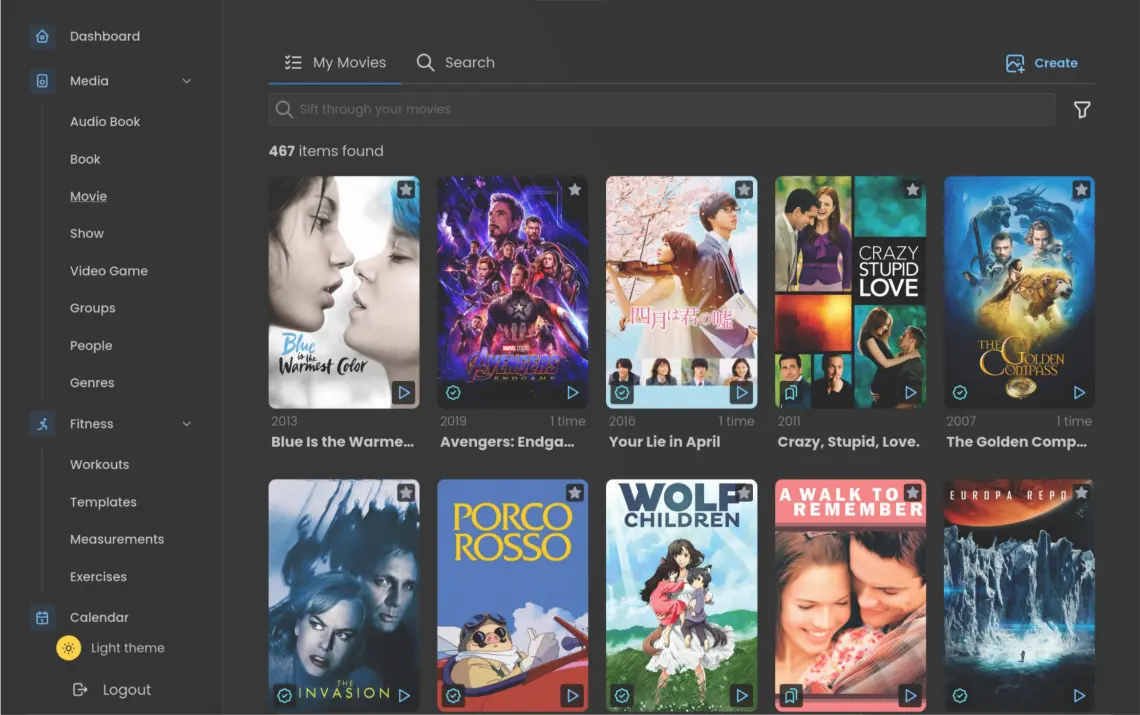
Ryot is a self-hosted media tracker that keeps one private log of the movies, TV shows, books, games and podcasts you enjoy, plus your gym workouts, much like Trakt, Goodreads and Strong in a single app. You mark what you have watched, read or played, rate and review it, and keep a watchlist of what comes next.
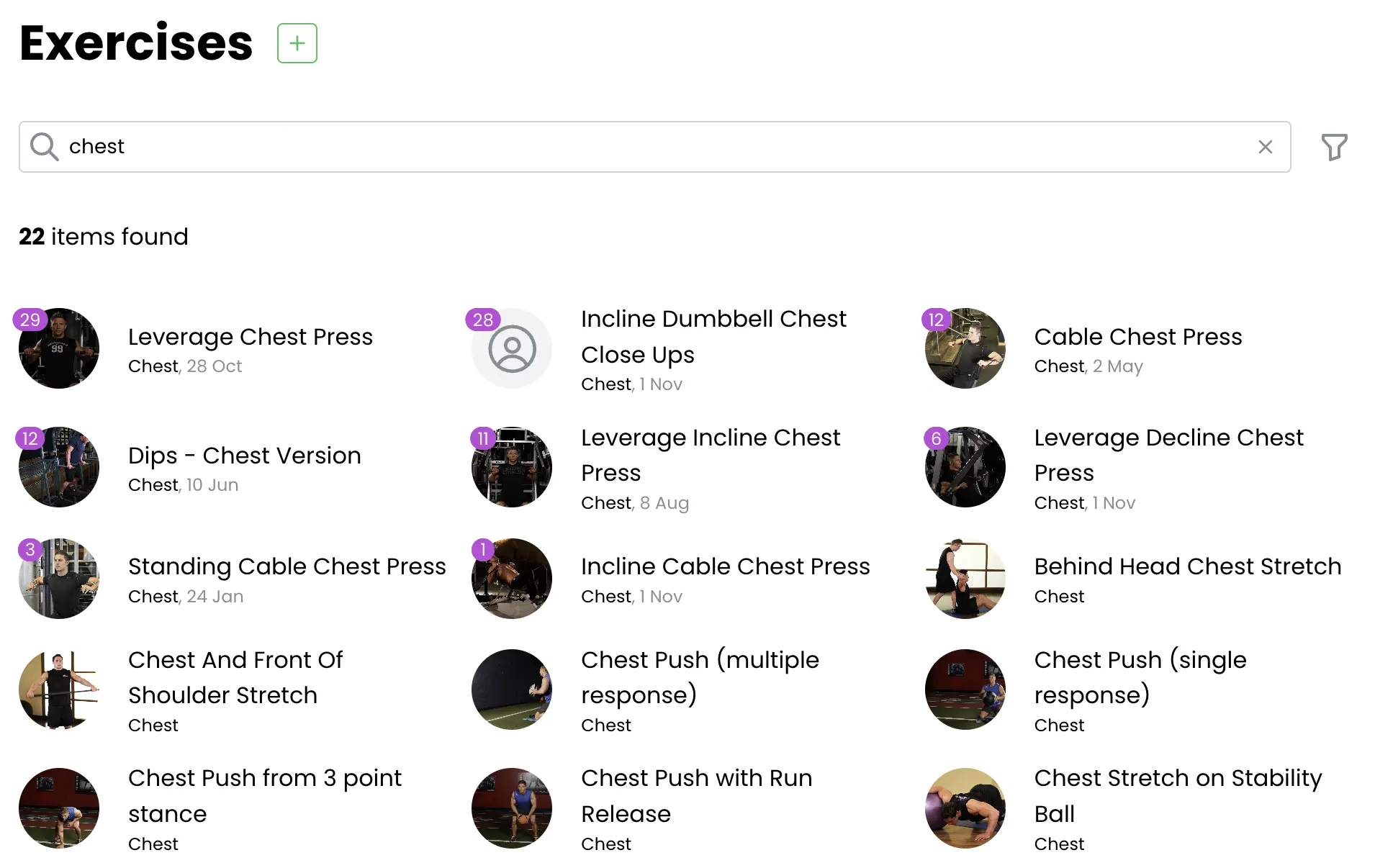
Ryot follows the shows and people you care about, shows a calendar of upcoming releases and can send a notification when a new episode is out. If you already use Jellyfin, Plex, Emby or Kodi, what you watch there is logged on its own. At the gym, you record each set as you go, with rest timers and a list of over 800 exercises, and graphs show your progress. A couple could, for example, keep their shared watchlist, one partner's reading list and the other's weekly lifting log in one place, each with their own account.
You can bring your history with you from Trakt, Goodreads, The StoryGraph, MyAnimeList, Strong, Hevy and other services. Ryot works in any browser and can be added to a phone's home screen.
Cloudgate installs Ryot on a server Cloudgate provides or one you connect, with its database, and gives it a secure web address. The first person to create an account becomes the admin. The free edition is open source; a paid Pro key adds extras such as recommendations and workout templates.
What you can do with Ryot
- Track every kind of media Log movies, TV shows, anime, manga, books, audiobooks, podcasts, music and video games, and mark something seen as many times as you like.
- Keep a watchlist Every account gets a Watchlist, In Progress, Completed, Owned and Reminders list, and items move between them as you log progress.
- Hear about new releases Get a calendar of upcoming episodes and releases, and a notification on Discord, ntfy or another service when something you follow comes out.
- Fill it in automatically Plays from Jellyfin, Plex, Emby, Kodi, Audiobookshelf and Komga update your progress without typing anything.
- Log workouts at the gym Record sets, reps and weights live, with rest timers, supersets and a list of over 800 exercises with instructions.
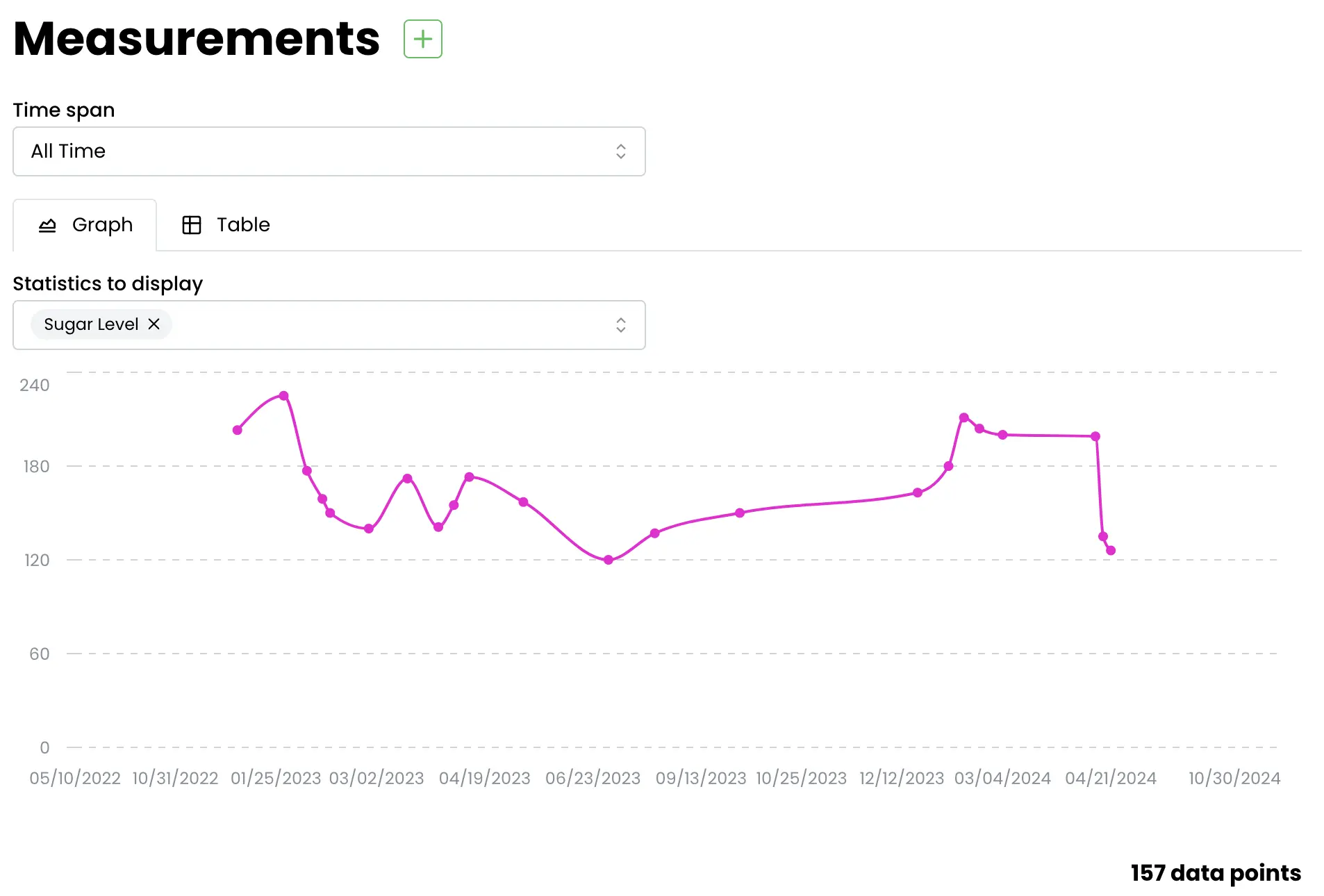
- Watch your body measurements Record weight or any other measurement and see how it changes on a graph.
- See your statistics Graphs and totals show what you watched, read and played across every type of media.
Replaces Trakt, Goodreads, Strong and Hevy
Ryot does the same job as Trakt, Goodreads, Strong and Hevy. Here is what changes when you switch.
- Your watch, reading and workout history in one place, on your own server
- Import your history from Trakt, Goodreads, Strong, Hevy and over a dozen other services
- No account with a company that can change its plans or close
- There is no social feed, friends or community reviews as on Trakt or Goodreads
- Recommendations, workout templates, custom lists and sharing need a paid Ryot Pro key
- There is no native phone app; you add the web app to your home screen instead
- Imports bring over finished items only, and some titles may need fixing by hand
What happens when you click Deploy?
You do not need a server or any technical knowledge. Four steps, and Ryot is running at its own web address.
- Step 1 Click Deploy and create your account
Deploy takes you to Cloudgate. Create an account, or log in if you have one. Ryot itself is free.
- Step 2 Choose a server
No server? Get one from Cloudgate: pick a size and a country, and Cloudgate gets it ready. Already have one? Connect it instead.
- Step 3 Cloudgate sets up Ryot
It prepares the server, makes the passwords the app needs and starts it. There is nothing to install and nothing to write down.
- Step 4 Open your app and sign in
Your app gets a free web address to start, without https. Add your own domain, like app.yourshop.com, and Cloudgate secures it with https for you.
New to Cloudgate? See what Cloudgate is
Run Cloudgate yourself? Deploy from your own console
In your Cloudgate console, open Templates and choose Ryot.
Questions
Is Ryot free?
Yes. Ryot is open-source software under the GPL-3.0 licence, and the free edition covers media tracking, imports, integrations, notifications and workout logging. A paid Ryot Pro key adds extras such as recommendations, workout templates, custom collections and sharing links; this page describes only the free features.
Is Ryot a good alternative to Trakt?
Yes, if you want a private history and watchlist rather than a social network. Ryot imports your Trakt history, ratings and lists, follows new episodes, and also tracks books, games and workouts that Trakt does not.
Can I import my data from Trakt, Goodreads or Strong into Ryot?
Yes. Ryot imports from Trakt, Goodreads, The StoryGraph, Hardcover, MyAnimeList, IMDb, Netflix, Plex, Jellyfin, Strong, Hevy and more. Imports bring over finished items; things you are part-way through are updated by an integration or by hand.
Does Ryot have a phone app?
No. Ryot has no native phone app yet; it is a web app that works in a phone's browser, and you can add it to your home screen so it opens like an app.
Do I need anything else to track movies and video games in Ryot?
Yes. In Ryot, movies and shows need a free access token from The Movie Database (TMDB), and video games need a free app key from Twitch. Books, podcasts, music, anime and workouts work without any keys.
Who is the Ryot admin?
The first person to create an account in Ryot becomes the admin, so do this right after setup. Other people can then create their own accounts, each with a private history.
Is my data private with Ryot?
Yes. Your history, ratings and workouts are stored on your own server, and Cloudgate turns off Ryot's anonymous usage statistics.
Do I need technical skills to run Ryot?
No. Click Deploy, create your Cloudgate account and choose a server, and Cloudgate sets up Ryot and gives it a web address. You use it in your browser like any other online tool.
Do I need my own server for Ryot?
No. When you deploy Ryot, hosted Cloudgate can provide a server. If you already rent one, you can connect it instead.
Related apps

A self-hosted media tracker for films, series, anime, games and books.

A self-hosted movie tracker with ratings, reviews and statistics.

Keep track of every film and show you watch, on your own server.

Podcast hosting with your own feed, website and stats.