Pydio Cells
File sharing with team workspaces and client links.
No server needed to start: Cloudgate can provide one. What happens when you click Deploy
What is Pydio Cells?
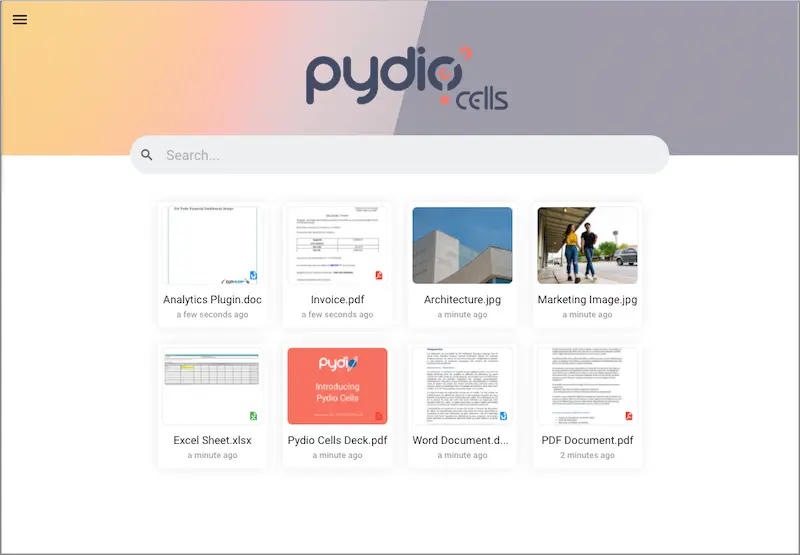
Pydio Cells is self-hosted file sharing for teams and clients, with workspaces, project spaces, secure links and file versions, like Box.
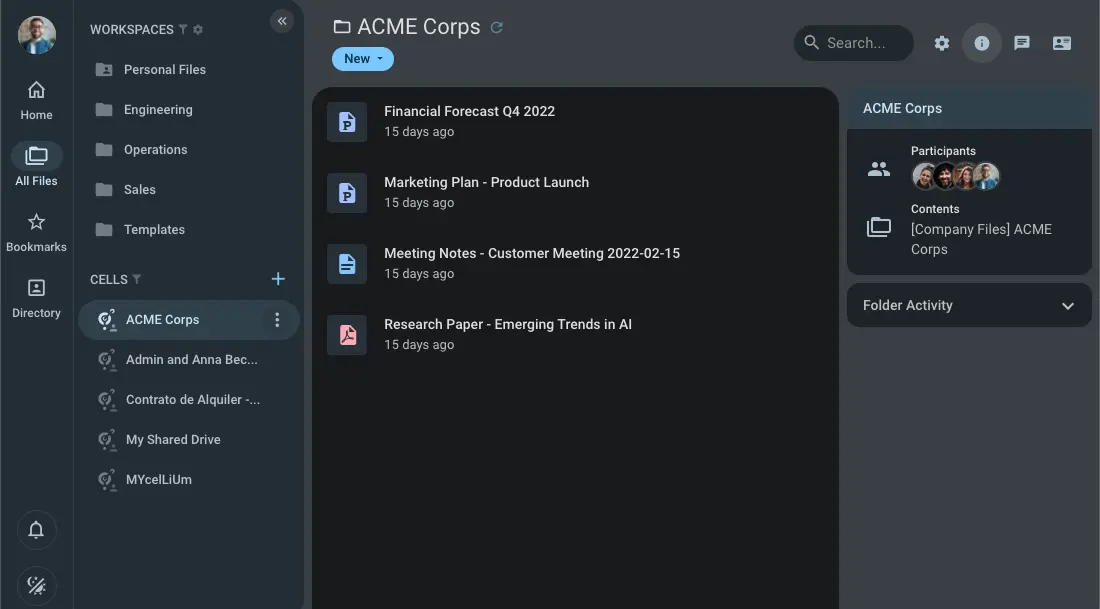
Pydio Cells is self-hosted, open-source file sharing software for organisations: a free alternative to Box or Dropbox for business that keeps your team's files, and the files you share with clients, on your own server. Teams work in shared workspaces, and anyone can open a Cell, a shared space for one project that can include people from outside your organisation.
Share links can carry a password, an expiry date or a download limit, and an upload-only link lets clients send you files without seeing anything else. Every change keeps a version you can restore, and tags and filters help you find files again. A small accounting practice, for example, could keep a workspace for each department, open a Cell for each client's year-end accounts with that client as a member and an end date, and send an upload-only link to collect receipts.
There are apps for iPhone and Android, and computers can open files over WebDAV. Cloudgate installs the free Cells Home edition with its database on a server Cloudgate provides or one you connect, gives it a secure web address and creates the admin account. Single sign-on, two-factor sign-in, audit logs and office editing are in Pydio's paid editions.
What you can do with Pydio Cells
- Give each team a workspace Set up shared folders such as Sales or Operations and choose who can read or change the files in each one.
- Open a Cell for each project Anyone can create a Cell, a shared space that gathers files from several workspaces with the colleagues or outside people working on them, and give it an end date.
- Share with a secure link Send a link with a password, an expiry date or a download limit, or a link that only lets clients upload files to you.
- Go back to an earlier version Every change keeps a version you can download or restore, and old versions are cleaned up on a set schedule.
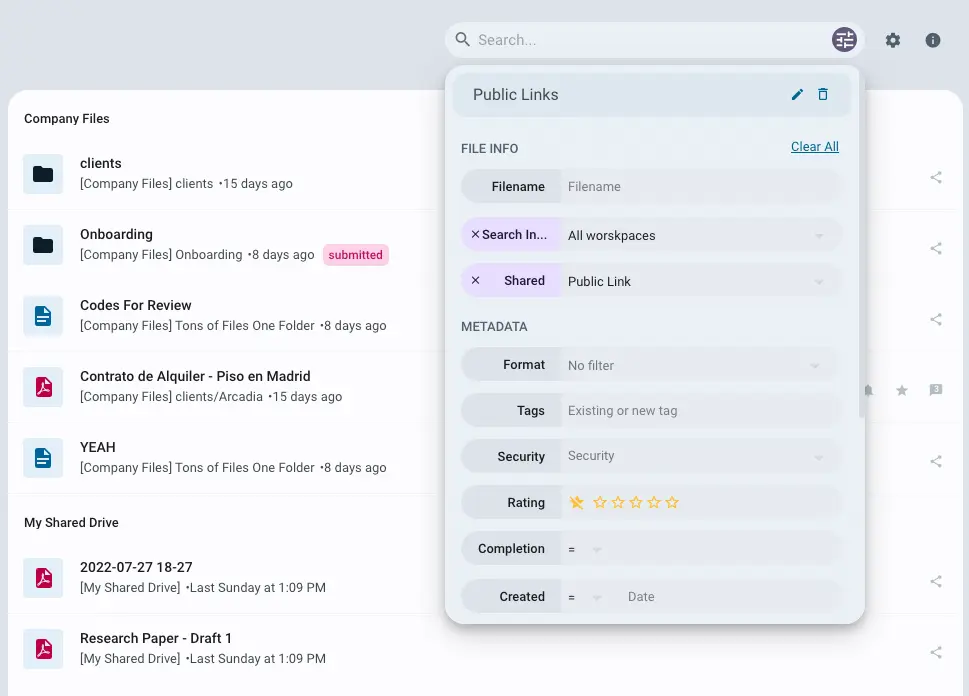
- Find files with tags and filters Tag and rate files, then search by name, type, tag, date or whether a file is shared, and save the searches you use often.
- Encrypt stored files Turn on encryption for a storage area so the files on the server's disk can't be read without Pydio Cells.
- Open files on your phone Apps for iPhone and Android browse and upload files, and computers can open your files as a network drive over WebDAV.
Replaces Box and Dropbox
Pydio Cells does the same job as Box and Dropbox. Here is what changes when you switch.
- No price per user, and storage is limited only by your server's disk
- Your files and client shares stay on a server you control
- Project Cells can include outside people and close on their own when the work ends
- Single sign-on, two-factor sign-in, audit logs and office editing in the browser are in Pydio's paid editions, not in the free Cells Home
- Pydio calls its desktop sync app a test version, and this template doesn't set it up, so you work in the browser, on your phone or over WebDAV
- The admin settings are extensive and take some time to learn
- Updates and backups are your job, with Cloudgate's help
What happens when you click Deploy?
You do not need a server or any technical knowledge. Four steps, and Pydio Cells is running at its own web address.
- Step 1 Click Deploy and create your account
Deploy takes you to Cloudgate. Create an account, or log in if you have one. Pydio Cells itself is free.
- Step 2 Choose a server
No server? Get one from Cloudgate: pick a size and a country, and Cloudgate gets it ready. Already have one? Connect it instead.
- Step 3 Cloudgate sets up Pydio Cells
It prepares the server, makes the passwords the app needs and starts it. There is nothing to install and nothing to write down.
- Step 4 Open your app and sign in
Your app gets a free web address to start, without https. Add your own domain, like app.yourshop.com, and Cloudgate secures it with https for you.
New to Cloudgate? See what Cloudgate is
Run Cloudgate yourself? Deploy from your own console
In your Cloudgate console, open Templates and choose Pydio Cells.
Questions
Is Pydio Cells free?
Yes. Cells Home, which this template installs, is free and open source under the AGPL licence, and you pay only for your server. Pydio also sells Cells Connect and Cells Enterprise, paid editions that add single sign-on, two-factor sign-in, audit logs, custom branding and OnlyOffice editing.
Is Pydio Cells a good alternative to Box?
Yes, for sharing files across a team and with people outside it. Pydio Cells has team workspaces, project Cells with outside members, share links with passwords and expiry dates, upload-only links and file versions. Box adds e-signatures, workflows and many integrations, and in Pydio, single sign-on and audit logs are paid.
Should I choose Pydio Cells or Nextcloud?
Choose Pydio Cells if you mainly share files with clients and partners and want project spaces with careful permissions. Choose Nextcloud if you want files synced to every computer plus calendars, contacts and office editing in the same place.
How do I sign in the first time?
Sign in to Pydio Cells with the user name admin and the password Cloudgate generated, shown on the app's variables page in Cloudgate. Change the password in Pydio Cells afterwards, then add your colleagues.
Can I move my files from Box or Dropbox?
Yes, by copying them. Pydio Cells has no importer for Box or Dropbox, so download your files and upload whole folders in the browser, or copy them in over WebDAV. Shared links don't carry over, so share them again.
Does Pydio Cells have desktop and phone apps?
Yes. There are free Pydio Cells apps for iPhone and Android. The desktop sync app, Cells Sync, is still a test version according to Pydio and isn't set up in this template.
What server size do I need for Pydio Cells?
Cloudgate asks for a server with 2 GB of memory, which suits a small team. Pydio recommends 2 CPU cores and 4 GB of memory for heavier use. Choose the disk size by how many files you store.
Do I need technical skills to run Pydio Cells?
No. Click Deploy, create your Cloudgate account and choose a server, and Cloudgate sets up Pydio Cells and gives it a web address. You use it in your browser like any other online tool.
Do I need my own server for Pydio Cells?
No. When you deploy Pydio Cells, hosted Cloudgate can provide a server. If you already rent one, you can connect it instead.
Related apps

File sync and sharing, with shared Spaces for each team.

File sync and sharing, with shared drives for each team.

Fast, self-hosted file sync and sharing for your team.

File sharing and sync for your team's shared drive.