
phpIPAM
IP address management for your subnets and VLANs.
No server needed to start: Cloudgate can provide one. What happens when you click Deploy
What is phpIPAM?
phpIPAM is a self-hosted IP address manager: plan subnets, track every IP address, VLAN and device, and check which addresses are in use.
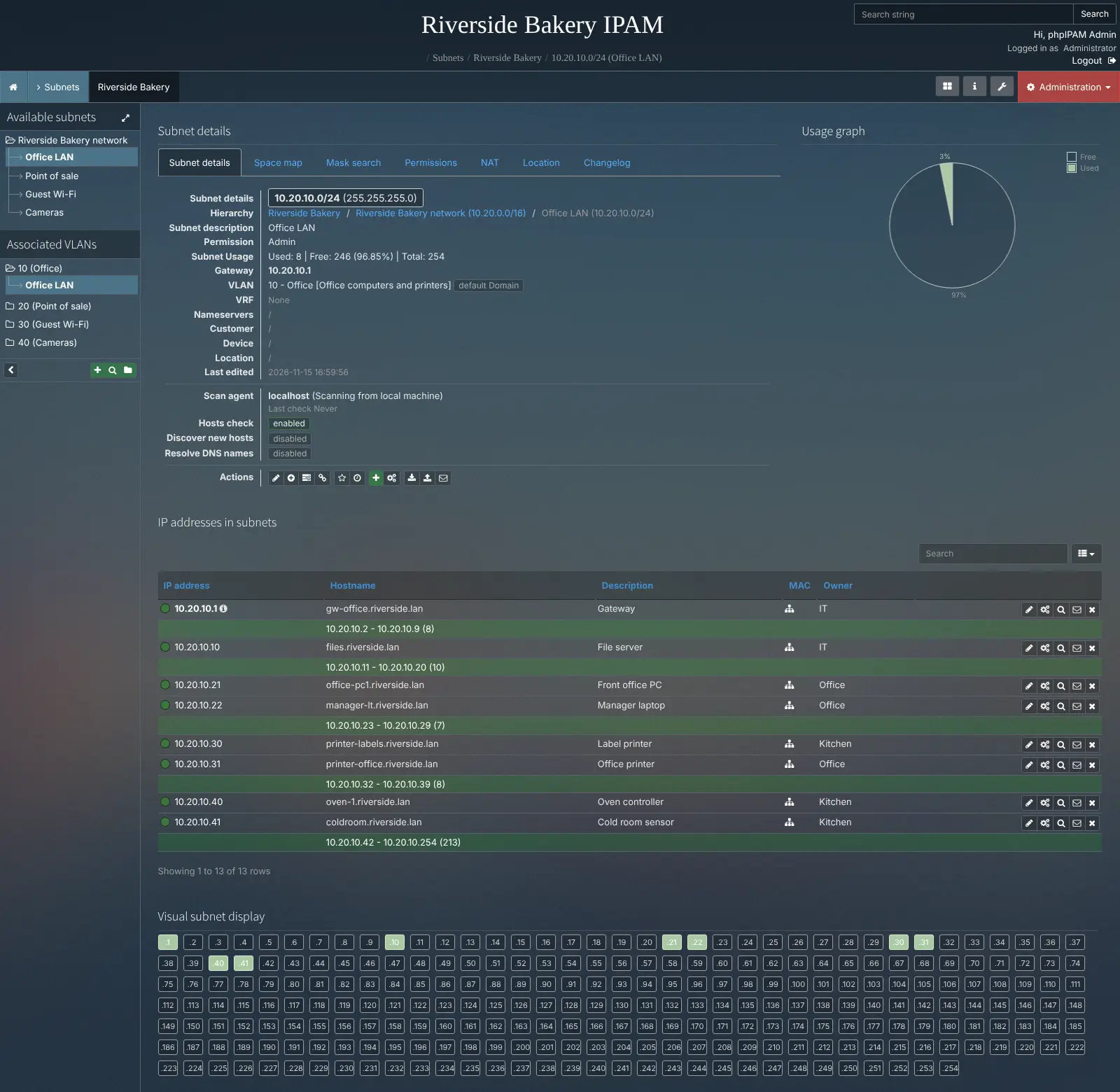
phpIPAM is a free, open-source, self-hosted IP address management (IPAM) tool that replaces the IP address spreadsheet, and paid tools such as SolarWinds IPAM and Infoblox, with one shared record of your subnets, IP addresses, VLANs and devices. Each subnet shows which addresses are taken, who owns them and which are free, and phpIPAM can ping your subnets every hour to show which addresses are actually in use.
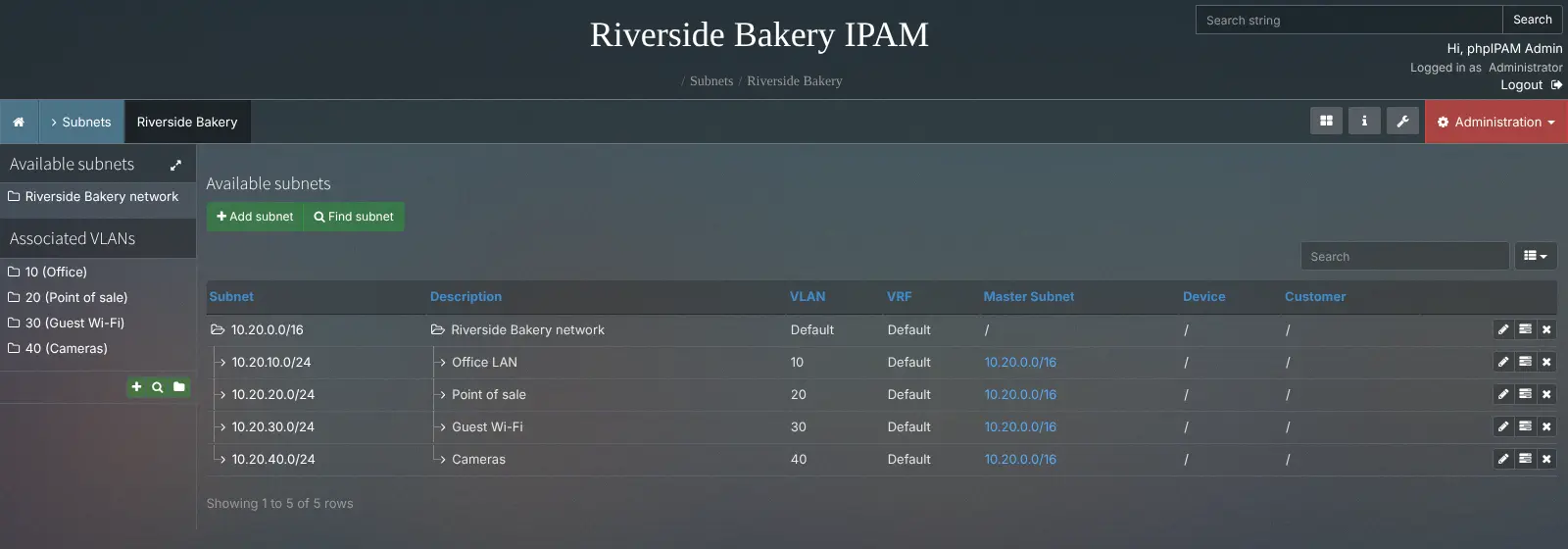
A bakery with an office, tills, card readers, guest Wi-Fi and security cameras could give each its own subnet and VLAN, then see in seconds which address the new receipt printer can take and which device sits on 10.20.10.40. Colleagues can request an address through a form instead of guessing one.
phpIPAM works in any web browser. It signs people in with Active Directory, LDAP, Radius or SAML, imports and exports Excel and CSV files, and connects to other tools through its REST API, PowerDNS and ISC or Kea DHCP servers. The checks only reach networks your server can reach, such as over a VPN.
Cloudgate installs phpIPAM on a server Cloudgate provides or one you connect, with its database and hourly scanning job, and gives it a secure web address. Sign in as Admin with the password Cloudgate generates.
What you can do with phpIPAM
- Keep every IP address in one place Record each IPv4 and IPv6 address with its hostname, MAC address, owner and notes, grouped into sections and nested subnets.
- See free space at a glance Each subnet shows how many addresses are used and free, with a map of every address in it.
- Check which addresses are in use phpIPAM pings the subnets you choose every hour, finds new hosts and shows when each address was last seen.
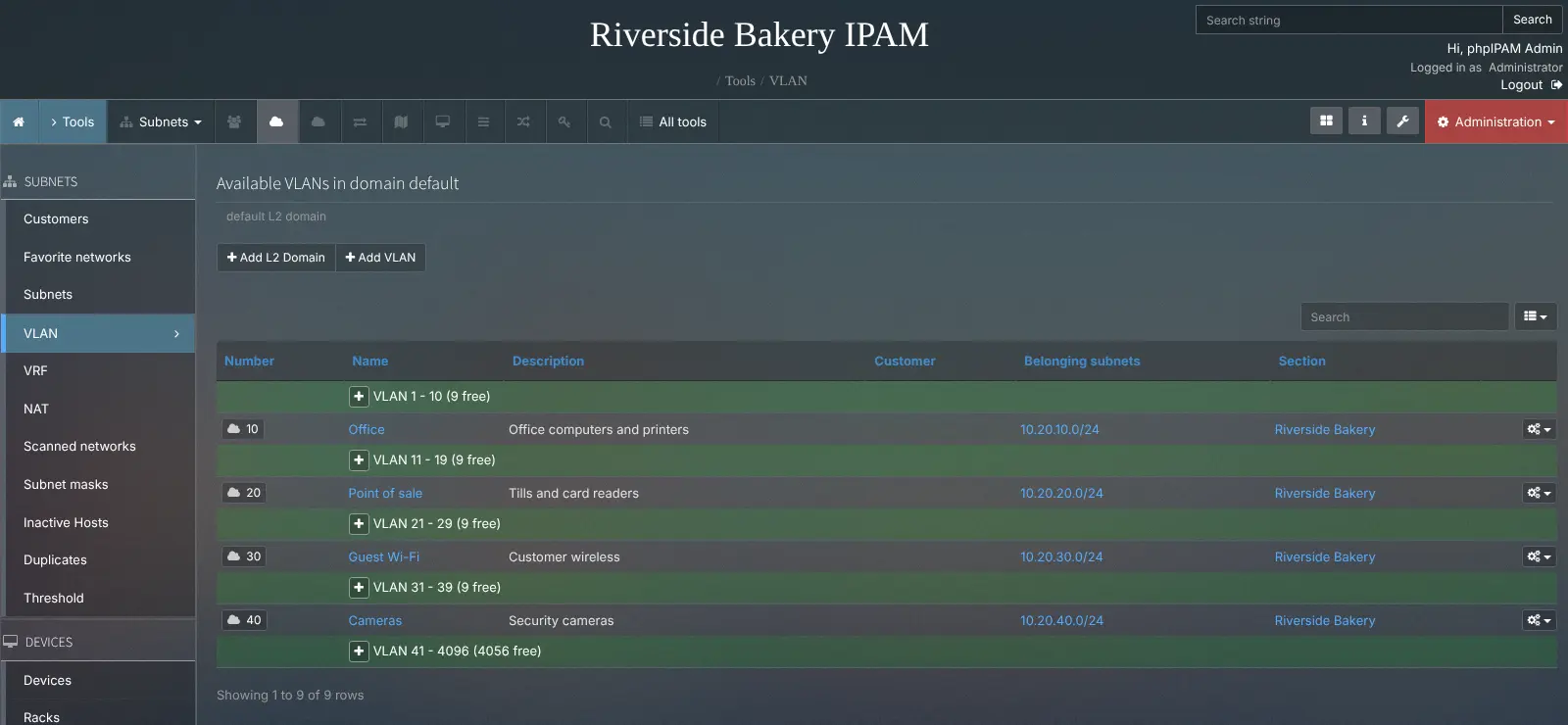
- Manage VLANs, VRFs and NAT Keep VLAN numbers, VRFs and NAT rules next to the subnets they belong to, and spot free VLAN numbers.
- Track devices, racks and locations Link addresses to switches, routers and servers, place them in racks and pin sites on a map.
- Let people request an address Colleagues ask for a free address in a form, and an admin approves it.
- Control who sees what Give each group its own access to sections and subnets, with sign-in through Active Directory, LDAP, Radius or SAML, plus two-step sign-in and passkeys.
- Import, export and connect Bring subnets and addresses in from an Excel or CSV file, export them again, and connect other tools through the REST API.
Replaces SolarWinds IPAM and Infoblox
phpIPAM does the same job as SolarWinds IPAM and Infoblox. Here is what changes when you switch.
- Free and open source, with no licence fee per address or server
- Your network records stay on your own server
- Every feature is included; there is no paid edition
- A lighter, simpler tool to learn than an enterprise suite
- It does not run DNS or DHCP servers itself, as Infoblox does
- Scanning only reaches networks your server can reach
- Less automatic discovery than SolarWinds, so more is entered by hand
- Community support only, with no vendor support contract
What happens when you click Deploy?
You do not need a server or any technical knowledge. Four steps, and phpIPAM is running at its own web address.
- Step 1 Click Deploy and create your account
Deploy takes you to Cloudgate. Create an account, or log in if you have one. phpIPAM itself is free.
- Step 2 Choose a server
No server? Get one from Cloudgate: pick a size and a country, and Cloudgate gets it ready. Already have one? Connect it instead.
- Step 3 Cloudgate sets up phpIPAM
It prepares the server, makes the passwords the app needs and starts it. There is nothing to install and nothing to write down.
- Step 4 Open your app and sign in
Your app gets a free web address to start, without https. Add your own domain, like app.yourshop.com, and Cloudgate secures it with https for you.
New to Cloudgate? See what Cloudgate is
Run Cloudgate yourself? Deploy from your own console
In your Cloudgate console, open Templates and choose phpIPAM.
Questions
Is phpIPAM free?
Yes, phpIPAM is free and open source under the GPL-3.0 licence, and every feature is in the free version. You pay only for the server it runs on.
Is phpIPAM a good alternative to SolarWinds IPAM or Infoblox?
Yes, for tracking subnets, IP addresses and VLANs in small and mid-sized networks. phpIPAM covers the core of IP address management with scanning and IP requests, but it gathers less data automatically than SolarWinds IPAM, and unlike Infoblox it does not run DNS or DHCP servers.
How do I sign in to phpIPAM the first time?
Sign in with the username Admin and the password Cloudgate generated, shown with the app's settings in Cloudgate. phpIPAM normally starts with the public password ipamadmin and a setup wizard; this template replaces that password and turns the wizard off.
Can phpIPAM scan my office network from a cloud server?
Only if the server can reach that network, for example over a VPN. phpIPAM checks addresses by pinging them from its own server, so without that connection it still works as your record of addresses, but the in-use checks will not reach your office.
Can I import my IP address spreadsheet into phpIPAM?
Yes, phpIPAM imports subnets, IP addresses, VLANs and devices from Excel or CSV files. There is no direct importer for SolarWinds or Infoblox, so export your data from those to CSV first.
Should I choose phpIPAM or NetBox?
Choose phpIPAM if you mainly need to track IP addresses, subnets and VLANs in a simple tool. NetBox models your whole infrastructure, including cabling and data-centre equipment, and takes more setup to learn.
What server size do I need for phpIPAM?
A small server is enough, because phpIPAM is a light web app with a MySQL-compatible database and an hourly scanning job. Cloudgate sets up all three.
Do I need technical skills to run phpIPAM?
No. Click Deploy, create your Cloudgate account and choose a server, and Cloudgate sets up phpIPAM and gives it a web address. You use it in your browser like any other online tool.
Do I need my own server for phpIPAM?
No. When you deploy phpIPAM, hosted Cloudgate can provide a server. If you already rent one, you can connect it instead.
Related apps

Document your racks, IP addresses, cables and circuits in one place.

Open your office computers and servers in a browser, from anywhere.

Build internal tools and admin panels on your own databases.

A self-hosted low-code platform for your own CRM or records apps.