
PhotoPrism
A self-hosted photo library that finds any picture by place or face.
No server needed to start: Cloudgate can provide one. What happens when you click Deploy
What is PhotoPrism?
Self-hosted PhotoPrism: an open-source photo library that sorts pictures by place, face and subject, so you can find any photo without Google Photos.
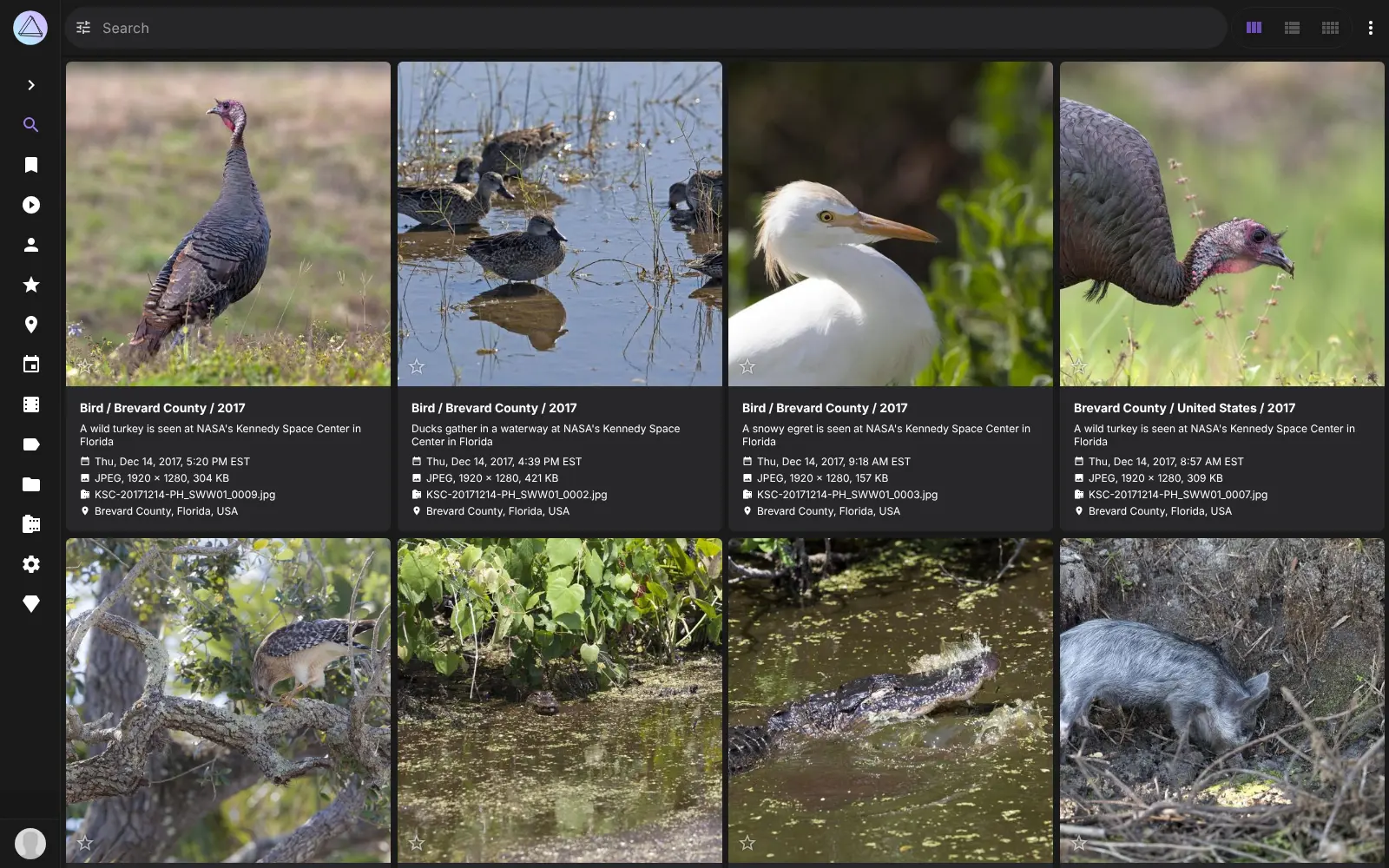
PhotoPrism is a self-hosted, open-source photo library that sorts your pictures by place, subject and face, so you can find any photo without paying for Google Photos, iCloud or Lightroom storage. You upload photos and videos in the browser, and PhotoPrism reads when and where each was taken, labels what is in it and recognises familiar faces.
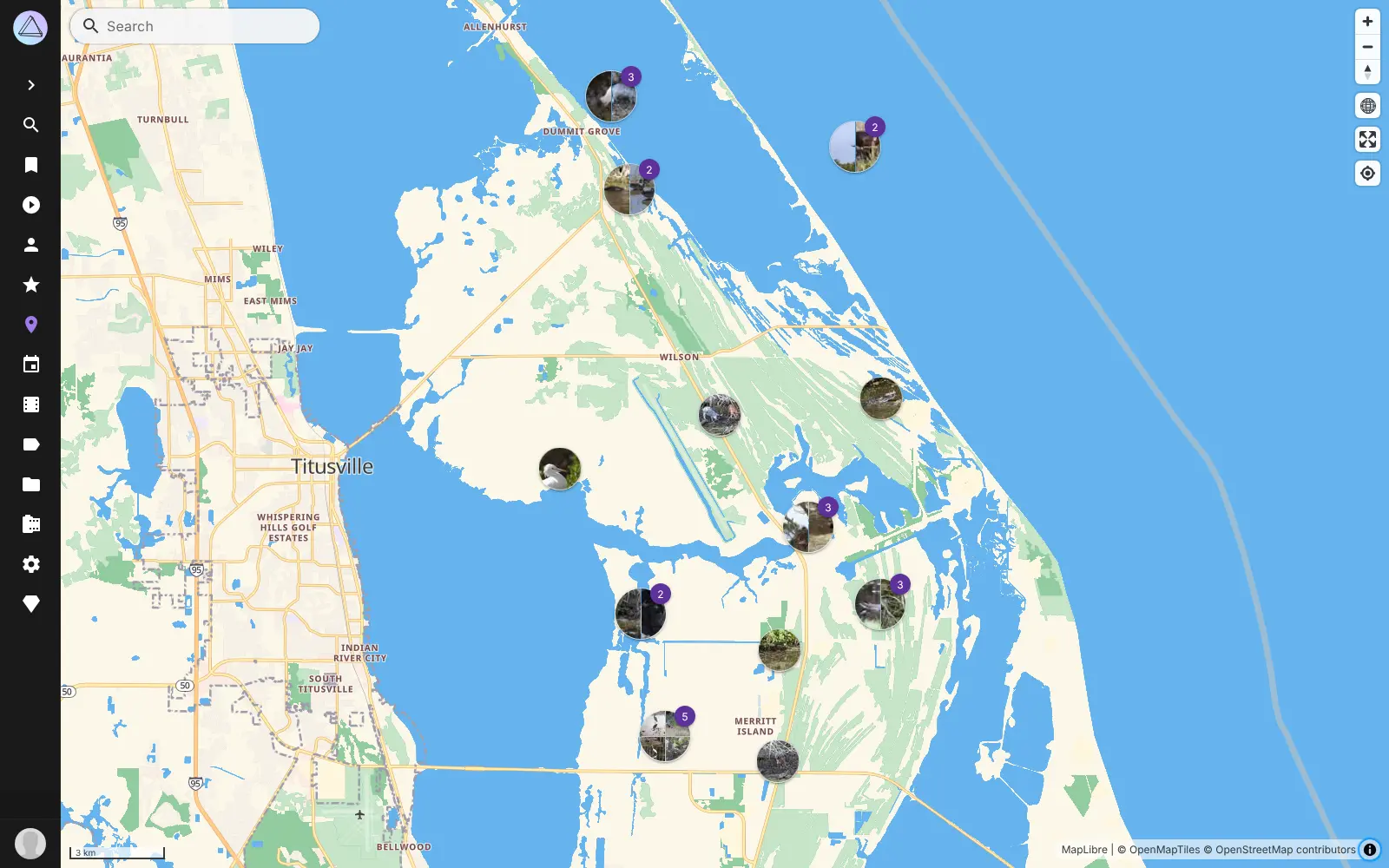
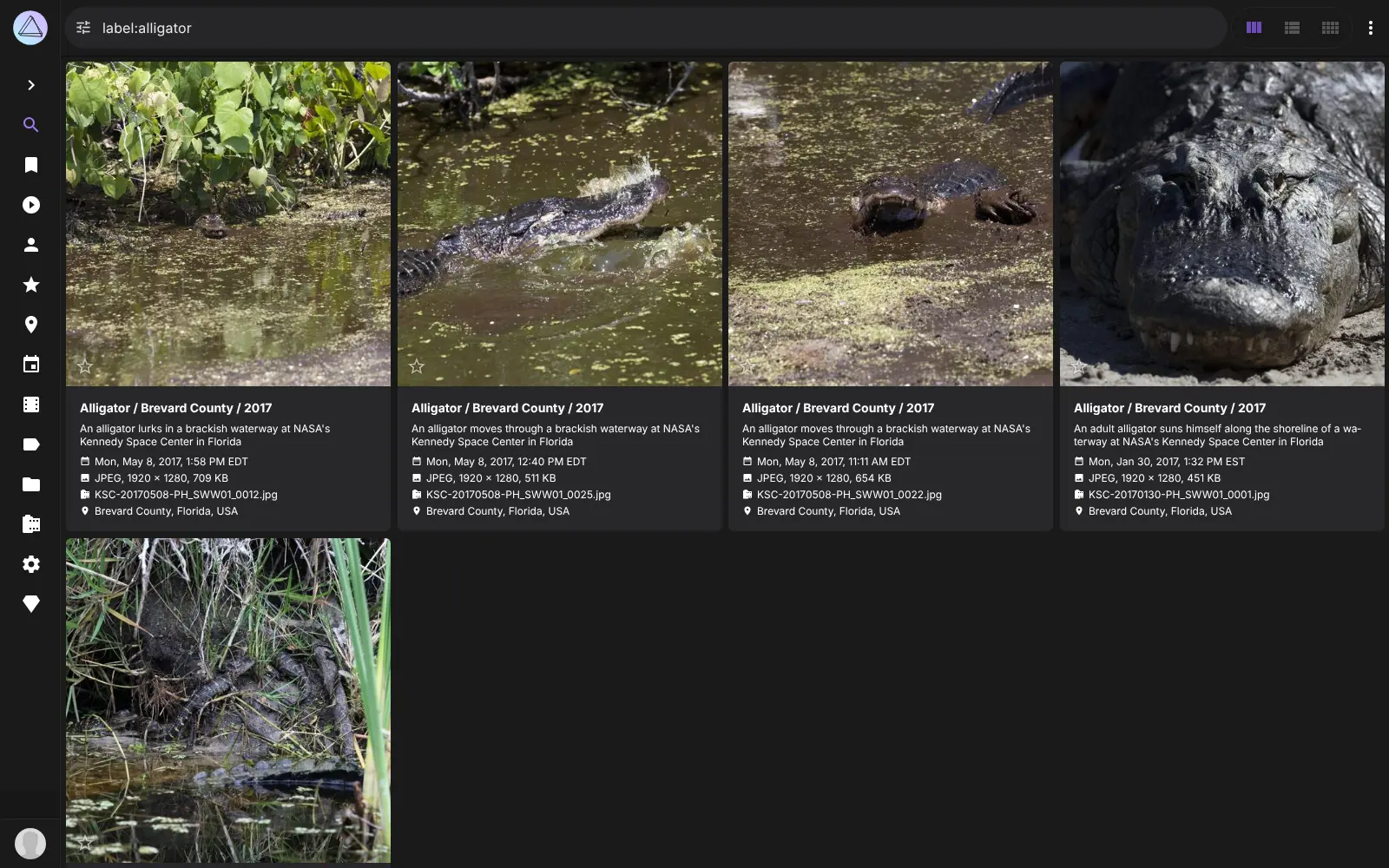
Finding a picture is where it shines. You can combine filters such as subject, place, date and colour, browse a world map of your trips, or open the photos of one person. It keeps RAW camera files, videos and Live Photos as they are. A nature photographer, for example, could upload ten years of shoots and pull up every bird photo taken at one lake with two filters.
PhotoPrism works in any web browser and can be added to a phone's home screen. There is no PhotoPrism phone app, so automatic phone backup uses a separate app such as PhotoSync, and you can also copy files in from Windows Explorer or the Mac Finder. If you are leaving Google Photos, it reads the dates and places in a Google Takeout download.
Cloudgate installs PhotoPrism and its database on your server, gives it a secure web address and creates the admin account, so you can sign in and start uploading.
What you can do with PhotoPrism
- Find photos with filters Combine filters such as subject, place, date, colour and quality to find one picture among thousands.
- See your photos on a map Places shows every photo on a world map, so you can revisit a trip spot by spot.
- Let it sort for you PhotoPrism labels pictures by what is in them and where they were taken, and recognises the faces of family and friends.
- Keep RAW files, videos and Live Photos Browse RAW camera files, videos, Live Photos and HEIC pictures alongside ordinary JPEGs.
- Organise and share albums Make albums, mark favourites, spot duplicates, and send an album to someone with a share link.
- Use it on any device Open it in any web browser or add it to your phone's home screen like an app.
- Drag files in from your computer Connect from Windows Explorer or the Mac Finder and copy photos straight into your library.
Replaces Google Photos, iCloud Photos and Adobe Lightroom
PhotoPrism does the same job as Google Photos, iCloud Photos and Adobe Lightroom. Here is what changes when you switch.
- No storage plan to upgrade; you are limited only by your server's disk
- Your photos stay on your server and are not used by an outside company
- Original files are kept as they are, including RAW camera files
- Search filters and a map that work on the library you already have
- There is no PhotoPrism phone app; automatic phone backup needs a separate app such as PhotoSync
- One PhotoPrism holds one shared library, so family members do not get separate private libraries
- It organises photos but does not edit them, unlike Lightroom
- A few extras, such as satellite maps, need a paid PhotoPrism membership
What happens when you click Deploy?
You do not need a server or any technical knowledge. Four steps, and PhotoPrism is running at its own web address.
- Step 1 Click Deploy and create your account
Deploy takes you to Cloudgate. Create an account, or log in if you have one. PhotoPrism itself is free.
- Step 2 Choose a server
No server? Get one from Cloudgate: pick a size and a country, and Cloudgate gets it ready. Already have one? Connect it instead.
- Step 3 Cloudgate sets up PhotoPrism
It prepares the server, makes the passwords the app needs and starts it. There is nothing to install and nothing to write down.
- Step 4 Open your app and sign in
Your app gets a free web address to start, without https. Add your own domain, like app.yourshop.com, and Cloudgate secures it with https for you.
New to Cloudgate? See what Cloudgate is
Run Cloudgate yourself? Deploy from your own console
In your Cloudgate console, open Templates and choose PhotoPrism.
Questions
Is PhotoPrism free?
Yes. The PhotoPrism Community Edition is free, open-source software under the AGPL-3.0 licence, with no storage limit, and you pay only for your server. Its makers sell optional memberships that add extras such as satellite maps and more account roles.
Is PhotoPrism a good alternative to Google Photos?
Yes, if you mainly want to find and organise your photos. PhotoPrism has search filters, a photo map, face recognition and automatic labels, and reads the dates and places in a Google Photos download. Unlike Google Photos, it has no phone app of its own for automatic backup.
What is the difference between PhotoPrism and Immich?
PhotoPrism is built around the web browser and finding pictures in a big library, while Immich is built around backing up your phone. Immich has its own phone apps and a private library for each person; PhotoPrism has one shared library and stronger search filters.
Can I move my photos from Google Photos to PhotoPrism?
Yes. Download your library with Google Takeout and upload it to PhotoPrism, which reads each photo's date, place, title and caption from the files Google includes. Google Photos albums are not recreated automatically.
Is there a PhotoPrism app for my phone?
No, there is no official phone app, but PhotoPrism works in your phone's browser and can be added to the home screen like an app. To back up your phone in the background, PhotoPrism points to PhotoSync, a separate app.
Can my whole family use one PhotoPrism?
Yes, as one shared family library. Everyone who signs in to PhotoPrism sees the same photos, and you can share albums with others by link. PhotoPrism suggests a separate PhotoPrism for each person who wants a private library.
What server size do I need for PhotoPrism?
PhotoPrism needs at least 2 CPU cores and 3 GB of memory, so Cloudgate gives it a server with 4 GB. Plan the disk for your whole library plus room for thumbnails.
Do I need technical skills to run PhotoPrism?
No. Click Deploy, create your Cloudgate account and choose a server, and Cloudgate sets up PhotoPrism and gives it a web address. You use it in your browser like any other online tool.
Do I need my own server for PhotoPrism?
No. When you deploy PhotoPrism, hosted Cloudgate can provide a server. If you already rent one, you can connect it instead.
Related apps

A self-hosted photo library that sorts photos by face, place and day.

Back up your photos and videos, and find any picture fast.

A self-hosted photo gallery that turns your folders into albums.

A self-hosted photo manager for fast search and keyword tagging.