
Immich
Back up your photos and videos, and find any picture fast.
No server needed to start: Cloudgate can provide one. What happens when you click Deploy
What is Immich?
Self-hosted Immich: an open-source Google Photos alternative that backs up phone photos and videos automatically and finds any picture by face or place.
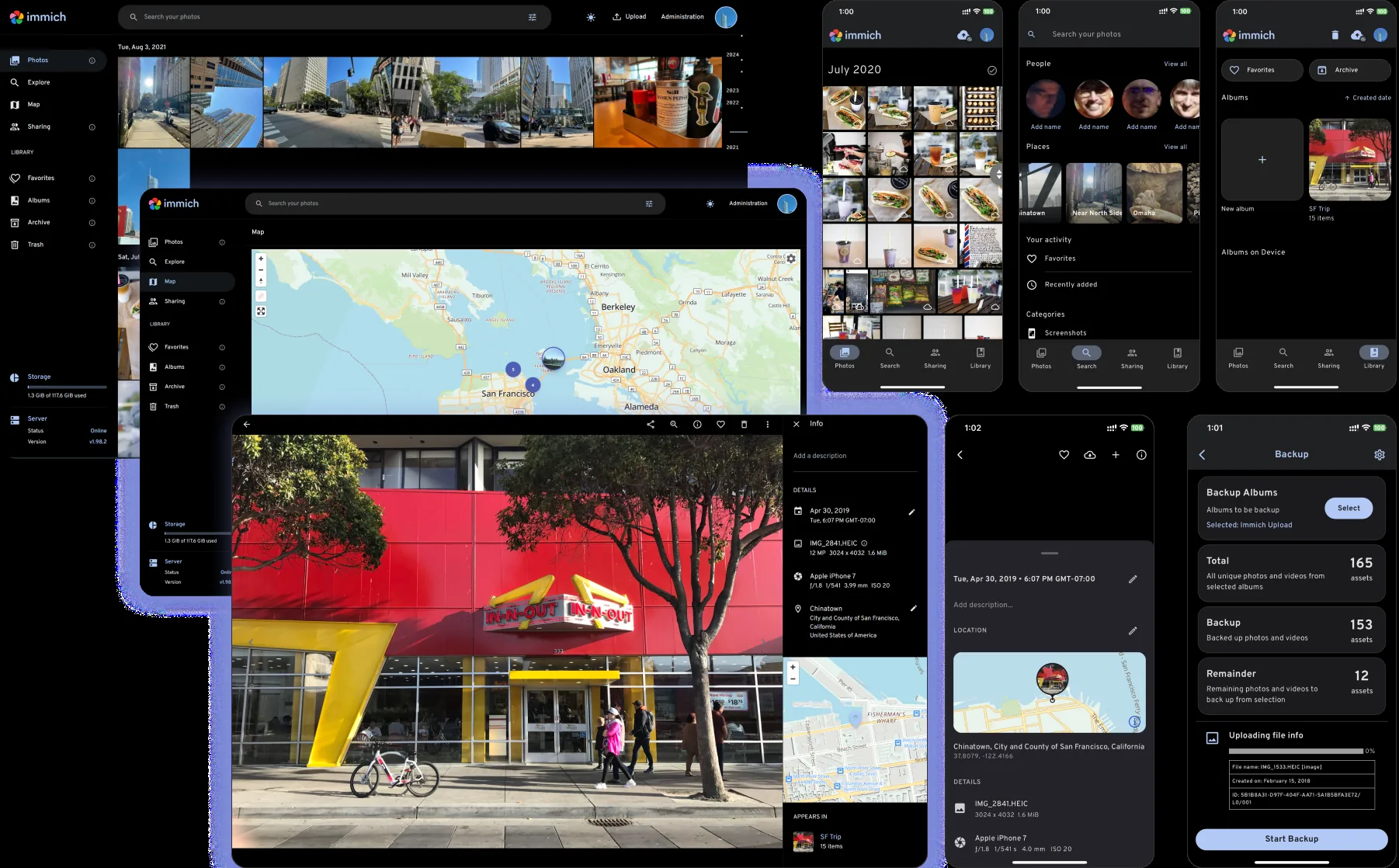
Immich is an open-source photo and video backup app that copies the pictures from your phone to your own server automatically and lets you browse them on any device, much like Google Photos or iCloud Photos. Once the app is set up, every new photo and video uploads in the background, in its original quality.
Finding a picture is quick. Immich recognises faces, so you can see every photo of one person, shows your photos on a map, and lets you search in plain words such as "dog on the beach". You can make shared albums and send private links to friends or clients. A wedding photographer, for example, could back up every shoot from their phone and camera and share a private album with each couple.
Immich has apps for iPhone and Android and works in any web browser. Each person gets their own private library, and partners can share theirs with each other. If you are leaving Google Photos, the free immich-go tool imports a Google Takeout download with dates and places intact.
Cloudgate installs Immich on a server Cloudgate provides or one you connect, together with its database and the part that recognises faces and understands searches, and gives it a secure web address. The first person to open that address creates the admin account. Immich needs a fairly large server, and your storage is the size of its disk, so plan for both before you move a big library across.
What you can do with Immich
- Back up your phone automatically New photos and videos upload in the background, in their original quality.
- Find people and places Browse every photo of one person, see your pictures on a map, or jump to a date.
- Search in plain words Type "beach at sunset" or "red car" and Immich finds matching photos.
- Share albums Make a shared album for an event, or send a private link to a client or a friend.
- Relive memories See photos taken on this day in past years.
- Give everyone their own library Each person gets a private account, and partners can share their whole library with each other.
Replaces Google Photos and iCloud Photos
Immich does the same job as Google Photos and iCloud Photos. Here is what changes when you switch.
- No storage plan to upgrade; you are limited only by your server's disk
- Your photos are not scanned or used to train someone else's AI
- Original quality is kept for every photo and video
- Storage is limited by the size of your server's disk
- Face recognition and smart search need a server with plenty of memory
- Immich is young and changes quickly, so keep a backup of your originals
What happens when you click Deploy?
You do not need a server or any technical knowledge. Four steps, and Immich is running at its own web address.
- Step 1 Click Deploy and create your account
Deploy takes you to Cloudgate. Create an account, or log in if you have one. Immich itself is free.
- Step 2 Choose a server
No server? Get one from Cloudgate: pick a size and a country, and Cloudgate gets it ready. Already have one? Connect it instead.
- Step 3 Cloudgate sets up Immich
It prepares the server, makes the passwords the app needs and starts it. There is nothing to install and nothing to write down.
- Step 4 Open your app and sign in
Your app gets a free web address to start, without https. Add your own domain, like app.yourshop.com, and Cloudgate secures it with https for you.
New to Cloudgate? See what Cloudgate is
Run Cloudgate yourself? Deploy from your own console
In your Cloudgate console, open Templates and choose Immich.
Questions
Is Immich free?
Yes. Immich is free, open-source software, and you pay only for hosting and storage. Its makers sell an optional supporter licence, which unlocks no extra features.
Is Immich a good alternative to Google Photos?
Yes. It is one of the closest open-source matches to Google Photos, with automatic phone backup, face recognition, a photo map, search in plain words, shared albums and memories. The difference is that you look after the server and its disk.
How do I self-host Immich?
The easiest way is to set up this template on Cloudgate. Cloudgate installs Immich and everything it needs on your server and gives it a secure web address; you then create the admin account and sign in with the phone app.
Can I move my photos from Google Photos?
Yes. Download your library with Google Takeout, then upload it with immich-go, a free community tool that keeps each photo's date and place.
Is my data private with Immich?
Yes. Your photos are stored on your own server, and face recognition and smart search run on that server too, so your pictures are not sent to an outside AI service.
What server size do I need for Immich?
Immich recommends 8 GB of memory and 4 CPU cores, so Cloudgate asks for a server that size. Plan the disk for your whole library plus about 10 to 20 percent for thumbnails and converted videos.
Who is the admin?
The first person to open Immich's web address creates the admin account, so do this right after setup. The admin can then add family members or colleagues, each with a private library.
Do I need technical skills?
No. Click Deploy, create your Cloudgate account and choose a server, and Cloudgate sets up Immich and gives it a web address. You use it in your browser like any other online tool.
Do I need my own server?
No. When you deploy Immich, hosted Cloudgate can provide a server. If you already rent one, you can connect it instead.

