
PeerTube
Your own ad-free video platform, with channels.
No server needed to start: Cloudgate can provide one. What happens when you click Deploy




What is PeerTube?
PeerTube is a self-hosted video platform: upload, share and embed videos in your own ad-free channels, instead of YouTube, Vimeo or Wistia.
PeerTube is a free, open-source, self-hosted video platform: your own ad-free video site with channels, subscriptions and embeds, instead of YouTube, Vimeo or Wistia. People upload videos into channels, and viewers watch, comment, subscribe and build playlists, with no ads and no algorithm suggesting other people's videos.
You decide who sees what. Each video can be public, unlisted, private, password-protected or visible only to people signed in to your site, and sign-up stays closed until you open it. A school, for example, could give each class its own channel, keep lessons internal to signed-in students, and embed a public open-day video on its website.
PeerTube works in any web browser, including on phones, and Framasoft also makes a PeerTube phone app. If you choose, your site can follow other PeerTube sites so your videos can be found there and from Mastodon.
Cloudgate installs PeerTube on a server Cloudgate provides or one you connect, with a secure web address. This template is for uploaded videos; live streaming is not included. Converting videos needs a lot of processing power, and storage grows quickly, so plan a large server with plenty of disk.
What you can do with PeerTube
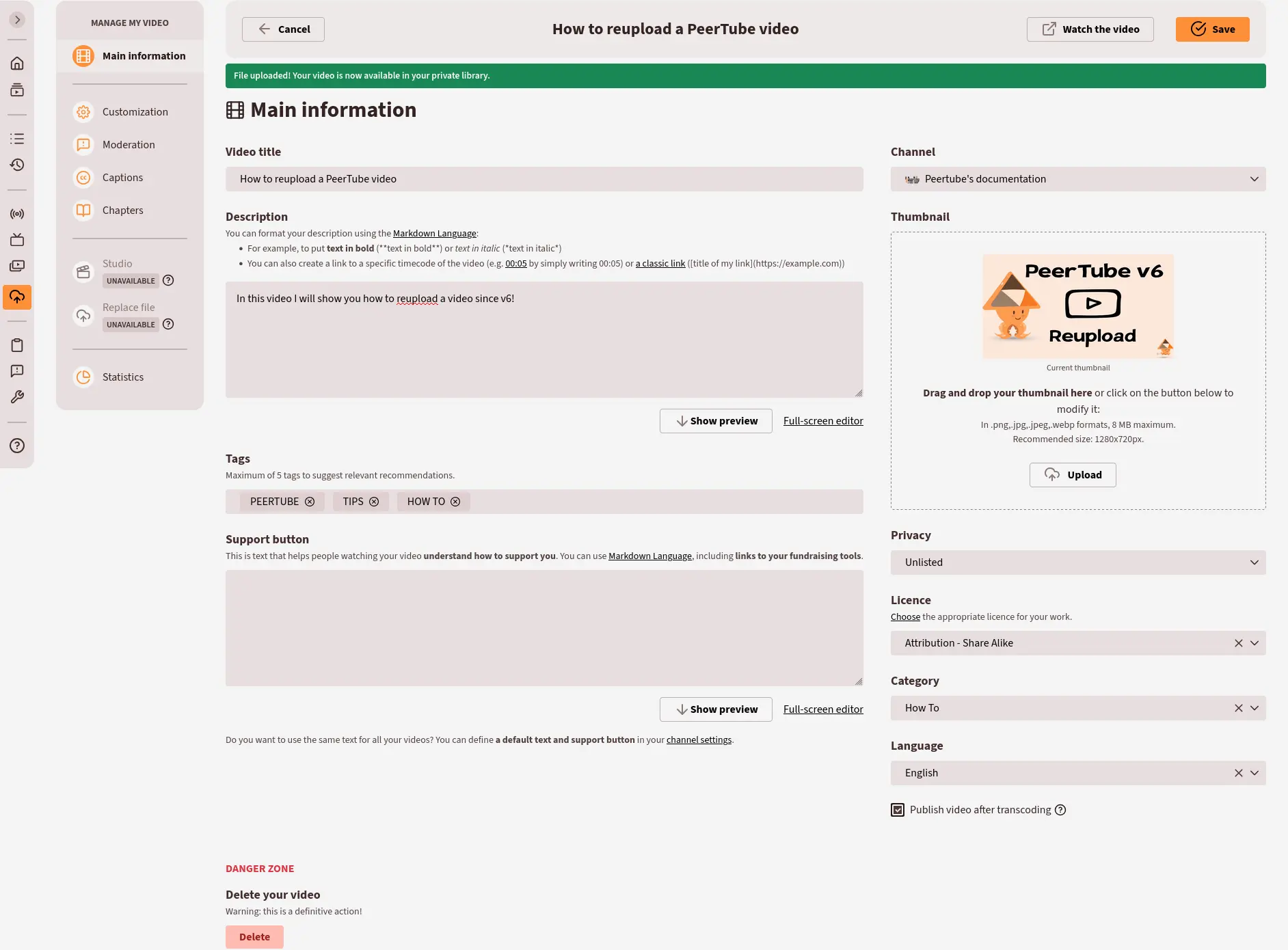
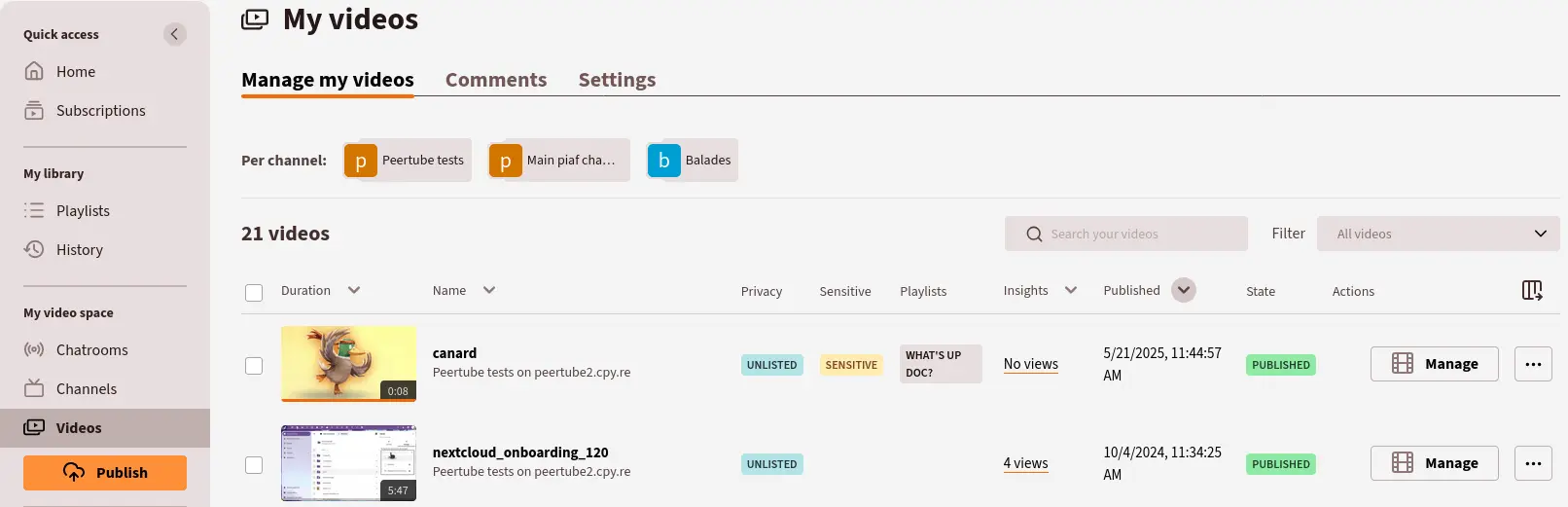
- Upload videos into channels Give each video a title, description, tags, category, language and thumbnail, and group videos into channels with their own name, banner and avatar.
- Decide who can watch Make each video public, unlisted, private, password-protected, or internal so only people signed in to your site can see it.
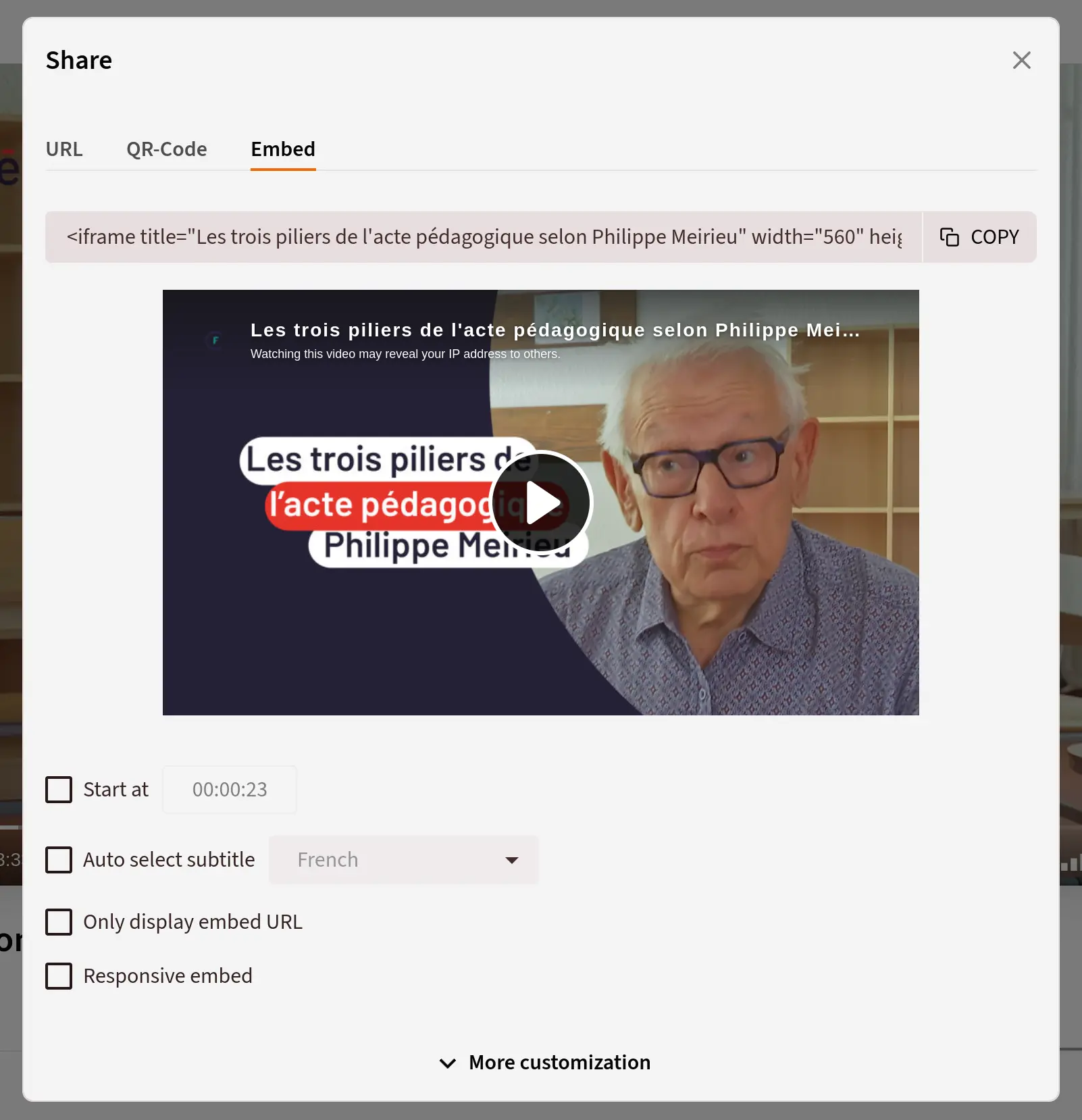
- Embed and share Copy a link, a QR code or an embed code for your website, with options such as a start time and subtitles.
- Subscriptions, playlists and comments Viewers can follow channels, save videos to playlists or Watch later, and comment, and you can switch comments and downloads off per video.
- Subtitles, chapters and statistics Add subtitles in several languages and chapters, and see each video's views, watch time and unique viewers.
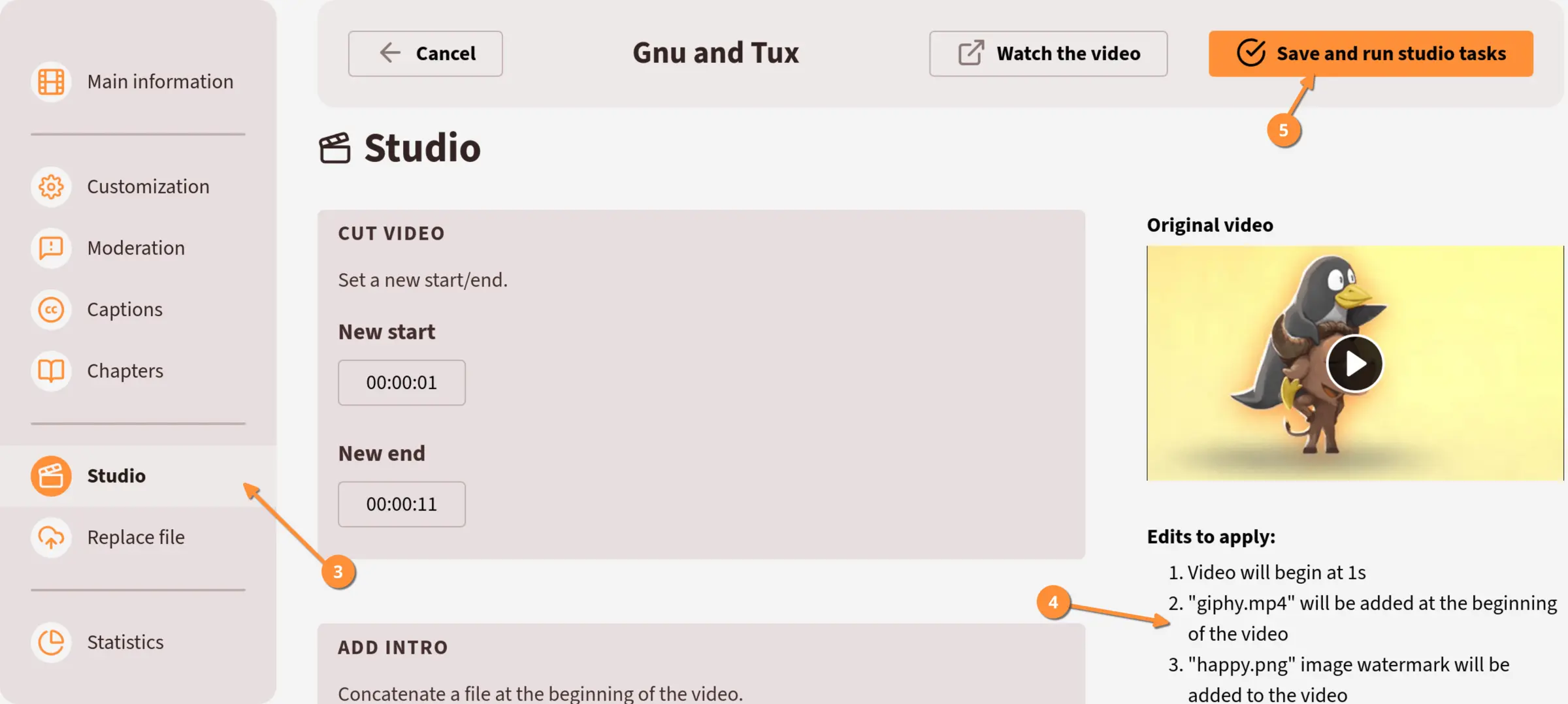
- Edit in the browser Once an admin turns on the studio, cut a video, add an intro or outro, or add a watermark without other software.
- Bring videos from YouTube or Vimeo Once an admin turns on imports, paste a video's web address to copy it in, or keep a whole channel in sync.
- Moderation and upload limits Keep sign-up closed or approve each new account, set how much each person may upload, and appoint moderators.
Replaces YouTube, Vimeo and Wistia
PeerTube does the same job as YouTube, Vimeo and Wistia. Here is what changes when you switch.
- No ads, and no algorithm putting other people's videos next to yours
- No fee per viewer, video or seat; you pay only for your server
- Private, internal and password-protected videos stay on your own server
- Your own name, colours and web address
- It brings no audience of its own, so viewers come from your website, emails and links
- Converting videos takes a lot of processing power, and storage grows quickly with each quality you add
- Videos stream from your server, with no worldwide delivery network behind them
- This template has no live streaming, and no lead forms or marketing tools like Wistia's
What happens when you click Deploy?
You do not need a server or any technical knowledge. Four steps, and PeerTube is running at its own web address.
- Step 1 Click Deploy and create your account
Deploy takes you to Cloudgate. Create an account, or log in if you have one. PeerTube itself is free.
- Step 2 Choose a server
No server? Get one from Cloudgate: pick a size and a country, and Cloudgate gets it ready. Already have one? Connect it instead.
- Step 3 Cloudgate sets up PeerTube
It prepares the server, makes the passwords the app needs and starts it. There is nothing to install and nothing to write down.
- Step 4 Open your app and sign in
Your app gets a free web address to start, without https. Add your own domain, like app.yourshop.com, and Cloudgate secures it with https for you.
New to Cloudgate? See what Cloudgate is
Run Cloudgate yourself? Deploy from your own console
In your Cloudgate console, open Templates and choose PeerTube.
Questions
Is PeerTube free?
Yes. PeerTube is free, open-source software under the AGPL-3.0 licence, made by the French non-profit Framasoft. There is no paid edition or locked feature; you pay only for your server and its storage.
Is PeerTube a good alternative to YouTube or Vimeo?
Yes, if you want your own ad-free video site. PeerTube has channels, subscriptions, playlists, comments, embeds and private or password-protected videos. It does not bring you YouTube's audience or Vimeo's worldwide delivery network and marketing tools.
How do I sign in to PeerTube the first time?
Sign in with the user name root and the password Cloudgate created, which is shown on the app's variables page as ROOT_PASSWORD; click "Login" at the top right of your PeerTube address. Then open Administration, then Settings, to choose video qualities, sign-up and the features to switch on.
Can I move my videos from YouTube to PeerTube?
Yes, partly. A PeerTube admin can turn on imports in the settings, then you paste a YouTube or Vimeo video's address to copy it in, or set a channel to stay in sync. You can also download your own videos and upload them again.
Can I keep my videos private on PeerTube?
Yes. In PeerTube, each video can be private, unlisted, password-protected or internal, which means only people with an account on your PeerTube can watch it. Sign-up is closed until you open it, so you decide who has an account.
Can I stream live with PeerTube on Cloudgate?
No. PeerTube can stream live, but live streaming needs a connection Cloudgate does not open, so this template is for uploaded videos only.
What server size do I need for PeerTube?
A large server. PeerTube itself needs little, but converting uploaded videos uses a lot of processing power, so Cloudgate uses a large server. Its makers suggest 8 CPU cores and 8 GB of memory for a busy site that converts videos on the same server. Plan plenty of disk, because each extra quality adds another copy of every video.
Do I need technical skills to run PeerTube?
No. Click Deploy, create your Cloudgate account and choose a server, and Cloudgate sets up PeerTube and gives it a web address. You use it in your browser like any other online tool.
Do I need my own server for PeerTube?
No. When you deploy PeerTube, hosted Cloudgate can provide a server. If you already rent one, you can connect it instead.
Related apps

A private YouTube for your organisation.

Podcast hosting with your own feed, website and stats.

Share your game clips and videos with a link, from your own server.

A self-hosted media server for your family's films and home videos.