Open-source alternatives to YouTube

PeerTube is the free, open-source YouTube alternative we recommend: your own ad-free video site with channels, subscriptions, playlists, comments and embeds, a phone app, and imports from YouTube. YouTube shows ads and suggests other channels’ videos next to yours; a self-hosted video site shows neither and keeps private videos on your own server, though it brings no audience with it.

2 alternatives Free apps Our pick: PeerTube

At a glance

App Good for Code Import from YouTube Ease of use
PeerTube Schools, churches, creators and organisations that want their own ad-free video channels Code Open source Import from YouTube Partly Some setup
MediaCMS Schools, training teams and organisations that want their own private video site Code Open source Import from YouTube No Easy

Why look for an alternative to YouTube?

YouTube is the world's largest video site: anyone can upload, and its recommendations bring viewers to channels of every kind. Organisations use it to share training, lectures and events because it is free to upload and easy to embed.

People look for an alternative when YouTube's way of working does not suit their videos. Ads can play before and during them, recommendations put other channels' videos beside theirs, and private or internal videos depend on Google's settings and rules. A self-hosted PeerTube or MediaCMS gives an organisation its own video site with its own branding and no ads, and keeps private videos on its own server; in return, it brings no audience and you pay for the server's disk and bandwidth.

The alternatives, compared

PeerTube

Our pick

Your own ad-free video platform, with channels.

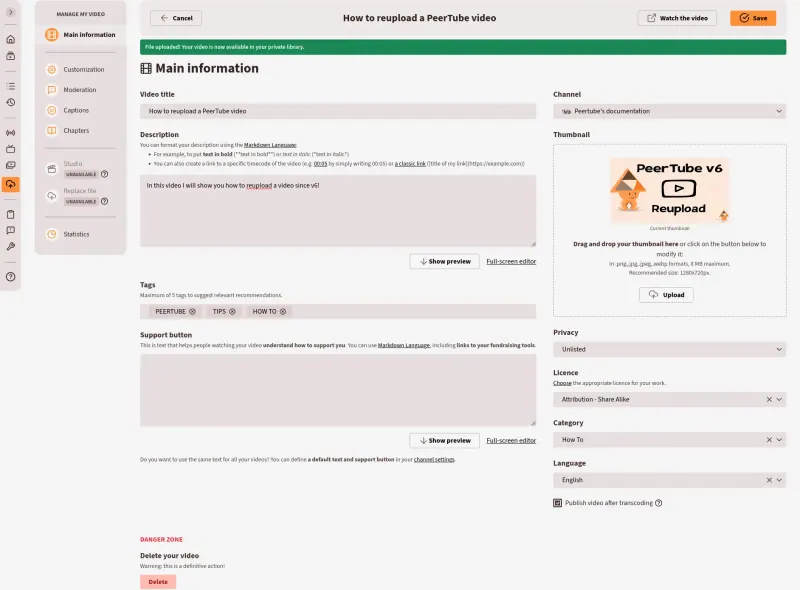
Our pick for a YouTube-style video site: channels with their own banner, subscriptions, playlists, Watch later, comments, subtitles, chapters and embeds, a PeerTube phone app, and imports from YouTube once an admin turns them on. Videos can be public, unlisted, private, password-protected or internal. It brings no audience of its own, and this template has no live streaming.

What you gain
  • No ads, and no algorithm putting other people's videos next to yours
  • No fee per viewer, video or seat; you pay only for your server
  • Private, internal and password-protected videos stay on your own server
What is different
  • It brings no audience of its own, so viewers come from your website, emails and links
  • Converting videos takes a lot of processing power, and storage grows quickly with each quality you add
  • Videos stream from your server, with no worldwide delivery network behind them
Some setup Open source

A private YouTube for your organisation.

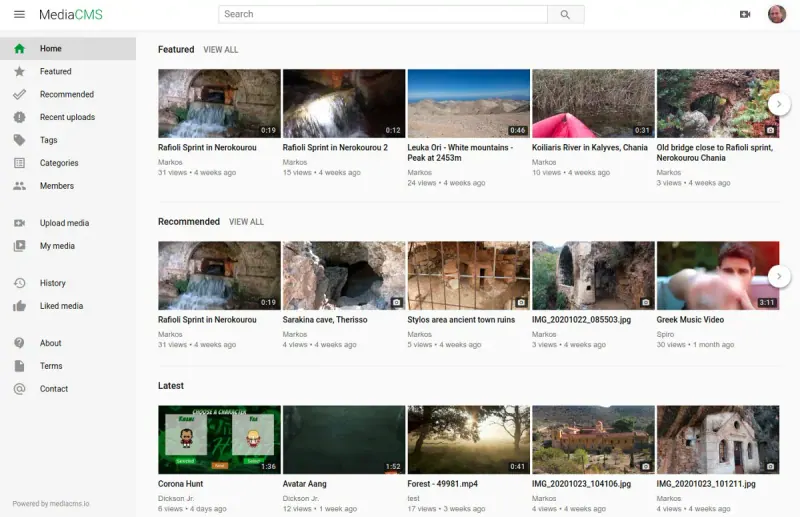
Gives an organisation its own YouTube-style site: uploads, a home page with featured and recent videos, search, categories, tags, comments, likes, playlists and embeds, with private, unlisted and group-only videos. There are no ads and no other channels' videos beside yours. It has no audience of its own, no live streaming and no phone app.

Easy Open source

Moving from YouTube

PeerTube can copy videos from YouTube: once an admin turns on imports, paste a video's address to bring it in, or set a channel to stay in sync with a YouTube channel. YouTube sometimes blocks imports from servers, so you can also download your own videos from YouTube Studio and upload them. Create a channel for each team or topic, choose the video qualities to create, and decide who may sign up. MediaCMS 7.2.0 has no YouTube import tool, so download the videos you own from YouTube Studio and upload them to MediaCMS, adding titles, descriptions and tags again. Both apps convert each upload into several qualities in the background, which takes a while on a small server. Decide who may sign up and upload, then replace YouTube embeds on your website with the new app's embed codes. Many organisations keep a public YouTube channel for reach and use their own video site for internal and private videos.

Questions

What is the best open-source alternative to YouTube?

Start with PeerTube. If you want something simpler, try MediaCMS. Both are free and open source.

Should I leave YouTube completely?

Not always. YouTube brings viewers who would never find your own site. Many organisations keep public videos there and move private, internal or teaching videos to PeerTube or MediaCMS.

Can I make videos visible only to signed-in staff or students?

Yes. In PeerTube a video can be internal, so only people signed in to your site can watch it, or private, unlisted or password-protected. In MediaCMS videos can be private or unlisted, and categories can be limited to groups of users.

Should I choose PeerTube or MediaCMS?

PeerTube if you want something that works like YouTube, with channels, subscriptions, a phone app and imports from YouTube. MediaCMS if you need single sign-on, group-only categories, or a library that also holds pictures and PDFs.

Are these YouTube alternatives really free?

Yes, PeerTube and MediaCMS are free. To run them you need Cloudgate and a server. Use hosted Cloudgate, which can also provide the server, or install Cloudgate on a server of your own for free. Cloudgate's plans and prices are at cloudgate.octabyte.io/pricing. One server can run several apps.

Do I need a developer to replace YouTube?

No. Cloudgate installs the app you choose on your server and gives it a secure web address, and you use it in your browser instead of YouTube.