OpenLivery
White-label AI chat agents for your clients, on WhatsApp and the web
No server needed to start: Cloudgate can provide one. What happens when you click Deploy
What is OpenLivery?
Self-hosted OpenLivery is a white-label platform for agencies to build and run AI chat agents for their clients on WhatsApp and website chat.
OpenLivery is a free, open-source, white-label platform where an agency builds and runs AI chat agents for its clients on WhatsApp and website chat, a self-hosted alternative to Stammer.ai, Voiceflow or Botpress. One installation serves your agency: you add each client, give it an AI agent with its own instructions and knowledge, and connect the client's WhatsApp number or a chat bubble on their website.
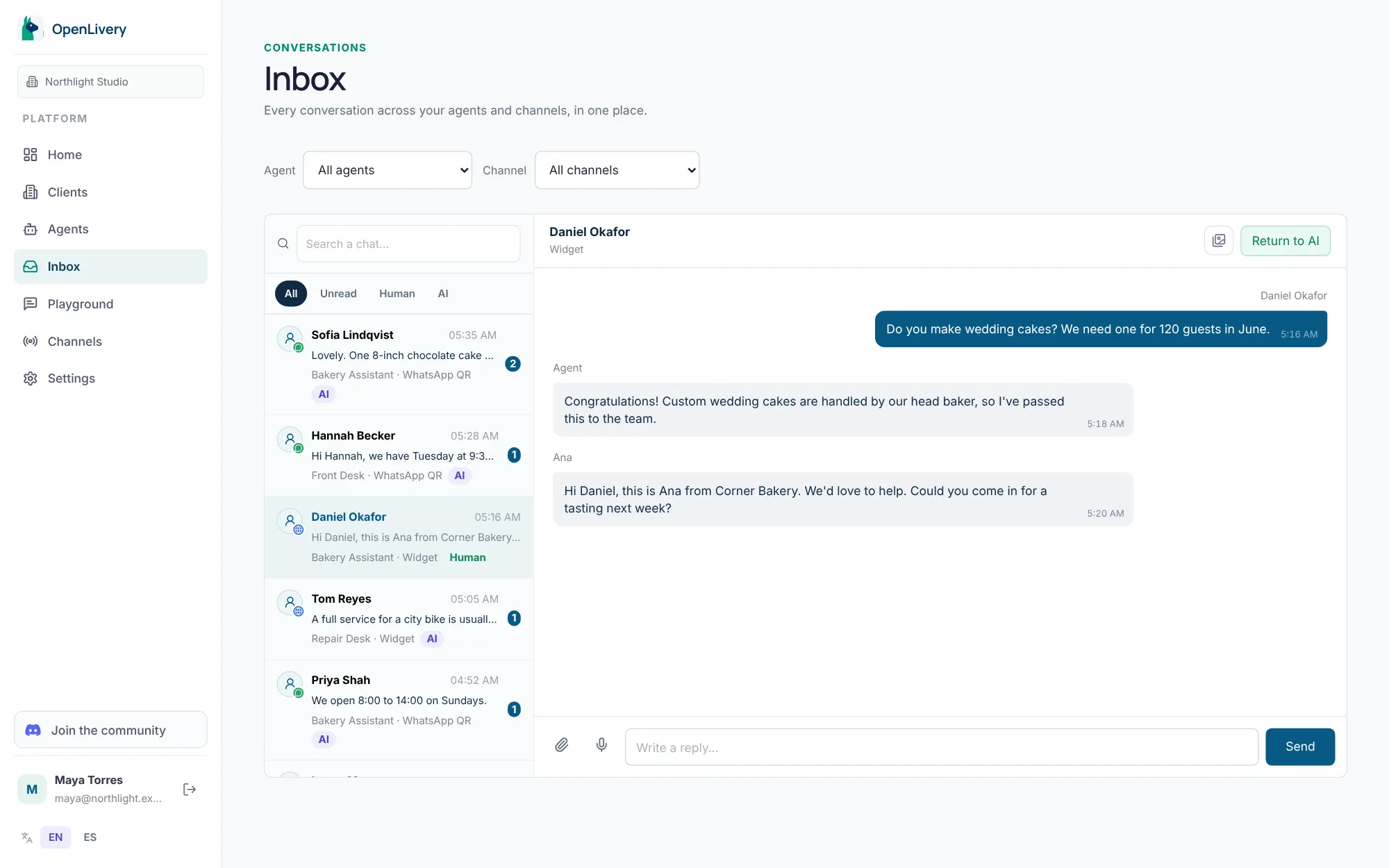
Agents answer from the notes, question-and-answer pairs and PDFs you give them, and can read photos and voice notes customers send. Your team sees every conversation in one inbox and can take over from the AI at any moment. A small agency could, for example, run a bakery's WhatsApp assistant that takes cake pre-orders and answers questions about opening hours, while the bakery's staff use their own portal to step in on a wedding cake request.
OpenLivery works with your own OpenAI or Anthropic key, Meta's official WhatsApp Cloud API or a WhatsApp number linked by QR code, and other software through web APIs and MCP servers. Its screens are in English and Spanish, and they carry your agency's name, colour and logo.
Cloudgate installs self-hosted OpenLivery on a server Cloudgate provides or one you connect, and gives it a secure web address. Open it, create your agency and add your AI key to start.
What you can do with OpenLivery
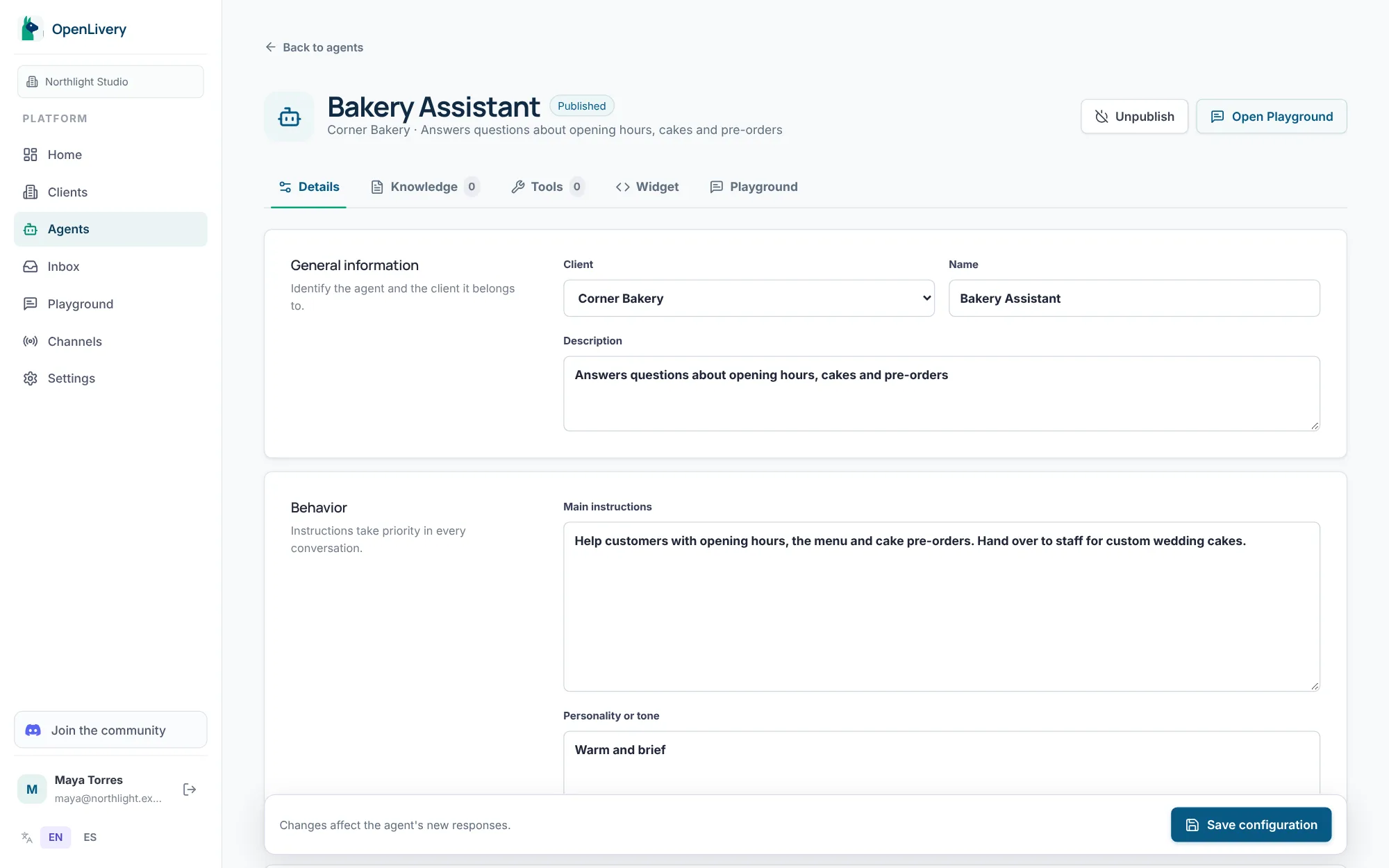
- An AI agent for each client Write each agent's instructions and personality, start from an industry template, and test it in the playground before it goes live.
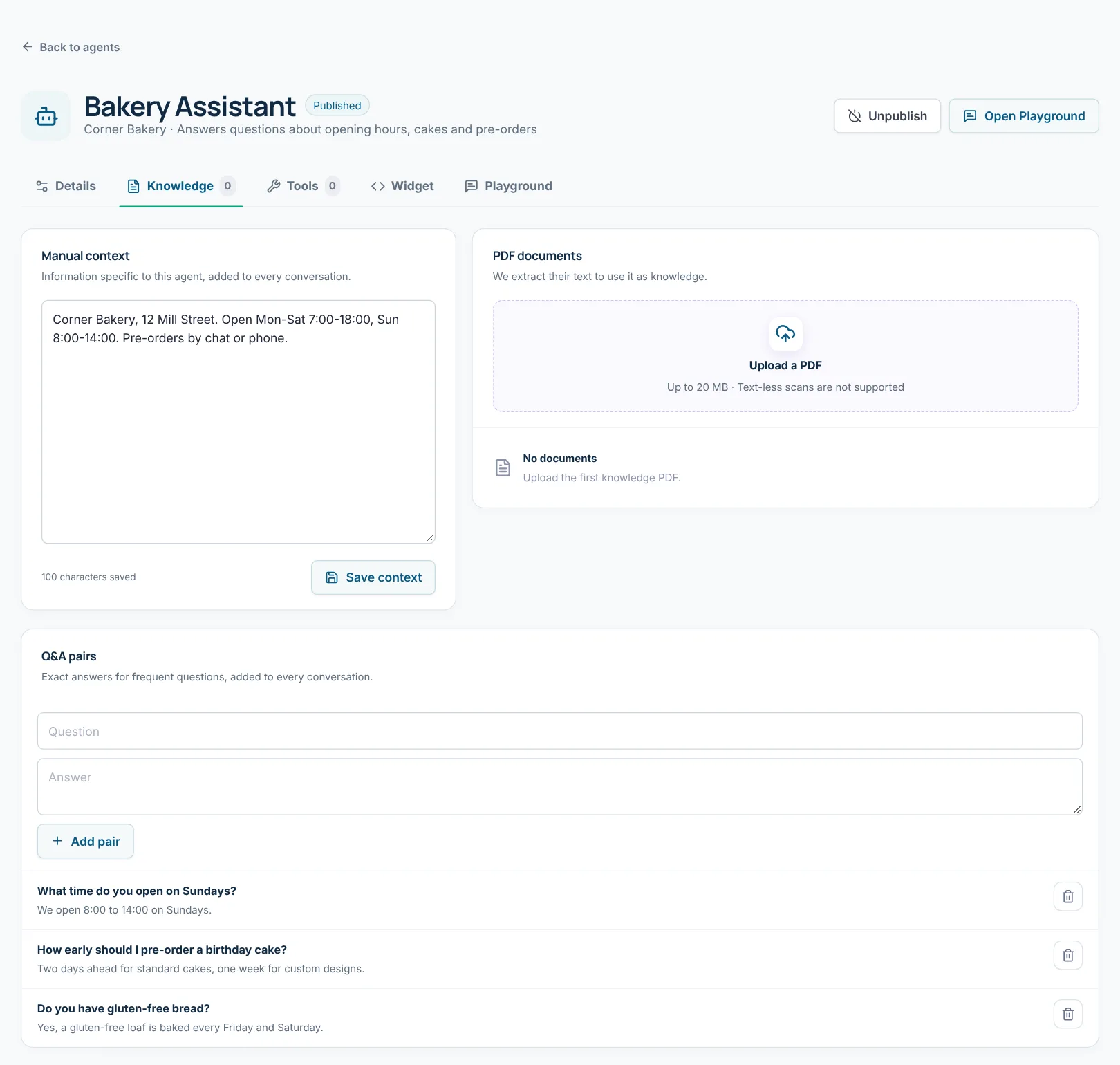
- Answers from the client's own information Give an agent written notes, question-and-answer pairs and PDFs, and it finds the right passage by meaning when a customer asks.
- WhatsApp and website chat Connect a client's WhatsApp number through Meta's official WhatsApp Cloud API or by scanning a QR code, or put a chat bubble on their website.
- Understands photos and voice notes Agents can read pictures and listen to voice notes customers send, and reply to them.
- A person can take over One inbox shows every conversation with search and filters, and you can switch a chat from the AI to a person and back.
- A portal for each client Each client gets its own login and inbox, so their staff read and answer their own conversations without seeing your other clients.
- Your agency's brand Put your agency's name, colour and logo on the dashboard and client portals.
- Connect other systems Let an agent look things up or act in your client’s other software through web APIs or MCP servers.
Replaces Stammer.ai, Voiceflow and Botpress
OpenLivery does the same job as Stammer.ai, Voiceflow and Botpress. Here is what changes when you switch.
- No monthly plan or fee for white-labelling; you pay only for your server and your AI provider
- Customer conversations and your clients' information stay on your own server
- Use OpenAI or Anthropic with your own key and choose the model for each agent
- Each client gets its own branded portal and inbox
- It is chat only in this version, with no phone calls, Instagram or Messenger
- There is no visual flow builder; you guide agents with written instructions and knowledge
- Linking a WhatsApp number by QR code is unofficial, and WhatsApp can ban a number used this way
- It is a young project, and agents, conversations and contacts do not move across from another tool
What happens when you click Deploy?
You do not need a server or any technical knowledge. Four steps, and OpenLivery is running at its own web address.
- Step 1 Click Deploy and create your account
Deploy takes you to Cloudgate. Create an account, or log in if you have one. OpenLivery itself is free.
- Step 2 Choose a server
No server? Get one from Cloudgate: pick a size and a country, and Cloudgate gets it ready. Already have one? Connect it instead.
- Step 3 Cloudgate sets up OpenLivery
It prepares the server, makes the passwords the app needs and starts it. There is nothing to install and nothing to write down.
- Step 4 Open your app and sign in
Your app gets a free web address to start, without https. Add your own domain, like app.yourshop.com, and Cloudgate secures it with https for you.
New to Cloudgate? See what Cloudgate is
Run Cloudgate yourself? Deploy from your own console
In your Cloudgate console, open Templates and choose OpenLivery.
Questions
Is OpenLivery free?
Yes, OpenLivery is free and open source under the MIT licence, white-label features included. You pay for your server and for the AI provider your agents use, such as OpenAI or Anthropic, and Meta charges for messages if you use the official WhatsApp Cloud API.
Is OpenLivery a good alternative to Stammer.ai?
Yes, if you mainly need AI chat agents for your clients on WhatsApp and website chat under your own brand. OpenLivery is self-hosted and white-labelling is included, but this version has no phone or voice agents and no Instagram or Messenger, which Stammer.ai offers.
Do I need my own AI API key?
Yes, OpenLivery has no AI of its own. Your agency adds an OpenAI or Anthropic API key in Settings, or a service that works like OpenAI's API; the key is checked when you save it and stored encrypted, and you pay the provider for what your agents use.
Can WhatsApp ban a number connected to OpenLivery?
Yes, WhatsApp can ban a number linked to OpenLivery by scanning a QR code, because that link uses WhatsApp Web in a way WhatsApp does not officially allow, so try it with a spare number first. Connecting through Meta's official WhatsApp Cloud API avoids that risk, but needs your own Meta developer app and Meta's per-message charges.
Can my clients see their own conversations?
Yes, OpenLivery can give each client a portal with its own login. Their staff see only that client's conversations, can take over from the AI and reply themselves, and never see your agency dashboard or your other clients.
How do I sign in to OpenLivery the first time?
The first person to open OpenLivery's web address creates the agency and its owner account, and sign-up then closes. There is no default password, so do this right after setup, then add your clients from the dashboard.
Do I need technical skills to run OpenLivery?
No. Click Deploy, create your Cloudgate account and choose a server, and Cloudgate sets up OpenLivery and gives it a web address. You use it in your browser like any other online tool.
Do I need my own server for OpenLivery?
No. When you deploy OpenLivery, hosted Cloudgate can provide a server. If you already rent one, you can connect it instead.
Can I move my data from Stammer.ai to OpenLivery?
Most people export from Stammer.ai and import into OpenLivery. The official guides at github.com walk through it.
Related apps

Self-hosted help desk for email tickets, SLAs and a customer portal.

A self-hosted shared inbox for customer email, like Help Scout.

A self-hosted IT service desk with an inventory of every device.

A self-hosted IT help desk linked to a CMDB of everything you run.