Omeka S
Put your museum, archive or library collection online.
No server needed to start: Cloudgate can provide one. What happens when you click Deploy
What is Omeka S?
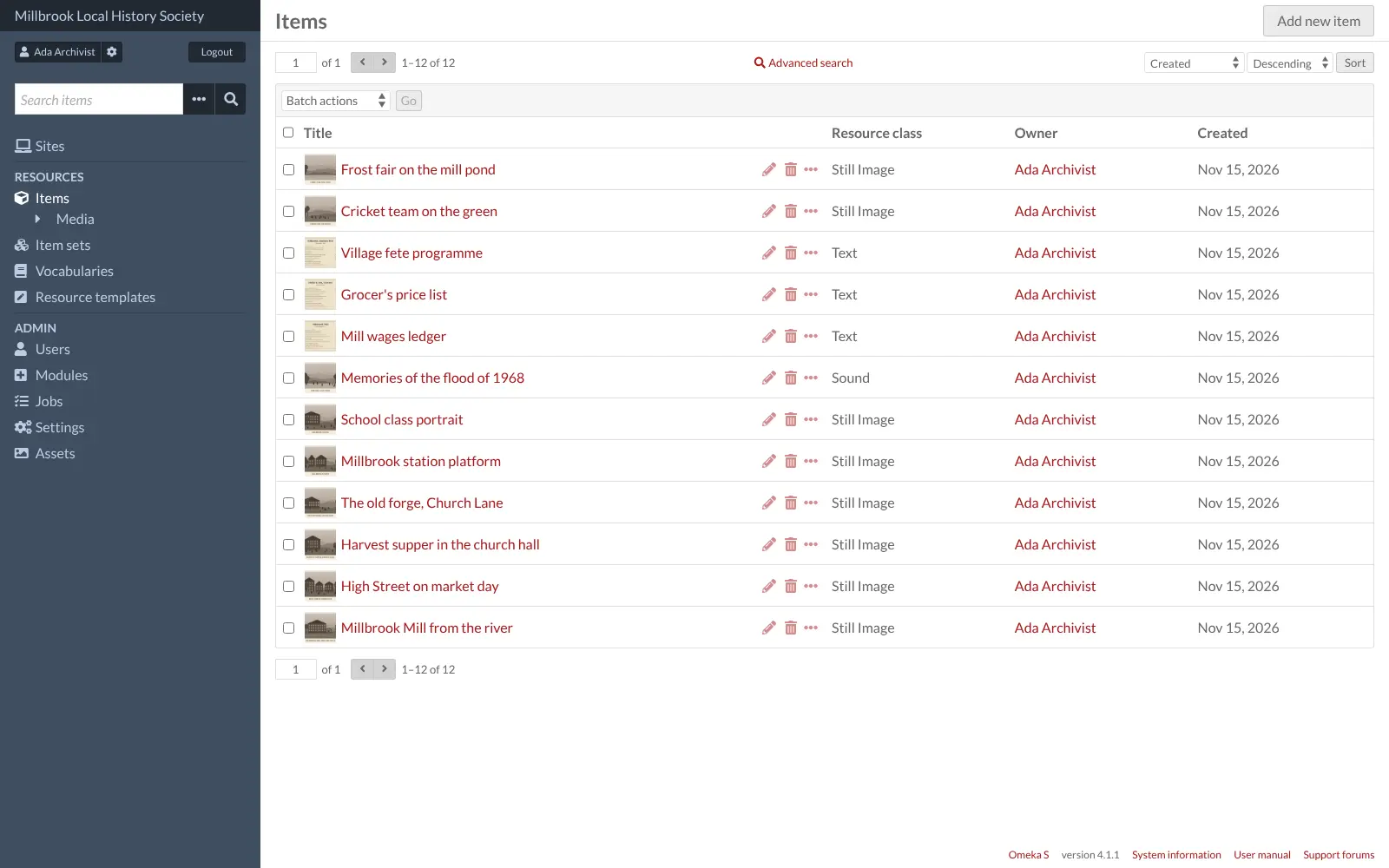
Omeka S is a free, self-hosted platform for museums, archives and libraries to catalogue their collections and publish them as public websites.
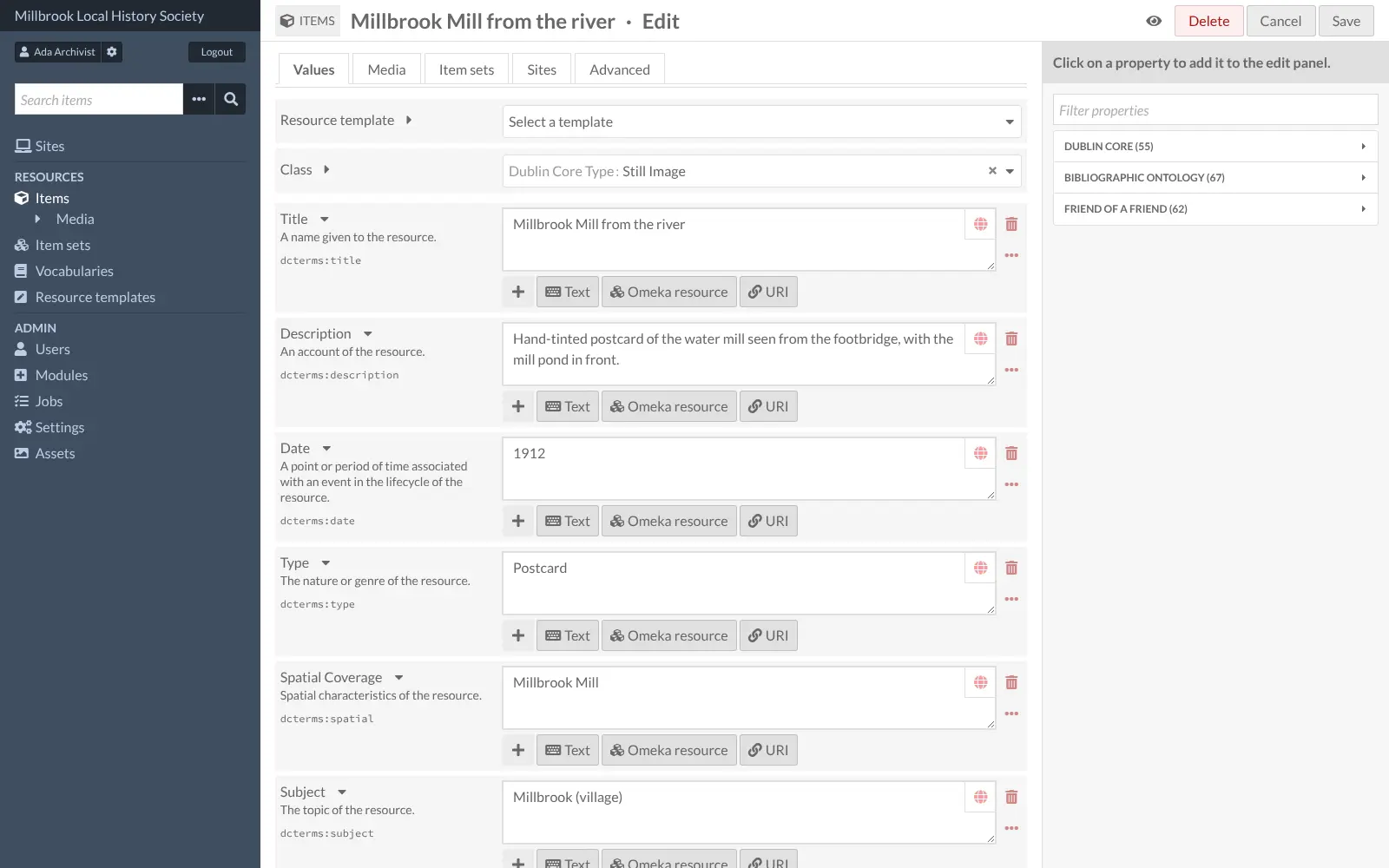
Omeka S is a free, open-source platform for putting a museum, archive or library collection online, and a self-hosted alternative to paid services such as CONTENTdm and PastPerfect Online. You catalogue photos, documents, recordings and objects with standard Dublin Core fields, then publish them as a public website that visitors can browse and search.
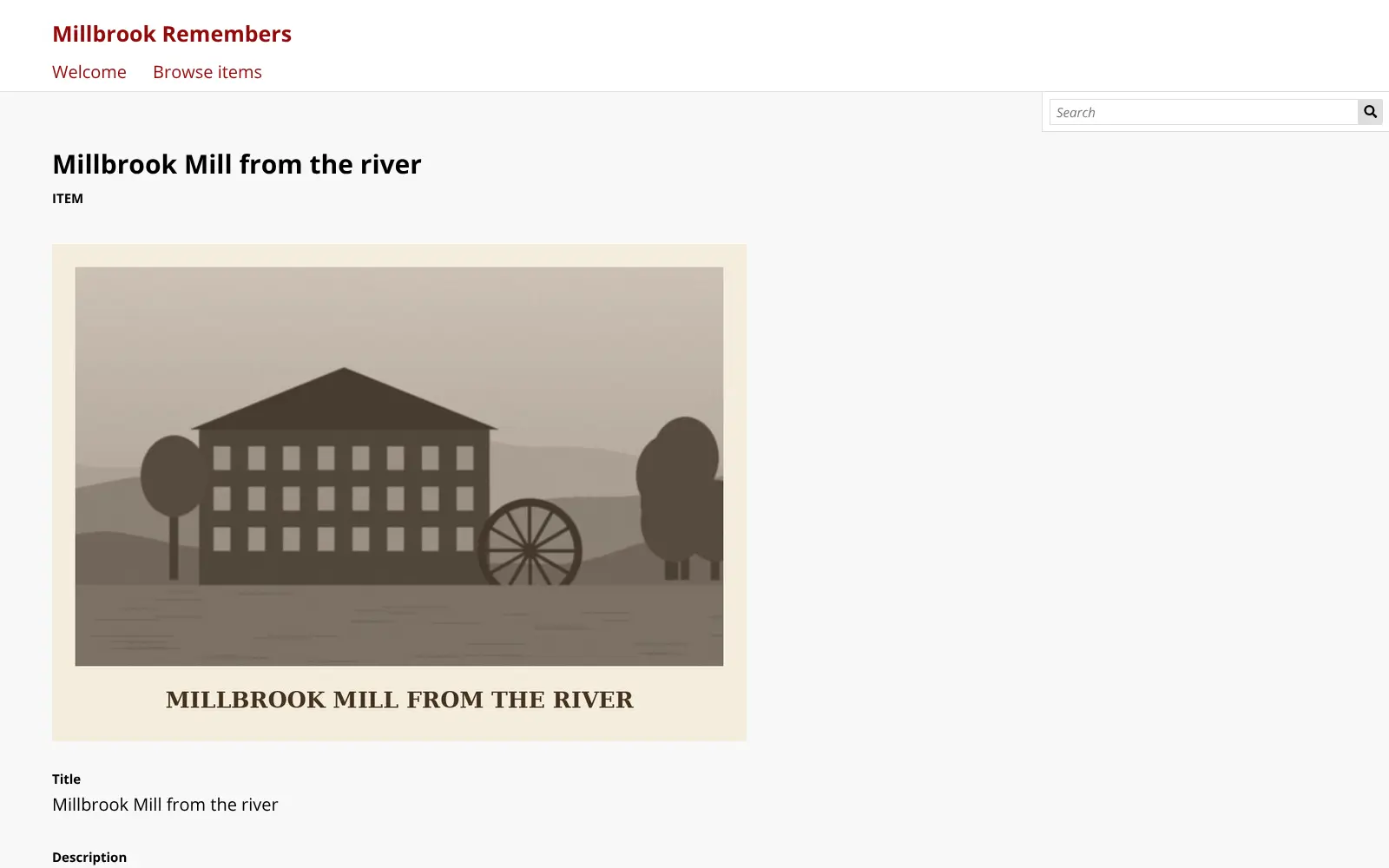
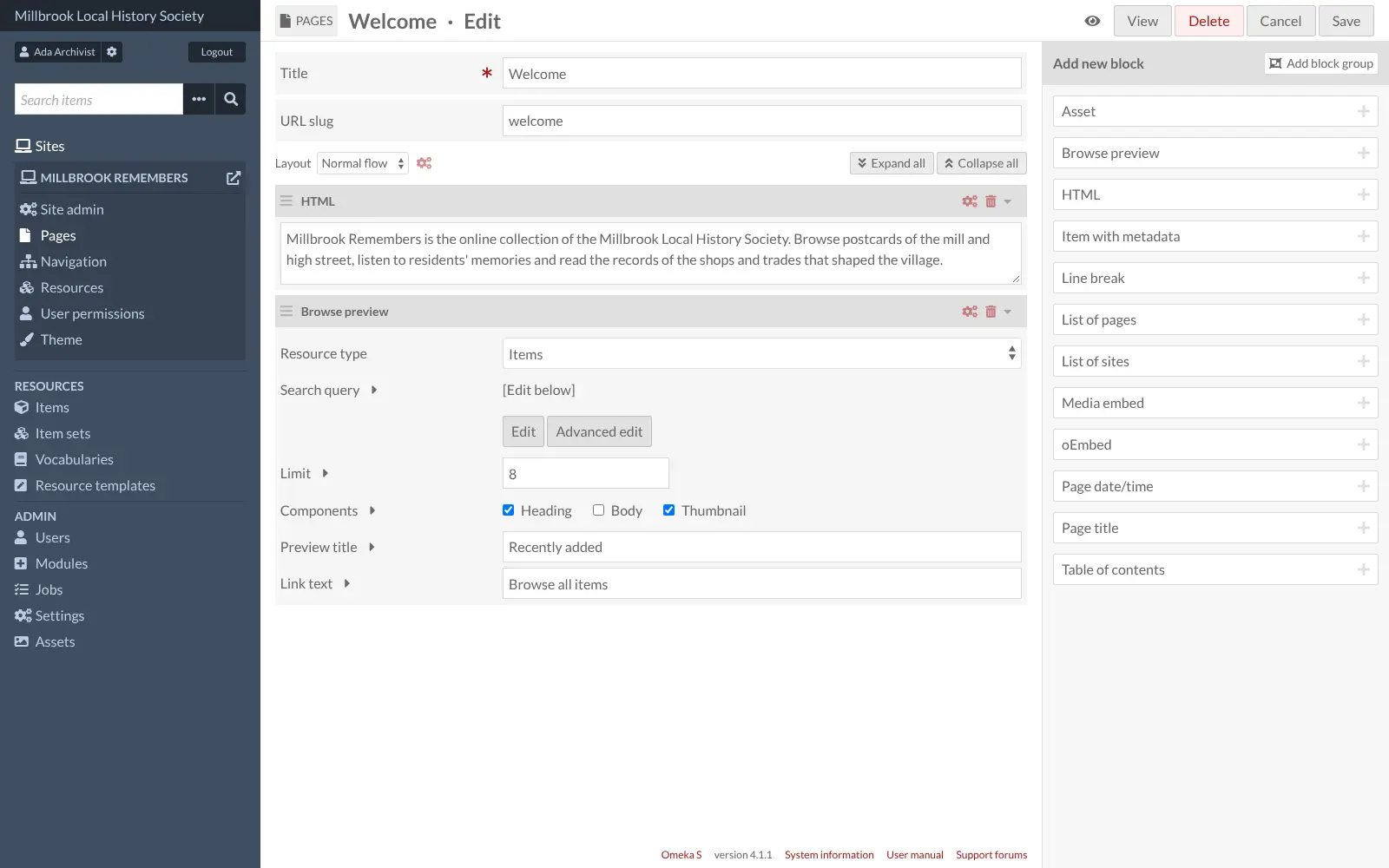
All your items sit in one shared pool, and you can build several public sites from it, each with its own pages, theme and selection of items. Pages are made from blocks, such as text, an item with its details or a preview of recent additions. A local history society, for example, could catalogue its postcards, oral history recordings and old shop records, then publish a "village memories" website and a separate exhibit for a centenary.
Omeka S works in any web browser. Free modules import records from a spreadsheet or Zotero, put items on a map, collect submissions from the public and share images over IIIF. It publishes collections; it doesn't replace a collections database with loans or donor records.
Cloudgate installs Omeka S on a server Cloudgate provides or one you connect, with a secure web address. You sign in with the admin email you chose and a generated password, then create your first site.
What you can do with Omeka S
- Catalogue your collection Describe photos, documents, recordings and objects with standard Dublin Core fields, and group them into item sets.
- Add any kind of media Upload files or link to images, IIIF images, YouTube videos and other web media, and thumbnails are made for you.
- Publish several websites Build more than one public site, such as an exhibit or a project, from the same shared pool of items, each with its own theme.
- Build pages from blocks Make exhibit pages from text, items with their details, media, browse previews and tables of contents, without code.
- Share as linked open data Every item is also published as linked data, and DPLA-ready templates help you share records with the Digital Public Library of America.
- Work as a team Give staff and volunteers roles from administrator to editor, author or read-only researcher.
- Add free modules Import from spreadsheets or Zotero, put items on a map, collect submissions from the public, or serve images over IIIF.
Replaces CONTENTdm
Omeka S does the same job as CONTENTdm. Here is what changes when you switch.
- No yearly subscription or service tier; you pay only for your server
- Your collection's files and records stay on a server you control
- Open source under the GPL-3.0, with no paid edition or paid modules
- Several public sites from one install, each with its own theme
- It publishes collections; it is not a full collections database with accessions, loans or donor records
- Moving from CONTENTdm or PastPerfect means exporting a spreadsheet and importing it with the CSV Import module
- Extra modules and themes are added by uploading their files, not from a built-in store
- You look after your own updates and backups instead of a vendor
What happens when you click Deploy?
You do not need a server or any technical knowledge. Four steps, and Omeka S is running at its own web address.
- Step 1 Click Deploy and create your account
Deploy takes you to Cloudgate. Create an account, or log in if you have one. Omeka S itself is free.
- Step 2 Choose a server
No server? Get one from Cloudgate: pick a size and a country, and Cloudgate gets it ready. Already have one? Connect it instead.
- Step 3 Cloudgate sets up Omeka S
It prepares the server, makes the passwords the app needs and starts it. There is nothing to install and nothing to write down.
- Step 4 Open your app and sign in
Your app gets a free web address to start, without https. Add your own domain, like app.yourshop.com, and Cloudgate secures it with https for you.
New to Cloudgate? See what Cloudgate is
Run Cloudgate yourself? Deploy from your own console
In your Cloudgate console, open Templates and choose Omeka S.
Questions
Is Omeka S free?
Yes. Omeka S is free, open-source software under the GPL-3.0 licence, with no paid edition and no paid modules, so you pay only for your server. Its makers sell hosting only through Omeka.net, which runs the older Omeka Classic.
Is Omeka S a good alternative to CONTENTdm?
Yes, for putting a digital collection online. Omeka S does the same publishing job, with collections, Dublin Core metadata, public browse and search, and IIIF images, on your own server with no service tier limits. You run the server yourself instead of paying OCLC to host it.
Can Omeka S replace PastPerfect?
Partly. Omeka S can replace PastPerfect Online, the part that shows your collection on the web, but it is not a collections-management database. It has no accessions, loans, condition reports or donor and membership records, so many museums keep a catalogue program and publish selected records in Omeka S.
What is the difference between Omeka S and Omeka Classic?
Omeka S is the newer of the two and runs many sites from one install, sharing one pool of items, with linked open data and many metadata standards. Omeka Classic runs one site per install and uses Dublin Core only. The Omeka Classic Importer module brings Classic items, collections and users into Omeka S, but not exhibits.
Can I import my existing catalogue into Omeka S?
Yes. The free CSV Import module brings in items, item sets and media from a spreadsheet exported from your current system, and other free modules import from Zotero, Omeka Classic and other Omeka S sites. There is no direct importer for CONTENTdm or PastPerfect.
How do I sign in to Omeka S the first time?
Open your Omeka S web address followed by /login and sign in with the admin email you gave at setup and the password Cloudgate generated, shown on the app's variables page. Omeka S is already installed. Create your first public site under Sites, and add colleagues under Users.
What server size do I need for Omeka S?
A small server with 1 GB of memory, which is what Cloudgate asks for, is enough to start. The Omeka project publishes no minimum. Plan the disk for your scanned images, audio and video, which take far more space than the app itself.
Do I need technical skills to run Omeka S?
No. Click Deploy, create your Cloudgate account and choose a server, and Cloudgate sets up Omeka S and gives it a web address. You use it in your browser like any other online tool.
Do I need my own server for Omeka S?
No. When you deploy Omeka S, hosted Cloudgate can provide a server. If you already rent one, you can connect it instead.
Related apps

A self-hosted web archive that keeps lasting copies of web pages.

Archives management with a public catalogue.

Publish your organisation's datasets on your own open data portal.

An open-source electronic lab notebook and inventory for your lab.